
Iplotter
JavaScript charting in ipython/jupyter notebooks -
Install / Use
/learn @niloch/IplotterREADME
IPlotter



JavaScript charting in ipython/jupyter notebooks
<!-- MarkdownTOC -->- Installation
- C3.js
- plotly.js
- Chart.js
- Chartist.js
- Google Charts
- Usage
- Examples
- Multple Charts and Mixing Libraries
- Exporting plots to PNG images with Selenium
iplotter is a simple package for generating interactive charts in ipython/jupyter notebooks using popular JavaScript Libraries from python data structures (dictionaries, lists, etc.)
<a name="installation"></a>
Installation
To install the most recent stable release run pip install iplotter.
To install the latest version run pip install git+git://github.com/niloch/iplotter.git@master or
git clone https://github.com/niloch/iplotter.git followed by pip install -e iplotter/
<a name="c3js"></a>
C3.js
C3 is a charting library based on d3.js for making interactive and easy to understand charts, graphs, and plots. Charts have animated transitions for hiding/displaying data.
<a name="plotlyjs"></a>
plotly.js
Plotly.js is a charting library based on d3.js. While plotly provides a native client in python, it requires the user to create an account and by default makes all plots public. plotly.js can be used without creating an account and are rendered locally to keep data private.
<a name="chartjs"></a>
Chart.js
Chart.js provides 6 chart types via HTML5 canvas elements with tooltips/hover events in very a lightweight library.
<a name="chartistjs"></a>
Chartist.js
Simple and Responsive SVG charts with media queries and animations.
<a name="google-charts"></a>
Google Charts
Simple and Powerful interactive charts with SVG/VML formats.
<a name="usage"></a>
Usage
iplotter attempts to maintain a consistent API across JavaScript Libraries as much as possible, with slight parameter variations. Each library class supports the following functions: render, plot, save, plot_and_save. The python chart data,layout,options must be structured according to the JSON equivalent for each library (see C3.js, plotly.js,Chart.js, Chartist.js and Google Charts for more examples). Plots can be rendered in ipython notebooks and saved to the current directory as html files.
<a name="examples"></a>
Examples
<a name="c3-stacked-area-spline-chart"></a>
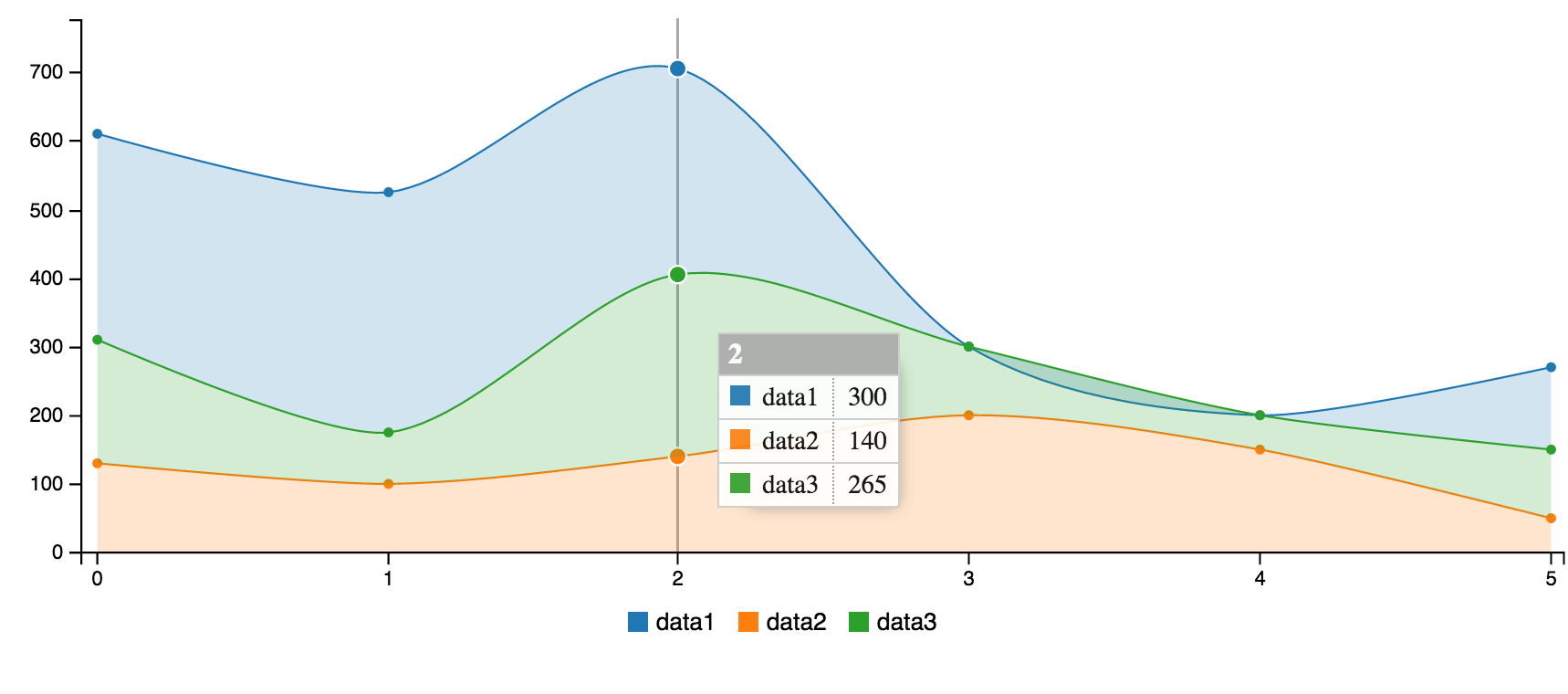
C3 Stacked Area Spline Chart
from iplotter import C3Plotter

plotter = C3Plotter()

chart = {
    "data": {
        "columns": [
            ['data1', 300, 350, 300, 0, 0, 120],
            ['data2', 130, 100, 140, 200, 150, 50],
            ['data3', 180, 75, 265, 100, 50, 100]
        ],
        "types": {
            "data1": 'area-spline',
            "data2": 'area-spline',
            "data3": 'area-spline'
        },
        "groups": [['data1', 'data2', 'data3']]
    }
}

plotter.plot(chart)
<a name="plotlyjs-heatmap"></a>
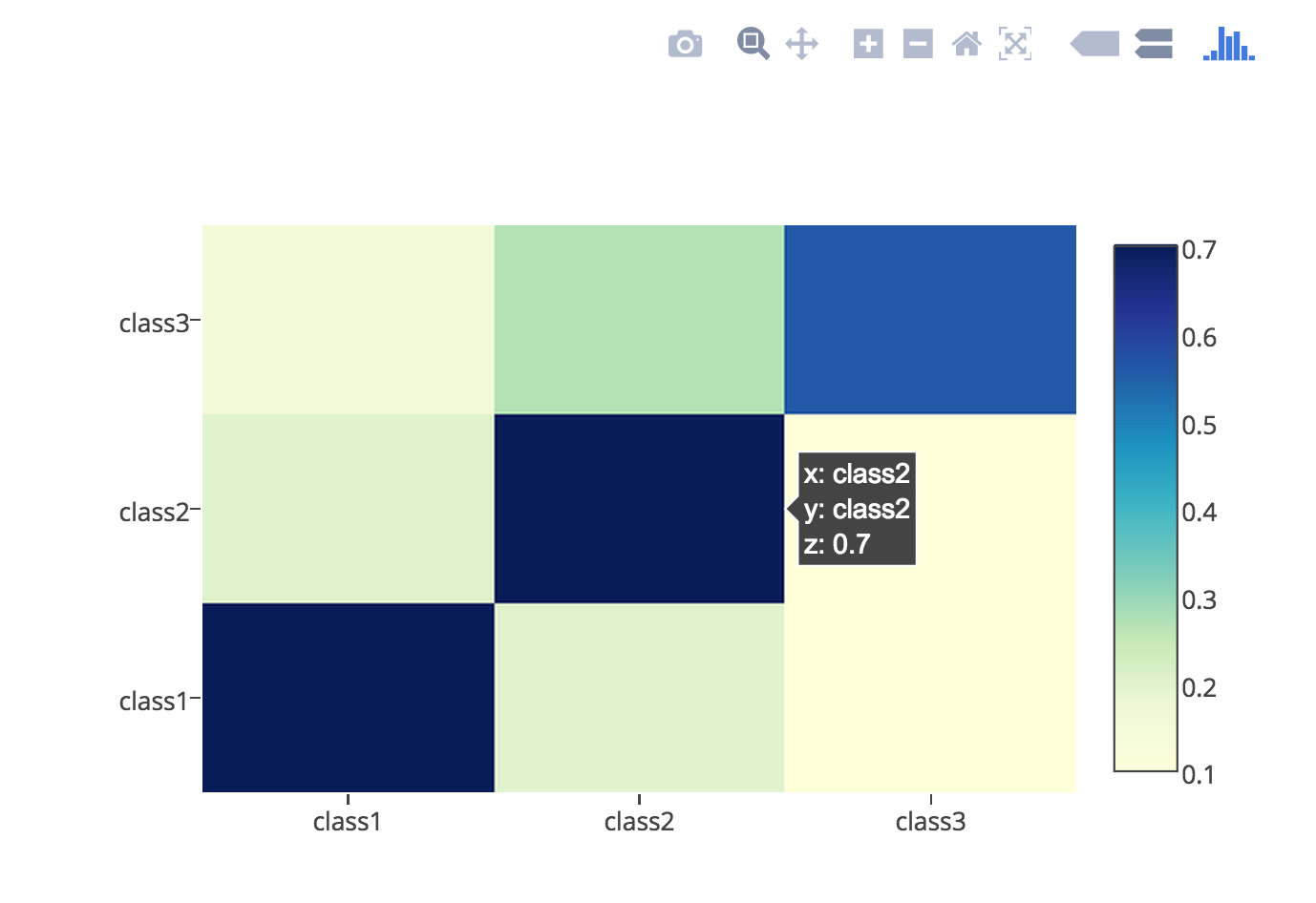
plotly.js HeatMap
from iplotter import PlotlyPlotter

plotter = PlotlyPlotter()

data = [
    {
        'colorscale': 'YIGnBu',
        'reversescale': True,
        'type': 'heatmap',
        'x': ['class1', 'class2', 'class3'],
        'y': ['class1', 'class2', 'class3'],
        'z': [[0.7,  0.2,  0.1],
              [0.2,  0.7,  0.1],
              [0.15,  0.27,  0.56]]
    }
]

layout = {
    "title": 'Title',
    "xaxis": {
        "tickangle": -45
    },
}

plotter.plot_and_save(data, layout=layout, w=600, h=600, filename='heatmap1', overwrite=True)
<a name="chartjs-radar-chart"></a>
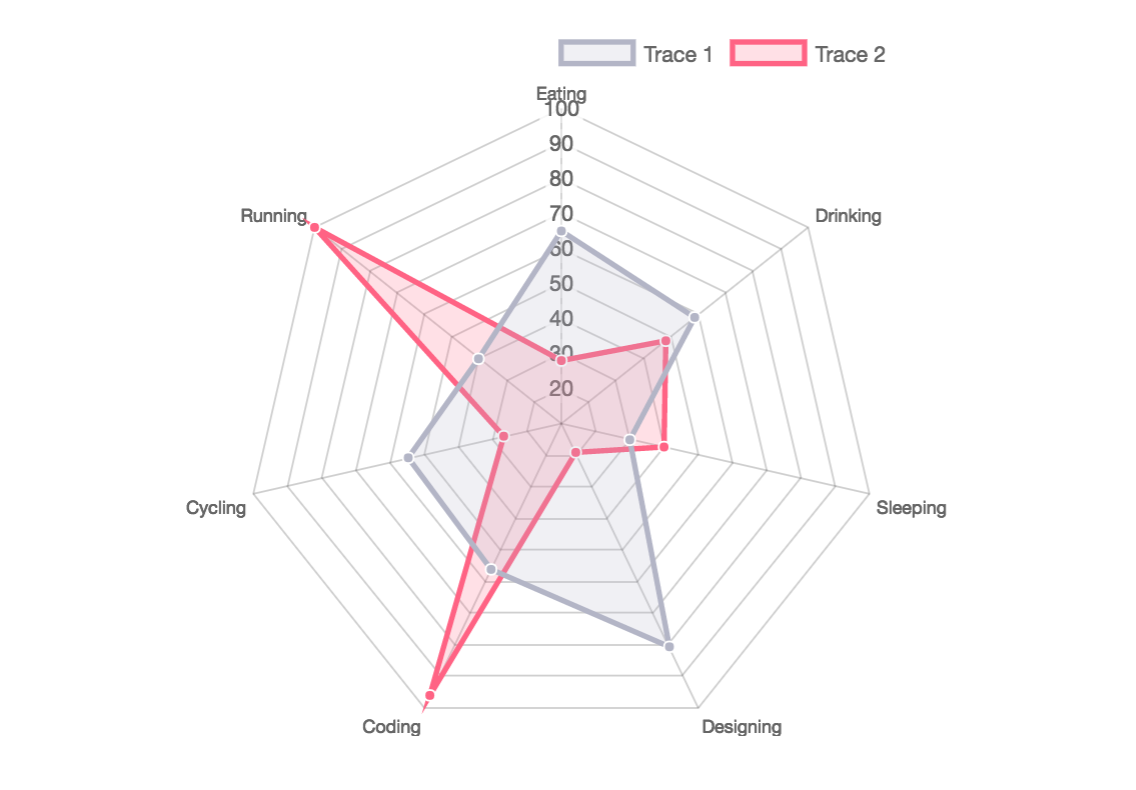
Chart.js Radar Chart
from iplotter import ChartJSPlotter

plotter = ChartJSPlotter()

data = {
    "labels": ["Eating", "Drinking", "Sleeping", "Designing", "Coding",
               "Cycling", "Running"],
    "datasets": [
        {
            "label": "Trace 1",
            "backgroundColor": "rgba(179,181,198,0.2)",
            "borderColor": "rgba(179,181,198,1)",
            "pointBackgroundColor": "rgba(179,181,198,1)",
            "pointBorderColor": "#fff",
            "pointHoverBackgroundColor": "#fff",
            "pointHoverBorderColor": "rgba(179,181,198,1)",
            "data": [65, 59, 30, 81, 56, 55, 40]
        }, {
            "label": "Trace 2",
            "backgroundColor": "rgba(255,99,132,0.2)",
            "borderColor": "rgba(255,99,132,1)",
            "pointBackgroundColor": "rgba(255,99,132,1)",
            "pointBorderColor": "#fff",
            "pointHoverBackgroundColor": "#fff",
            "pointHoverBorderColor": "rgba(255,99,132,1)",
            "data": [28, 48, 40, 19, 96, 27, 100]
        }
    ]
}

plotter.plot_and_save(data, 'radar', options=None)
<a name="chartistjs-bipolar-area-chart"></a>
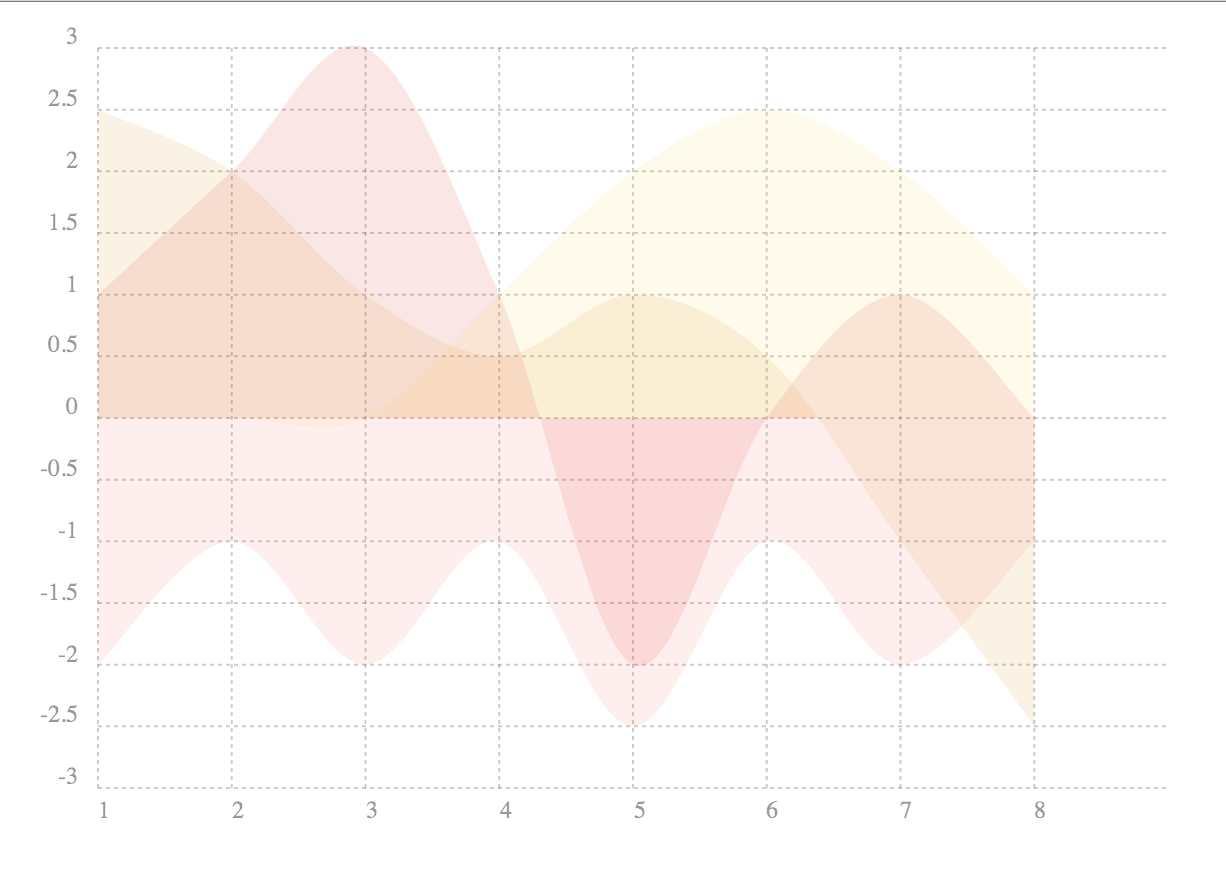
Chartist.js Bipolar Area Chart
from iplotter import ChartistPlotter

plotter = ChartistPlotter()

data = {
    "labels": [1, 2, 3, 4, 5, 6, 7, 8],
    "series": [
        [1, 2, 3, 1, -2, 0, 1, 0], [-2, -1, -2, -1, -2.5, -1, -2, -1],
        [0, 0, 0, 1, 2, 2.5, 2, 1], [2.5, 2, 1, 0.5, 1, 0.5, -1, -2.5]
    ]
}
options = {
    "high": 4,
    "low": -3,
    "showArea": True,
    "showLine": False,
    "showPoint": False,
    "height": 420,
    "width": 700
}

plotter.save(data, chart_type="Line", options=options)
<a name="google-charts-stacked-column-chart"></a>
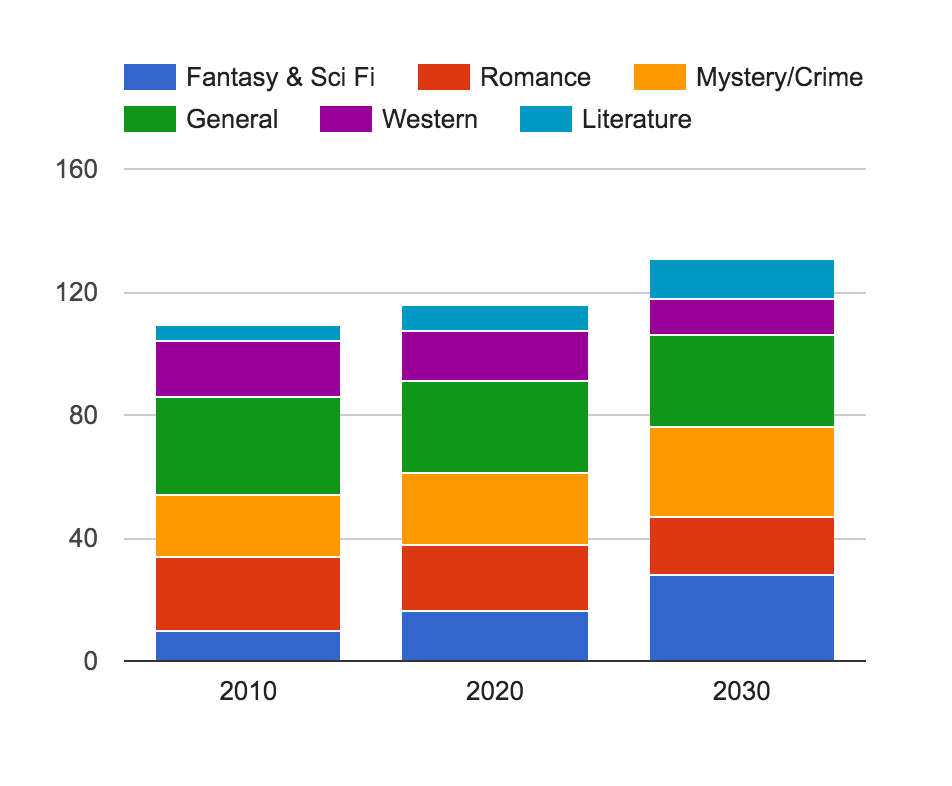
Google Charts stacked Column Chart
from iplotter import GCPlotter

plotter = GCPlotter()

data = [
    ['Genre', 'Fantasy & Sci Fi', 'Romance', 'Mystery/Crime', 'General',
     'Western', 'Literature', {"role": 'annotation'}],
    ['2010', 10, 24, 20, 32, 18, 5, ''],
    ['2020', 16, 22, 23, 30, 16, 9, ''],
    ['2030', 28, 19, 29, 30, 12, 13, '']
]

options = {
    "width": 600,
    "height": 400,
    "legend": {"position": 'top', "maxLines": 3},
    "bar": {"groupWidth": '75%'},
    "isStacked": "true",
}

plotter.plot(data, chart_type="ColumnChart",chart_package='corechart', options=options)
<a name="multple-charts-and-mixing-libraries"></a>
Multple Charts and Mixing Libraries
Saving multiple charts to one file or displaying multiple charts in one iframe can be achieved by concatenating html strings returned by the render function. The plotter's head attribute contains the script tags for loading the necessary JavasScript libraries and div_ids must be unique. Charts from different libraries can be mixed together.
from iplotter import PlotlyPlotter, C3Plotter
from IPython.display import HTML

plotly_plotter = PlotlyPlotter()

c3_plotter = C3Plotter()

plotly_chart = [{
    "type": 'choropleth',
    "locationmode": 'USA-states',
    "locations": ["AL", "AK", "AZ", "AR", "CA", "CO", "CT", "DE", "FL", "GA",
                  "HI", "ID", "IL", "IN", "IA", "KS", "KY", "LA", "ME", "MD",
                  "MA", "MI", "MN", "MS", "MO", "MT", "NE", "NV", "NH", "NJ",
                  "NM", "NY", "NC", "ND", "OH", "OK", "OR", "PA", "RI", "SC",
                  "SD", "TN", "TX", "UT", "VT", "VA", "WA", "WV", "WI", "WY"],
    "z": [1390.63, 13.31, 1463.17, 3586.02, 16472.88, 1851.33, 259.62, 282.19,
          3764.09, 2860.84, 401.84, 2078.89, 8709.48, 5050.23, 11273.76,
          4589.01, 1889.15, 1914.23, 278.37, 692.75, 248.65, 3164.16, 7192.33,
          2170.8, 3933.42, 1718, 7114.13, 139.89, 73.06, 500.4, 751.58, 1488.9,
          3806.05, 3761.96, 3979.79, 1646.41, 1794.57, 1969.87, 31.59, 929.93,
          3770.19, 1535.13, 6648.22, 453.39, 180.14, 1146.48, 3894.81, 138.89,
          3090.23, 349.69],
    "text":
    ["Alabama", "Alaska", "Arizona", "Arkansas", " California", "Colorado",
     "Connecticut", "Delaware", "Florida", "Georgia", "Hawaii", "Idaho",
     "Illinois", "Indiana", "Iowa", "Kansas", "Kentucky", "Louisiana", "Maine",
     "Maryland", "Massachusetts", "Michigan", "Minnesota", "Mississippi",
     "Missouri", "Montana", "Nebraska", "Nevada", "New Hampshire",
     "New Jersey", "New Mexico", "New York", "North Carolina", "North Dakota",
     "Ohio", "Oklahoma", "Oregon", "Pennsylvania", "Rhode Island",
     "South Carolina", "South Dakota", "Tennessee", "Texas", "Utah", "Vermont",
     "Virginia", "Washington", "West Virginia", "Wisconsin", "Wyoming"],
    "zmin": 0,
    "zmax": 17000,
    "colorscale": [
        [0, 'rgb(242,240,247)'], [0.2, 'rgb(218,218,235)'],
        [0.4, 'rgb(188,189,220)'], [0.6, 'rgb(158,154,200)'],
        [0.8, 'rgb(117,107,177)'], [1, 'rgb(84,39,143)']
    ],
    "colorbar": {
        "title": 'Millions USD',
        "thickness": 0.2
    },
    "marker": {
        "line": {
            "color": 'rgb(255,
