ConsoleEx
SharpConsoleUI — A .NET 8+ console windowing system with overlapping windows, 30+ controls, embedded terminal emulator, canvas drawing, and async per-window threads.
Install / Use
/learn @nickprotop/ConsoleExREADME
SharpConsoleUI
<p align="center"> <img src="docs/images/logo.svg" alt="SharpConsoleUI Logo" width="400"> </p> <p align="center"> <a href="https://www.nuget.org/packages/SharpConsoleUI"><img src="https://img.shields.io/nuget/v/SharpConsoleUI.svg" alt="NuGet"></a> <a href="https://www.nuget.org/packages/SharpConsoleUI"><img src="https://img.shields.io/nuget/dt/SharpConsoleUI.svg" alt="NuGet Downloads"></a> <a href="https://github.com/nickprotop/ConsoleEx/actions"><img src="https://github.com/nickprotop/ConsoleEx/actions/workflows/build-and-publish.yml/badge.svg" alt="Build"></a> <a href="LICENSE.txt"><img src="https://img.shields.io/badge/license-MIT-green" alt="License"></a> <a href="https://dotnet.microsoft.com"><img src="https://img.shields.io/badge/.NET-8.0%2B-purple" alt=".NET"></a> </p> <p align="center"> <a href="https://nickprotop.github.io/ConsoleEx/">Website</a> · <a href="https://nickprotop.github.io/ConsoleEx/docfx/_site/EXAMPLES.html">Examples</a> · <a href="https://nickprotop.github.io/ConsoleEx/docfx/_site/tutorials/README.html">Tutorials</a> </p>A terminal UI framework for .NET with a real compositor engine.
Per-cell alpha blending. Async windows. A portal system for dropdowns and overlays. A plugin architecture. A video player.

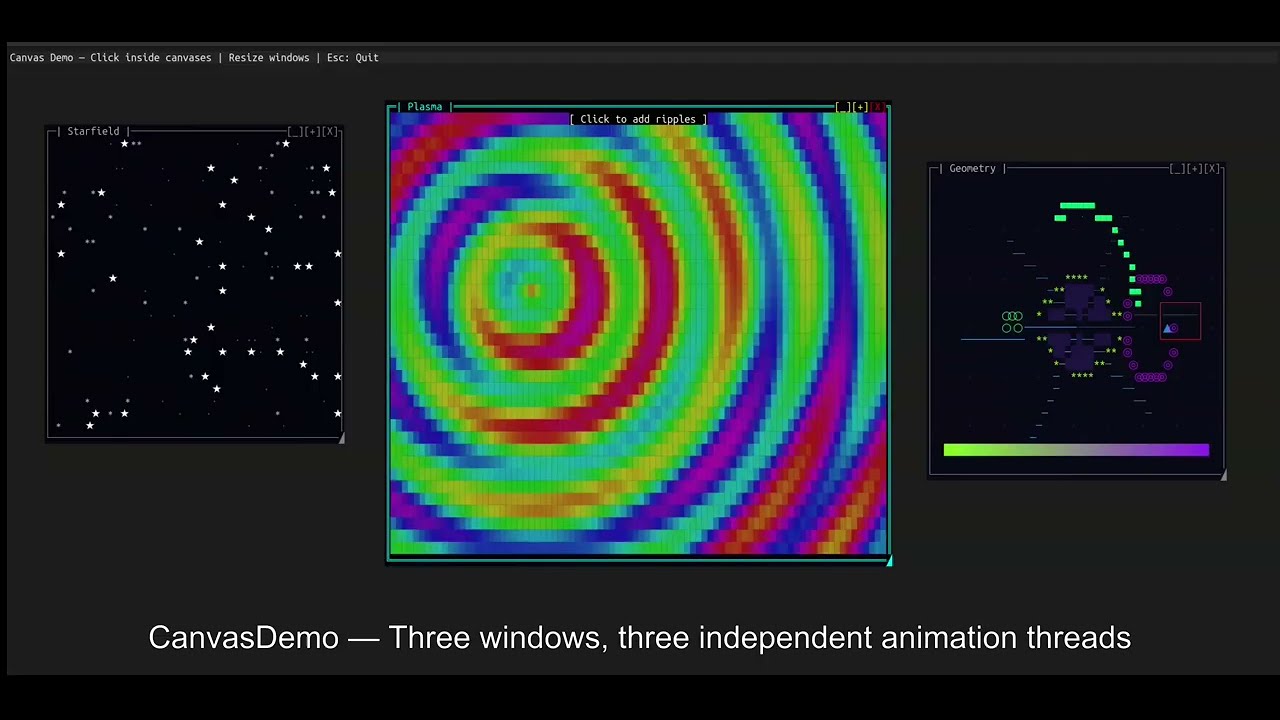
Watch SharpConsoleUI in action on YouTube
What it is
SharpConsoleUI gives each window its own CharacterBuffer. A compositor merges
them — with occlusion culling, per-cell Porter-Duff alpha blending, and a
Measure→Arrange→Paint layout pipeline. Each window runs on its own async thread.
Gradient backgrounds propagate through every transparent control automatically.
Because rendering goes through a diff-based cell buffer rather than writing directly to stdout, the output is equally clean over a local terminal or an SSH connection — latency and flicker are determined by what actually changed, not by a full-screen repaint.
This architecture makes things possible that other .NET terminal libraries don't do: overlapping windows with drag/resize/minimize/maximize, animated desktop backgrounds, a PTY-backed terminal emulator, video playback in three render modes, and compositor hooks for blur, fade, and custom effects.
┌─────────────────────────────────────────────────────────────┐
│  Application Layer (Your Code)                              │
│  └── Window Builders, Event Handlers, Controls              │
├─────────────────────────────────────────────────────────────┤
│  Framework Layer                                            │
│  ├── Fluent Builders, State Services, Logging, Plugins      │
├─────────────────────────────────────────────────────────────┤
│  Layout Layer                                               │
│  ├── DOM Tree (LayoutNode) — Measure → Arrange → Paint      │
├─────────────────────────────────────────────────────────────┤
│  Rendering Layer                                            │
│  ├── Multi-pass compositor, occlusion culling, portals      │
├─────────────────────────────────────────────────────────────┤
│  Buffering Layer                                            │
│  ├── CharacterBuffer → ConsoleBuffer → adaptive diff output │
├─────────────────────────────────────────────────────────────┤
│  Driver Layer                                               │
│  ├── NetConsoleDriver (production) / Headless (testing)     │
│  └── Raw libc I/O (Unix) / Console API (Windows)            │
└─────────────────────────────────────────────────────────────┘
Quick start
dotnet add package SharpConsoleUI
using SharpConsoleUI;
using SharpConsoleUI.Builders;
using SharpConsoleUI.Drivers;
using SharpConsoleUI.Panel;

var windowSystem = new ConsoleWindowSystem(
    new NetConsoleDriver(RenderMode.Buffer),
    options: new ConsoleWindowSystemOptions(
        BottomPanelConfig: panel => panel
            .Left(Elements.StartMenu())
            .Center(Elements.TaskBar())
            .Right(Elements.Clock())
    ));

var window = new WindowBuilder(windowSystem)
    .WithTitle("Hello")
    .WithSize(60, 20)
    .Centered()
    .WithBackgroundGradient(
        ColorGradient.FromColors(new Color(0, 20, 60), new Color(0, 5, 20)),
        GradientDirection.Vertical)
    .Build();

window.AddControl(Controls.Markup()
    .AddLine("[bold cyan]Real compositor. Full alpha blending.[/]")
    .AddLine("[#FF000080]This text has 50% alpha — composited over the gradient.[/]")
    .Build());

windowSystem.AddWindow(window);
windowSystem.Run();
Each window can run with its own async thread:
var clockWindow = new WindowBuilder(windowSystem)
    .WithTitle("Digital Clock")
    .WithSize(40, 12)
    .WithAsyncWindowThread(async (window, ct) =>
    {
        while (!ct.IsCancellationRequested)
        {
            var time = window.FindControl<MarkupControl>("time");
            time?.SetContent(new List<string> { $"[bold cyan]{DateTime.Now:HH:mm:ss}[/]" });
            await Task.Delay(1000, ct);
        }
    })
    .Build();
Project templates
dotnet new install SharpConsoleUI.Templates

dotnet new tui-app -n MyApp            # Starter app with list, button, notification
dotnet new tui-dashboard -n MyDash     # Fullscreen dashboard with tabs and live metrics
dotnet new tui-multiwindow -n MyApp    # Two windows with master-detail pattern

cd MyApp && dotnet run
Desktop distribution (schost)
Package your app so end users can double-click to launch — no terminal knowledge required.
dotnet tool install -g SharpConsoleUI.Host
schost init        # Initialize terminal config
schost run         # Launch in a configured terminal window
schost pack --installer  # Package as portable zip + optional installer
See the schost guide for details.
Built with SharpConsoleUI
CXPost — terminal email client

Multi-account IMAP/SMTP, conversation threading, HTML rendering, attachments, offline cache. github.com/nickprotop/cxpost
cxtop — system monitor

ntop/btop-inspired. Hardware identity dashboard, sparkline graphs, process management. Cross-platform. github.com/nickprotop/cxtop
LazyDotIDE — a .NET IDE in the terminal

LSP-powered IntelliSense, built-in PTY terminal, git integration. Works over SSH and in containers. github.com/nickprotop/lazydotide
ServerHub — Linux server control panel

14 monitoring widgets. Real-time CPU, memory, disk, network, Docker, systemd. github.com/nickprotop/ServerHub
LazyNuGet — NuGet package manager TUI

lazygit-inspired. Browse, update, install, search NuGet.org. Cross-platform. github.com/nickprotop/lazynuget
What only SharpConsoleUI does
| Capability | Other .NET TUI libraries | |---|---| | Overlapping windows with drag, resize, minimize, maximize | Terminal.Gui v2 beta only | | Per-cell Porter-Duff RGBA alpha blending | None | | Gradient backgrounds propagating through controls | None | | PreBufferPaint / PostBufferPaint compositor hooks | None | | Per-window async threads | None | | PTY-backed terminal emulator control | None | | Video playback (half-block, ASCII, braille) | None | | Animated desktop backgrounds | None | | Portal system for dropdowns and overlays | None | | Plugin architecture (themes, controls, windows, services) | None |
Full comparison with Terminal.Gui, Spectre.Console, and XenoAtom.Terminal.UI: nickprotop.github.io/ConsoleEx/docfx/_site/COMPARISON.html
Controls
30+ built-in controls including:
Input: Button, Checkbox, Prompt, MultilineEdit (with syntax highlighting), Slider, RangeSlider, DatePicker, TimePicker, Dropdown, Menu, Toolbar
Display: MarkupControl (Spectre-compatible markup everywhere), FigletControl, LogViewer, SpectreRenderableControl, LineGraph, SparklineControl, BarGraph
Layout: NavigationView (WinUI-inspired, responsive), TabControl, HorizontalGrid, ScrollablePanel, SplitterControl, StatusBarControl
Drawing: CanvasControl (30+ primitives), ImageControl (PNG/JPEG/WebP), VideoControl (FFmpeg, three render modes), TerminalControl (PTY, Linux)
Selection: ListControl, TableControl (virtual data, 10k+ rows, sort, filter, inline edit), TreeControl
Full reference: nickprotop.github.io/ConsoleEx/docfx/_site/CONTROLS.html
Documentation
| | | |---|---| | Get Started | Fluent builder API reference | | Tutorials | Three step-by-step tutorials | | Controls | All 30+ controls | | Examples | 20+ runnable example projects | | Compositor Effects | PreBufferPaint / PostBufferPaint | | Video Playback | VideoControl reference | | [Panel System](https://nickpr