
mcp-gatehouse
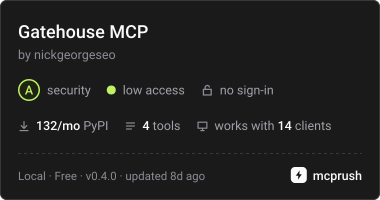
Permission tiers, approval gates, and audit logging for MCP servers — enforced inside the server, built on the official Python SDK.
Install / Use
claude mcp add nickgeorgeseo -- npx -y github:nickgeorgeseo/mcp-gatehouseIf the server publishes to npm under a different name, use that package instead — check the repo README.
MCP Server
Model Context Protocol server
Quality Score
Category
SecuritySupported Platforms
Our assessment of mcp-gatehouse
mcp-gatehouse scores 74/100 on our quality scale, 1034th of 1,103 Security skills we index.
Its MCP Server is 55 KB long, well organised into 22 sections with 19 code examples: long enough that it reads more like full documentation than a focused instruction file, which agents can find harder to follow.
It has 3 GitHub stars, so there is little community track record yet; judge it on its content.
Maintenance, license and trust
- The repository was last updated 2 days ago, so mcp-gatehouse is actively maintained.
- It is released under the MIT license, a permissive license that allows use, modification and commercial use with attribution.
- Its trust signals score 92/100, with 1 caution from licensing, adoption, age or documentation. These come from repository metadata, not a code audit — read the skill file before letting an agent act on it.
Safety scan
No issues foundOur scan of the whole file found no instruction hijacking, hidden characters, credential access, data exfiltration or destructive commands.
Automated pattern scan on 2026-11-25. It catches known dangerous patterns, not every risk — read a skill before letting an agent act on it.
mcp-gatehouse compared with similar skills
All 4 of these similar skills score higher than mcp-gatehouse; compare them before choosing.
| Skill | Score | Stars | Updated | Format |
|---|---|---|---|---|
| mcp-gatehouse (this skill)by nickgeorgeseo | 74 | 3 | 2d ago | MCP Server |
| Agent-Reachby Panniantong | 100 | 114.7k | 1d ago | CLAUDE.md |
| hyperframesby heygen-com | 100 | 90.0k | today | CLAUDE.md |
| rufloby ruvnet | 100 | 82.4k | today | CLAUDE.md |
| headroomby headroomlabs-ai | 100 | 80.8k | today | CLAUDE.md |
Frequently asked questions
- How do I install mcp-gatehouse?
- Run
claude mcp add nickgeorgeseo -- npx -y github:nickgeorgeseo/mcp-gatehouse. The install tabs above show the steps for each supported agent. - Which AI agents does mcp-gatehouse work with?
- It is written for Claude Code and Claude Desktop, as a MCP Server file. Other agents that read the same format can often use it too.
- Is mcp-gatehouse safe to use?
- Our scan of the whole file found no instruction hijacking, hidden characters, credential access, data exfiltration or destructive commands. It is MIT-licensed and scores 92/100 on trust signals. Skills are instructions an agent will follow, so read the file before installing it and do not approve commands you do not understand.
- Is mcp-gatehouse still maintained?
- The repository was last updated 2 days ago, so mcp-gatehouse is actively maintained.
Skill content
View source on GitHubmcp-gatehouse
Project page & docs: nickgeorgeai.com/open-source/mcp-gatehouse · PyPI
<!-- mcp-name: io.github.nickgeorgeseo/gatehouse -->




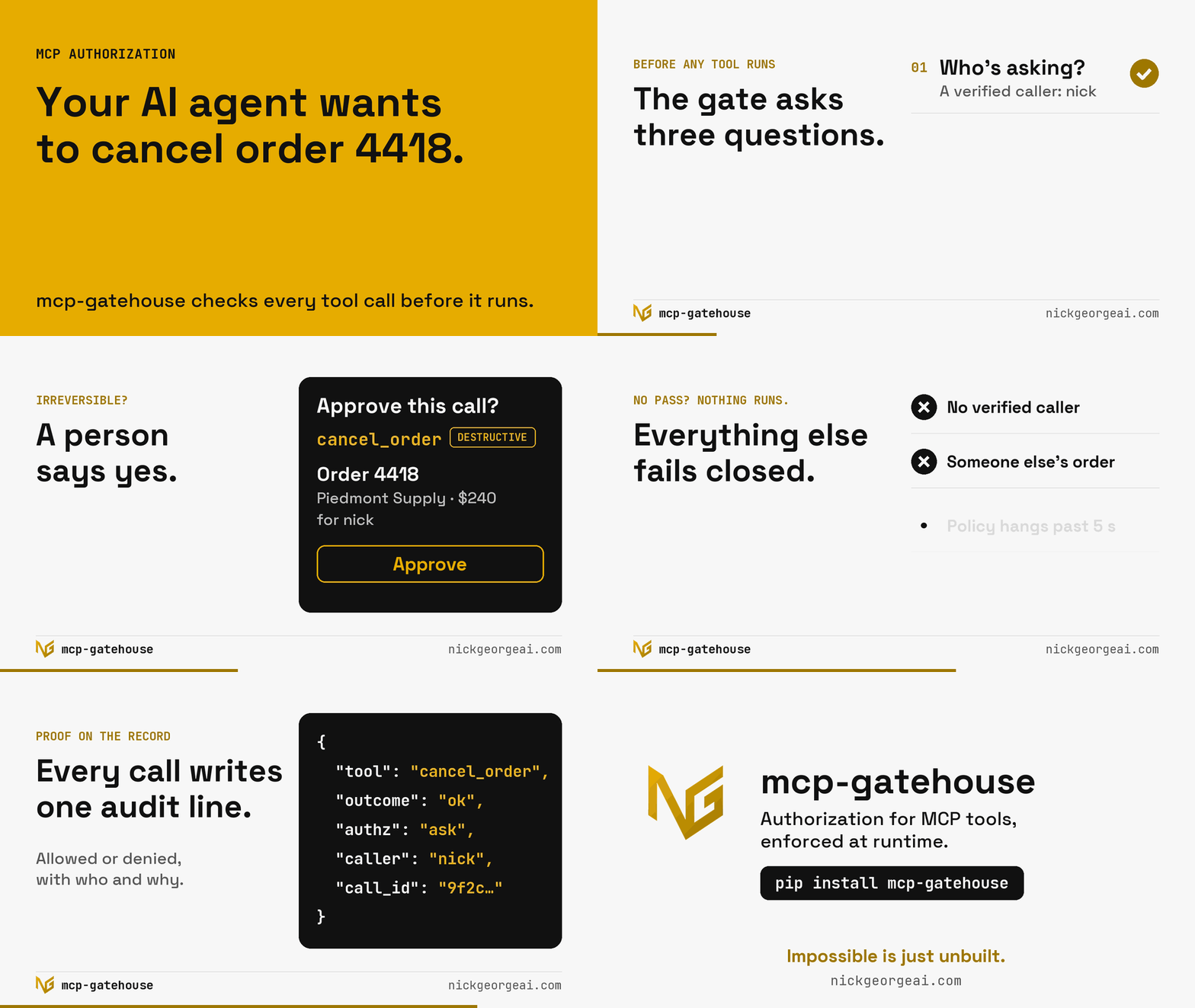
Authorization as a runtime invariant for MCP servers. Every tool call needs a verified caller, an explicit policy, and a decision on the record it acts on, made by the server before the tool runs. If any of those is missing, the call doesn't run. Around that: permission tiers, approval gates, and an audit log of every call.
Most MCP servers hand the model every tool at full strength and keep no
record of what it did. That's fine for a demo. It's not fine the day an
agent has write access to your CRM, your books, or your order system.
mcp-gatehouse is the missing gate, enforced inside the server — no
proxy, no external policy service. It depends only on the official
mcp SDK and
opentelemetry-api, which the SDK already requires.
pip install mcp-gatehouse
Upgrading from 0.5? 0.6.0 fails closed. A tool without
authorize=doesn't register, and over stdio a server withoutlocal_caller=denies every call. Pinmcp-gatehouse<0.6until you've migrated; the migration steps are one short list.

The demo server in Claude Code: the model asks to cancel an order, the gate asks you in Claude Code's own UI, and the call runs. Then it tries an order that isn't yours, and the policy refuses it before anyone is asked. The audit log has a line for every call, with who it was for and why it was refused.
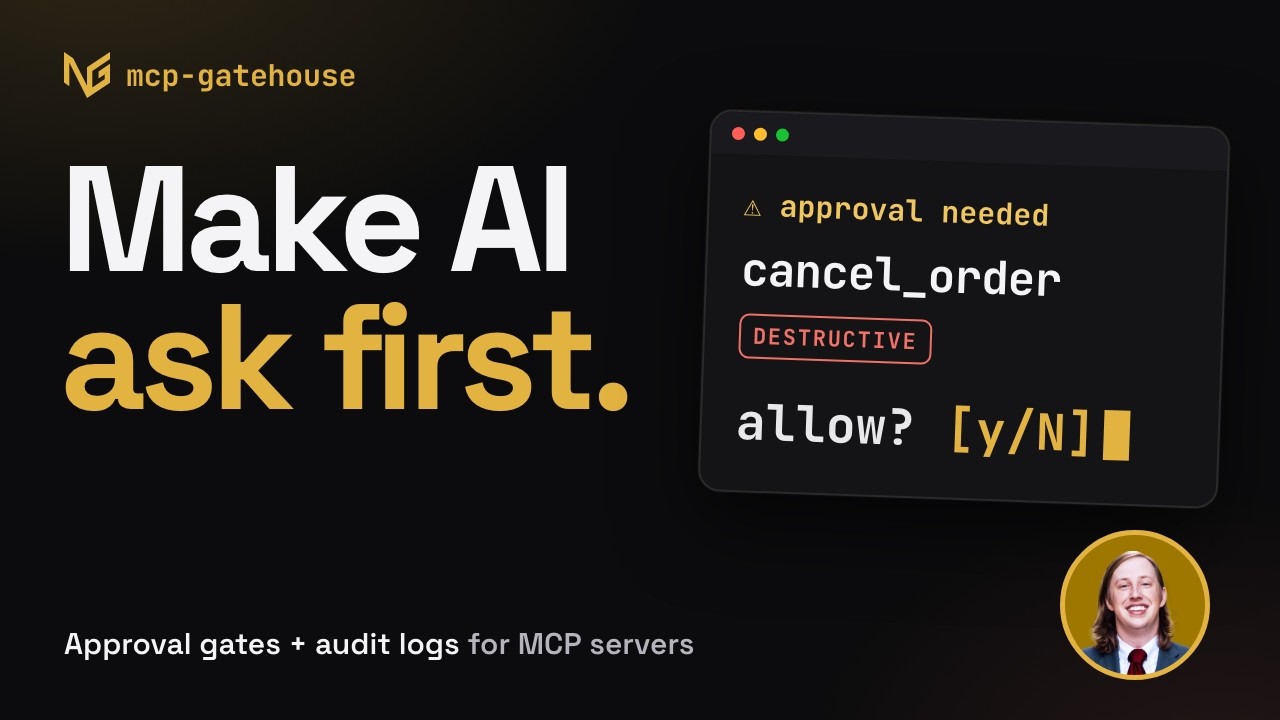
The 1:21 demo runs the package's demo server in a terminal: the install, the one-decorator change, a cancel refused and one approved, and the audit log they left. No sound.
What you get
| | |
|---|---|
| Authorization on the record | Every tool names a policy. The gate loads the record the call is about from the model's arguments, your policy decides on it, and the tool gets that same object. The model can't describe a record into existence or reach one that isn't the caller's. |
| No way around the gate | A tool without a policy doesn't register, the server refuses tools, resources, prompts, completions and SDK extension methods or interceptors registered around the gate, and a call with no verified caller is denied. Each opt-out is explicit and marked in the audit log. |
| Check and write together | The policy's decision and the tool's write share one transaction you supply, or the write carries the checked state in its own condition. A record that changes after the check is never acted on. |
| Lists filtered per item | A tool that returns records gets each one checked: what the caller may not see never reaches the model. |
| Permission tiers | Every tool is declared READ, WRITE, or DESTRUCTIVE — and the tier also emits honest spec ToolAnnotations (readOnlyHint / destructiveHint), which the wrapper won't let you override to lie. |
| Approval gates | Tiers you choose require a sign-off before the tool runs, asked right in the MCP client (Claude Code, Cursor, VS Code) or by any callable you write: a terminal prompt, a Slack ping, a ticket. Fails closed: a gated tool with no approver configured is denied, not waved through. |
| Audit log | One record per call — allowed, denied, failed, or cancelled — with UTC timestamps and durations, who each call was for, and the policy's real reason for every refusal, in a documented schema. Append-only JSONL by default, or any sink you give it: a function, OpenTelemetry, your logging pipeline. The answer to "what did the AI actually do, and for whom?" six months later. |
| Redaction | Argument keys you name (api_key, password, token, client_secret, … by default) are masked before they reach the log or the approver — however they're spelled: apiKey, API-Key and api_key are the same key. |
| Denylist | Block a tool outright, whatever its tier. |
Quickstart
from typing import Annotated

from mcp.server.mcpserver import MCPServer
from pydantic import BaseModel

from mcp_gatehouse import (
    AccessTier, Allow, AuditLog, AuthorizationRequest, Caller, ConditionalWrite, Deny,
    ElicitationApprover, Gatehouse, Load, Policy, terminal_approver,
)

class Order(BaseModel):
    """Your record. Any Pydantic model, dataclass or mapping will do."""
    id: str
    owner: str
    status: str

mcp = MCPServer("order-desk")
gatehouse = Gatehouse(
    mcp,
    # Ask in the client's own UI; prompt on the terminal if it can't show a form.
    policy=Policy(approver=ElicitationApprover(fallback=terminal_approver)),
    audit=AuditLog(path="~/order-desk/audit.jsonl"),
    # Over stdio nobody signs in, so say who the calls are for.
    local_caller=Caller(client_id="local", subject="alice"),
)

def load_order(order_id: str) -> Order | None:
    """Your system of record. None means there's no such order."""
    ...

def owner_only(request: AuthorizationRequest) -> Allow | Deny:
    order = request.resources["order"]
    return Allow() if order.owner == request.caller.subject else Deny("not the owner")

@gatehouse.tool(tier=AccessTier.READ, authorize=owner_only)
def lookup_order(order_id: str, order: Annotated[Order, Load(load_order)]) -> str:
    """Look up an order's status."""
    return order.status

@gatehouse.tool(
    tier=AccessTier.DESTRUCTIVE,
    authorize=owner_only,
    consistency=ConditionalWrite(),  # the cancel's UPDATE checks the order's version
)
def cancel_order(order_id: str, order: Annotated[Order, Load(load_order)]) -> str:
    """Cancel an order. Runs only if it's the caller's and the approver says yes."""
    ...

mcp.run()
That's the whole integration: build your MCPServer exactly as the SDK
docs show, but create the gatehouse first and register every tool through
it. The model sees order_id and nothing else; the gate loads the order,
your policy decides on it, and the tool gets the order the policy saw.
Schema generation (including Annotated[..., Field(description=...)]
parameter docs), transports, and everything else work unchanged. Sync tools
still run in a worker thread, exactly as they would on a bare MCPServer.
Authorization: a runtime invariant
Most servers leave authorization to each tool, and nothing notices when one forgets. Here the server enforces it. Every call needs three things, checked in the server before the tool runs:
- A verified caller. That's the identity in the access token the SDK
verified for the request. Over stdio, where nobody signs in, it's the
local_calleryou declare. An HTTP request with no verified token is nobody, even on a server that declares a local caller. - An explicit policy.
authorize=is required on every tool. - A decision on the record itself. The gate loads each
Loadparameter from the model's arguments, gives the records to your policy, and hands the tool those same objects.
If any of the three is missing, the call is denied. Gatehouse doesn't know your business rules. What it guarantees is that they run at the right place, and that nothing gets around them:
- A tool without
authorize=raises at registration, so the server doesn't start. - The server refuses tools added around the gate. That covers
@mcp.tool()andadd_toolbefore or after the gate is created,MCPServer(tools=...), extension tools, and a tool slipped into the registry. A refused tool is hidden fromtools/listand denied when called. - Resources, prompts and completions are other ways to the same data, and
they have no policy: a template
orders://{order_id}would read the record a tool checks, for anyone. So the server refuses them too, before or after the gate is created. Content that is the same for every caller (docs, a schema, a price list) goes through@gatehouse.open_resource(uri)or@gatehouse.open_prompt(), and a read without a verified caller is refused. These write no audit line. Anything that depends on who is asking belongs in a READ tool with a policy. Completions are refused outright: the SDK never tells the handler who is asking. - An SDK
Extensiongets the same treatment. Its tools and resources are refused with the rest, and so is a server whose extension serves request methods of its own (Extension.methods()) or overridesintercept_tool_call: both answer with no policy and no audit line. What the gate guards is the SDK's public registration surface. Code that writes into the SDK's private registries (a template put straight into_resource_manager._templates), adds a low-level request handler after the gate, or adds request middleware to the low-level server (server.middleware, provisional in the SDK, which wraps every request,tools/callincluded, and can answer before the gate does), runs with your server's trust, like any other code you install in it. - Nothing the gate fills can come from the model. A
Loadparameter never appears in the input schema, and registration fails if the SDK would put it there.
Each requirement has a way out, but only one you write down, and the audit log shows it:
| Requirement | Applies to | Declared with | Deliberate opt-out | Audit line shows |
|---|---|---|---|---|
| Verified caller | every call | the SDK's auth (token_verifier) | local_caller= (stdio only) | caller (local ones: "source": "local") |
| Policy | every tool | authorize= | authorize=any_caller | authz: "open" |
| Item filtering | tools returning a list of records | authorize_items= | authorize_items=any_item | items: "open" |
| Check and write in one u
Truncated for display — read the full file on GitHub.
Related Skills
Agent-Reach
114.7kGive your AI agent eyes to see the entire internet. Read & search Twitter, Reddit, YouTube, GitHub, Bilibili, XiaoHongShu — one CLI, zero API fees.
hyperframes
90.0kOpen-source AI video editor: edit your own footage, or create and remake any video with Claude Code, Codex or the free Studio app. Write HTML, render MP4. By HeyGen.
ruflo
82.4k🌊 The original agent harness. Deploy intelligent multi-player swarms, coordinate autonomous workflows, and build conversational AI systems. Features adaptive memory, self-learning intelligence, federation, vector RAG integration, and native Claude Code / Codex / Hermes and many more Integrated
headroom
80.8kCompress tool outputs, logs, files, and RAG chunks before they reach the LLM. 20% fewer tokens for coding agents, 60-95% fewer tokens for JSON, same answers. Library, proxy, MCP server.

Languages
Trust signals
From repository metadata: license, adoption, age and documentation. Not a code audit — see the Safety scan above for what the skill file itself contains.