
Tracy
😎 Tracy: the addictive tool to ease debugging PHP code for cool developers. Friendly design, logging, profiler, advanced features like debugging AJAX calls or CLI support. You will love it.
Install / Use
/learn @nette/TracyREADME



<!---->
Introduction
Tracy library is a useful helper for everyday PHP programmers. It helps you to:
✅ designed to facilitate debugging PHP code<br> ✅ hints and corrects you just like a good friend watching your back<br> ✅ damn cool visualization of errors
PHP is a perfect language for making hardly detectable errors because it gives great flexibility to programmers. Tracy\Debugger is more valuable because of that. It is an ultimate tool among the diagnostic ones.
If you are meeting Tracy for the first time, believe me, your life starts to be divided into one before the Tracy and the one with her. Welcome to the good part!
Documentation can be found on the website.
<!---->
Support Tracy
Do you like Tracy? Are you looking forward to the new features?

Thank you!
<!---->
Installation and Requirements
The recommended way to is via Composer:
composer require tracy/tracy
Alternatively, you can download the whole package or tracy.phar file.
Tracy is compatible with PHP 8.2 to 8.5.
<!---->
Usage
Tracy is activated by calling the `Tracy\Debugger::enable()' method as soon as possible at the beginning of the program, before any output is sent:
use Tracy\Debugger;

require 'vendor/autoload.php'; // alternatively tracy.phar

Debugger::enable();
The first thing you'll notice on the page is the Tracy Bar in the bottom right corner. If you don't see it, it may mean that Tracy is running in production mode.
This is because Tracy is only visible on localhost for security reasons. To test if it works, you can temporarily put it into development mode using the Debugger::enable(Debugger::Development) parameter.
<!---->
Tracy Bar
The Tracy Bar is a floating panel. It is displayed in the bottom right corner of a page. You can move it using the mouse. It will remember its position after the page reloading.

You can add other useful panels to the Tracy Bar. You can find interesting ones in addons or you can create your own.
If you do not want to show Tracy Bar, set:
Debugger::$showBar = false;
<!---->
Visualization of Errors and Exceptions
Surely, you know how PHP reports errors: there is something like this in the page source code:
<b>Parse error</b>: syntax error, unexpected '}' in <b>HomepagePresenter.php</b> on line <b>15</b>
or uncaught exception:
<b>Fatal error</b>: Uncaught Nette\MemberAccessException: Call to undefined method Nette\Application\UI\Form::addTest()? in /sandbox/vendor/nette/utils/src/Utils/ObjectMixin.php:100
Stack trace:
#0 /sandbox/vendor/nette/utils/src/Utils/Object.php(75): Nette\Utils\ObjectMixin::call(Object(Nette\Application\UI\Form), 'addTest', Array)
#1 /sandbox/app/forms/SignFormFactory.php(32): Nette\Object->__call('addTest', Array)
#2 /sandbox/app/presenters/SignPresenter.php(21): App\Forms\SignFormFactory->create()
#3 /sandbox/vendor/nette/component-model/src/ComponentModel/Container.php(181): App\Presenters\SignPresenter->createComponentSignInForm('signInForm')
#4 /sandbox/vendor/nette/component-model/src/ComponentModel/Container.php(139): Nette\ComponentModel\Container->createComponent('signInForm')
#5 /sandbox/temp/cache/latte/15206b353f351f6bfca2c36cc.php(17): Nette\ComponentModel\Co in <b>/sandbox/vendor/nette/utils/src/Utils/ObjectMixin.php</b> on line <b>100</b><br />
It is not so easy to navigate through this output. If you enable Tracy, both errors and exceptions are displayed in a completely different form:
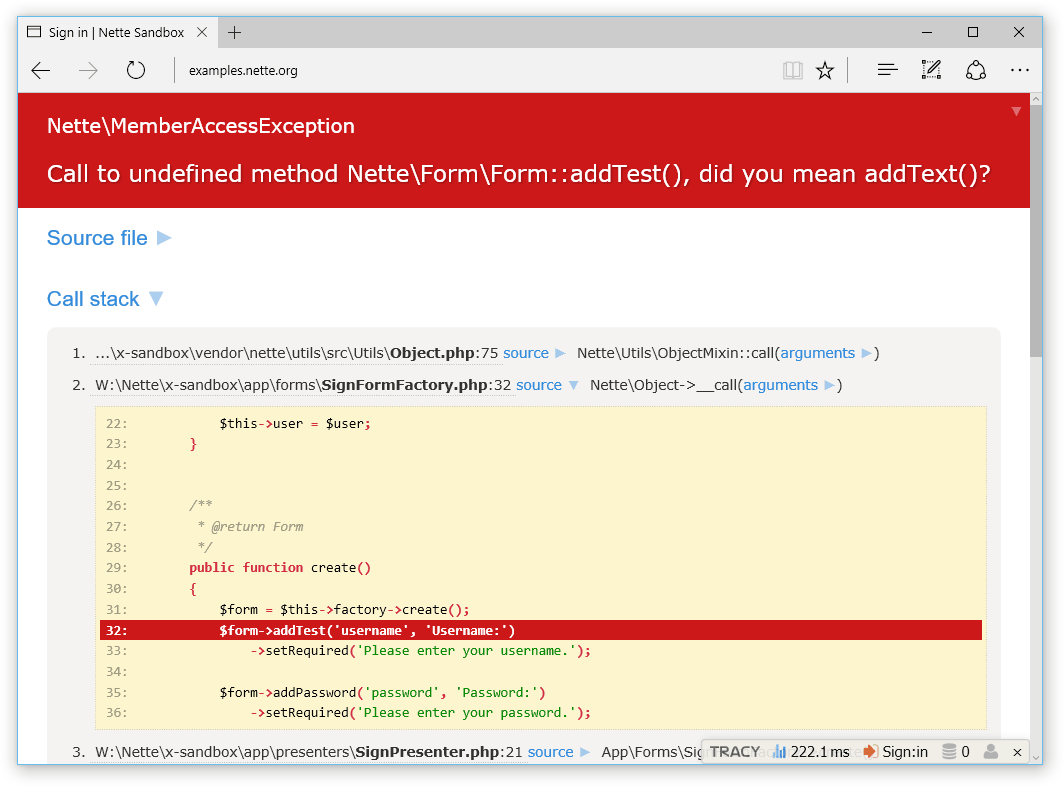
The error message literally screams. You can see a part of the source code with the highlighted line where the error occurred. A message clearly explains an error. The entire site is interactive, try it.
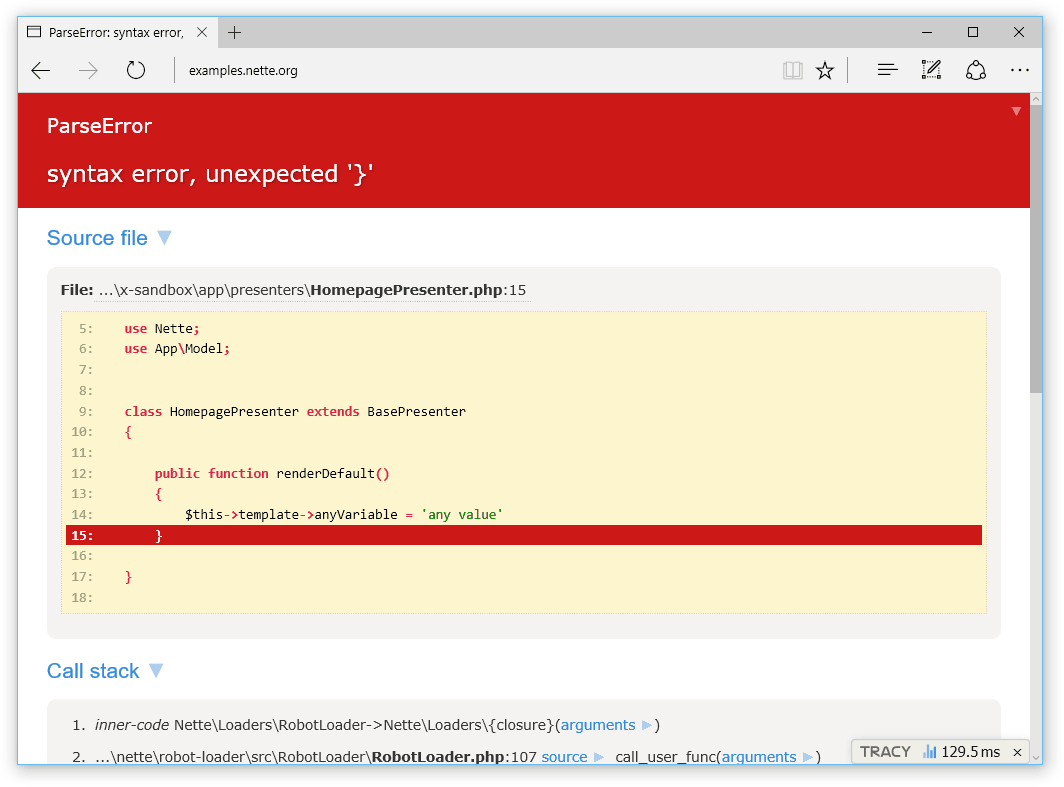
And you know what? Fatal errors are captured and displayed in the same way. No need to install any extension (click for live example):
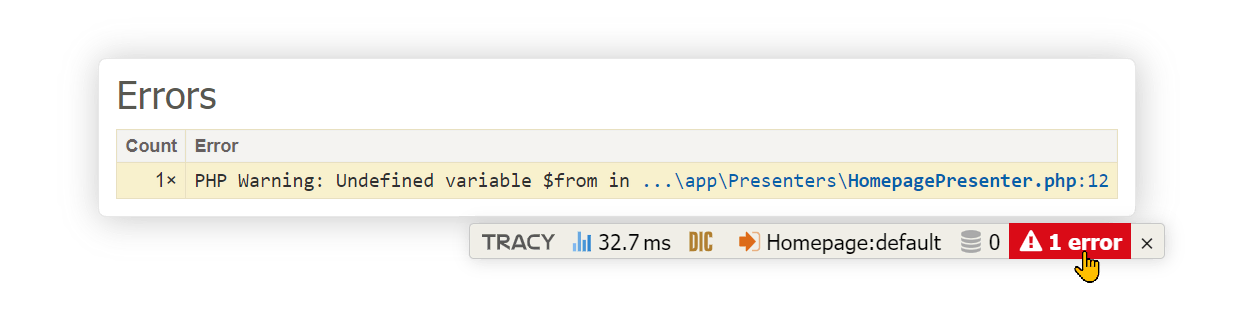
Errors like a typo in a variable name or an attempt to open a nonexistent file generate reports of E_NOTICE or E_WARNING level. These can be easily overlooked and/or can be completely hidden in a web page graphic layout. Let Tracy manage them:
Or they may be displayed like errors:
Debugger::$strictMode = true; // display all errors
Debugger::$strictMode = E_ALL & ~E_DEPRECATED & ~E_USER_DEPRECATED; // all errors except deprecated notices
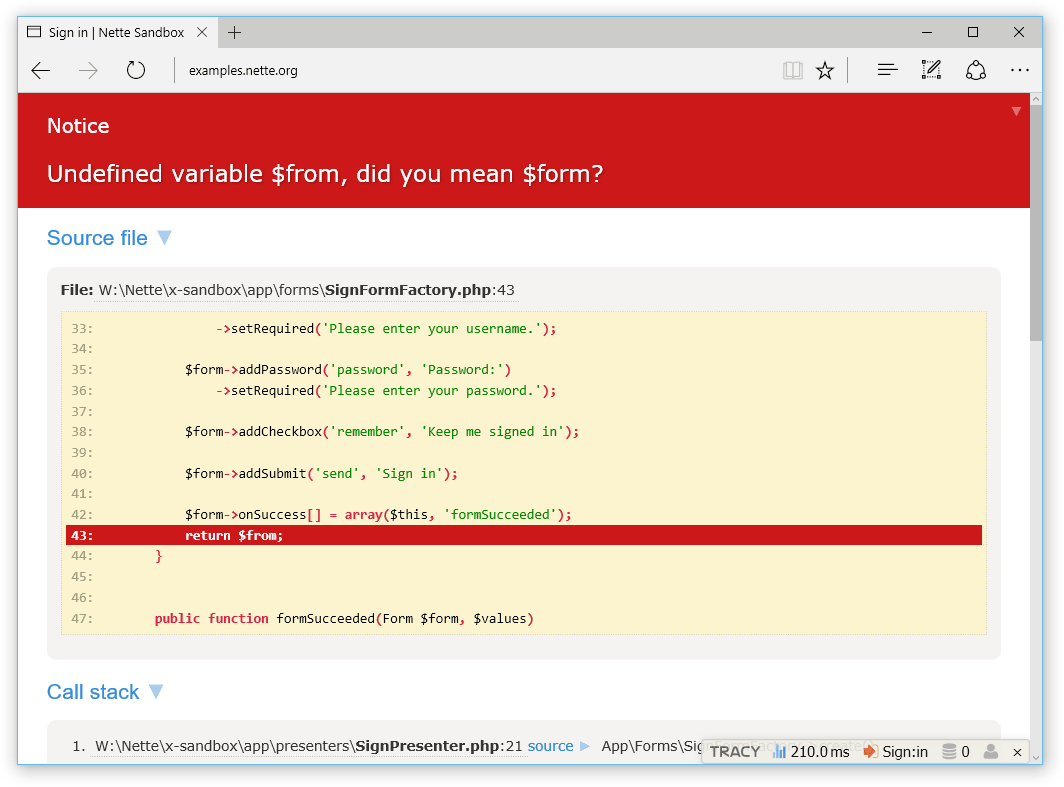
Note: Tracy when activated changes the error reporting level to E_ALL. If you want to change this, do so after calling enable().
<!---->
Development vs Production Mode
As you can see, Tracy is quite talkative, which can be appreciated in the development environment, while on the production server it would cause a disaster. That's because no debugging information should be displayed there. Tracy therefore has environment auto-detection and if the example is run on a live server, the error will be logged instead of displayed, and the visitor will only see a user-friendly message:
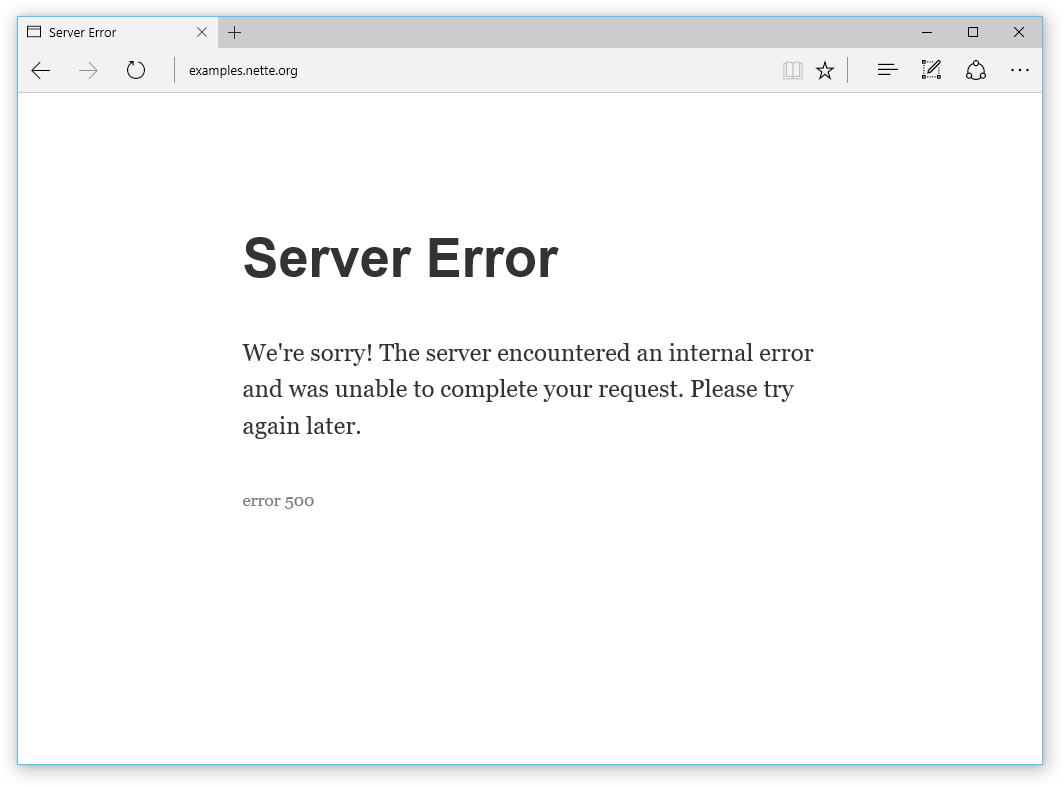
Production mode suppresses the display of all debugging information sent out using [dump() |dumper], and of course also all error messages generated by PHP. So if you have forgotten some dump($obj) in the code, you don't have to worry, nothing will be displayed on the production server.
How does mode auto-detection work? The mode is development if the application is running on localhost (i.e., IP address 127.0.0.1 or ::1) and there is no proxy (i.e., its HTTP header). Otherwise, it runs in production mode.
If you want to enable development mode in other cases, for example for developers accessing from a specific IP address, you can specify it as a parameter of the enable() method:
Debugger::enable('23.75.345.200'); // you can also provide an array of IP addresses
We definitely recommend combining the IP address with a cookie. Store a secret token, e.g., secret1234, in the tracy-debug cookie, and in this way, activate the development mode only for developers accessing from a specific IP address who have the mentioned token in the cookie:
Debugger::enable('secret1234@23.75.345.200');
You can also directly set the development/production mode using the Debugger::Development or Debugger::Production constants as a parameter of the enable() method.
(If you use the Nette Framework, take a look at how to set the mode for it, and it will then also be used for Tracy.)
<!---->
Error Logging
In production mode, Tracy automatically logs all errors and exceptions to a text log. In order for logging to take place, you need to set the absolute path to the log directory to the $logDirectory variable or pass it as the second parameter to enable() method:
Debugger::$logDirectory = __DIR__ . '/log';
Error logging is extremely useful. Imagine that all users of your application are actually beta testers who do top-notch work in finding errors for free, and you would be foolish to throw their valuable reports away unnoticed into the trash bin.
If you need to log your own messages or caught exceptions, use the method log():
Debugger::log('Unexpected error'); // text message

try {
	criticalOperation();
} catch (Exception $e) {
	Debugger::log($e); // log exception
	// or
	Debugger::log($e, Debugger::ERROR); // also sends an email notification
}
If you want Tracy to log PHP errors like E_NOTICE or E_WARNING with detailed information (HTML report), set Debugger::$logSeverity:
Debugger::$logSeverity = E_NOTICE | E_WARNING;
For a real professional the error log is a crucial source of information and he or she wants to be notified about any new error immediately. Tracy helps him. She is capable of sending an email for every new error record. The variable $email identifies where to send these e-mails:
Debugger::$email = 'admin@example.com';
(If you use the Nette Framework, you can set this and others in the configuration file.)
To protect your e-mail box f
Related Skills
node-connect
341.6kDiagnose OpenClaw node connection and pairing failures for Android, iOS, and macOS companion apps
frontend-design
84.6kCreate distinctive, production-grade frontend interfaces with high design quality. Use this skill when the user asks to build web components, pages, or applications. Generates creative, polished code that avoids generic AI aesthetics.
openai-whisper-api
341.6kTranscribe audio via OpenAI Audio Transcriptions API (Whisper).
commit-push-pr
84.6kCommit, push, and open a PR
