
Openmct
A web based mission control framework.
Install / Use
/learn @nasa/OpenmctREADME
Open MCT 




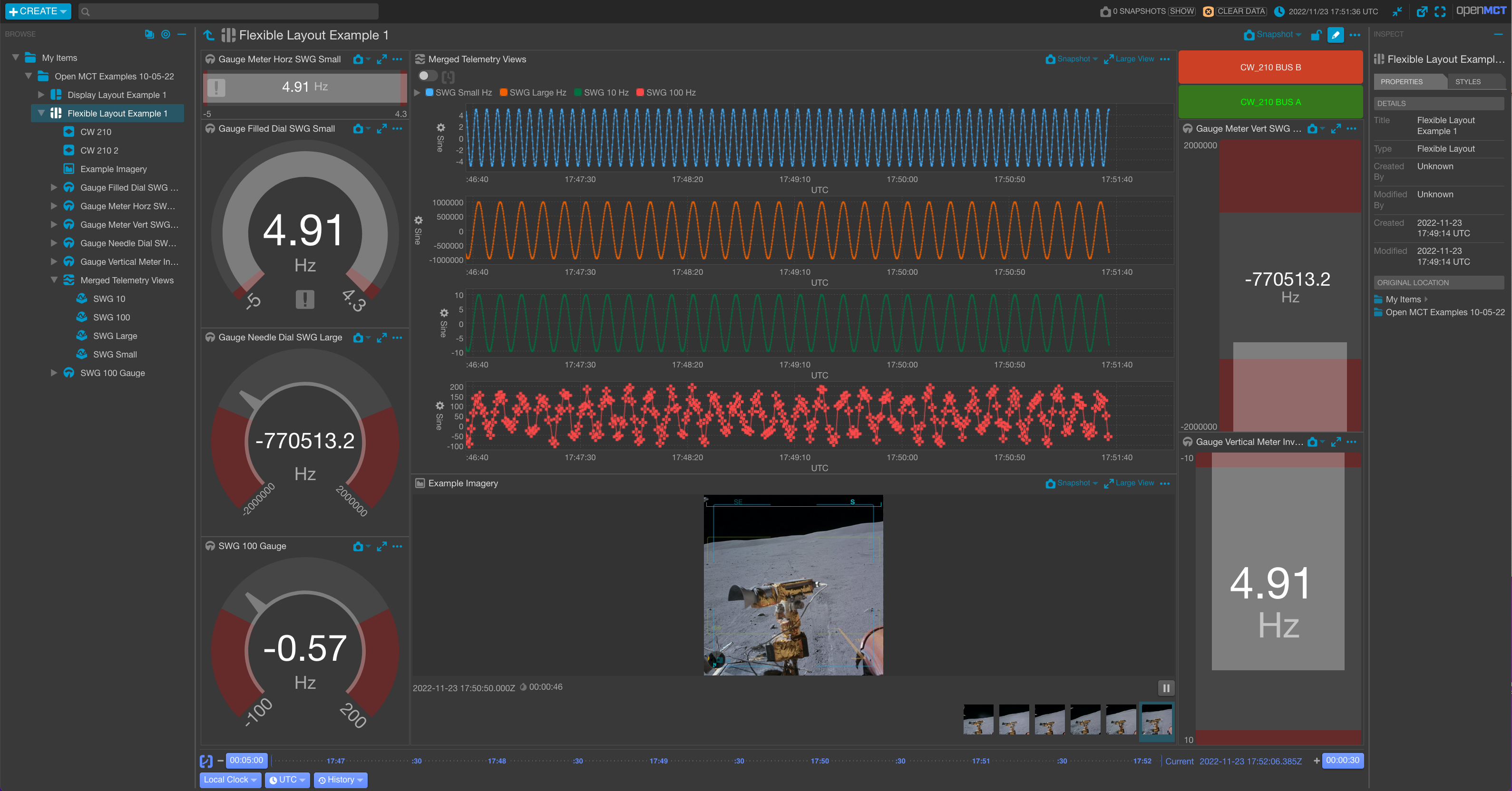
Open MCT (Open Mission Control Technologies) is a next-generation mission control framework for visualization of data on desktop and mobile devices. It is developed at NASA's Ames Research Center, and is being used by NASA for data analysis of spacecraft missions, as well as planning and operation of experimental rover systems. As a generalizable and open source framework, Open MCT could be used as the basis for building applications for planning, operation, and analysis of any systems producing telemetry data.
[!NOTE] Please visit our Official Site and Getting Started Guide
Once you've created something amazing with Open MCT, showcase your work in our GitHub Discussions Show and Tell section. We love seeing unique and wonderful implementations of Open MCT!
Building and Running Open MCT Locally
Building and running Open MCT in your local dev environment is very easy. Be sure you have Git and Node.js installed, then follow the directions below. Need additional information? Check out the Getting Started page on our website. (These instructions assume you are installing as a non-root user; developers have reported issues running these steps with root privileges.)
- Clone the source code:
git clone https://github.com/nasa/openmct.git
- (Optional) Install the correct node version using nvm:
nvm install
- Install development dependencies (Note: Check the
package.jsonengine for our tested and supported node versions):
npm install
- Run a local development server:
npm start
[!IMPORTANT] Open MCT is now running, and can be accessed by pointing a web browser at http://localhost:8080/
Open MCT is built using npm and webpack.
Documentation
Documentation is available on the Open MCT website.
Examples
The clearest examples for developing Open MCT plugins are in the tutorials provided in our documentation.
[!NOTE] We want Open MCT to be as easy to use, install, run, and develop for as possible, and your feedback will help us get there! Feedback can be provided via GitHub issues, Starting a GitHub Discussion, or by emailing us at arc-dl-openmct@mail.nasa.gov.
Developing Applications With Open MCT
For more on developing with Open MCT, see our documentation for a guide on Developing Applications with Open MCT.
Compatibility
This is a fast moving project and we do our best to test and support the widest possible range of browsers, operating systems, and NodeJS APIs. We have a published list of support available in our package.json's browserslist key.
The project utilizes nvm to maintain consistent node and npm versions across all projects. For UNIX, MacOS, Windows WSL, and other POSIX-compliant shell environments, click here. For Windows, check out nvm-windows.
If you encounter an issue with a particular browser, OS, or NodeJS API, please file an issue.
Plugins
Open MCT can be extended via plugins that make calls to the Open MCT API. A plugin is a group of software components (including source code and resources such as images and HTML templates) that is intended to be added or removed as a single unit.
As well as providing an extension mechanism, most of the core Open MCT codebase is also written as plugins.
For information on writing plugins, please see our API documentation.
Tests
Our automated test coverage comes in the form of unit, e2e, visual, performance, and security tests.
Unit Tests
Unit Tests are written for Jasmine and run by Karma. To run:
npm test
The test suite is configured to load any scripts ending with Spec.js found
in the src hierarchy. Full configuration details are found in
karma.conf.js. By convention, unit test scripts should be located
alongside the units that they test; for example, src/foo/Bar.js would be
tested by src/foo/BarSpec.js.
e2e, Visual, and Performance Testing
Our e2e (end-to-end), Visual, and Performance tests leverage the Playwright framework and are executed using Playwright's test runner, @playwright/test.
How to Run Tests
-
e2e Tests: These tests are run on every commit. To run the tests locally, use:
npm run test:e2e:ci -
Visual Tests: For running the visual test suite, use:
npm run test:e2e:visual -
Performance Tests: To initiate the performance tests, enter:
npm run test:perf
All tests are located within the e2e/tests/ directory and are identified by the *.e2e.spec.js filename pattern. For more information about the e2e test suite, refer to the README.
Security Tests
Each commit is analyzed for known security vulnerabilities using CodeQL. The list of CWE coverage items is available in the CodeQL docs. The CodeQL workflow is specified in the CodeQL analysis file and the custom CodeQL config.
Test Reporting and Code Coverage
Each test suite generates a report in CircleCI. For a complete overview of testing functionality, please see our Circle CI Test Insights Dashboard
Our code coverage is generated during the runtime of our unit, e2e, and visual tests. The combination of those reports is published to codecov.io
For more on the specifics of our code coverage setup, see
Glossary
Certain terms are used throughout Open MCT with consistent meanings or conventions. Any deviations from the below are issues and should be addressed (either by updating this glossary or changing code to reflect correct usage.) Other developer documentation, particularly in-line documentation, may presume an understanding of these terms. | Term | Definition | |---------------|----------------------------------------------------------------------------------------------------------------------------------------------------------------------------------------------------------------------------------------------------------------------------------------------------------------------------------------------------------------| | plugin | A removable, reusable grouping of software elements. The application is composed of plugins. | | composition | In the context of a domain object, this term refers to the set of other domain objects that compose or are contained by that object. A domain object's composition is the set of domain objects that should appear immediately beneath it in a tree hierarchy. It is described in its model as an array of ids, providing a means to asynchronously retrieve the actual domain object instances associated with these identifiers. | | description | When used as an object property, this term refers to the human-readable description of a thing, usually a single sentence or short paragraph. It is most often used in the context of extensions, domain object models, or other similar application-specific objects. | | domain object | A meaningful object to the user and a distinct thing in the work supported by Open MCT. Anything that appears in the left-hand tree is a domain object.
