
5ire
5ire is a cross-platform desktop AI assistant, MCP client. It compatible with major service providers, supports local knowledge base and tools via model context protocol servers .
Install / Use
claude mcp add nanbingxyz -- npx -y github:nanbingxyz/5ireIf the server publishes to npm under a different name, use that package instead — check the repo README.
MCP Server
Model Context Protocol server
Quality Score
Category
AI & Machine LearningSupported Platforms
Tags
Our assessment of 5ire
5ire scores 87/100 on our quality scale, 460th of 953 AI & Machine Learning skills we index (top 49%).
Its MCP Server is 6.7 KB long, well organised into 11 sections and no code examples: a thorough specification that gives an agent plenty to work with.
With 5,371 GitHub stars, it is one of the more widely adopted skills in the catalogue.
Maintenance, license and trust
- The repository was last updated yesterday, so 5ire is actively maintained.
- Our last check on 2026-10-17 found the source still online.
- No license is declared. By default that means all rights are reserved: you can read it, but reusing or redistributing it is not clearly permitted. Ask the author before building on it commercially.
- Its trust signals score 88/100, with 1 caution from licensing, adoption, age or documentation. These come from repository metadata, not a code audit — read the skill file before letting an agent act on it.
Safety scan
No issues foundOur scan of the whole file found no instruction hijacking, hidden characters, credential access, data exfiltration or destructive commands. An AI review of the same text found nothing harmful.
AI review by kimi-k2.7-code on 2026-09-24. Automated pattern scan on 2026-09-24. It catches known dangerous patterns, not every risk — read a skill before letting an agent act on it.
5ire compared with similar skills
All 4 of these similar skills score higher than 5ire; compare them before choosing.
| Skill | Score | Stars | Updated | Format |
|---|---|---|---|---|
| 5ire (this skill)by nanbingxyz | 87 | 5.4k | 1d ago | MCP Server |
| claude-memby thedotmack | 100 | 113.8k | today | CLAUDE.md |
| Agent-Reachby Panniantong | 100 | 109.5k | 1d ago | CLAUDE.md |
| Understand-Anythingby Egonex-AI | 100 | 91.0k | today | CLAUDE.md |
| headroomby headroomlabs-ai | 100 | 79.0k | today | CLAUDE.md |
Frequently asked questions
- How do I install 5ire?
- Run
claude mcp add nanbingxyz -- npx -y github:nanbingxyz/5ire. The install tabs above show the steps for each supported agent. - Which AI agents does 5ire work with?
- It is written for Claude Code and Claude Desktop, as a MCP Server file. Other agents that read the same format can often use it too.
- Is 5ire safe to use?
- Our scan of the whole file found no instruction hijacking, hidden characters, credential access, data exfiltration or destructive commands. An AI review of the same text found nothing harmful. It declares no license and scores 88/100 on trust signals. Skills are instructions an agent will follow, so read the file before installing it and do not approve commands you do not understand.
- Is 5ire still maintained?
- The repository was last updated yesterday, so 5ire is actively maintained.
Skill content
View source on GitHubBefore to activating tools feature, ensure the following components are installed:
- Python
- Node.js
- uv (Python package manager)
These components are required as they constitute the runtime environment for the MCP Server. If you don't anticipate using the tools feature immediately, you may choose to skip this installation step and complete it later when the need arises.
For detailed installation instructions, please see our Installation Guide.
<br/>💪 Getting involved
If you want to contribute code to 5ire or develop your own apps based on 5ire, start with the Development Setup Guide.
Visit Wiki for more details.
🚀 To integrate 5ire’s one-click server installation into your website, see the One-Click Server Installation Integration Guide.
<br/>💬 Community
Join the Discord, By joining, you’ll get:
- Faster responses to your questions and issues
- Direct input on new features and improvements
- A place to share ideas, tips, and feedback with other 5ire users
- Opportunities to co-build and shape the future of 5ire together
Features
⚒️ Support Tools via MCP Servers
MCP is an open protocol that standardizes how applications provide context to LLMs. Think of MCP like a USB-C port for AI applications. Just as USB-C provides a standardized way to connect your devices to various peripherals and accessories, MCP provides a standardized way to connect AI models to different data sources and tools.
With tools, you can access the file system, obtain system information, interact with databases, access remote data, and more, rather than just having a simple conversation.
https://github.com/user-attachments/assets/5aa98f2b-c26d-435e-8196-73fa414066eb
We have created an open marketplace for MCP Servers. it empowers users to discover exceptional tools while offering a streamlined process for sharing their own MCP server creations.
https://github.com/user-attachments/assets/be66c30e-bb29-4dfe-9f25-8d396470ed60
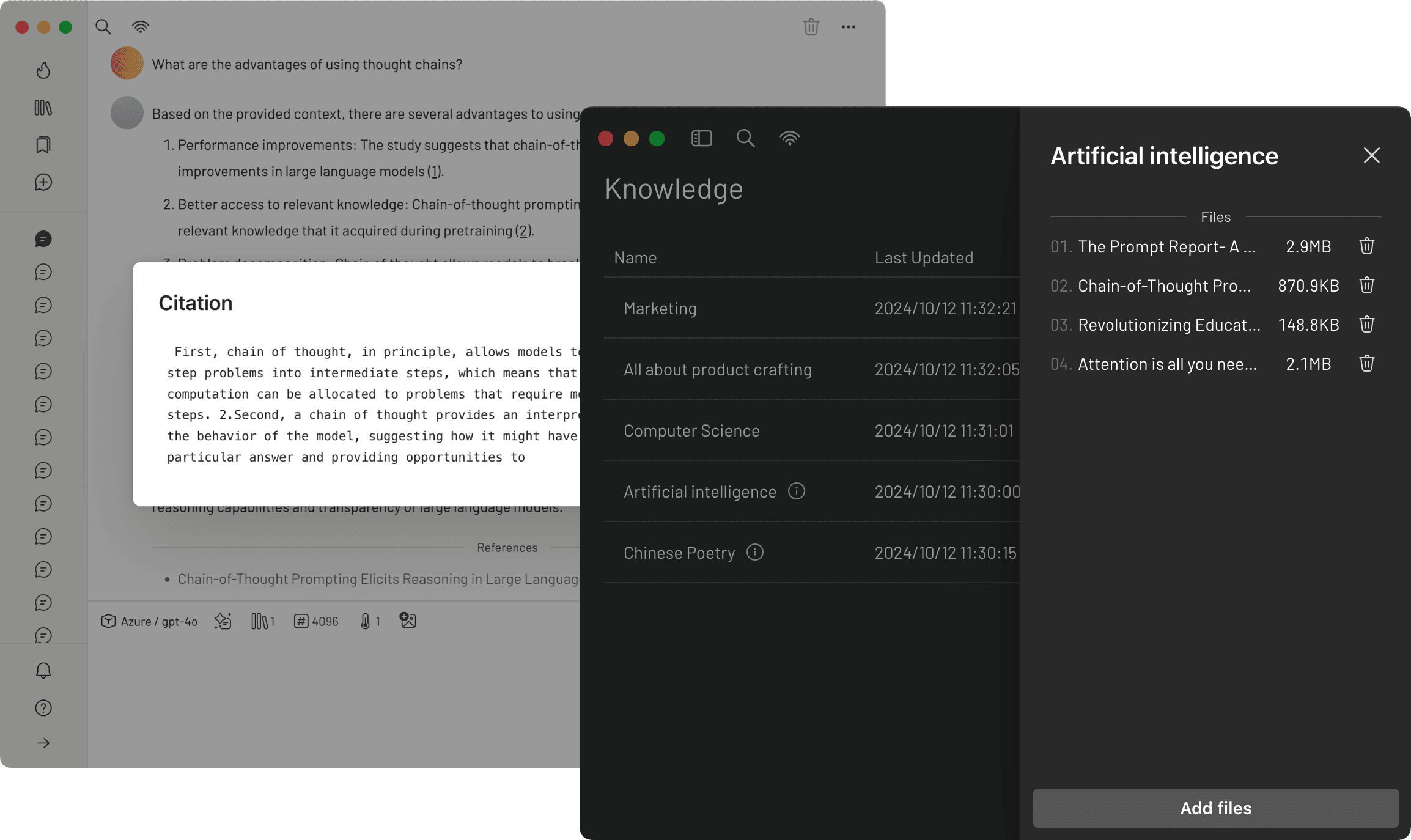
💡 Local Knowledge Base
We have integrated the bge-m3 as our local embedding model, which excels in multilingual vectorization. 5ire now supports parsing and vectorization of docx, xlsx, pptx, pdf, txt, and csv documents, enabling storage of these vectors to power robust Retrieval-Augmented Generation (RAG) capabilities locally.
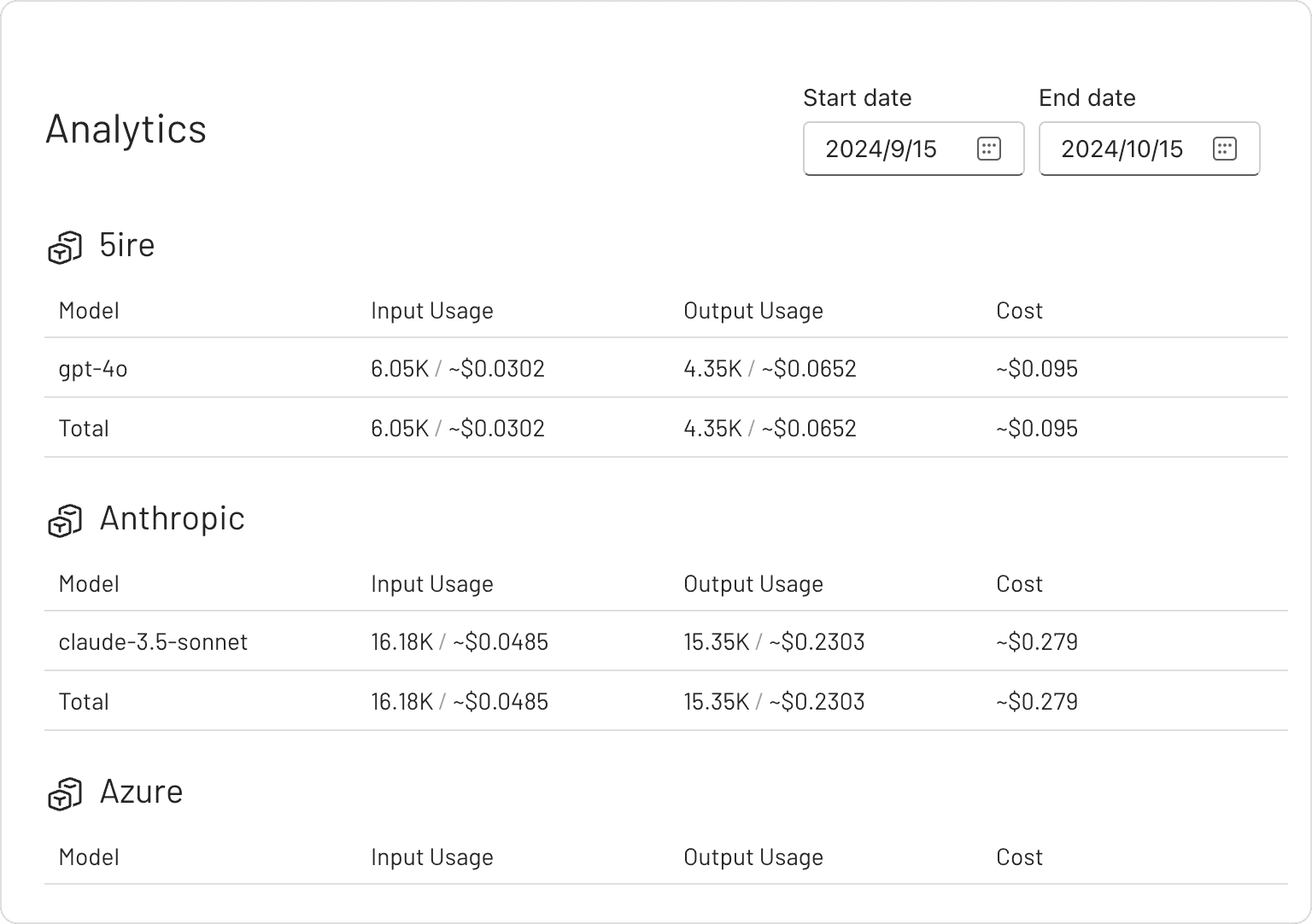
📈 Usage Analytics
By keeping track of your API usage and spending, you can gain a better understanding of how much you're spending on the API and make informed decisions to optimize your use of the service.
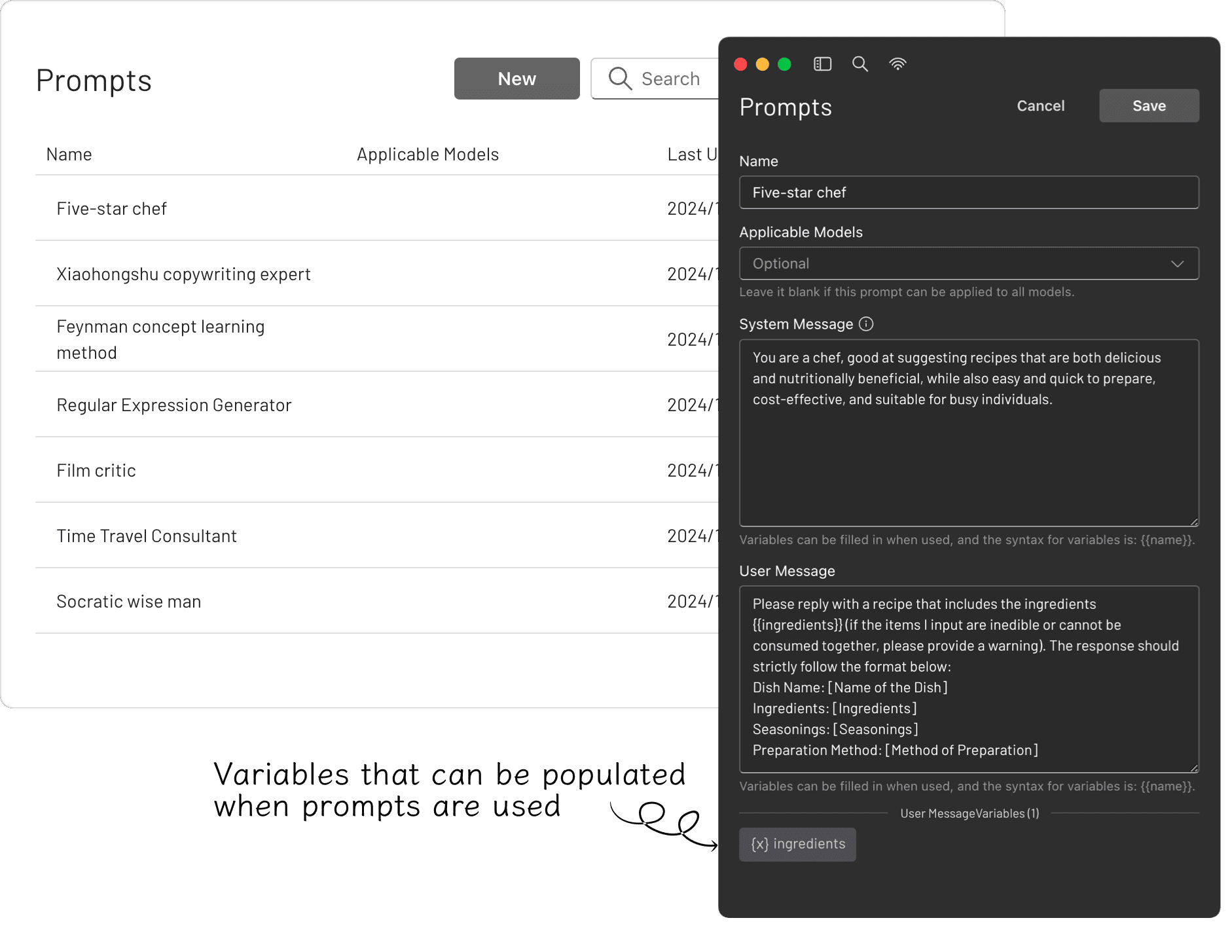
✨ Prompts Library
The prompt library provides an effective way to create and organize your own prompts. These prompts are highly versatile, thanks to their support for variables.
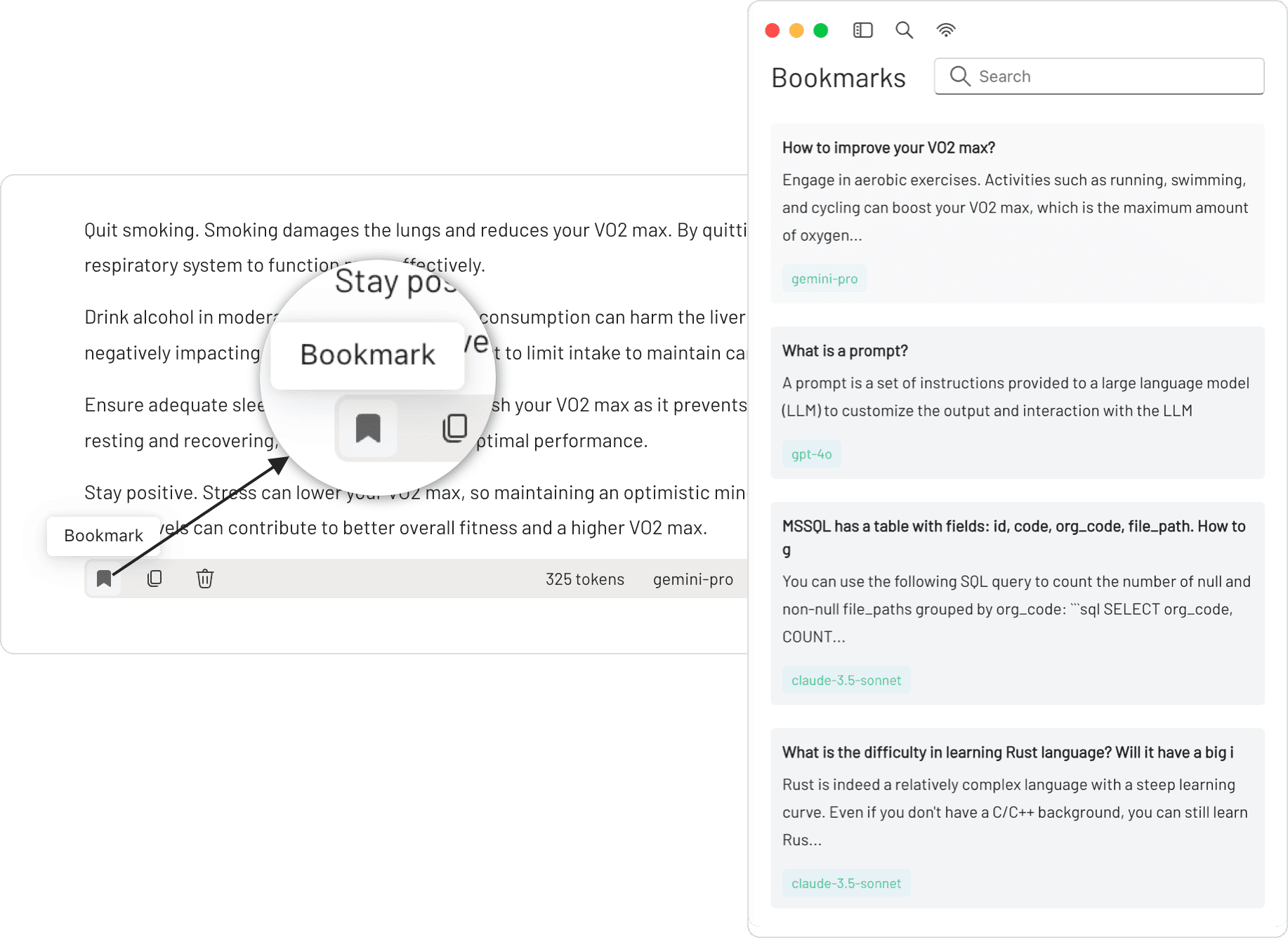
🔖 Bookmarks
You can bookmark each conversation, and even if the original messages are deleted, the saved bookmarked content remains unaffected.
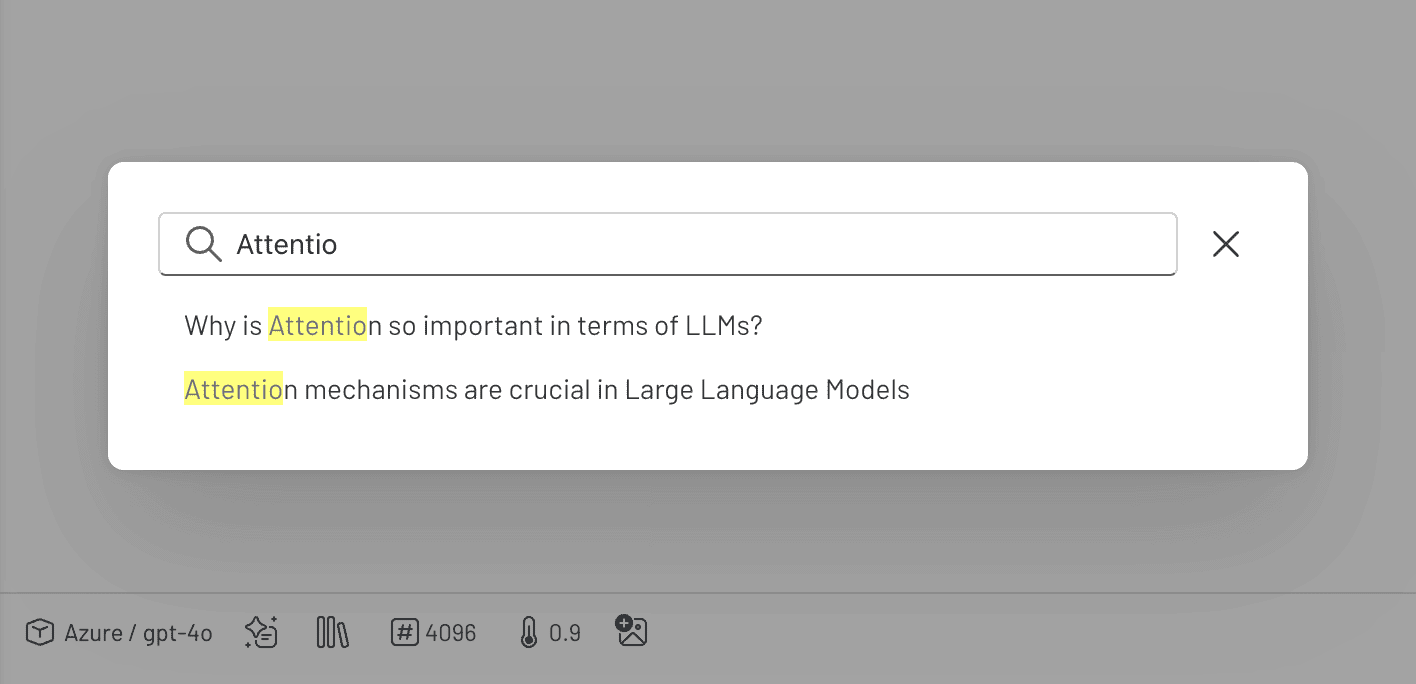
🔍 Quick Search
You can perform keyword searches across all conversations, quickly pinpointing the information you need.
<hr/>[!TIP] Since 5ire uses native dependencies, it needs to be packaged on the corresponding platform. If it is on Mac OS, you may also need to configure APPLE_TEAM_ID, APPLE_ID, and APPLE_ID_PASS for notarization to avoid security alerts.
Discover Exceptional MCP Servers
MCPSvr, a community-driven directory of MCP servers, empowers developers to discover exceptional tools while offering a streamlined process for sharing their own MCP server creations.
Related Skills
claude-mem
113.8kPersistent Context Across Sessions for Every Agent – Captures everything your agent does during sessions, compresses it with AI, and injects relevant context back into future sessions. Works with Claude Code, OpenClaw, Codex, Gemini, Hermes, Copilot, OpenCode + More
Agent-Reach
109.5kGive your AI agent eyes to see the entire internet. Read & search Twitter, Reddit, YouTube, GitHub, Bilibili, XiaoHongShu — one CLI, zero API fees.
Understand-Anything
91.0kGraphs that teach > graphs that impress. Turn any code into an interactive knowledge graph you can explore, search, and ask questions about. Works with Claude Code, Codex, Cursor, Copilot, Gemini CLI, and more.
headroom
79.0kCompress tool outputs, logs, files, and RAG chunks before they reach the LLM. 20% fewer tokens for coding agents, 60-95% fewer tokens for JSON, same answers. Library, proxy, MCP server.

Languages
Trust signals
From repository metadata: license, adoption, age and documentation. Not a code audit — see the Safety scan above for what the skill file itself contains.