
Sibyl
AI-Powered Crypto Insights & Trading Dashboard using AI Agents and LLMs
Install / Use
/learn @nMaroulis/SibylREADME
<img src="https://repository-images.githubusercontent.com/648387594/3557377e-1c09-45a9-a759-b0d27cf3c501">
</div>










Sibyl - Your AI-Powered Crypto Trading Hub with a UI
Welcome to Sibyl! This application is your centralized hub for all things crypto. With Sibyl, you can connect multiple crypto exchange accounts, deploy smart trading strategies, and access a wide range of AI-powered tools, all within a secure, locally deployed environment.
Key Features
Interactive Dashboard UI
The intuitive dashboard provides a comprehensive view of your crypto activities. Manage your trading strategies, analyze market trends, and keep an eye on the latest news, all in one place.
AI Agents & LLMs that power each Sibyl functionality - Oracle Module 🔥
Oracle is the LLM-driven intelligence layer of Sibyl. Wherever you navigate in Sibyl, Oracle is there, ready to assist, explain, advise or spark new insights. With a single click, you activate a powerful AI agent that understands your context and delivers real-time intelligence, from market sentiment analysis to data explanations, crypto education, and strategy suggestions and more.
-
Context-Aware Assistant
Oracle adapts to each section of Sibyl, whether you're analyzing a token, reading market news, launching a strategy or reviewing your trades. -
Natural Language Interaction
Ask questions, get summaries or explore crypto concepts with simple text, no jargon required. -
Real-Time Reasoning
Powered by locally deployed or API LLMs, Oracle can synthesize multiple sources of information, extract insights, and provide actionable suggestions. -
Intelligent Agent Hooks
Oracle can trigger deeper tools like analytics, visualizations or predictions via internal AI agents when appropriate.
Connected Crypto Exchange Overview - Wallet Module 💰
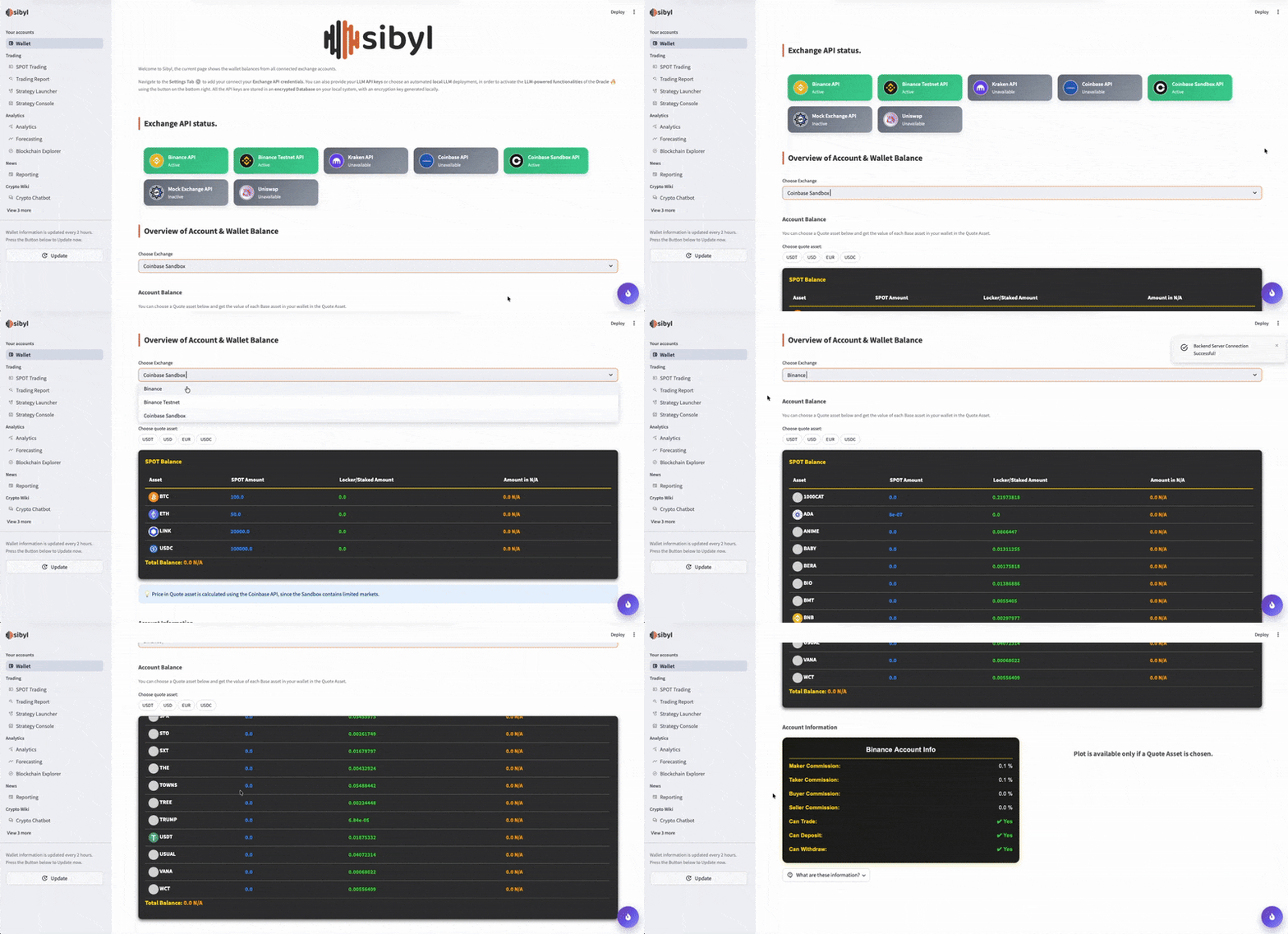
This is the landing page of Sibyl. Get an overview of the status of connected Crypto Exchanges, including balances, positions, and recent trades.
Strategy Planning - Broker Module 🎯
Tune and deploy trading strategies and monitor their performance through a real-time UI:
Option 1 - Sibyl Trading Engine
A custom trading engine written in Python, supporting BUY, SELL orders and Backtesting.
- Currently supported trading algorithms:
- Generic strategy algorithms: Bollinger Bands, RSI and EMA crossover
- Sibyl advanced custom strategy algorithms: Bollinger Surge, Impulse Breakout and Quantum Momentum.
- Customize the parameters for each algorithm and choose the desired market you want to deploy it.
- Backtesting for each strategy before it is deployed. Get strategy performance metrics and plots on historic data.
Strategy Console: Monitor in real-time the performance of the algorithm- Logs Table
- Evaluation metrics (profit ratio, sharpe ratio, drawdown, sortino and more..)
- Real-time Line plot where the actions of the algorithm are shown.
Modules:
- Strategies: All the classes that implement a strategy logic. Inherit the
BaseStrategyclass Tactician: Takes a Strategy as input and is responsible for running it. It is run in a loop, where the interval is based on the strategy interval. Uses theTacticianExchangeInterfaceto communicate with the Exchange API clients.Evaluator: Takes as inputs the strategy logs and calculates the Evaluation metrics.Backtester: Aggregates historical data and evaluates the strategies on them.
TBA: AI-based strategy algorithm, LLM Assistant on Strategy planning.
Option 2 - Freqtrade Engine with custom API layer and UI
TBD
SPOT Trading - Broker Module 💰
Create and place a SPOT order through the sibyl UI. This order will be first sent as a test order, and if it is validated it will be placed on your Exchange API. The Spot order is then saved in the TradingHistory DB, to retrieve its status and get analytics.
Price Movement Prediction using ML - Chronos Module 🔮
Chronos contains a suite of ML models for signal processing (non-LLM). Leverage custom TensorFlow Bi-Directional LSTMs, Gated Transformer Units (GTUs), and ARIMA models to forecast and asset's price and make informed trading decisions.
- Chronos (Forecasting) tab in the UI: choose an asset and call the Chronos to get the price prediction.
Currently Supported Models:
- Custom Tensorflow LSTM model, features: [bitcoin_price, sp500_price, gold_price, usd_index, oil_price, volatility_index, interest_rate]
TBD:
- Nixtla model
- Custom model based on CryptoMamba
TBA:
- Utilize Chronos models for AI-powered strategies.
Data Analysis & Visualization - Analyst Module 📈
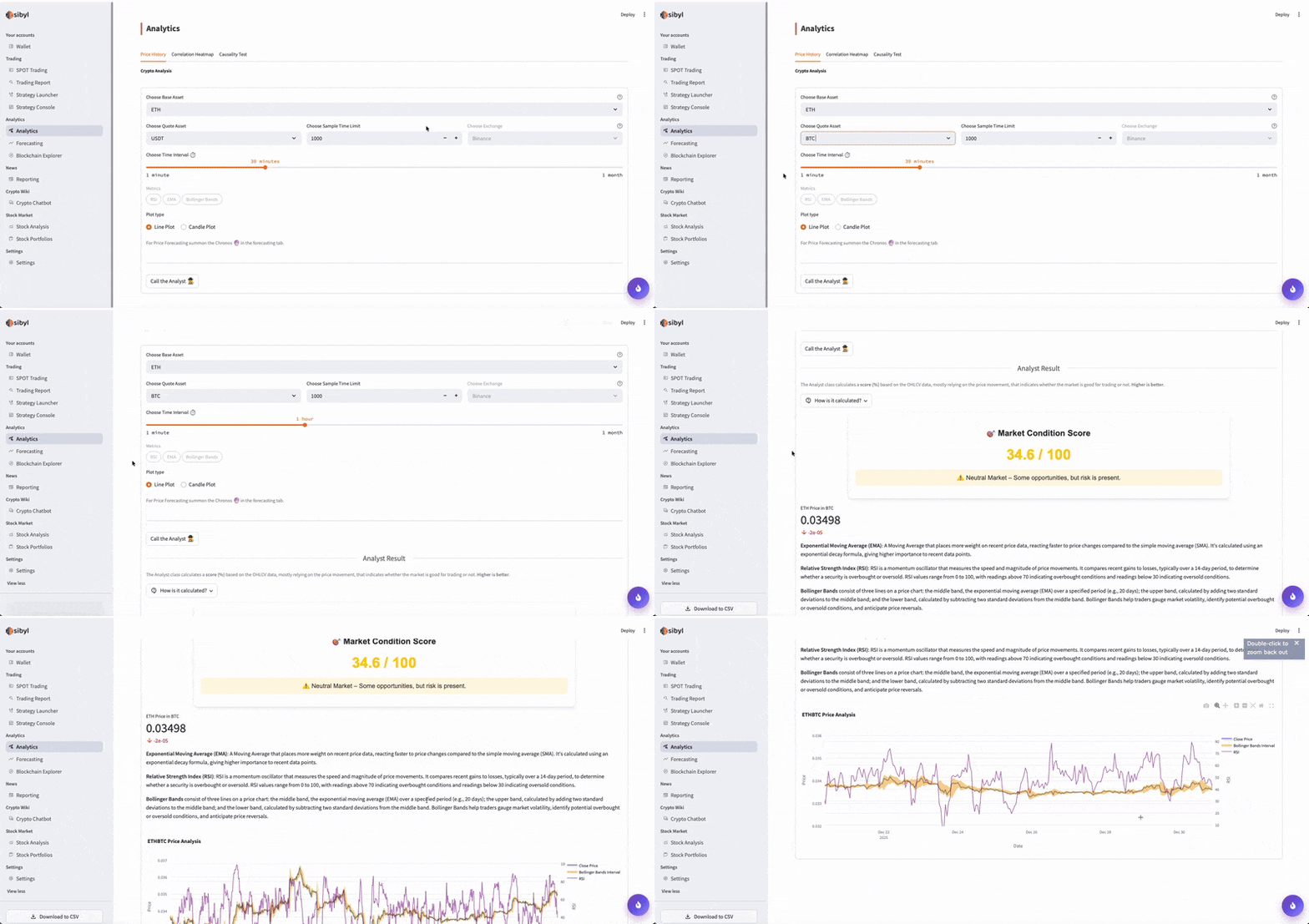
Sibyl offers powerful data analysis and visualization tools to support your trading decisions:
- Line and Candle Plots with statistics (Bollinger Bands, RSI, EMA and more..)
- Correlation Analysis
- SHAP Feature Importance
- Regression Analysis
Visualize the data with custom plots and tables for clear insights.
Track your profits and losses with detailed tables and plots, allowing you to measure the success of each trading order.
Crypto News & Market Sentiment - Reporter Module 🕵🏻
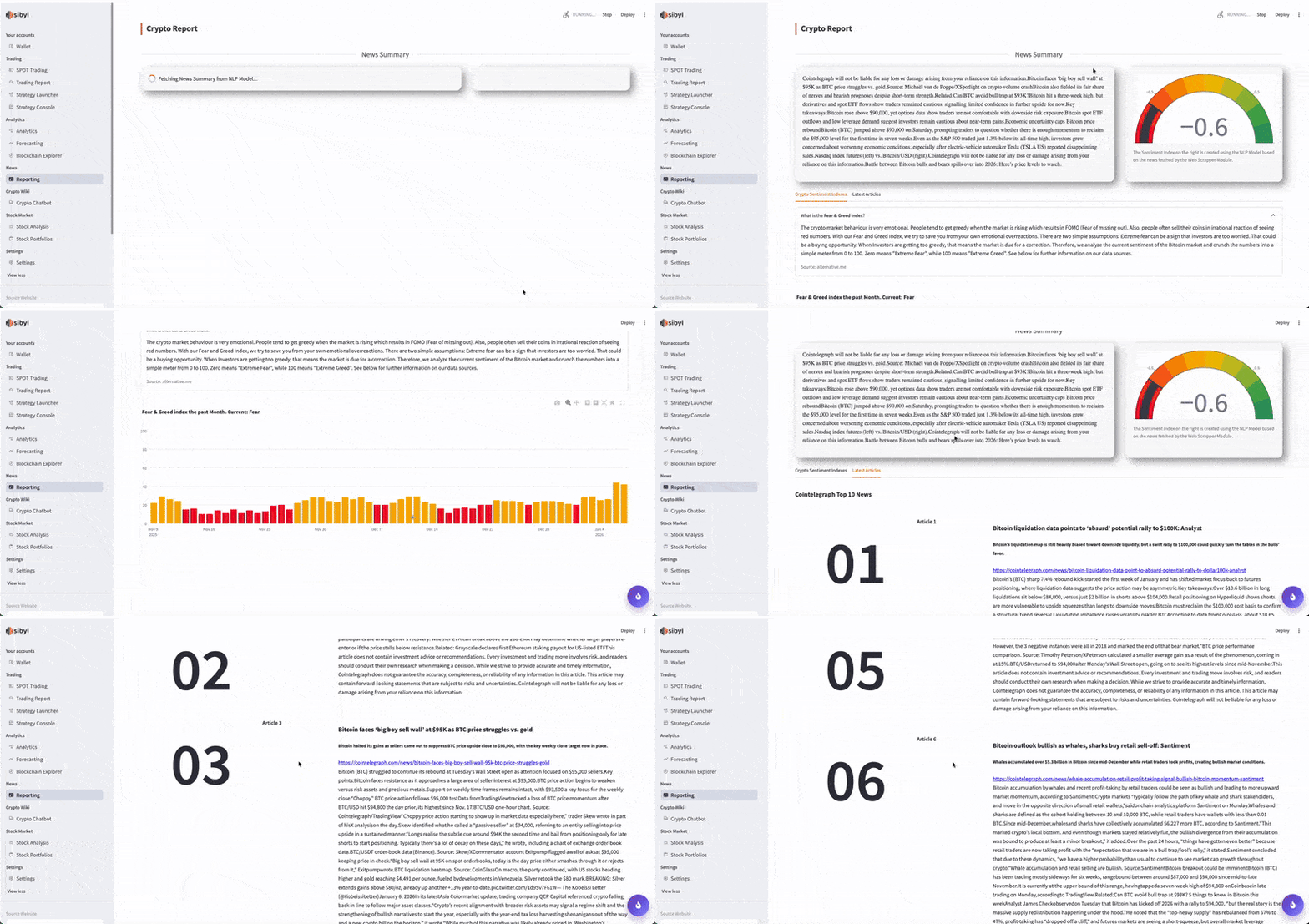
Stay informed with the Natural Language Processing (NLP) tools:
- Web scraping for the latest crypto news
- Text summarization for quick news highlights
- Sentiment analysis using advanced language models to gauge market mood
- Oracle: LLM-powered chatbot, to ask questions about the latest crypto news.
Connect with Popular Exchanges - Technician Module 🛠️
Sibyl supports API connections with major crypto exchanges. Currently supported:
- Binance.com
- Binance Testnet
- Coinbase Sandbox
Additional exchanges are planned for future releases.
- Coinbase
- Bybit
- Kraken
Crypto Wiki Chatbot - Wiki Module 💬
An interactive chatbot which is based on custom AI agents using MCP server, a RAG system, which includes thousands of crypto-related publications, books and articles, and Agent tools like Web Search, Chat History Memory and Conversation Pipeline. After you ask a crypto-related question, the Pipeline begins. First the user query is classified as conversational or technical. In case of conversational, the chatbot just uses an LLM to generate a response. If the user query is technical, then, the embeddings for your query are created and the most similar embeddings are found in the chromaDB Embeddings Database. The similarity method is a hybrid approach, using cosine similarity, BM25 keyword search matching and FAISS indexing similarity. In case no valid material is found on the Embeddings DB, then a web search is performed in order to find relevant information online. All the available material is given to the LLM in order to generate the response.
In order to use this functionality, you have to:
- Setup an LLM through the UI Settings Tab.
i. Provide a valid HuggingFace or OpenAI API key, to be stored in the local encrypted Database or
ii. Choose an LLM to be deployed locally. This is done automatically by the backend.
- Download the chromaDB Embeddings Database, which is not by default provided in the implementation. The download is available through the UI, or adding manually the following file https://drive.google.com/file/d/15Vrxs6sbPnlZZURGr5DopZHlcwEtvaou/view?usp=share_link in the database/wiki_rag directory.
Evaluate Stock - Stock Analysis Module 📊
Choose a Company from a list of available company stocks and:
- Get Company's Information
- Analysis if a stock is worth buying or not based on various indicators
- Get insights about U.S. senators' stock portfolios
- Oracle: LLM-powered stock evaluation
- Future Release: Rating based on custom ML model
Security & Local Deployment
Sibyl is designed for local deployment, ensuring your data stays secure. You have complete control over your trading activities and account connections. No sensitive information is stored on external servers, giving you peace of mind.
Local Databases
API Key Storage
All API keys are stored locally on an encrypted SQlite Database, with a unique encryption key generated on your local file system. This Database uses SQLAlchemy for ORM. You may find the database and the encryption key at /database
All trades made through Sibyl strategies are stored
