
Vira
Create and update your Jira issues while inside Vim!
Install / Use
/learn @n0v1c3/ViraREADME
VIRA 0.4.14
Vim JIRA Atlassian: Create, Update and Follow Along Jira Issues Actively Without Leaving Vim!
If you have made it this far there is a good chance that you already enjoy
staying inside of vim as much as you can. vira will help you stay on top of
your Jira development process without leaving your favorite environment.
<ins>Table of Contents</ins>
| <ins>VIRA 0.4.14 UPDATES:</ins> |
| ------------------------------------------------------------------------------------- |
| VIRA-213: q is going to be replaced by gq both will only work until VIRA 0.5.0. |
| VIRA-213: Added proper message inside vim and nvim for q removal. |
| VIRA-283: Added GV syntax to {code} sections. |
| VIRA-282: READ-ONLY for report and menu windows. |
| VIRA-282: Track cursor position. |
| <ins>Recent Previous Releases:</ins> | | ------------------------------------------------------------------------------------------- | | 0.4.13 - remove manual login and README update (Travis Gall) | | 0.4.12 - Don't append Null in non-empty server list (Krzysztof Konopko) | | 0.4.11 - README remove old workarounds (Travis Gall) | | 0.4.10 - Handle missing assignee and guess current user correctly (Travis Gall) | | 0.4.9 - No Assignee "whatsoever", Missing default, and Default Sort (Krzysztof Konopko) |
<a name="installation"/>Installation
Example of vim-plug post-update hook to automatically install python
dependencies along with vira:
Plug 'n0v1c3/vira', { 'do': './install.sh' }
Alternatively, manually install the python3 dependencies:
pip3 install --user jira
If you would like to be on board with the active development the dev branch
can be used:
Plug 'n0v1c3/vira', { 'do': './install.sh', 'branch': 'dev' }
Configuration
There are currently two separate files that are used in configuration. The
~/.config/vira/vira_servers.json file will be the required file for your
connections and ~/.config/vira/vira_projects.json will map projects to
folders while linking them to servers inside vira_servers.json.
NOTE: Both of these files can be moved to other locations and set in your
.vimrc:
let g:vira_config_file_servers = $HOME . '/.config/vira/vira_servers.json'
let g:vira_config_file_projects = $HOME . '/.config/vira/vira_projects.json'
We also support trying the yaml configuration however, it will require
one more library for python. The default file-type is json, this is because
it comes "out of the box" inside of python. Run the following from the
terminal if you require PyYAML to enjoy yaml:
pip3 install --user pyyaml
NOTE: When using yaml a link is REQUIRED in your .vimrc settings.
Jira server configuration (required):
For each Jira server, the following configuration variables are available, only
one of the options password or password_cmd will be set depending on a
raw password vs a password command:
username- Jira server username.password_cmd- Run a CLI password manager such aspassorlpassto retrieve the Jira server password.password- Enter Jira server password in plain text. This is not recommended for security reasons, but we're not going to tell you how to live your life.skip_cert_verify- This option can be set in order to connect to a sever that is using self-signed TLS certificates.
The following is an example of a typical vira_servers.json configuration:
{
  "https://n0v1c3.atlassian.net": {
    "username": "travis",
    "password_cmd": "lpass show --password account"
  },
  "https://jira.career.com": {
    "username": "mike",
    "password": "SuperSecretPassword",
    "skip_cert_verify": true
  }
}
Here is an example of the vira_servers.yaml configuration:
https://n0v1c3.atlassian.net:
  username: user1
  password_cmd: lpass show --password account
  skip_cert_verify: true
https://jira.career.com:
  username: user2
  password: SuperSecretPassword
IMPORTANT: If only ONE the connection is automatic otherwise, a menu
will open to select a server. This can be avoided with the __default__
mapping, see Jira Projects.
IMPORTANT: If NO configuration is found you will be asked for a manual URL, username, and password entry.
<a name="token_notes">Atlassian Cloud and API Token Notes:
Atlassian Cloud Jira Key
may be required if you are using the Atlassian Cloud service. Create an
API token. This API token is now the password set in your
vira_servers.json file.
Quick start guide:
- Configure
~/.config/vira/vira_servers.jsonas per Jira servers configuration. - Run
:ViraServersand select a server with<cr>. - Run
:ViraIssuesand select an issue with<cr>. - Run
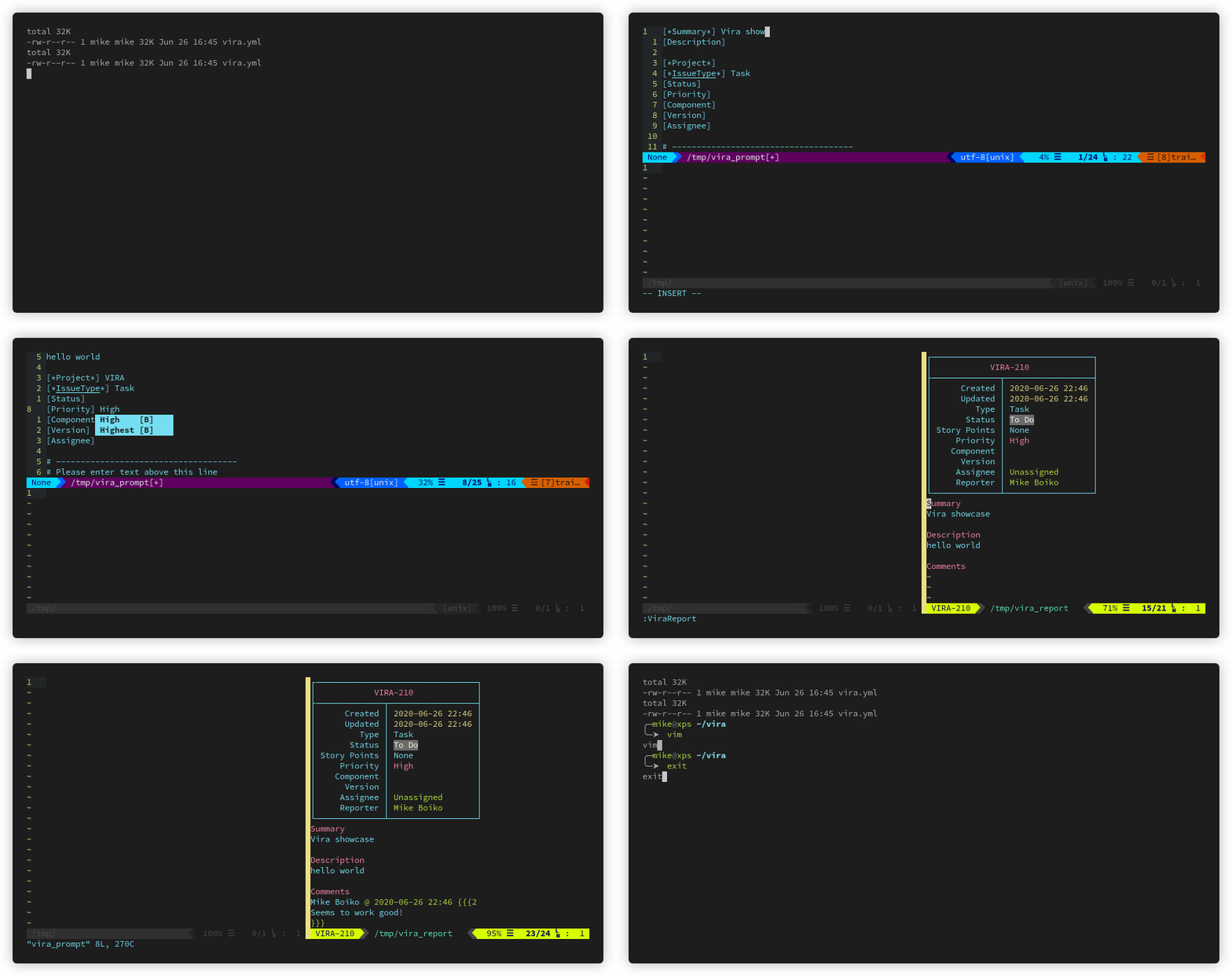
:ViraReportto view report. - Press
<cr>to edit any field. - Rejoice because you have one less reason to leave
vim!
Check out Menus and Reports after that for a list of commands and
tools that can be mapped to your .vimrc like the ones above.
Jira project configuration:
As mentioned in Configuration a separate file
vira_projects.json/yaml can be created in the vira configuration directory.
__default__ is also set up here to define the default server to use in the
other directories when there is more than one server mapped.
NOTE: When you're in a git repo, vira will auto-load your pre-defined
settings by matching the local repo name from file path.
NOTE: vira will only load the vira_projects.json/yaml configuration
automatically once per vim session. You can, however, manually switch servers
and filters as many times as you want after that.
For each Jira project, set:
server- The Jira server to connect to (using authentication details fromvira_servers.json/yaml).
The following is an example of a typical vira_projects.json configuration:
{
  "__default__": {
    "server": "https://n0v1c3.atlassian.net"
  },
  "vira": {
    "server": "https://n0v1c3.atlassian.net"
  },
  "OtherProject": {
    "server": "https://jira.career.com"
  }
}
The following is an example of the same configuration in yaml:
__default__:
  server: https://n0v1c3.atlassian.net
vira:
  server: https://n0v1c3.atlassian.net
OtherProject:
  server: https://jira.career.com
Filter configuration:
Default repo filters can be defined under a filter key as such:
{
  "vira": {
    "server": "https://n0v1c3.atlassian.net",
    "filter": {
      "project": ["VIRA"],
      "assignee": ["Travis Gall"],
      "priority": ["High", "Highest"],
      "fixVersion": ["0.4.13"]
    }
  },
  "OtherProject": {
    "server": "https://jira.career.com",
    "filter": {
      "project": ["VQL"],
      "assignee": ["Travis Gall", "Mike Boiko"],
      "priority": ["low", "lowest"],
      "fixVersion": ["2.2.18"]
  }
}
vira:
  server: https://n0v1c3.atlassian.net
  filter:
    project: [VIRA]
    assignee: [Mike Boiko]
    priority: [High, Highest]
    fixVersion: [1.1.1, 1.1.2]
OtherProject:
  server: https://jira.career.com
  filter:
    project: [MAIN]
    assignee: [Travis Gall]
    status: [In-Progress]
The acceptable values for the filter key are:
project- Filter these projects. Can be a single item or list.assignee- Filter these assignees by display name. Can be a single item or list.component- Filter these components. Can be a single item or list.epic- Filter these epics. Can be a single item or list.fixVersion- Filter these versions. Can be a single item or list.issuetype- Filter the types of issues. Can be a single item or list.priority- Filter these priorities. Can be a single item or list.reporter- Filter these reporters. Can be a single item or list.status- Filter these statuses. Can be a single item or list.
NOTE: currentUser is also connected to the active account and can be used
for all user related tasks.
IMPORTANT: use the display name in assignee and reporter, as account
names will be unknown. You only know your own account number on Cloud services.
- example: "Travis Gall" vs
travis/848ab357sfd1c5e32effcd4657234e233/n0v1c3@gmail.com
New issue configuration:
Similar to the filter key, you can define a `
Related Skills
apple-reminders
350.8kManage Apple Reminders via remindctl CLI (list, add, edit, complete, delete). Supports lists, date filters, and JSON/plain output.
gh-issues
350.8kFetch GitHub issues, spawn sub-agents to implement fixes and open PRs, then monitor and address PR review comments. Usage: /gh-issues [owner/repo] [--label bug] [--limit 5] [--milestone v1.0] [--assignee @me] [--fork user/repo] [--watch] [--interval 5] [--reviews-only] [--cron] [--dry-run] [--model glm-5] [--notify-channel -1002381931352]
healthcheck
350.8kHost security hardening and risk-tolerance configuration for OpenClaw deployments
node-connect
350.8kDiagnose OpenClaw node connection and pairing failures for Android, iOS, and macOS companion apps
