
Doorman
an osquery fleet manager
Install / Use
/learn @mwielgoszewski/DoormanREADME
doorman


Doorman is an osquery fleet manager that allows administrators to remotely manage the osquery configurations retrieved by nodes. Administrators can dynamically configure the set of packs, queries, and/or file integrity monitoring target paths using tags. Doorman takes advantage of osquery's TLS configuration, logger, and distributed read/write endpoints, to give administrators visibility across a fleet of devices with minimal overhead and intrusiveness.
at a glance
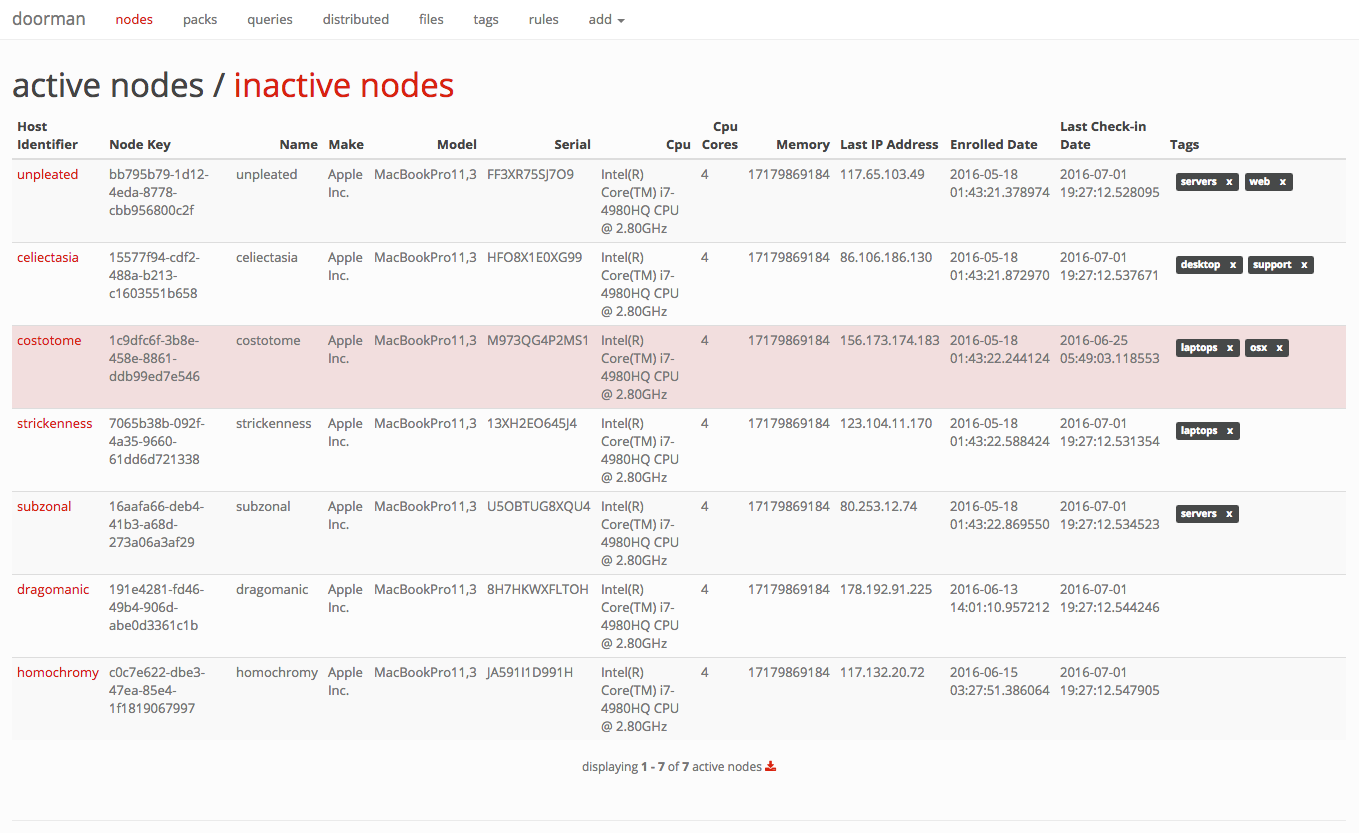
Doorman makes extensive use of tags. A node's configuration is dependent on the tags it shares with packs, queries, and/or file paths. As tags are added and/or removed, a node's configuration will change.
For example, it's possible to assign a set of packs and queries a baseline tag. To ensure all nodes then receive this baseline configuration, you simply assign the baseline tag to the nodes you wish to include.
state of the node
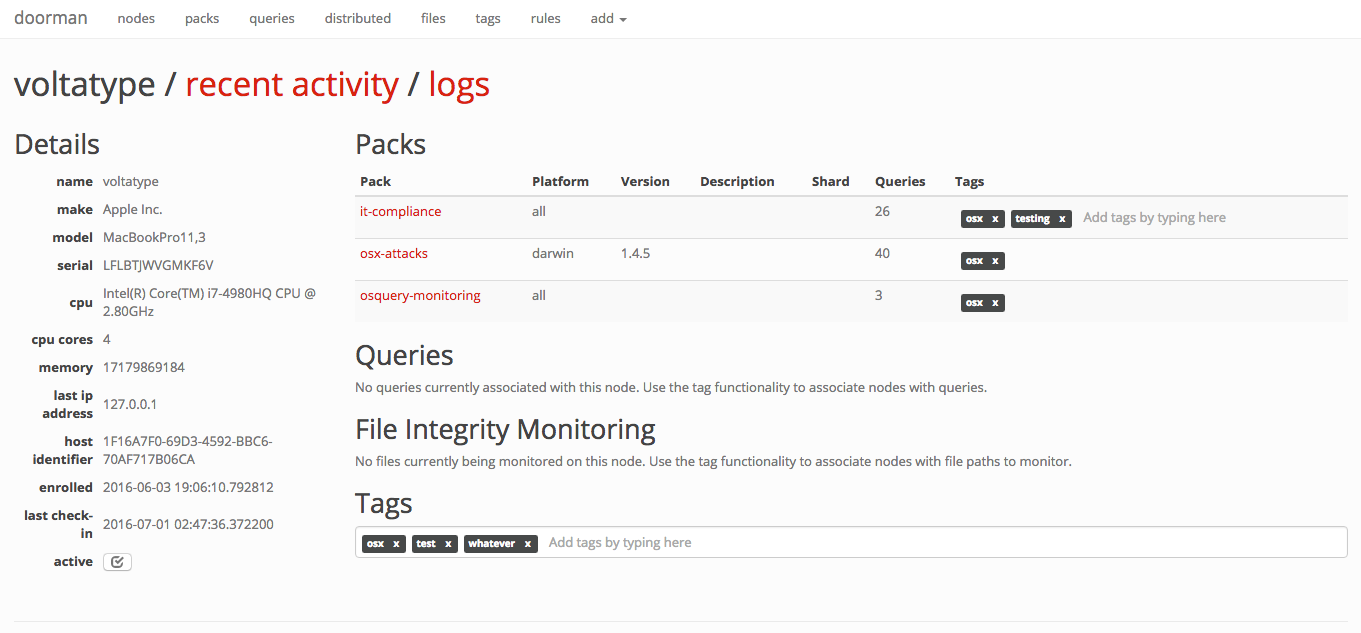
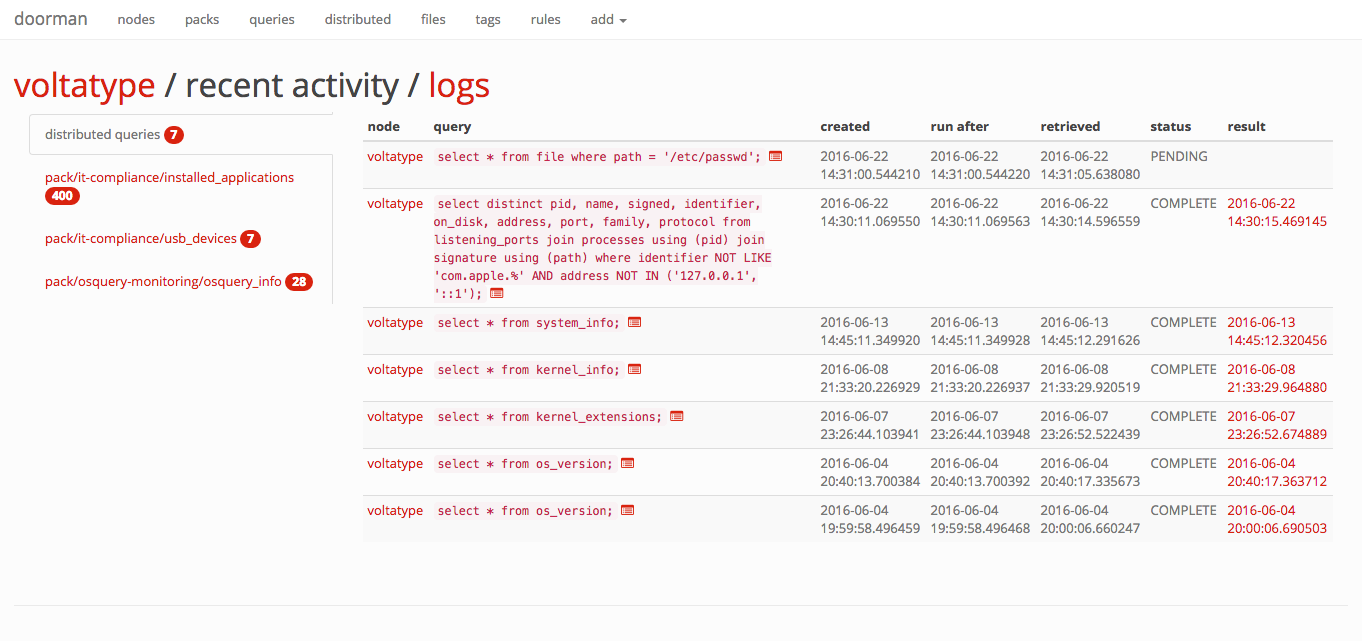
Click on any node to view its recent activity, original enrollment date, time of its last check-in, and the set of packs and queries that are configured for it. This view provides an "at-a-glance" view on the current state of a node.
distributed queries
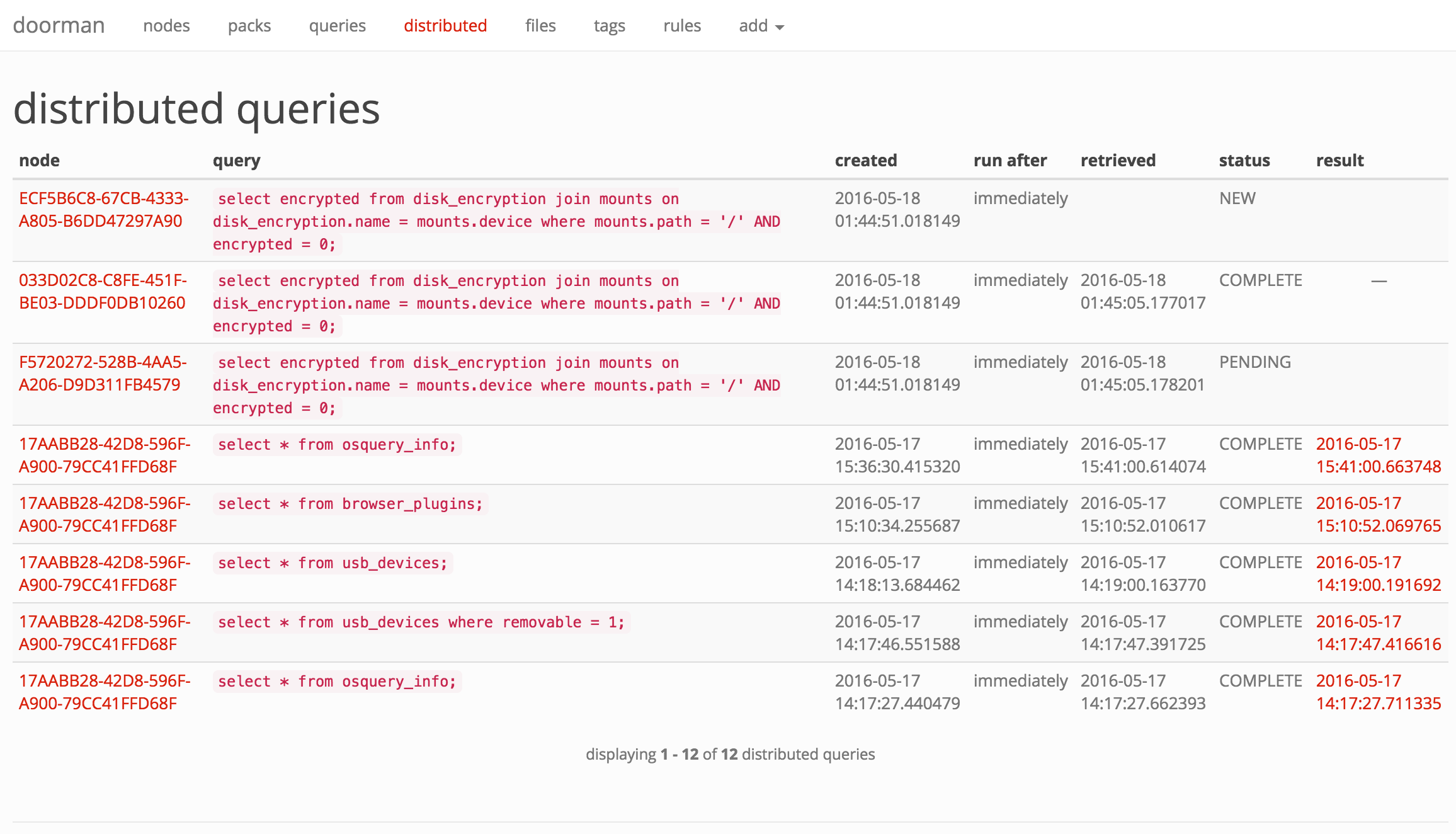
With Doorman, you can distribute ad-hoc queries to one, some, or all nodes. A distributed query's status in Doorman is tracked based on whether the node has picked up the query and/or returned its results.
rules and alerts
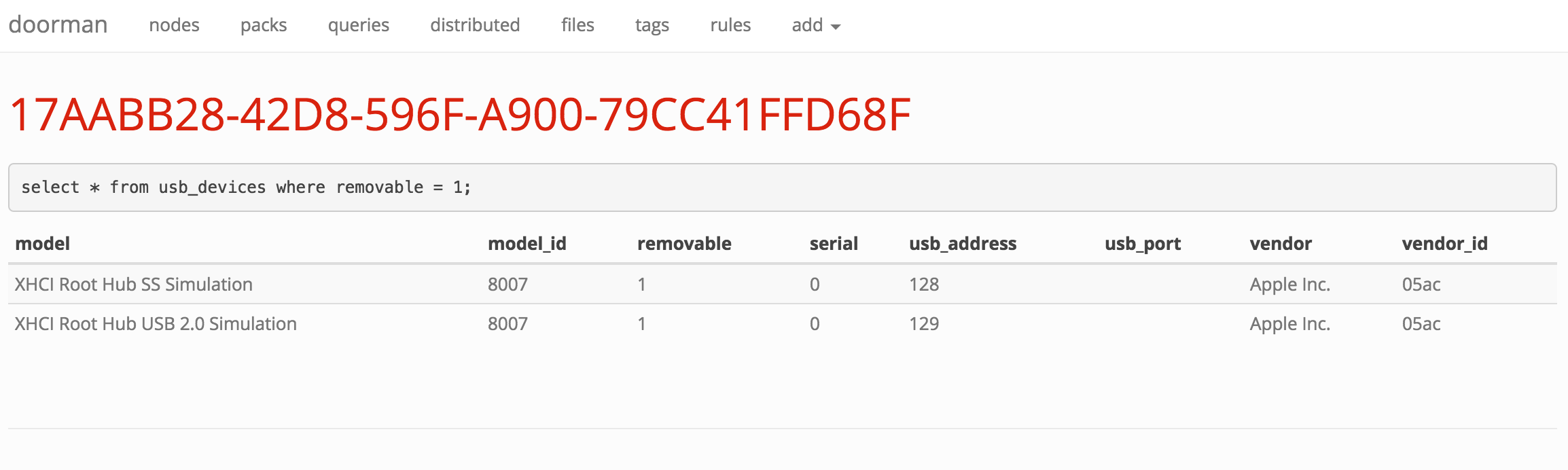
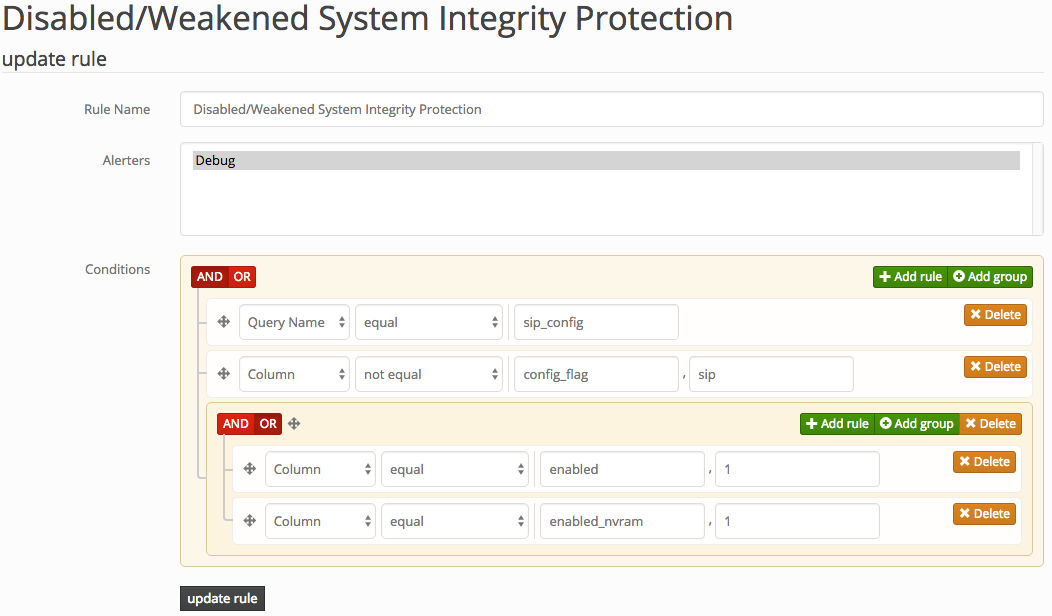
If you're not acting on the information you collect, what's the point? Doorman allows fleet managers to configure custom rules to trigger alerts on specific events (for example, an unauthorized browser plugin is installed, or a removable USB storage device is inserted). Doorman allows building complex rule sets that can use arbitrary boolean logic and a variety of operators to test the results of a query. For example:
Doorman allows supports alerting via the following methods:
- PagerDuty
- Sentry
- Log file (primarily for development)
logging
Doorman is intended to be configured to receive results from nodes via the osquery tls logging plugin. Results are saved in a Postgres database for easy access to recent events. Doorman also supports development of custom plugins to handle event data, allowing Doorman to send data elsewhere, such as to a separate file, rsyslog, Elasticsearch, etc.
osquery tls api
Doorman exposes the following osquery tls endpoints:
method | url | osquery configuration cli flag
-------|-----|-------------------------------
POST | /enroll | --enroll_tls_endpoint
POST | /config | --config_tls_endpoint
POST | /log | --logger_tls_endpoint
POST | /distributed/read | --distributed_tls_read_endpoint
POST | /distributed/write | --distributed_tls_write_endpoint
To reach the Doorman management interface, point your browser at https://localhost:5000/manage/ (or the server it's running on).
authentication
Authenticating to Doorman can be handled several ways:
DOORMAN_AUTH_METHOD = NoneDOORMAN_AUTH_METHOD = 'doorman'DOORMAN_AUTH_METHOD = 'ldap'DOORMAN_AUTH_METHOD = 'google'
None implies no authentication, resulting in an exposed manager web interface. If you deploy the api and web interface (the manager) separately, and the manager will only be accessible from a trusted network, this may be enough for you.
doorman utilizes username and password based authentication, managed by the backend database. Passwords are stored as bcrypt hashes with a work factor of 13 log_rounds. Doorman does not support user registration, or password reset capabilities from the web interface. This must be handled by the administrator using Doorman's manage.py script.
ldap authentication relies on an LDAP server to authenticate users. See the flask-ldap3-login documentation for the configuration values required by the plugin in order to successfully bind and authenticate to your LDAP server.
google uses OAuth 2.0 to authenticate with your Google credentials. To get started, you'll need to register a new web application client in the Google API Console and obtain a client_id and client_secret, along with authorize a callback URL. The following will need to be configured:
DOORMAN_OAUTH_CLIENT_ID = "client_id"DOORMAN_OAUTH_CLIENT_SECRET = "client_secret"
Additionally, you should configure at least one of the following:
DOORMAN_OAUTH_GOOGLE_ALLOWED_DOMAINSDOORMAN_OAUTH_GOOGLE_ALLOWED_USERS
Both of the aforementioned keys accept a list argument of app domains or user email addresses that are authorized to authenticate to Doorman. WARNING: if these values are not configured, then anyone with a Google account will be able to authenticate to your instance of Doorman!
The callback URL by default is https://SERVER_NAME/oauth2callback. The SERVER_NAME is populated from the environment parameters passed from your upstream web proxy (i.e., nginx's server_name).
configuration
Doorman's default configuration can be overridden by setting the DOORMAN_SETTINGS environment variable to a configuration file.
The following settings should be configured to get up and running:
Setting | Description
--------------|------------
SECRET_KEY | Flask's secret_key. This should be a cryptographically secure random value, unique to your environment. |
SERVER_NAME | The name and port number of the server. See Flask's Builtin Configuration Values for more details.
PREFERRED_URL_SCHEME | The URL scheme that should be used for URL generation if no URL scheme is available. This defaults to https.
SQLALCHEMY_DATABASE_URI | The database URI that should be used for the connection. Example: <p><ul><li>postgresql://localhost:5432/doorman</li></ul></p> See the Flask-SQLAlchemy documentation for additional configuration settings.
BROKER_URL | The Celery broker URL. Default: redis://localhost:6379/0
CELERY_RESULT_BACKEND | The Celery result backend URL. Default: redis://localhost:6379/0
DOORMAN_ENROLL_SECRET | A list of valid enrollment keys to use. See osquery TLS remoting settings for more information. By default, this list is empty.
DOORMAN_EXPECTS_UNIQUE_HOST_ID | If osquery is deployed on endpoints to start with the --host_identifier=uuid cli flag, set this value to True. Default is True.
DOORMAN_CHECKIN_INTERVAL | Time (in seconds) nodes are expected to check-in for configurations or call the distributed read endpoint. Nodes that fail to check-in within this time will be highlighted in red on the main nodes page.
DOORMAN_ENROLL_DEFAULT_TAGS | A default set of tags to apply to newly enrolled nodes. See also DOORMAN_ENROLL_SECRET_TAG_DELIMITER.
DOORMAN_ENROLL_SECRET_TAG_DELIMITER | A delimiter to separate the enroll secret from tag values (up to maximum of 10 tags) the node should inherit upon enrollment. Default is None, i.e., a node will not inherit any tags when first enrolled. This provides a little more flexibility than DOORMAN_ENROLL_DEFAULT_TAGS, allowing individual nodes to inherit different tags based on environment, asset class, etc. In the osquery configuration, you would supply an enroll secret in the format: --enroll-secret=secret:tag1:tag2:tag3, assuming : is your tag delimiter.
DOORMAN_CAPTURE_NODE_INFO | A list of tuples, containing a pair of osquery result column and label used to determine what information is captured about a node and presented on a node's information page. In order for this information to be captured, a node must execute a query which returns a result containing these columns. By default, the following information is captured: (i.e., select * from system_info;) <ul><li>computer_name</li><li>hardware_vendor</li><li>hardware_model</li><li>hardware_serial</li><li>cpu_brand</li><li>cpu_physical_cores</li><li>physical_memory</li></ul>
DOORMAN_EXTRA_SCHEMA | Doorman will validate queries against the expected set of tables from osquery. If you use any custom extensions, you'll need to add the corresponding schema here so you can use them in queries.
DOORMAN_MINIMUM_OSQUERY_LOG_LEVEL | The minimum osquery status log level to retain. Default is 0, (
