
Cerebro
Intelligent place recognition module for vins-fusion
Install / Use
/learn @mpkuse/CerebroREADME
VINS-Fusion with Cerebro
This is the cerebro module for VINS-Fusion. The aim of this project is better loop detection and recover from kidnap. The cerebro node connects to the vins_estimator nodes of VINS-Fusion (with ros interface). The DataManager class handles all the incoming data. Visualization handles all the visualization. Cerebro class handles the loop closure intelligence part. It publishes a LoopMsg which contains timestamps of the identified loopcandidate along with the computed relative pose between the pair. The pose computation needs a stereo pair for reliable pose computation. This is a multi-threaded object oriented implementation and I observe a CPU load factor of about 2.0. A separate node handles pose graph solver (it is in github-repo ).
This repo also support for saving the trajectories to file and later loading it from file for relocalization. See launch/realsense_vinsfusion_ondrone_teach.launch on how to do it.
If you use this work in your research, please cite: Manohar Kuse and Shaojie Shen, “Learning Whole-Image Descriptors for Real-time Loop Detection and Kidnap Recovery under Large Viewpoint Difference“, https://arxiv.org/abs/1904.06962
Highlight Video
MyntEye Demo (Using VINS-Fusion as Odometry Estimator)
We showcase the kidnap recovery and relocalization.
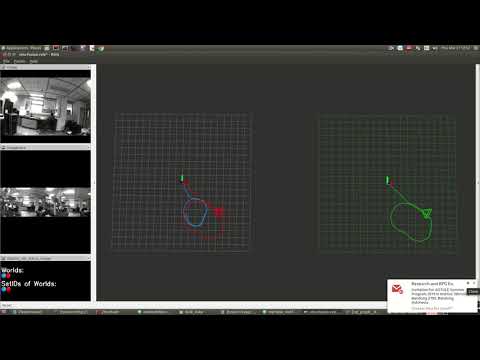
In Plane Rotation Test (Uses Realsense Camera)
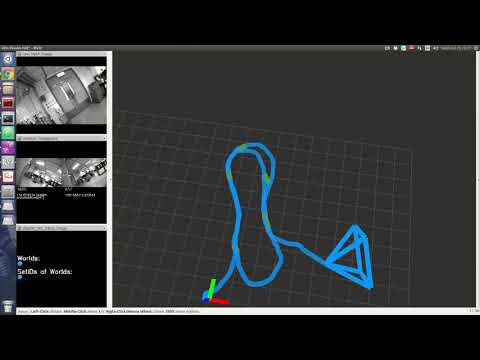
Relocalization from Previously Constructed Trajectories.
We show the accurary of the system by plotting a previously constructed surfel map (in gray color)
and the newly constructed surfel map (rainbox colored). We can observe that the boxes for example in the environment overlap. Similarly other objects in the seen also overlap.
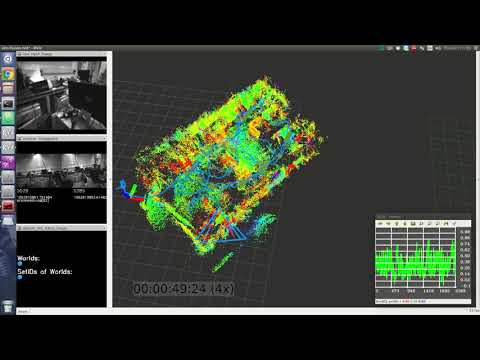
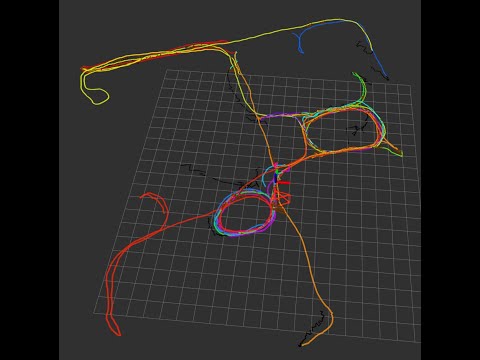
MyntEye Demo (Using VINS-Mono as Odometry Estimator)
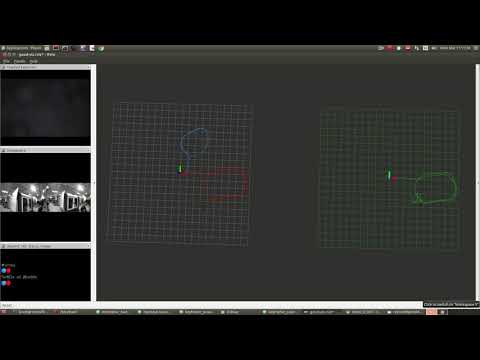
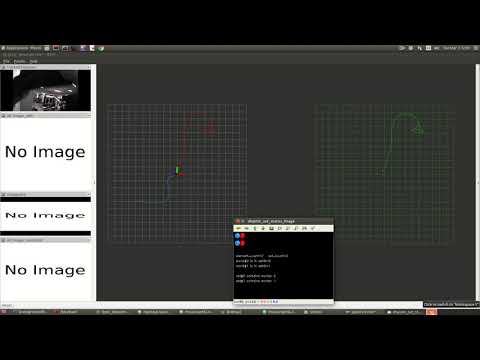
EuRoC MAV Dataset live merge MH-01, ... MH-05.
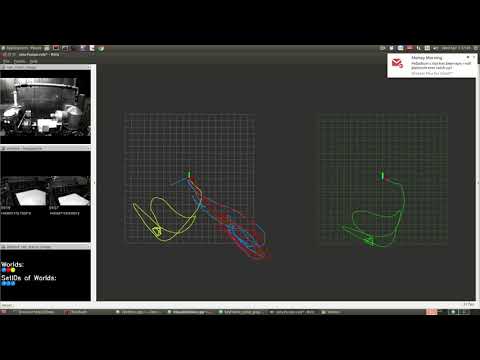
EuRoC MAV Dataset live merge V1_01, V1_02, V1_03, V2_01, V2_02
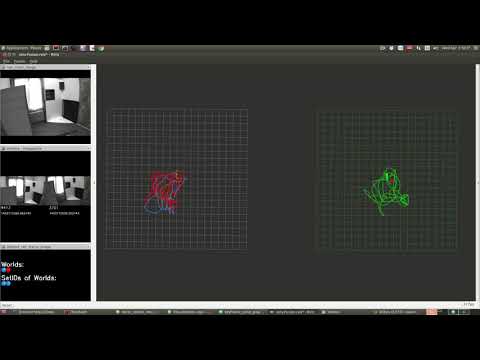
For more demonstration, have a look at my youtube playlist
Visual-Inertial Datasets
- ETHZ EuroC Dataset
- TUM Visual Inertial Dataset
- UPenn - Penncosyvio
- ADVIO ARKIT, Tango logging.
- Our MyntEye (Stereo+IMU) One-drive-link
How to run - Docker
I highly recommend the already deployed packages with docker. Run the roscore on your host pc and all the packages run inside of docker container. rviz runs on the host pc.
I assume you have a PC with a graphics card and cuda9 working smoothly and nvidia-docker installed.
$(host) export ROS_HOSTNAME=`hostname`
$(host) roscore
# assume that host has the ip address 172.17.0.1 in docker-network aka docker0
$(host) docker run --runtime=nvidia -it --rm \
        --add-host `hostname`:172.17.0.1 \
        --env ROS_MASTER_URI=http://`hostname`:11311/ \
        --env CUDA_VISIBLE_DEVICES=0 \
        --hostname happy_go \
        --name happy_go  \
        mpkuse/kusevisionkit:ros-kinetic-vins-tf-faiss bash
$(host) rviz # inside rviz open config cerebro/config/good-viz.rviz. If you open rviz in a new tab you might need to do set ROS_HOSTNAME again.
$(docker) roslaunch cerebro mynteye_vinsfusion.launch
            OR
$(docker) roslaunch cerebro euroc_vinsfusion.launch
$(host) rosbag play 1.bag
If you are unfamiliar with docker, you may want to read my blog post on using docker for computer vision researchers. You might want to have a look at my test ros-package to ensure things work with docker docker_ros_test. List of all my docker-images can be found here. Other docker images that work:
- mpkuse/kusevisionkit:ros-kinetic-vins-tf-faiss (preferred)
- mpkuse/kusevisionkit:vins-kidnap
How to compile (from scratch)
You will need a) VINS-Fusion (with modification for reset by mpkuse), b) cerebro
and c) solve_keyframe_pose_graph. Besure to setup a catkin_ws and make sure
your ROS works correctly.
Dependencies
- ROS Kinetic
- Eigen3
- Ceres
- OpenCV3 (should also work with 2.4 (not tested), 3.3 (tested Ok) and 3.4 (tested ok))
- Theia-sfm. *As of May2019 dependence on theia-sfm has been eliminated. The code is able to compile even when you do not have Theia-sfm installed. The pose estimation PNP/P3P has been implemented from scratch using ceres. *
- OpenImageIO (Release-1.7.6RC1) <br/>
- RocksDB (v5.9.2) <br/>
- OpenExr <br/>
- Tensorflow (tested on 1.11.0)
- Keras (atleast 2.2.4), I noticed issues in jsonmodel with 2.2.2, 2.2.2 still works though!
Get VINS-Fusion Working
I recommend you use my fork of VINS-Fusion, in which I have fixed some bugs and added mechanism for reseting the VINS.
cd catkin_ws/src
#git clone https://github.com/HKUST-Aerial-Robotics/VINS-Fusion.git
git clone https://github.com/mpkuse/VINS-Fusion
cd ../
catkin_make
source catkin_ws/devel/setup.bash
Make sure your vins-fusion can compile and run correctly. See vins-fusion github repo for the latest information on prerequisites and compilation instructions. For compatibility I recommend using my fork of vins-mono/vins-fusion. Some minor modifications have been made by me for working with kidnap cases.
Cerebro
cd catkin_ws/src/
git clone https://github.com/mpkuse/cerebro
cd ../
catkin_make
This has 2 exectables. a) ros server that takes as input an image and returns a image descriptor. b) cerebro_node, this finds the loop candidates and computes the relative poses. I have also included my trained model (about 4 MB) in this package (located scripts/keras.model). The pose computation uses the stereo pair in this node. This node publishes the loopcandidate's relative pose which is expected to be consumed the pose-graph solver.
If you wish to train your own model, you may use my learning code here.
Threads in cerebro_node:
- Main Thread : ros-callbacks
- data_association_th : Sync the incoming image data and incoming data vins_estimator.
- desc_th : Consumes the images to produce whole-image-descriptors.
- dot_product_th : Dot product of current image descriptor with all the previous ones.
- loopcandidate_consumer_th : Computes the relative pose at the loopcandidates. Publishes the loopEdge.
- kidnap_th : Identifies kidnap. If kidnap publishes the reset signals for vins_estimator.
- viz_th : Publishes the image-pair, and more things for debugging and analysis.
- dm_cleanup_th : Deallocate/Store to file images to reduce RAM consumption.
Nvidia TX2: Often times for live run, you might want to run the ros-server on a Nvidia-TX2. I recommend compiling tensorflow from scratch. The thing is prebuilt binaries may not be compatible with the version of CUDA and CUDNN on your device. Also some binaries may not be compatible to arm (could likely be built for x86). Before you can compile tensorflow you need java, bazel. See this gist. Also tools and repos from jetsonhacks might come in handy.
Pose Graph Solver
Use my pose graph solver, github-repo. The differences between this implementation and the original from VINS-Fusion is that mine can handle kidnap cases, handles multiple world co-ordinate frames and it uses a switch-constraint formulation of the pose-graph problem.
cd catkin_ws/src/
git clone https://github.com/mpkuse/solve_keyframe_pose_graph
cd ../
catkin_make
Threads:
- Main thread : ros-callbacks for odometry poses (from vins_estimator) and LoopMsg (from cerebro).
- SLAM : Monitors the node-poses and loop-edges, on new loop-edges constructs and solves the pose-graph optimization problem.
- th4 : Publish latest odometry.
- th5 : Display image to visualize disjoint set datastructure.
- th6 : Publish corrected poses, Different color for nodes in different co-ordinate systems.
vins_mono_debug_pkg (optional, needed only if you wish to debug vins-mono/vins-fusion)
With cerebro node it is possible to live run the vins and make it log all the details to file for further analysis/debugging. This might be useful f
