
Sogen
🪅 Windows User Space Emulator
Install / Use
/learn @momo5502/SogenREADME
Sogen is a high-performance Windows user space emulator that operates at syscall level, providing full control over process execution through comprehensive hooking capabilities.
Perfect for security research, malware analysis, and DRM research where fine-grained control over process execution is required.
Built in C++ and powered by the backend of your choice:
Try it out: <a href="https://sogen.dev">sogen.dev</a>
<hr>[!WARNING]
Caution is advised when analyzing malware in Sogen, as host isolation might not be perfect.
To mitigate potential risk, use the <a href="https://sogen.dev/#/playground">web version</a> to benefit from the additional safety provided by your browser's sandbox.
Key Features
- 🔄 Syscall-Level Emulation
- Instead of reimplementing Windows APIs, the emulator operates at the syscall level, allowing it to leverage existing system DLLs
- 📝 Advanced Memory Management
- Supports Windows-specific memory types including reserved, committed, built on top of Unicorn's memory management
- 📦 Complete PE Loading
- Handles executable and DLL loading with proper memory mapping, relocations, and TLS
- ⚡ Exception Handling
- Implements Windows structured exception handling (SEH) with proper exception dispatcher and unwinding support
- 🧵 Threading Support
- Provides a scheduled (round-robin) threading model
- 💾 State Management
- Supports both full state serialization and fast in-memory snapshots
- 💻 Debugging Interface
- Implements GDB serial protocol for integration with common debugging tools (IDA Pro, GDB, LLDB, VS Code, ...)
Preview
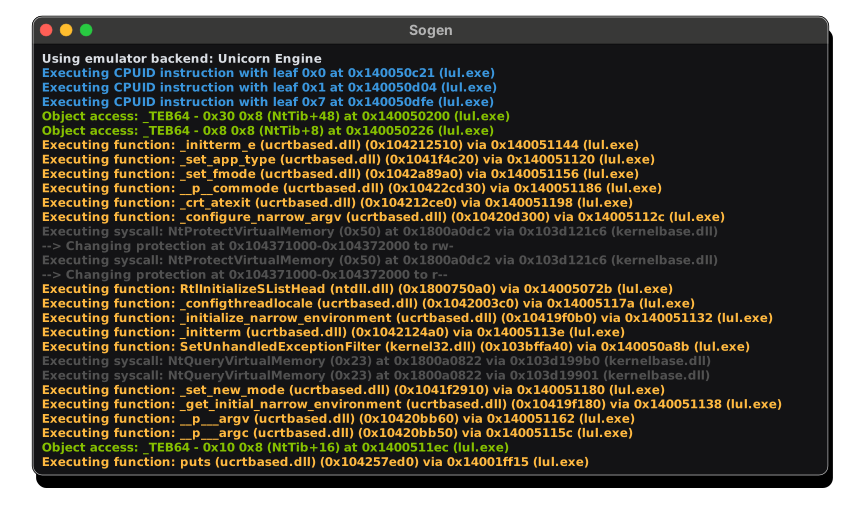
YouTube Overview
<a href="https://www.youtube.com/watch?v=wY9Q0DhodOQ" target="_blank"> <img src="https://momo5502.com/sogen/video.png" alt="YouTube Video" width="600" /> </a>Click <a href="https://docs.google.com/presentation/d/1pha4tFfDMpVzJ_ehJJ21SA_HAWkufQBVYQvh1IFhVls/edit">here</a> for the slides.
Quick Start (Windows + Visual Studio)
[!TIP]
Checkout the Wiki for more details on how to build & run the emulator on Windows, Linux, macOS, ...
1. Checkout the code:
git clone --recurse-submodules https://github.com/momo5502/sogen.git
2. Run the following command in an x64 Development Command Prompt in the cloned directory:
cmake --preset=vs2022
3. Build the solution that was generated at build/vs2022/emulator.sln
4. Create a registry dump by running the grab-registry.bat as administrator and place it in the artifacts folder next to the analyzer.exe
5. Run the program of your choice:
analyzer.exe C:\example.exe
Related Skills
node-connect
351.8kDiagnose OpenClaw node connection and pairing failures for Android, iOS, and macOS companion apps
frontend-design
110.9kCreate distinctive, production-grade frontend interfaces with high design quality. Use this skill when the user asks to build web components, pages, or applications. Generates creative, polished code that avoids generic AI aesthetics.
openai-whisper-api
351.8kTranscribe audio via OpenAI Audio Transcriptions API (Whisper).
qqbot-media
351.8kQQBot 富媒体收发能力。使用 <qqmedia> 标签,系统根据文件扩展名自动识别类型(图片/语音/视频/文件)。
