
MOGOpenBookSegue
MOGOpenBookSegue is custom segue like iBooks open animation.
Install / Use
/learn @mogmet/MOGOpenBookSegueREADME
MOGOpenBookSegue
MOGOpenBookSegue is custom segue like iBooks open animation.
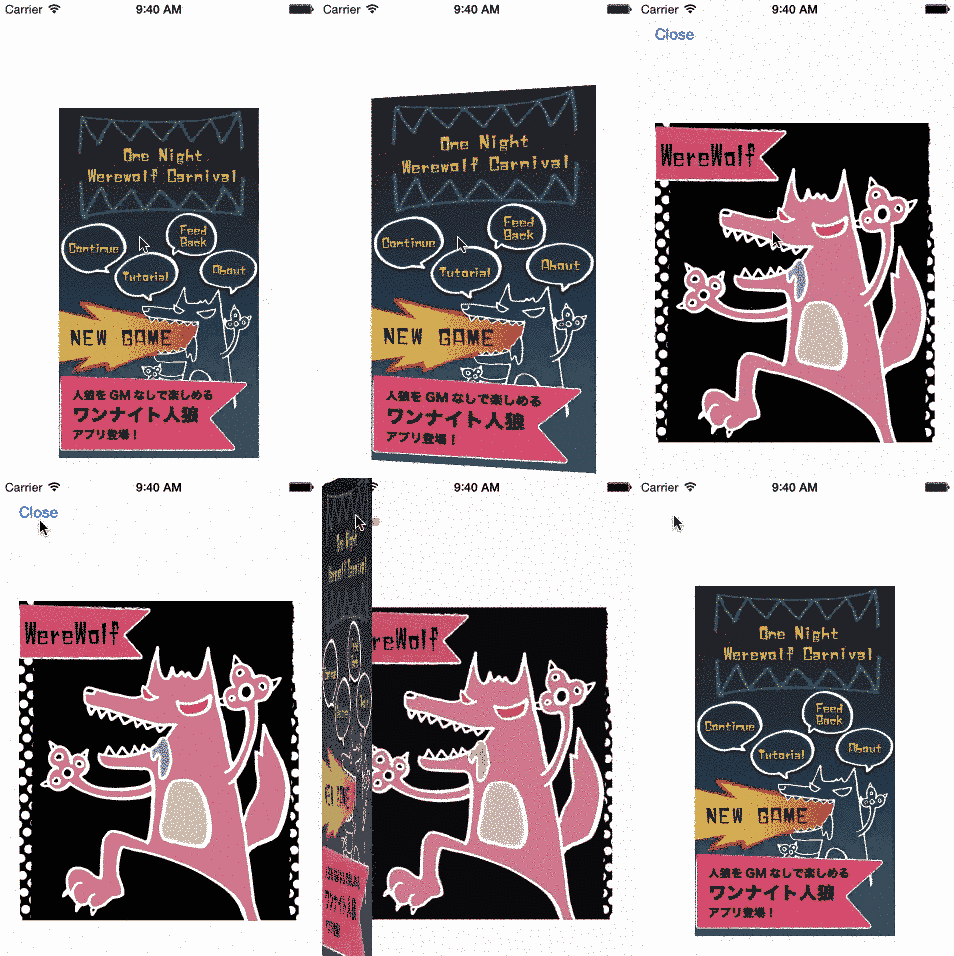
##Requirements
iOS7.0 or later
Usage
- To run the example project, clone the repo, and run
pod installfrom the Example directory first. - Import header to your ViewController.
#import <MOGOpenBookSegue/MOGOpenBookSegue.h> or #import "MOGOpenBookSegue.h" - Change to custom segue on Storyboard.
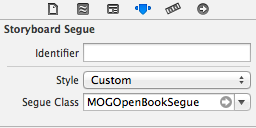
- Add code on your ViewController like this.
-(void)prepareForSegue:(MOGOpenBookSegue *)segue sender:(id)sender {
    [segue setupBookView:self.coverImageButton.imageView.image frame:self.coverImageButton.frame];
    [super prepareForSegue:segue sender:sender];
}
- If you want to change duration time, add this code. Default is 1.0f.
[segue setDurationTime:3.0f];
- If you want to do something after animation, you can add this code.
    [segue setCompletionBlock:^(BOOL transitionCompleted) {
        NSLog(@"open!");
    } closeCompletion:^(BOOL transitionCompleted) {
        NSLog(@"close!");
    }];
Installation
MOGOpenBookSegue is available through CocoaPods. To install it, simply add the following line to your Podfile:
pod "MOGOpenBookSegue"
Author
mogmet
License
MOGOpenBookSegue is available under the MIT license. See the LICENSE file for more info.
Related Skills
node-connect
341.0kDiagnose OpenClaw node connection and pairing failures for Android, iOS, and macOS companion apps
frontend-design
84.4kCreate distinctive, production-grade frontend interfaces with high design quality. Use this skill when the user asks to build web components, pages, or applications. Generates creative, polished code that avoids generic AI aesthetics.
openai-whisper-api
341.0kTranscribe audio via OpenAI Audio Transcriptions API (Whisper).
commit-push-pr
84.4kCommit, push, and open a PR
