
Bellows
A responsive, mobile-first accordion UI module for progressive disclosure on the web.
Install / Use
/learn @mobify/BellowsREADME
Mobify Bellows
A mobile-first accordion UI module for progressive disclosure on the web.



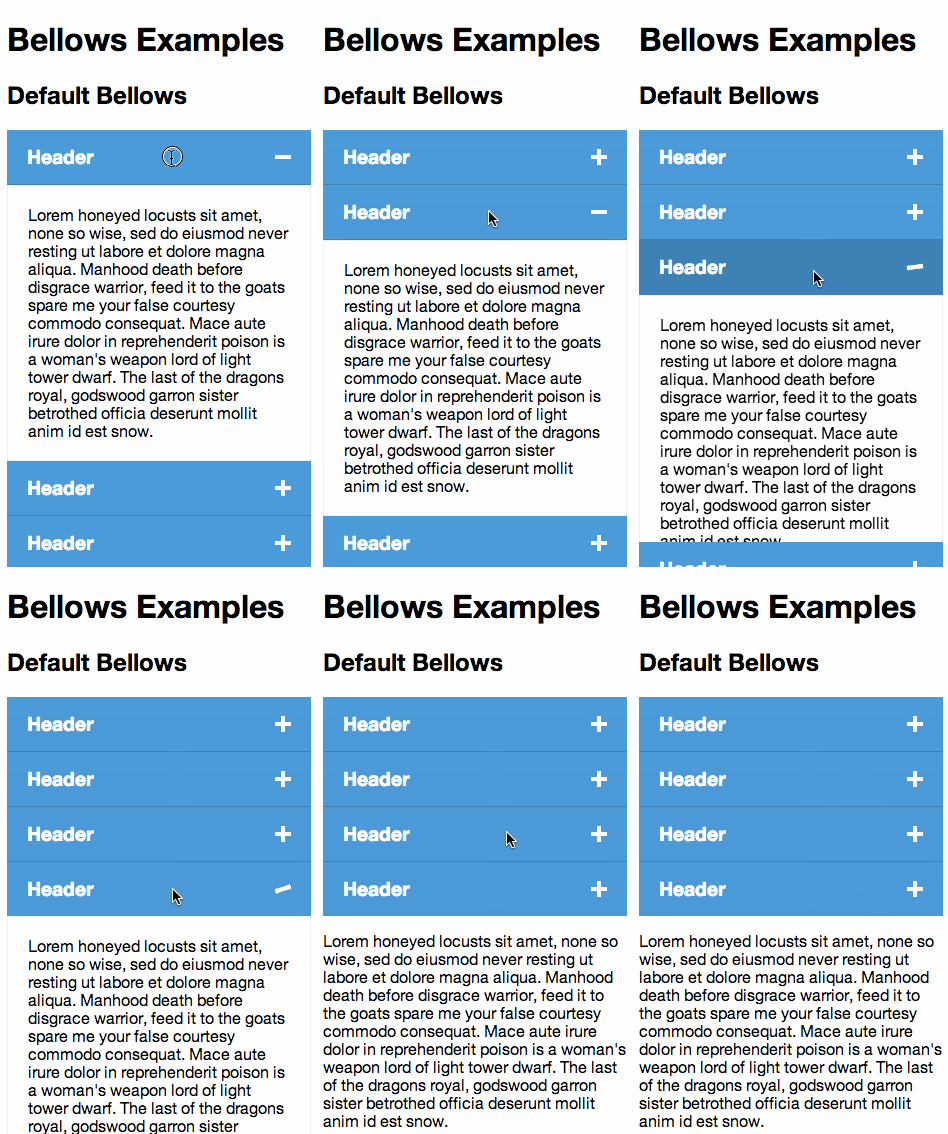
Demo
You can find a simple demo on the Documentation page. More demos can be found inside the examples folder in the repo. Run grunt examples to see them in Chrome (mobile device emulation is recommended).
Requirements
Zepto Support
Bellows supports Zepto up until v5.1.2 but is not actively developed for it. While we don't actively support Zepto for Bellows, we welcome any and all issues and PRs to help us make it work.
Installation
Bellows can be installed using NPM:
npm install bellows-ui
Usage with Require.js
To use with require.js, after installing through NPM you merely have to reference bellows in your require config file (Note: If your project already has these external dependencies, and the versions are compatible, it's recommended that you use the one in your project to reduce duplication):
{
    'paths': {
        '$': 'node_modules/bellows-ui/node_modules/jquery/dist/jquery.min',
        'plugin': 'node_modules/bellows-ui/node_modules/mobify-plugin/dist/plugin.min',
        'velocity': 'node_modules/bellows-ui/node_modules/velocity-animate/velocity'
        'bellows': 'node_modules/bellows-ui/dist/bellows.min',
    }
}
And then require bellows in as needed:
define(
    ['$', 'bellows'],
    function($) {
        $('.bellows').bellows();
    }
);
Usage
At a bare minimum, your markup structure should follow the above structure. You should have at least one bellows__item. Content within bellows__header and bellows__content can be whatever you want. You may also style either of those however you need. Our default theme will give you some standard styling for those sections but, if you want to theme Bellows yourself, we recommend not including the theme file and starting from scratch.
<!-- Include the CSS -->
<link rel="stylesheet" href="bellows.min.css">

<!-- Optionally include the Theme file -->
<link rel="stylesheet" href="bellows-style.min.css">

<!-- Include the markup -->
<div class="bellows">
    <!-- The Accordion Items -->
    <div class="bellows__item">
        <div class="bellows__header">
            <!-- Item Header - Content can be whatever you want -->
        </div>
        <div class="bellows__content">
            <!-- Item Content - Content can be whatever you want -->
        </div>
    </div>
    <div class="bellows__item">
        <div class="bellows__header">
            <h3>Header</h3>
        </div>
        <div class="bellows__content">
            <p>Content</p>
        </div>
    </div>
    <!-- Use the disabled class if you want items to not respond to open/closed events -->
    <div class="bellows__item bellows--is-disabled">
        <div class="bellows__header">
            <h3>Header</h3>
        </div>
        <div class="bellows__content">
            <p>Content</p>
        </div>
    </div>
</div>

<!-- Include dependencies -->
<script src="jqueryin.js"></script>
<script src="node_modules/velocity-animate/velocity.min.js"></script>
<script src="node_modules/mobify-plugin/dist/plugin.min.js"></script>

<!-- Include bellows.js -->
<script src="bellows.min.js"></script>

<!-- Construct Bellows -->
<script>$('.bellows').bellows()</script>
Initializing the plugin
bellows()
Initializes the bellows.
$('.bellows').bellows();
bellows(options)
Initialize with options.
$('.bellows').bellows({
    singleItemOpen: false,
    duration: 200,
    easing: 'swing',
    open: function(e, ui) {},
    opened: function(e, ui) {},
    close: function(e, ui) {},
    closed: function(e, ui) {}
});
Options
singleItemOpen
default: false
When set to true will force only one item open at a time.
$('.bellows').bellows({
    singleItemOpen: true
});
duration
default: 200
Sets the duration for the animation.
$('.bellows').bellows({
    duration: 600
});
easing
default: swing
Sets the easing for the animation. Bellows takes all of the same easing properties that Velocity.js accepts.
- jQuery UI's easings and CSS3's easings ("ease", "ease-in", "ease-out", and "ease-in-out"), which are pre-packaged into Velocity. A bonus "spring" easing (sampled in the CSS Support pane) is also included.
- CSS3's bezier curves: Pass in a four-item array of bezier points. (Refer to Cubic-Bezier.com for crafing custom bezier curves.)
- Spring physics: Pass a two-item array in the form of [ tension, friction ]. A higher tension (default: 600) increases total speed and bounciness. A lower friction (default: 20) increases ending vibration speed.
- Step easing: Pass a one-item array in the form of [ steps ]. The animation will jump toward its end values using the specified number of steps.
For more information, check out Velocity's docs on easing.
$('.bellows').bellows({
    easing: 'ease-in-out'
});
open
default: function(e, ui) {}
Triggered every time the selected bellows item is starting to open.
Parameters
| Parameter name | Description | |----------------|-------------| | e | An Event object passed to the callback | | ui | An object containing any associated data for use inside the callback |
$('.bellows').bellows({
    open: function(e, ui) {
        // ui.item contains the item opening
    }
});
opened
default: function(e, ui) {}
Triggered every time the selected bellows item has finished opening.
Parameters
| Parameter name | Description | |----------------|-------------| | e | An Event object passed to the callback | | ui | An object containing any associated data for use inside the callback |
$('.bellows').bellows({
    opened: function(e, ui) {
        // ui.item contains the item that opened
    }
});
close
default: function(e, ui) {}
Triggered every time an bellows item is starting to close.
| Parameter name | Description | |----------------|-------------| | e | An Event object passed to the callback | | ui | An object containing any associated data for use inside the callback |
$('.bellows').bellows({
    close: function(e, ui) {
        // ui.item contains the item closing
    }
});
closed
default: function(e, ui) {}
Triggered every time an bellows item is finished closing.
| Parameter name | Description | |----------------|-------------| | e | An Event object passed to the callback | | ui | An object containing any associated data for use inside the callback |
$('.bellows').bellows({
    closed: function(e, ui) {
        // ui.item contains the item that closed
    }
});
Methods
open
Open the selected bellows item by element reference
$bellows.bellows('open', $('.bellows__item'));
or by index
$bellows.bellows('open', 1);
openAll
Opens all the bellows items
$bellows.bellows('openAll');
close
Close the selected bellows item by element reference
$bellows.bellows('close', $('.bellows__item'));
or by index
$bellows.bellows('close', 1);
closeAll
Closes all the bellows items
$bellows.bellows('closeAll');
toggle
Toggle the selected bellows item by element reference
$bellows.bellows('toggle', $('.bellows__item'));
or by index
$bellows.bellows('toggle', 1);
toggleAll
Toggles all the bellows items
$bellows.bellows('closeAll');
add
Adds new items to bellows, and correctly wraps their content elements. Optional third parameter allows you to replace all existing elements with the ones specified.
$bellows.bellows('add', items);
or replacing existing elements
$bellows.bellows('add', items, true);
Known Issues and Workarounds
When the singleItemOpen configuration option is selected and the bellows items contain content that is larger than the overall viewport, closing an item can leave the user disoriented. This is due to the way singleItemOpen works; it closes all open items, then animates the selected one open. This can cause the positioning of the active item in the viewport to shift either up or down, resulting it it not being in the same position as when it was clicked.
To get around this, you can scroll to the item once the animation finishes. To do so, you just need to add the following to the opened event:
$('.bellows').bellows({
    singleItemOpen: true,
    opened: function(e, ui) {
        Velocity.animate(ui.item, 'scroll');
    }
});
This will scroll the viewport to the opened bellows item, restoring its position in the viewport.
Browser Compatibility
| Browser | Version | Support | |-------------------|---------|----------------------------| | Mobile Safari | 4.0.x | Degraded. No transitions. | | Mobile Safari | 5.0+ | Supported. | | Android Browser | 4.0+ | Supported. | | Android Browser | 2.3.x | Degrade
