
ParticleEffectForUGUI
Render particle effect in UnityUI(uGUI). Maskable, sortable, and no extra Camera/RenderTexture/Canvas.
Install / Use
/learn @mob-sakai/ParticleEffectForUGUIREADME
<img alt="UIParticleIcon" src="https://github.com/mob-sakai/ParticleEffectForUGUI/assets/12690315/d76e105e-a840-4f61-a1f6-8cf311c0812d" width="26"/> Particle Effect For UGUI (UI Particle) <!-- omit in toc -->








<< 📝 Description | 📌 Key Features | 🎮 Demo | ⚙ Installation | 🚀 Usage | 🛠 Development Note | 🤝 Contributing >>
📝 Description <!-- omit in toc -->

This package uses the new APIs MeshBake/MeshTrailBake (introduced in Unity 2018.2) to render particles through CanvasRenderer.
You can render, mask, and sort your ParticleSystems for UI without the need for an additional Camera, RenderTexture, or Canvas.
- 📌 Key Features
- 🎮 Demo
- ⚙ Installation
- 🚀 Usage
- 🛠 Development Note
- 🤝 Contributing
- License
- Author
- See Also
<br><br>
📌 Key Features
- Easy to use: The package is ready to use out of the box.
- Sortable: Sort particle effects and other UI elements by sibling index.
- Maskable: Supports
MaskorRectMask2D. - No extra components required: No need for an additional
Camera,RenderTexture, orCanvas. - Trail module support: Fully supports the Trail module.
- CanvasGroup alpha support: Integrates with
CanvasGroupalpha. - No allocations: Efficiently renders particles without allocations.
- Any canvas render mode support: Works with overlay, camera space, and world space.
- Any Render pipeline support: Compatible with Universal Render Pipeline (URP) and High Definition Render Pipeline (HDRP).
- Disabling domain reload support: Supports disabling
Enter Play Mode Options > Reload Domain. - Animatable material properties: Supports changing material properties with AnimationClip (AnimatableProperty).

- Multiple materials: Supports 8+ materials.
- Correct positioning: Adjusts world space particle positions correctly when changing window size for standalone platforms (Windows, MacOSX, and Linux).
- Adaptive scaling: Provides adaptive scaling for UI (AutoScalingMode).
- Performance optimization: Mesh sharing group to improve performance.
<img alt="MeshSharing.gif" src="https://user-images.githubusercontent.com/12690315/174311048-c882df81-6c34-4eba-b0aa-5645457692f1.gif" width="450"/> - Particle attractor: Includes a particle attractor component.
<img alt="ParticleAttractor.gif" src="https://user-images.githubusercontent.com/12690315/174311027-462929a4-13f0-4ec4-86ea-9c832f2eecf1.gif" width="450"/> - Emission position mode: Supports relative/absolute particle emission position modes.
<img alt="AbsolutePosition.gif" src="https://user-images.githubusercontent.com/12690315/175751579-5a2357e8-2ecf-4afd-83c8-66e9771bde39.gif" width="450"/> - Custom view size: Fixes min/max particle size mismatch.
<br><br>
🎮 Demo

- WebGL Demo (Cartoon FX & War FX)
- Cartoon FX Free & War FX (by Jean Moreno (JMO)) with UIParticle
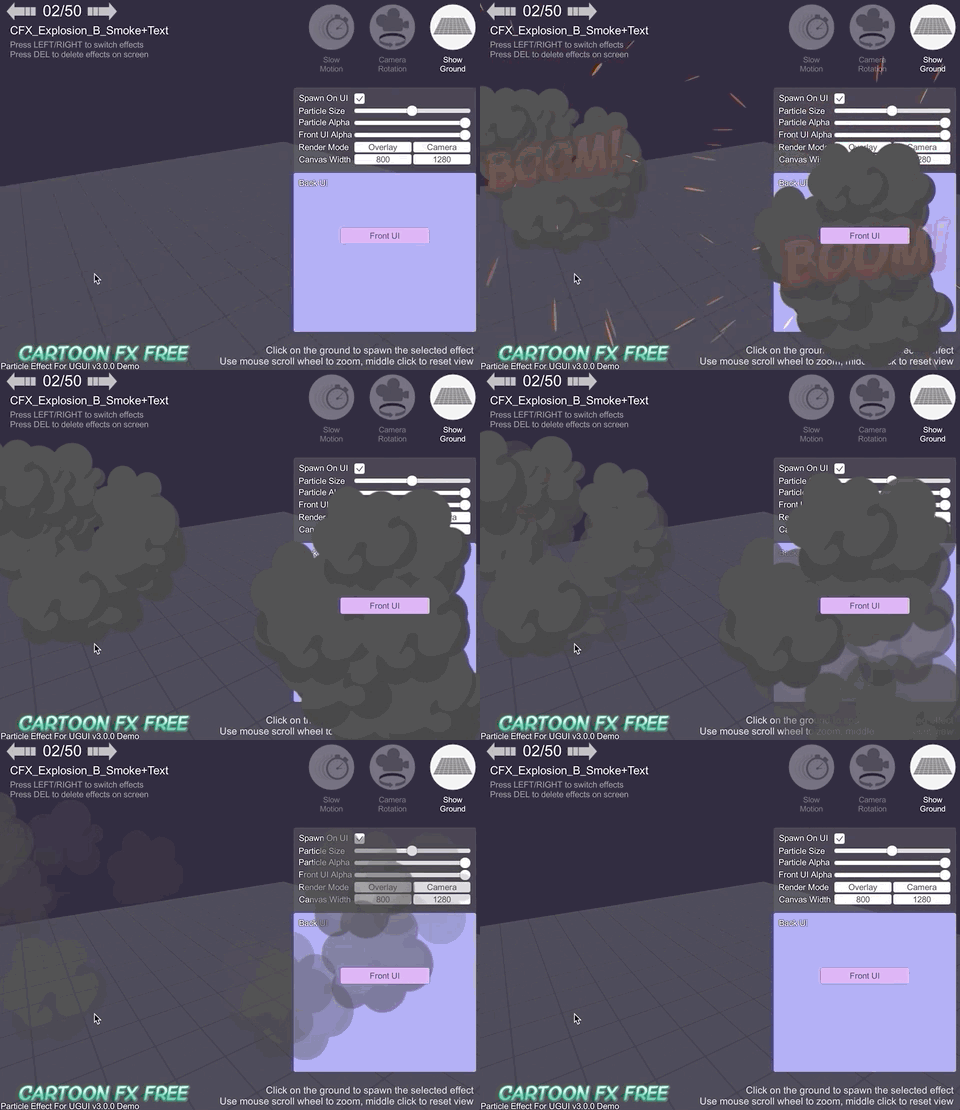
<br><br>
⚙ Installation
This package requires Unity 2018.3 or later.
Install via OpenUPM
- This package is available on OpenUPM package registry.
- This is the preferred method of installation, as you can easily receive updates as they're released.
- If you have openupm-cli installed, then run the following command in your project's directory:
openupm add com.coffee.ui-particle - To update the package, use Package Manager UI (
Window > Package Manager) or run the following command with@{version}:openupm add com.coffee.ui-particle@4.9.0
Install via UPM (with Package Manager UI)
- Click
Window > Package Managerto open Package Manager UI. - Click
+ > Add package from git URL...and input the repository URL:https://github.com/mob-sakai/ParticleEffectForUGUI.git
- To update the package, change suffix
#{version}to the target version.- e.g.
https://github.com/mob-sakai/ParticleEffectForUGUI.git#4.9.0
- e.g.
Install via UPM (Manually)
-
Open the
Packages/manifest.jsonfile in your project. Then add this package somewhere in thedependenciesblock:{ "dependencies": { "com.coffee.ui-particle": "https://github.com/mob-sakai/ParticleEffectForUGUI.git", ... } } -
To update the package, change suffix
#{version}to the target version.- e.g.
"com.coffee.ui-particle": "https://github.com/mob-sakai/ParticleEffectForUGUI.git#4.9.0",
- e.g.
Install as Embedded Package
- Download a source code zip file from Releases and extract it.
- Place it in your project's
Packagesdirectory.
- If you want to fix bugs or add features, install it as an embedded package.
- To update the package, you need to re-download it and replace the contents.
<br><br>
🚀 Usage
Component: UIParticle
UIParticle controls the ParticleSystems that are attached to its own game objects and child game objects.
- Maskable: Does this graphic allow maskable.
- Scale: Scale the rendering particles. When the
3Dtoggle is enabled, 3D scale (x, y, z) is supported. - Animatable Properties: If you want to update material properties (e.g.,
_MainTex_ST,_Color) in AnimationClip, use this to mark as animatable. - Mesh Sharing: Particle simulation results are shared within the same group. A large number of the same effects can
be displayed with a small load. When the
Randomtoggle is enabled, it will be grouped randomly.- None: Disable mesh sharing.
- Auto: Automatically select Primary/Replica.
- Primary: Provides particle simulation results to the same group.
- Primary Simulator: Prim
