TidyDesktopMonster
Prevent shortcuts from cluttering your desktop ever again
Install / Use
/learn @mkropat/TidyDesktopMonsterREADME
<img alt="logo" src="https://raw.githubusercontent.com/mkropat/TidyDesktopMonster/master/docs/logo.png" width="35%" title="Logo copyright 2018 Laura Kropat" />
Tidy Desktop Monster
Tidy Desktop Monster is a desktop daemon. It lies quietly in the system tray, waiting for a shortcut to appear on the desktop. When one appears, Tidy Desktop Monster comes to life to eat the shortcut and poop it into the Recycle Bin.
Getting Started
- Download the latest
TidyDesktopMonster.zip - Unzip it
- Move
TidyDesktopMonster.exeto wherever you want it - Double click
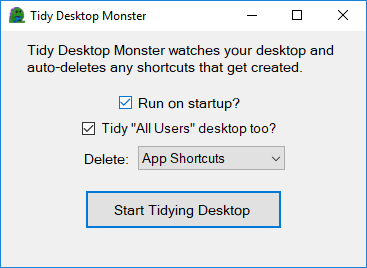
TidyDesktopMonster.exeto start it
SmartScreen may flag the program because I'm too cheap to spend 28€ for a program I'm giving away for free:
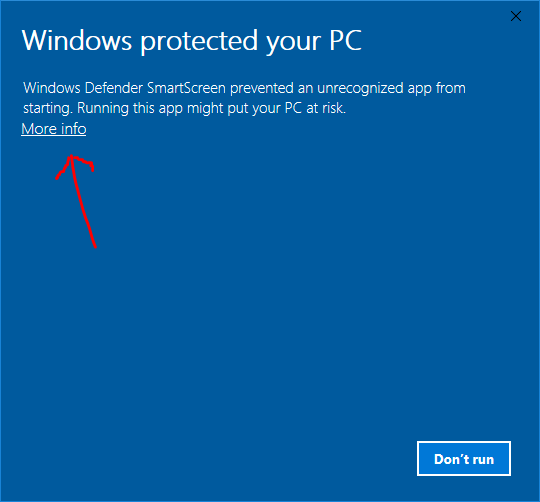
If you click More info then Run Anyway the program should start.
Troubleshooting
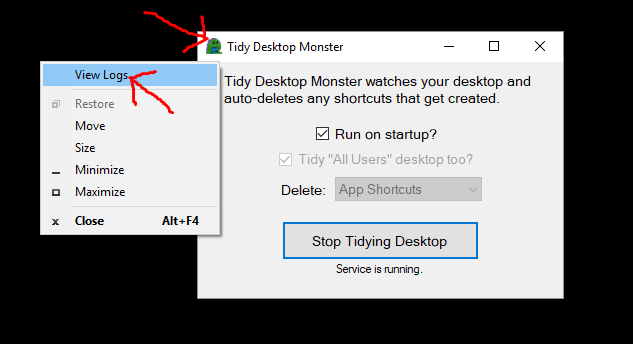
When submitting a bug report, it can help to include the logs. You can view the logs by right clicking on the icon in the upper-left corner of the settings window and clicking View Logs: