
Mkdocstrings
:blue_book: Automatic documentation from sources, for MkDocs.
Install / Use
/learn @mkdocstrings/MkdocstringsREADME
mkdocstrings




Automatic documentation from sources, for MkDocs. Come have a chat or ask questions on our Gitter channel.
Features - Installation - Quick usage
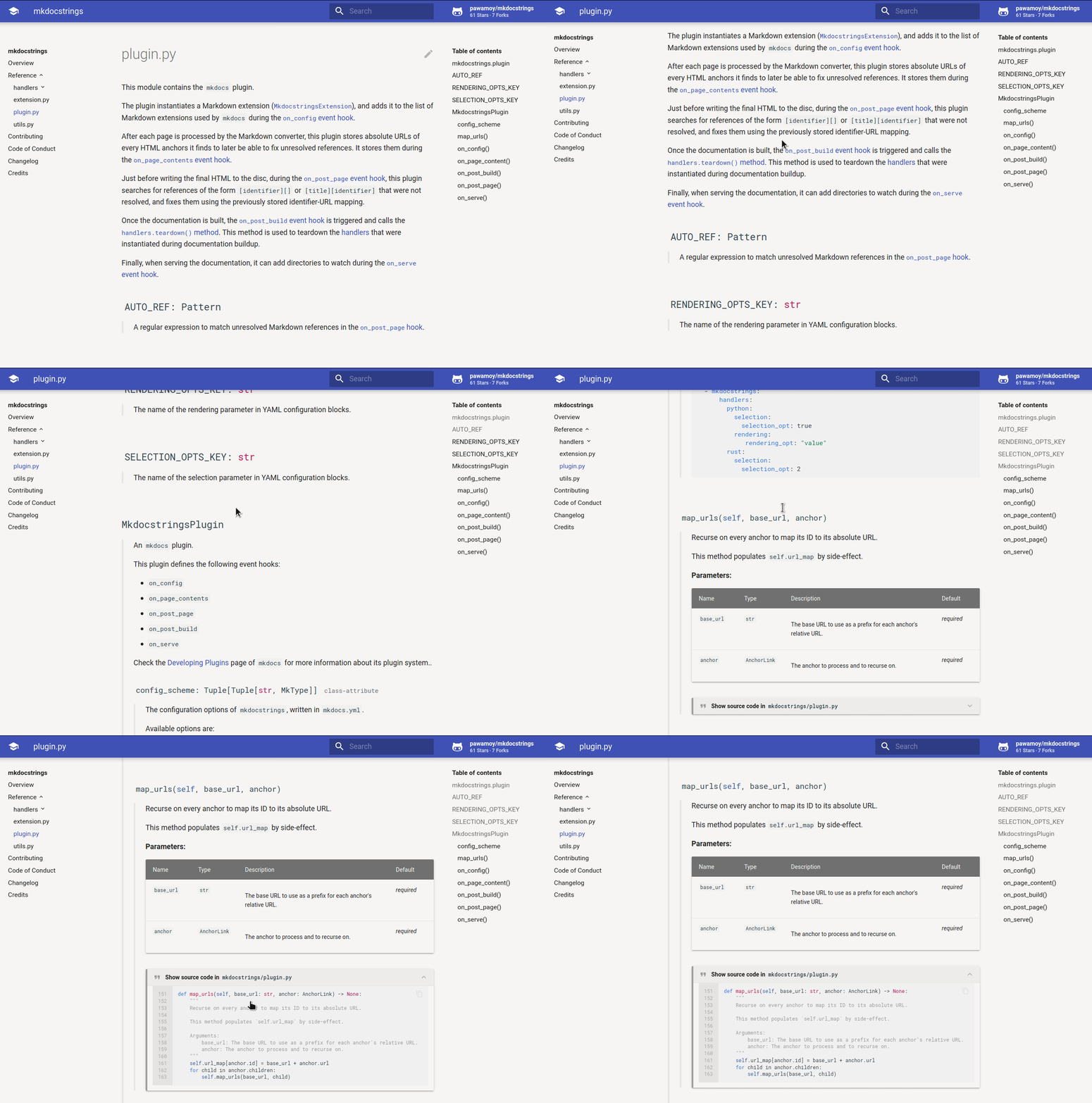
Features
-
Language-agnostic: just like MkDocs, mkdocstrings is written in Python but is language-agnostic. It means you can use it with any programming language, as long as there is a handler for it. We currently have handlers for the C, Crystal, GitHub Actions, Python, MATLAB, TypeScript, and VBA languages, as well as for shell scripts/libraries. Maybe you'd like to add another one to the list? :wink:
-
Multiple themes support: each handler can offer multiple themes. Currently, we offer the :star: Material theme :star: as well as basic support for the ReadTheDocs and MkDocs themes for the Python handler.
-
Cross-references across pages: mkdocstrings makes it possible to reference headings in other Markdown files with the classic Markdown linking syntax:
[identifier][]or[title][identifier]-- and you don't need to remember which exact page this object was on. This works for any heading that's produced by a mkdocstrings language handler, and you can opt to include any Markdown heading into the global referencing scheme.Note: in versions prior to 0.15 all Markdown headers were included, but now you need to opt in.
-
Cross-references across sites: similarly to Sphinx's intersphinx extension, mkdocstrings can reference API items from other libraries, given they provide an inventory and you load that inventory in your MkDocs configuration.
-
Inline injection in Markdown: instead of generating Markdown files, mkdocstrings allows you to inject documentation anywhere in your Markdown contents. The syntax is simple:
::: identifierfollowed by a 4-spaces indented YAML block. The identifier and YAML configuration will be passed to the appropriate handler to collect and render documentation. -
Global and local configuration: each handler can be configured globally in
mkdocs.yml, and locally for each "autodoc" instruction. -
Reasonable defaults: you should be able to just drop the plugin in your configuration and enjoy your auto-generated docs.
Used by
mkdocstrings is used by well-known companies, projects and scientific teams: Ansible, Apache, FastAPI, Google, IBM, Jitsi, Microsoft, NVIDIA, Prefect, Pydantic, Textual, and more...
Installation
The mkdocstrings package doesn't provide support for any language: it's just a common base for language handlers.
It means you likely want to install it with one or more official handlers, using extras.
For example, to install it with Python support:
pip install 'mkdocstrings[python]'
Alternatively, you can directly install the language handlers themselves,
which depend on mkdocstrings anyway:
pip install mkdocstrings-python
This will give you more control over the accepted range of versions for the handlers themselves.
See the official language handlers.
With conda:
conda install -c conda-forge mkdocstrings mkdocstrings-python
Quick usage
In mkdocs.yml:
site_name: "My Library"

theme:
  name: "material"

plugins:
- search
- mkdocstrings
In one of your markdown files:
# Reference

::: my_library.my_module.my_class
See the Usage section of the docs for more examples!
Sponsors
<!-- sponsors-start --> <div id="premium-sponsors" style="text-align: center;"> <div id="silver-sponsors"><b>Silver sponsors</b><p> <a href="https://fastapi.tiangolo.com/"><img alt="FastAPI" src="https://raw.githubusercontent.com/tiangolo/fastapi/master/docs/en/docs/img/logo-margin/logo-teal.png" style="height: 200px; "></a><br> </p></div> <div id="bronze-sponsors"><b>Bronze sponsors</b><p> <a href="https://www.nixtla.io/"><picture><source media="(prefers-color-scheme: light)" srcset="https://www.nixtla.io/img/logo/full-black.svg"><source media="(prefers-color-scheme: dark)" srcset="https://www.nixtla.io/img/logo/full-white.svg"><img alt="Nixtla" src="https://www.nixtla.io/img/logo/full-black.svg" style="height: 60px; "></picture></a><br> </p></div> </div><div id="sponsors"><p> <a href="https://github.com/ofek"><img alt="ofek" src="https://avatars.githubusercontent.com/u/9677399?u=386c330f212ce467ce7119d9615c75d0e9b9f1ce&v=4" style="height: 32px; border-radius: 100%;"></a> <a href="https://github.com/samuelcolvin"><img alt="samuelcolvin" src="https://avatars.githubusercontent.com/u/4039449?u=42eb3b833047c8c4b4f647a031eaef148c16d93f&v=4" style="height: 32px; border-radius: 100%;"></a> <a href="https://github.com/tlambert03"><img alt="tlambert03" src="https://avatars.githubusercontent.com/u/1609449?u=922abf0524b47739b37095e553c99488814b05db&v=4" style="height: 32px; border-radius: 100%;"></a> <a href="https://github.com/ssbarnea"><img alt="ssbarnea" src="https://avatars.githubusercontent.com/u/102495?u=c7bd9ddf127785286fc939dd18cb02db0a453bce&v=4" style="height: 32px; border-radius: 100%;"></a> <a href="https://github.com/femtomc"><img alt="femtomc" src="https://avatars.githubusercontent.com/u/34410036?u=f13a71daf2a9f0d2da189beaa94250daa629e2d8&v=4" style="height: 32px; border-radius: 100%;"></a> <a href="https://github.com/cmarqu"><img alt="cmarqu" src="https://avatars.githubusercontent.com/u/360986?v=4" style="height: 32px; border-radius: 100%;"></a> <a href="https://github.com/kolenaIO"><img alt="kolenaIO" src="https://avatars.githubusercontent.com/u/77010818?v=4" style="height: 32px; border-radius: 100%;"></a> <a href="https://github.com/ramnes"><img alt="ramnes" src="https://avatars.githubusercontent.com/u/835072?u=3fca03c3ba0051e2eb652b1def2188a94d1e1dc2&v=4" style="height: 32px; border-radius: 100%;"></a> <a href="https://github.com/machow"><img alt="machow" src="https://avatars.githubusercontent.com/u/2574498?u=c41e3d2f758a05102d8075e38d67b9c17d4189d7&v=4" style="height: 32px; border-radius: 100%;"></a> <a href="https://github.com/BenHammersley"><img alt="BenHammersley" src="https://avatars.githubusercontent.com/u/99436?u=4499a7b507541045222ee28ae122dbe3c8d08ab5&v=4" style="height: 32px; border-radius: 100%;"></a> <a href="https://github.com/trevorWieland"><img alt="trevorWieland" src="https://avatars.githubusercontent.com/u/28811461?u=74cc0e3756c1d4e3d66b5c396e1d131ea8a10472&v=4" style="height: 32px; border-radius: 100%;"></a> <a href="https://github.com/MarcoGorelli"><img alt="MarcoGorelli" src="https://avatars.githubusercontent.com/u/33491632?u=7de3a749cac76a60baca9777baf71d043a4f884d&v=4" style="height: 32px; border-radius: 100%;"></a> <a href="https://github.com/analog-cbarber"><img alt="analog-cbarber" src="https://avatars.githubusercontent.com/u/7408243?u=642fc2bdcc9904089c62fe5aec4e03ace32da67d&v=4" style="height: 32px; border-radius: 100%;"></a> <a href="https://github.com/OdinManiac"><img alt="OdinManiac" src="https://avatars.githubusercontent.com/u/22727172?u=36ab20970f7f52ae8e7eb67b7fcf491fee01ac22&v=4" style="height: 32px; border-radius: 100%;"></a> <a href="https://github.com/rstudio-sponsorship"><img alt=
Related Skills
node-connect
345.4kDiagnose OpenClaw node connection and pairing failures for Android, iOS, and macOS companion apps
claude-opus-4-5-migration
104.6kMigrate prompts and code from Claude Sonnet 4.0, Sonnet 4.5, or Opus 4.1 to Opus 4.5
frontend-design
104.6kCreate distinctive, production-grade frontend interfaces with high design quality. Use this skill when the user asks to build web components, pages, or applications. Generates creative, polished code that avoids generic AI aesthetics.
model-usage
345.4kUse CodexBar CLI local cost usage to summarize per-model usage for Codex or Claude, including the current (most recent) model or a full model breakdown. Trigger when asked for model-level usage/cost data from codexbar, or when you need a scriptable per-model summary from codexbar cost JSON.
