
Themer
🎨 themer takes a set of colors and outputs themes for your apps (editors, terminals, wallpapers, and more).
Install / Use
/learn @mjswensen/ThemerQuality Score
Category
Development & EngineeringSupported Platforms
README
themer 
themer takes a set of colors and generates editor themes, terminal themes, themes for other apps, and desktop wallpapers.
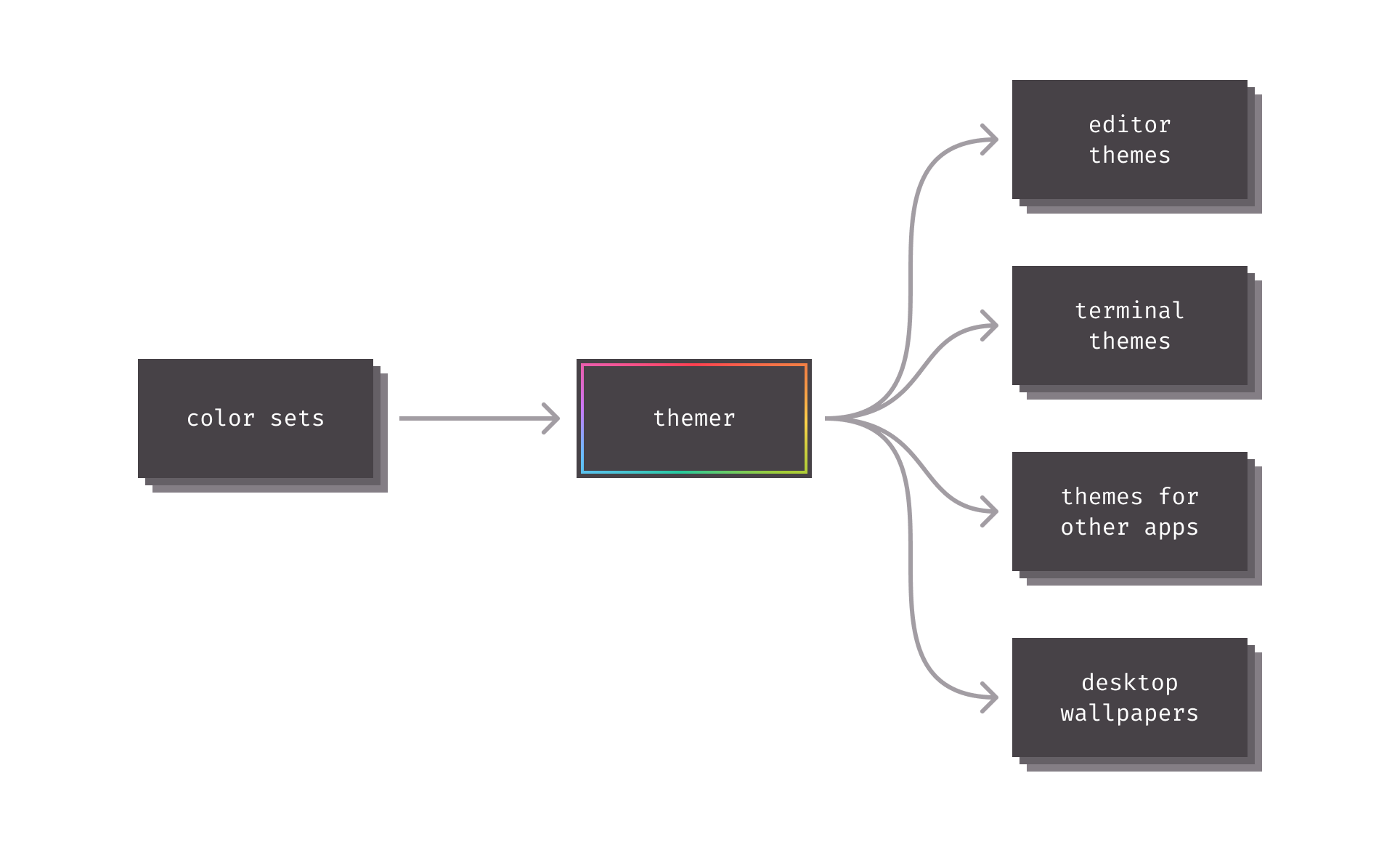
Table of contents
- Getting started
- CLI documentation
- API documentation
- Themer color sets
- Themer templates
- Prior art
- Contributing
Getting started
There are a few different ways to level up your development setup with themer:
- Web-based graphical user interface.
themerhas an official progressive web app located at themer.dev. - Command-line interface.
themercan be used to generate themes on the CLI, see the CLI docs below. - Application programming interface.
themerexposes a JavaScript API (complete with TypeScript type definitions) for programmatic use; see the API docs below.
Feature comparison:
| | Web UI | CLI/API | | ----------------------------- | -------------- | -------- | | Instant preview | ✅ | ❌ | | Supported color format | Any CSS format | Hex only | | Wallpaper output format | PNG + SVG | SVG only | | Raytraced 3D wallpaper | ✅ | ❌ | | Seamless dotfiles integration | ❌ | ✅ |
CLI documentation
As of V5, themer is distributed as a single TypeScript/JavaScript package containing all built-in color sets and templates for ease of use—but still supports the use of custom color sets or templates.
Installation
Install themer from npm with your JavaScript package manager of choice.
npm install themer
themer can also be installed globally. Or if you prefer not to install it at all, it can be used with npx.
Usage
themer [options]
Pass themer one or more color sets, as many templates as you wish, as many wallpaper resolutions as you wish, and an output directory.
| Option | Description | Default value | Available options |
| ----------------------------------------------------------- | -------------------------------------------------------------- | ---------------------------- | -------------------------------------------------------------------------------------------------------------------------------------------------------------------------------------------------------------- |
| -c, --color-set <built-in color set name or file path...> | the color set(s) to render | default | color set name, or path to JS file containing a custom color set, or a file path to a base16 yaml file |
| -t, --template <built-in template name or file path...> | the theme template(s) to render | * (all built-in templates) | template name, or path to JS file containing a custom template |
| -s, --size <wallpaper resolution...> | resolution to render in pixels, in the format [width]x[height] | 2880x1800 | any |
| -o, --output <path> | the output directory | themer-output | any |
--color-set, --template, and --size may be specified multiple times.
Your generated theme files, as well as a README on how to install them, will be written to the output directory.
Example workflow: dotfiles integration
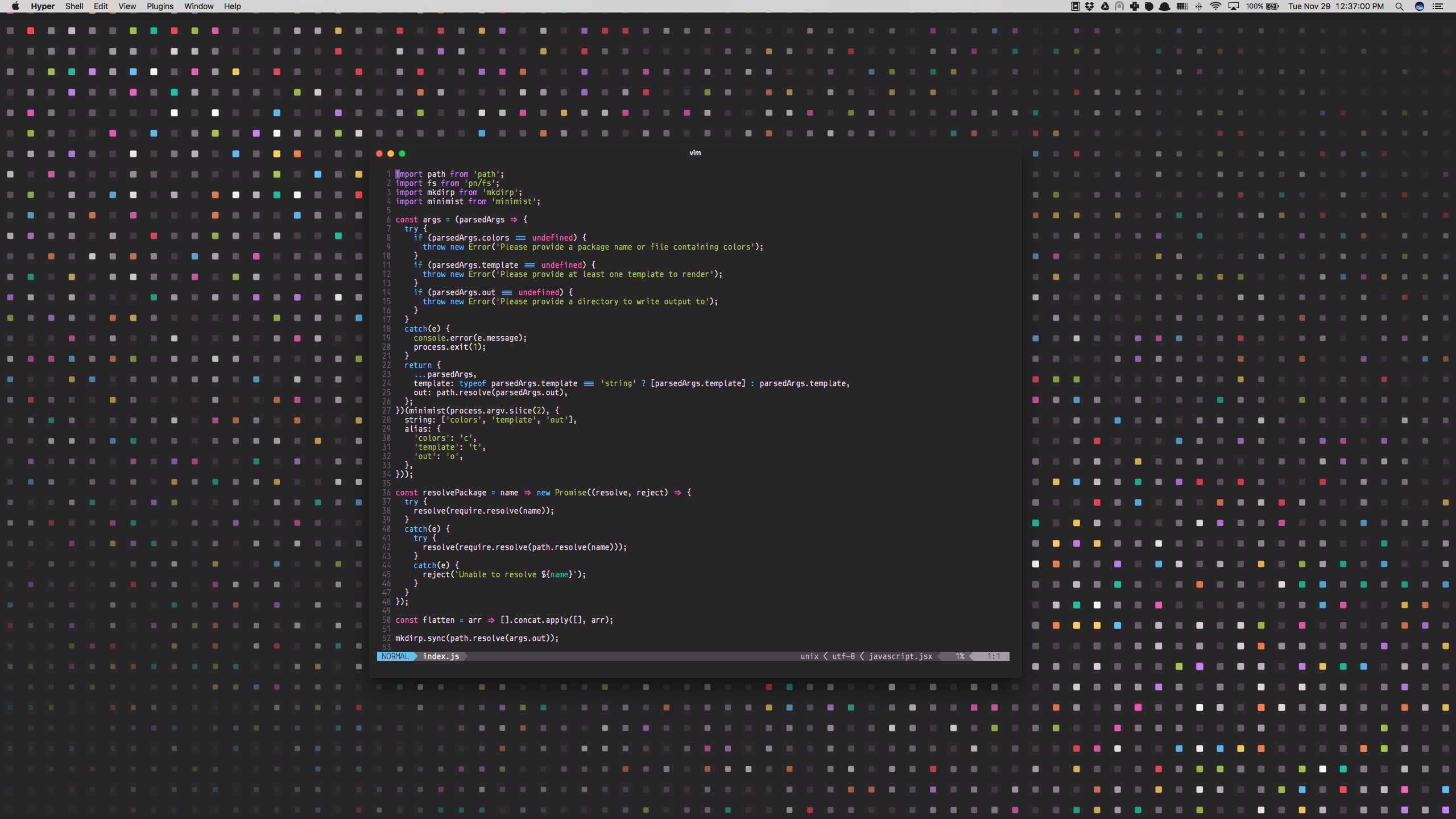
Say you wanted to generate a vim theme and desktop background using themer's default color set. First, install themer:
cd my-dotfiles
npm install themer
Then edit your package.json:
{
  "scripts": {
    "build": "themer -c default -t vim -t vim-lightline -t hyper -t wallpaper-block-wave -o gen"
  }
}
Then run your new script:
npm run build
Now check the gen/ folder for your generated files. Here's the result:
Example workflow: npx
This command will generate a Vim theme and the Block Wave wallpaper, using themer's default color set, and put them in a folder called output:
npx themer -c default -t vim -t wallpaper-block-wave -o output
Example workflow: using base16 schemes with Themer
In place of a themer color set, you can also provide themer with any base16 scheme YAML file.
themer --color-set path/to/base16-scheme.yml ...
Refer to the base16 repository for a list of base16 schemes.
API documentation
themer ships with a JavaScript API (with TypeScript type definitions) for use in programmatically generating themes.
Installation
npm install themer
Interface
themer's default export is an async generator function that takes three arguments:
- An array of
ColorSetobjects, or string identifiers ofthemer's built-in color sets - An array of
Templateobjects, or string identifiers ofthemer's built-in templates - A
RenderOptionsobject used to specify the resolution of the outputted wallpaper images - (Optional) an
OutputFileTransformasync generator function that transforms the files generated by the provided templates. This function runs between each template'srenderandrenderInstructionsfunctions.
The objects yielded by the generator are OutputFiles or the type yielded by OutputFileTransform.
import themer from "themer";
import myColors from "./my-colors";
import myTemplate from "./my-template";

// Example usage: generate Vim themes, 1440x900 wallpapers, and custom files
// from themer's "Night Sky" color set and a custom color set.
const files = themer(
  ["night-sky", myColors],
  ["vim", "wallpaper-block-wave", myTemplate],
  { wallpaperSizes: [{ width: 1440, height: 900 }] }
);

for await (const file of files) {
  // ...
}
Create custom ColorSets
import type { ColorSet } from "themer";

const myColorSet: ColorSet = {
  // Color sets should provide a human-readable name.
  name: "My Color Set",

  // Color sets can define a dark variant, a light variant, or both.
  // Each variant provides two or eight shades and eight accent colors in hex format.
  variants: {
    // In a dark variant, shade0 should be the darkest and shade7 should be
    // the lightest.
    dark: {
      shade0: "#333333",
      // Note: you can define shades 1 through 6 yourself, or you can omit
      // them; if omitted, they will be calculated automatically by
      // interpolating between shade0 and shade7.
      shade7: "#eeeeee",
      accent0: "#ff4050",
      accent1: "#f28144",
      accent2: "#ffd24a",
      accent3: "#a4cc35",
      accent4: "#26c99e",
      accent5: "#66bfff",
      accent6: "#cc78fa",
      accent7: "#f553bf",
    },

    // In a light variant, shade7 should be the darkest and shade0 should be
    // the lightest.
    light: {
      shade0: "#eeeeee",
      shade7: "#333333",
      accent0: "#f03e4d",
      accent1: "#f37735",
      accent2: "#eeba21",
      accent3: "#97bd2d",
      accent4: "#1fc598",
      accent5: "#53a6e1",
      accent6: "#bf65f0",
      accent7: "#ee4eb8",
    },
  },
};

export default myColorSet;
_P
Related Skills
imsg
337.1kiMessage/SMS CLI for listing chats, history, and sending messages via Messages.app.
node-connect
337.1kDiagnose OpenClaw node connection and pairing failures for Android, iOS, and macOS companion apps
slack
337.1kUse when you need to control Slack from OpenClaw via the slack tool, including reacting to messages or pinning/unpinning items in Slack channels or DMs.
frontend-design
83.1kCreate distinctive, production-grade frontend interfaces with high design quality. Use this skill when the user asks to build web components, pages, or applications. Generates creative, polished code that avoids generic AI aesthetics.
