
Mix.core
🚀 A future-proof enterprise web CMS supporting both headless and decoupled approaches. Build any type of app with customizable APIs on ASP.NET Core/.NET Core. Completely open-source and designed for flexibility. Since 2018.
Install / Use
/learn @mixcore/Mix.coreREADME
Mixcore CMS 



Fully Open Source UI Tools to create multi-purpose Enterprise Web Apps, Mobile Apps & Application Services
Branchs
- master: Mixcore v1.0.x LTS
- develop: Mixcore v2.0.0-alpha.x
UI Screenshots
Admin Portal
Mixcore CMS Back-office is built on top of the much awaited Bootstrap 5. This makes starting a new project very simple. It also provides benefits if you are already working on a Bootstrap 5 project.
(New Portal in Angular / Svelte will be coming soon)
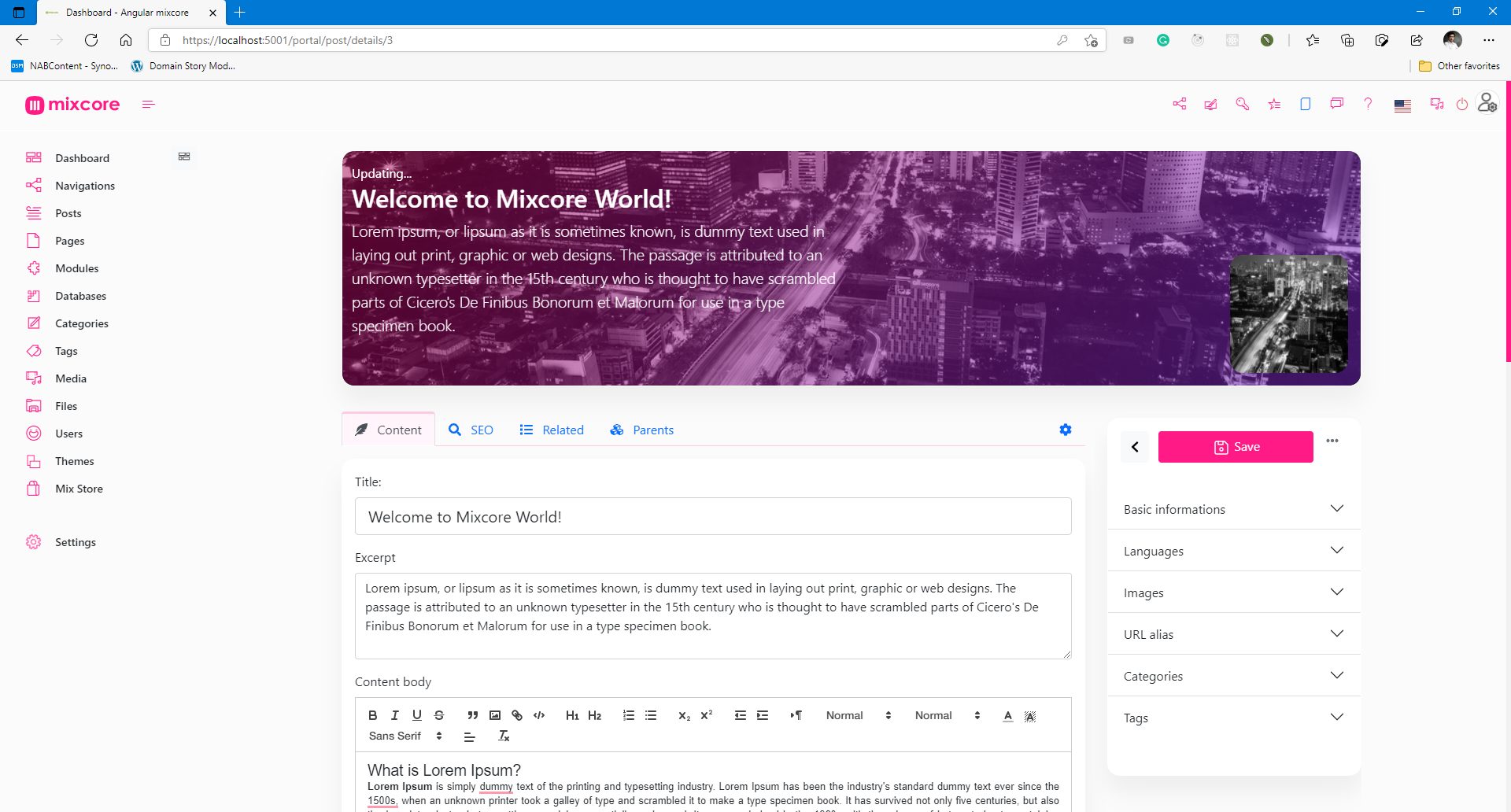

Special features (Out of the box)
- [x] Databases -MySQL, SQL Server, PostgreSQL, SQLite
- [x] Reliability - Member roles and permissions.
- [x] High Security - Strong Data Encryption and Security compliance.
- [x] Multilingual - Flexible multilingual content migration.
- [x] High Performance - Millisecond response time.
- [x] Cross Platforms - Powered by .NET Core and run everywhere.
- [x] Online Coding - Visual Studio Code's heart inside.
- [x] Customizable Designs - Build any kinds of website.
- [x] SEO Friendly - No extra plugin required.
- [x] Media Management - Multiple file formats for your website / application.
- [x] Manage On The Go - Manage and Code everywhere you want.
- [x] Easy and Accessible - Non deep tech knowledge required.
- [x] Analytics - Inside Google Analytics dashboard & no extra plugin required.
- [x] Dynamic Modular Architecture - Powerful module layers & Attribute sets feature.
- [x] Extensibility - API-first architecture for Plug & Play.
- [x] Easy Backup - Powerful 1 step export.
- [x] More Coffee time! - You can relax and explore more ton of features are not listed here...
Architecture

CMS and Dashboards built on top of ASP.Net Core / Dotnet Core, SignalR, Angular / Bootstrap / React / Vue / Svelte.
|Services |Result |Services |Result |
|---------|---------|---------|---------|
|Github workflow | |
|Travis CI |
|
|Travis CI | |AppVeyor CI |
 |
Gitter |
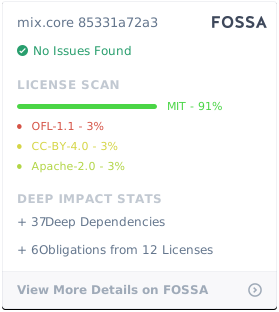
 |Licenses status |
 |
Codefactor |
|
Codefactor | |Azure|
|
References
| |Links | |---------|---------| |STAG / Demo |https://demo.mixcore.org <br /> https://dev.mixcore.org <br /> https://v2.dev.mixcore.org <br /> https://mochahost.demo.mixcore.org/portal (administrator / P@ssw0rd) <br /> | |Swagger (v2) | https://v2.dev.mixcore.org/api/v2/mixcore/swagger/index.html | |Dev docs |https://docs.mixcore.org / https://mixcore.dev| |Community |https://community.mixcore.org| |Youtube |https://www.youtube.com/channel/UChqzh6JnC8HBUSQ9AWIcZAw| |Twitter |https://twitter.com/mixcore_cms | |Medium |https://medium.com/mixcore |
Ref: How to install Mixcore CMS with Azure Docker Composer
Run with Docker
Latest Docker Image
docker pull ghcr.io/mixcore/mix.core:master
docker run -it --rm -p 5000:80 --name mixcore_cms mixcore/mix.core:latest
Or with Docker Compose
docker-compose build
docker-compose up
GITs clone
mkdir mixcore
cd mixcore

git clone https://github.com/mixcore/mix.core.git
Optional:
Optional steps as those packages are Nuget Library
git clone https://github.com/mixcore/mix.heart.git
git clone https://github.com/mixcore/mix.identity.git
Build & Run with Dotnet SDK
Build & Run Mixcore CMS
REM Make sure you already read and download Dotnet Core SDK here https://dotnet.microsoft.com/download
cd mix.core/src/Mix.Cms.Web

dotnet restore
dotnet build
dotnet run
Modify & Build Portal Front-End source (Optional)
This step is optional and only needed in case you would like to modify the portal front-end code
cd mix.core/src/portal-app

npm install
npm install --global gulp-cli
gulp build
Note: If you facing any System.Data.SqlClient.SqlException error, please replace all content inside "appsettings.json" file with "{}".
Thanks to
This project has been developed using:
- .NET
- Bootstrap
- BrowserStack
- Designed by Freepik
- And more...
License
Mixcore CMS is licensed under the MIT
|Permissions |Limitations |Conditions | |---------|---------|---------| |✔ Commercial use |✖ Liability |ℹ License and copyright notice | |✔ Modification |✖ Warranty | | |✔ Distribution | | | |✔ Private use | | | | | | |
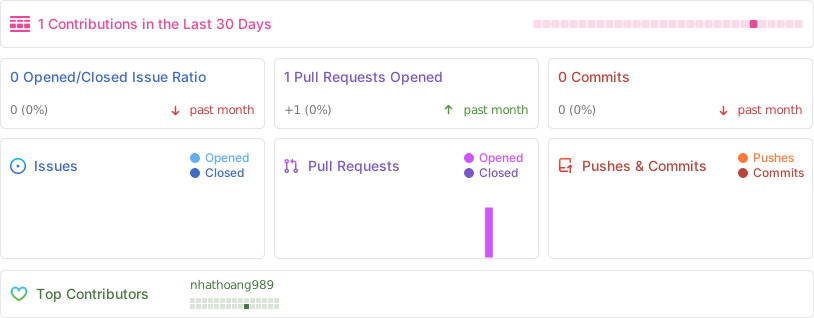
Activity
Star History
Contributors Wall
<a href="https://github.com/mixcore/mix.core/graphs/contributors"> <img src="https://contrib.rocks/image?repo=mixcore/mix.core" /> </a>How to contribute
Fork this repo to your GitHub account, clone it locally and try to follow the following simple guidelines.
- Never write any code in the master branch
- When writing code, do it in a specific feature branch
- Send your pull request from that feature branch
- After your pull request has been accepted, sync the changes into master from the upstream remote
- Delete you feature branch
- Again, NEVER write any code in the master branch ;)
- Ref: https://datasift.github.io/gitflow/IntroducingGitFlow.html
