
CyberRT
Baidu Apollo v10.0.0 CyberRT Framework CMake Build
Install / Use
/learn @minhanghuang/CyberRTREADME
Apollo CyberRT v10.0.0
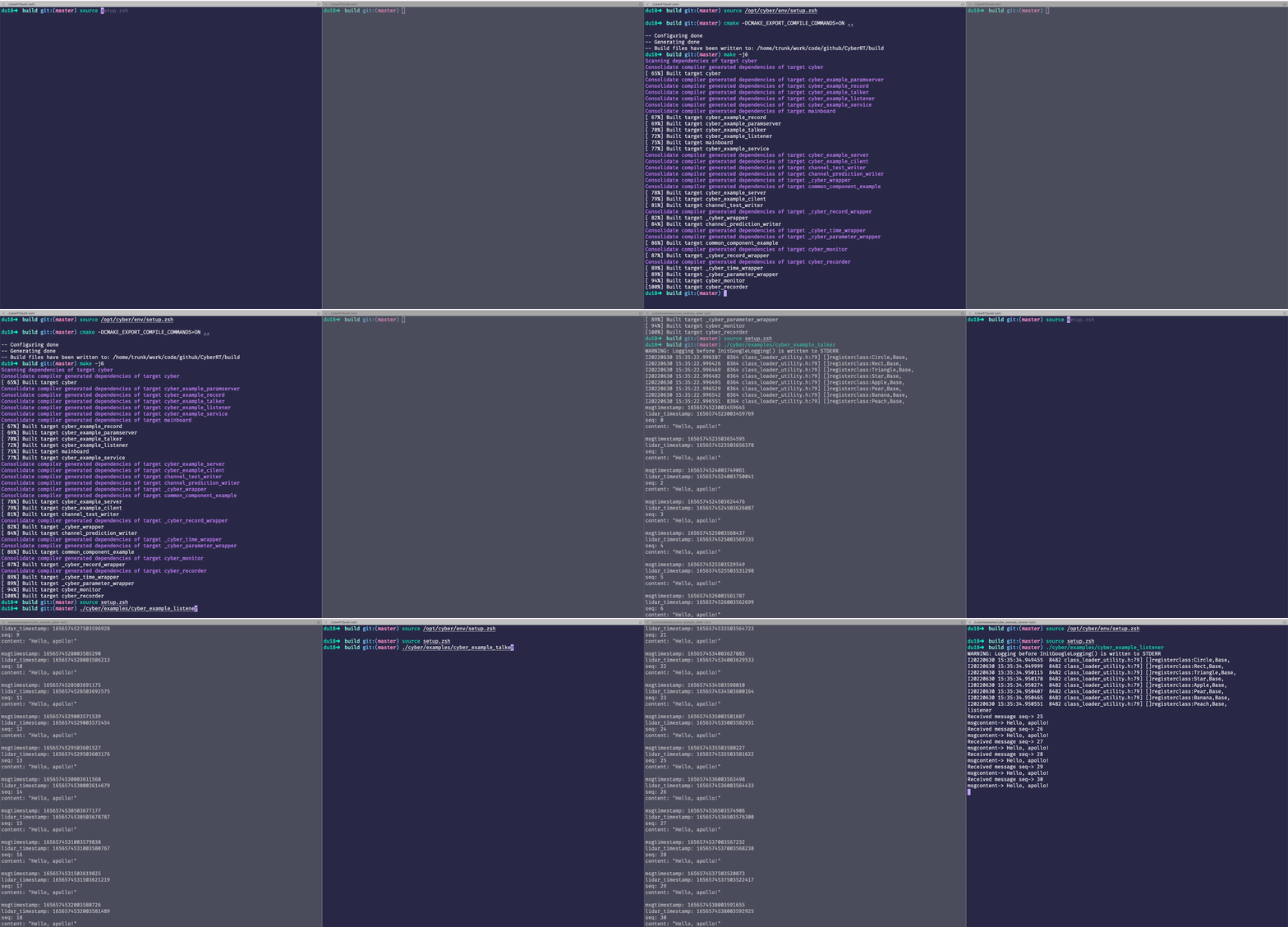
Build Status
| Target | Actions Status |
| ------------- | :-----: |
| Ubuntu 18.04 x86_64 |  |
| Ubuntu 20.04 x86_64 |
|
| Ubuntu 20.04 x86_64 |  |
| Ubuntu 22.04 x86_64 |
|
| Ubuntu 22.04 x86_64 |  |
| Ubuntu 24.04 x86_64 |
|
| Ubuntu 24.04 x86_64 |  |
| Ubuntu 18.04 arm64 |
|
| Ubuntu 18.04 arm64 |  |
| Ubuntu 20.04 arm64 |
|
| Ubuntu 20.04 arm64 |  |
| Ubuntu 22.04 arm64 |
|
| Ubuntu 22.04 arm64 |  |
| Ubuntu 24.04 arm64 |
|
| Ubuntu 24.04 arm64 |  |
|
Table of Contents
Environment Setup
Before building, ensure your system has the following dependencies installed:
sudo apt update
sudo apt install -y wget g++ pkg-config autoconf automake \
                    libcurl4-openssl-dev uuid-dev libncurses5-dev \
                    libtool python3-dev python3-pip libtiff-dev \
                    libeigen3-dev libsqlite3-dev sqlite3
python3 -m pip install protobuf==3.14.0
| dependence | v9.0.0 | v10.0.0 |
| :---: | :---: |:---:|
| C++ STANDARD | C++14 | C++17 |
| gcc/g++ | system default | 8.1+ |
| FastDDS | v1.5.0 | v2.14.3 |
| Protobuf | v3.14.0 | v3.14.0 |
| bvar | - | UNKNOWN |
| gperftools | - | gperftools-2.8 |
| PROJ | - | 7.1.0 |
Build Instructions
- Clone the Repository
git clone --single-branch --branch v10.0.0 https://github.com/minhanghuang/CyberRT.git
- Install third-party Dependencies
Run the following command to install required third-party libraries:
python3 install.py
# Alternatively, specify platform, installation path, or proxy:
# python3 install.py --platform <your-platform-machine> --install_prefix <your-install-path> --proxy <github or gitee>
For users in China, use Gitee to download dependencies:
# 国内用户可以通过gitee下载依赖库
python3 install.py --proxy gitee
After installation, set up the environment:
source install/setup.bash
- Build CyberRT
Create a build directory and compile:
mkdir build && cd build
cmake ..
make -j$(nproc)
Examples
- Publisher/Subscriber
- Publisher(talker)
source setup.bash
./cyber/examples/cyber_example_talker
- Subscriber(listener)
source setup.bash
./cyber/examples/cyber_example_listener
- Component Example
Launch the component example:
source setup.bash
cyber_launch start share/examples/common_component_example/common.launch
./cyber/examples/common_component_example/channel_prediction_writer
./cyber/examples/common_component_example/channel_test_writer
- Log Directory(optional)
The Cyber log storage path is similar to ROS and is saved in ~/.cyber/log
If you want to modify the log storage path, you can change the GLOG_log_dir environment variable as follows:
# export GLOG_log_dir=/path/to/cyber/log
Tools
CyberRT provides various tools for debugging and development:
- Channel Tools
- List active channels
source setup.bash
cyber_channel list
Example output:
The number of channels is:  1
/apollo/test
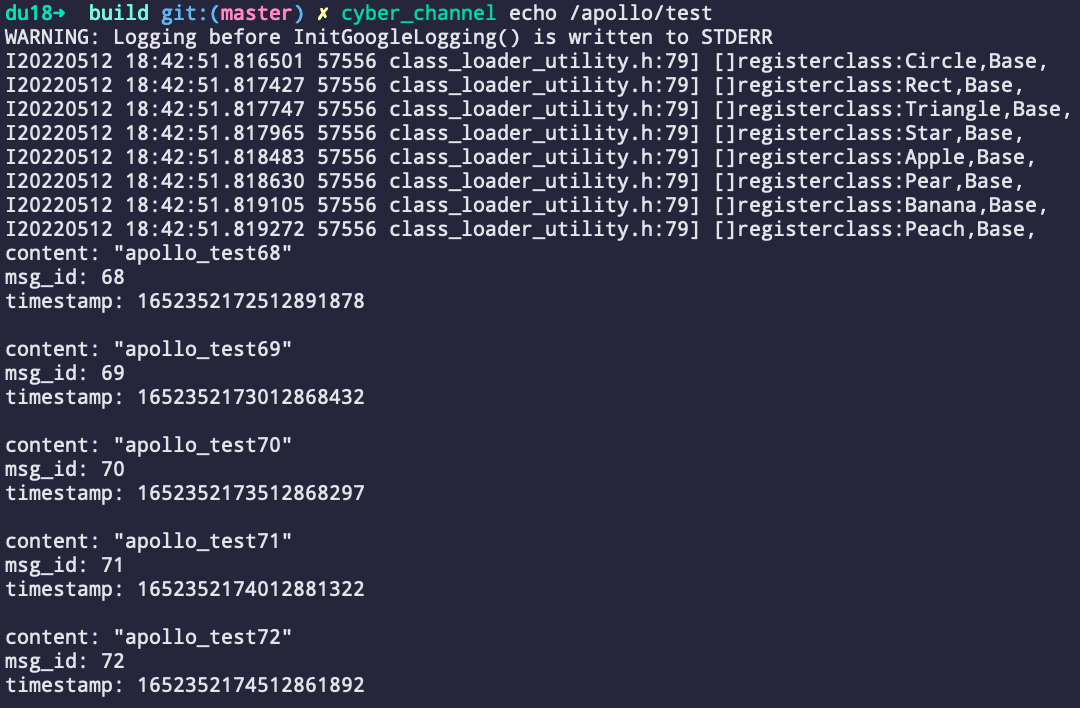
- Echo channel messages
source setup.bash
cyber_channel echo /apollo/test
- More channel commands
Commands:
	cyber_channel list	list active channels
	cyber_channel info	print information about active channel
	cyber_channel echo	print messages to screen
	cyber_channel hz	display publishing rate of channel
	cyber_channel bw	display bandwidth used by channel
	cyber_channel type	print channel type
- Node Tools
Commands:
	cyber_node list 	List active nodes.
	cyber_node info 	Print node info.
- Service Tools
Commands:
	cyber_service list	list active services
	cyber_service info	print information about active service
- Launch System
cyber_launch start share/examples/common_component_example/common.launch
- Monitor
cyber_monitor
- Recorder
Commands:
  	cyber_recorder info	Show information of an exist record.
	cyber_recorder play	Play an exist record.
	cyber_recorder record	Record same topic.
	cyber_recorder split	Split an exist record.
	cyber_recorder recover	Recover an exist record.
Package Installation
cmake -DCMAKE_INSTALL_PREFIX=/you/install/path ..
make -j$(nproc)
make package
sudo dpkg -i package/*.deb
Example CMakeLists.txt usage:
# CMakeLists.txt
find_package(PkgConfig REQUIRED)
pkg_check_modules(Cyber REQUIRED cyber)
include_directories(
  ${Cyber_INCLUDE_DIRS}
)
link_directories(${Cyber_LIB_DIRS})
target_link_libraries(${TARGET_NAME}
  ${Cyber_LIBRARIES}
)
