
Chatroom
multi-person video chat room based on react.js, typescript, webrtc protocol, socket.io implementation
Install / Use
/learn @milletlovemouse/ChatroomREADME
Introduction
Overview
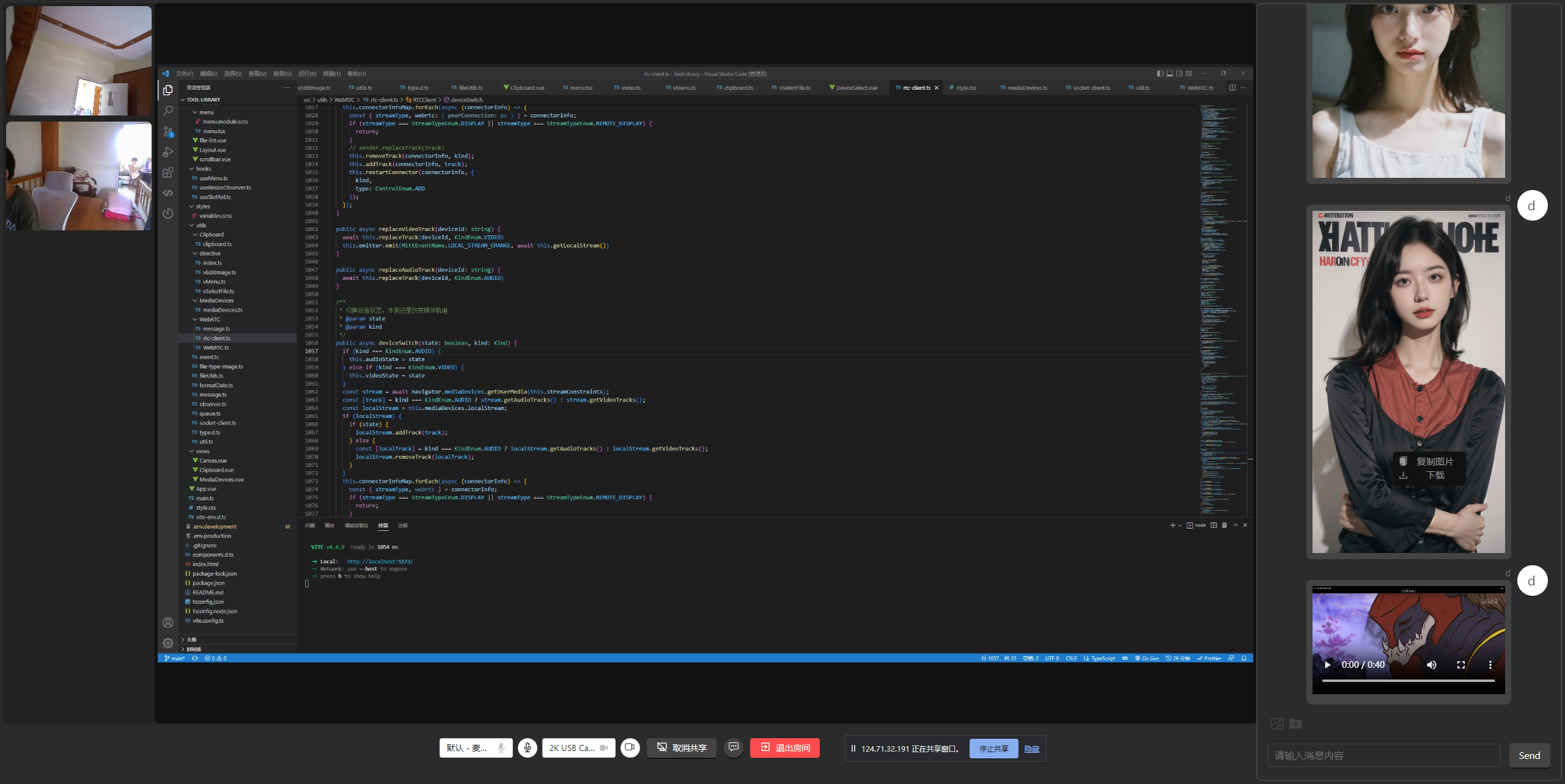
P2P multi-person video chat room based on WebRTC can make multi-person video calls, share screens, switch devices & start and stop, send messages, and also support disconnection and reconnection, video recording, picture editing and other functions. The code supporting the realization of RTC related functions is packaged as an SDK, and the API document of this SDK will be given later. For example, video recording, picture editing and other functions I package as related hooks or custom commands.
The data generated by the client is transmitted directly through the WebRTC protocol without the need to worry about privacy issues. The server is only responsible for forwarding the SDP to establish the WebRTC connection. The server can be deployed on the public network and the client can be deployed on the public network.
- There are two versions of Vue3 and React
- Vue3:
Vue3、TypeScript、Vite4、Socket.IO - React:
React18、TypeScript、Webpack5、Socket.IO
- Vue3:
- Server technology stack:
Express、Socket.IO - Code repository:
Presentation
Start
npm
npm install

npm run start
yarn
yarn

yarn start
pnpm
pnpm install

pnpm start
RTCClient()
Syntax
new RTCClient(options)
Parameters
options
configuration:RTCConfigurationconstraints:MediaStreamConstraintssocketConfig:host:domain or ipport?:number
import RTCClient from 'rtc-client';

const host = 'https://127.0.0.1'
const port = 3000

const rtc = new RTCClient({
  configuration: {
    iceServers: [
      {
        urls: `turn:stun.l.google.com:19302`,
        username: "webrtc",
        credential: "turnserver",
      },
    ],
  },
  constraints: {
    audio: true,
    video: true
  },
  socketConfig: {
    host,
    port,
  }
})
Instance methods
on(type: string, listener: function): void
binding events
off(type: string, listener: function): void
unbind event
shareDisplayMedia(): Promise<MediaStream>
turn on video sharing
cancelShareDisplayMedia(): void
cancel video sharing
join(data: { username: string, roomname: string }): void
join room
leave(): void
leave the room
getDevicesInfoList(): Promise<MediaDeviceInfo[]>
get device list
getVideoDeviceInfo(): Promise<MediaDeviceInfo>
get currently used video input device information
getAudioDeviceInfo(): Promise<MediaDeviceInfo>
get information about the currently used audio input device
channelSendMesage(): void
send messages using RTCDataChannel data channel
replaceTrack(deviceId: string, kind: 'video' | 'audio'): void
switch device media track
replaceVideoTrack(deviceId: string): void
switch video media track
replaceAudioTrack(deviceId: string): void
switch audio media tracks
deviceSwitch(state: boolean, kind: 'video' | 'audio'): void
switch device status
disableAudio(): void
disable microphone
enableAudio(): void
enable microphone
disableVideo(): void
disable camera
enableVideo(): void
enable camera
getLocalStream(): Promise<MediaStream>
get local media stream
getDisplayStream(): Promise<MediaStream>
get shared screen media stream
close(): void
close the rtcclient instance
Events
connectorInfoListChange
triggered when the list of connected clients changes or updates
rtc.on('connectorInfoListChange', (data) => {
  console.log('onConnectorInfoListChange', data);
})
displayStreamChange
triggered when the shared screen media stream changes
rtc.on('displayStreamChange', async (stream) => {
  displayStream = stream
})
localStreamChange
triggered when the local media stream changes
rtc.on('localStreamChange', async (stream) => {
  localStream = stream
})
message
triggered when the RTCDataChannel data channel receives data
rtc.on('message', async (message: MessageItem) =>{
  message.isSelf = false
  messageList.push(message)
  console.log(message);
})
