
LeaderKey
The *faster than your launcher* launcher
Install / Use
/learn @mikker/LeaderKeyREADME
NB: Leader Key has been surpassed by Tuna
Tuna is a complete launcher – much more capable, and with Leader Key built in!
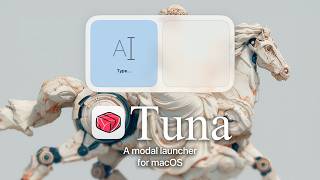
Leader Key will stay free and open source but my focus will be on Tuna going forward.
<img src="https://s3.brnbw.com/icon_1024-akc2Ij3q9JOyhQ6Y7Lz6AFkX6nQQFhrQaRPqbV4vor0A62EA0vq4xOGrXpg6PVKi3aUJxOAyItkyktblPtZD4K4oYZ1bJVdh96VE.png" width="256" height="256" alt="Leader Key.app" />
The *faster than your launcher* launcher
A riff on Raycast, @mxstbr's multi-key Karabiner setup, and Vim's <leader> key.
Watch the intro video on YouTube:
<div> <a href="https://www.youtube.com/watch?v=EQYakLsYSAQ"><img src="https://img.youtube.com/vi/EQYakLsYSAQ/maxresdefault.jpg" width=480></a> <a href="https://www.youtube.com/watch?v=hzzQl5FOL-k"><img src="https://img.youtube.com/vi/hzzQl5FOL-k/maxresdefault.jpg" width=480></a> </div>Yes, I only have that one thumbnail face.
Install
Download
Homebrew
$ brew install leader-key
Post-Install setup
-
Open the settings menu with the menu bar icon <img width="17" alt="Screenshot 2025-05-21 at 1 58 46 PM" src="https://github.com/user-attachments/assets/7ba2cd99-dbd1-4b23-a35b-c5579e797321" />
-
Choose your
<img width="213" alt="Screenshot 2025-05-21 at 2 01 56 PM" src="https://github.com/user-attachments/assets/5e486a9a-ee1c-4ac7-a2d9-f4d0a46eb734" />leader(Shortcutthat will open the app) -
Add your shortcuts to the
Configsettings
Why Leader Key?
Problems with traditional launchers:
- Typing the name of the thing can be slow and give unpredictable results.
- Global shortcuts have limited combinations.
- Leader Key offers predictable, nested shortcuts -- like combos in a fighting game.
Example Shortcuts:
- <kbd>leader</kbd><kbd>o</kbd><kbd>m</kbd> → Launch Messages (
open messages) - <kbd>leader</kbd><kbd>m</kbd><kbd>m</kbd> → Mute audio (
media mute) - <kbd>leader</kbd><kbd>w</kbd><kbd>m</kbd> → Maximize current window (
window maximize)
URL Scheme
Leader Key supports URL scheme automation for integration with tools like Alfred, Raycast, shell scripts, and more.
Available URL Schemes
Configuration Management
# Reload configuration from disk
open "leaderkey://config-reload"

# Show config.json in Finder
open "leaderkey://config-reveal"
Window Control
# Show Leader Key window
open "leaderkey://activate"

# Hide Leader Key window
open "leaderkey://hide"

# Clear navigation state (return to root)
open "leaderkey://reset"
Settings & Info
# Open settings window
open "leaderkey://settings"

# Show about dialog
open "leaderkey://about"
Navigation
# Navigate through keys and execute actions
open "leaderkey://navigate?keys=a,b,c"

# Navigate without executing (preview mode)
open "leaderkey://navigate?keys=a,b,c&execute=false"
Example Use Cases
- Alfred/Raycast workflows: Trigger Leader Key shortcuts programmatically
- Shell scripts: Automate configuration reloads after editing config.json
- Keyboard maestro: Chain Leader Key actions with other automations
- External triggers: Open specific action sequences from other applications
FAQ
What do I set as my Leader Key?
Any key can be your leader key, but only modifiers will not work.
Examples:
- <kbd>F12</kbd>
- <kbd>⌘ + space</kbd>
- <kbd>⌘⌥ + space</kbd>
- <kbd>⌘⌥⌃⇧ + L</kbd> (hyper key)
Advanced examples:
Using Karabiner you can do more fancy things like:
- <kbd>right ⌘ + left ⌘</kbd> at once (bound to <kbd>F12</kbd>) my personal favorite
- <kbd>caps lock</kbd> (bound to <kbd>hyper</kbd> when held, <kbd>F12</kbd> when pressed)
See @mikker's config in the wiki for akimbo cmds example.
I disabled the menubar item, how can I get Leader Key back?
Activate Leader Key, then <kbd>cmd + ,</kbd>.
Command action is failing with "Command not found"
You need to make sure your shell environment is correctly set up for non-interactive mode, and exports the PATH variable.
For zsh make sure you have your PATH variable exported in ~/.zshenv
For bash make sure you have your PATH variable exported in ~/.bash_profile
License
MIT
Related Skills
node-connect
352.0kDiagnose OpenClaw node connection and pairing failures for Android, iOS, and macOS companion apps
frontend-design
111.1kCreate distinctive, production-grade frontend interfaces with high design quality. Use this skill when the user asks to build web components, pages, or applications. Generates creative, polished code that avoids generic AI aesthetics.
openai-whisper-api
352.0kTranscribe audio via OpenAI Audio Transcriptions API (Whisper).
qqbot-media
352.0kQQBot 富媒体收发能力。使用 <qqmedia> 标签,系统根据文件扩展名自动识别类型(图片/语音/视频/文件)。
