
AboutLibraries
AboutLibraries automatically collects all dependencies and licenses of any gradle project (Kotlin MultiPlatform), and provides easy to integrate UI components for Android and Compose Multiplatform environments
Install / Use
/learn @mikepenz/AboutLibrariesREADME
AboutLibraries
<!-- Badges -->


This library collects dependency details, including licenses at compile time, and offers simple APIs to visualize these in the app. No runtime overhead. Strong caching. Supports any Gradle dependency.
<p align="center"> <a href="#whats-included-">What's Included 🚀</a> • <a href="#setup">Setup Guide 🛠️</a> • <a href="#gradle-api">Gradle Tasks ⚙️</a> • <a href="MIGRATION.md">Migration Guide 🧬</a> • </p>
What's included 🚀
- Kotlin Multiplatform support (including wasm)
- Lightweight multiplatform core module
- Access all generated information
- Build custom UIs
- Compose UI module
- Gradle Plugin
- Generating dependency / license metadata
- Different exports, compliance report
- Identify possible project funding
- License strict mode
- Simple and fast integration
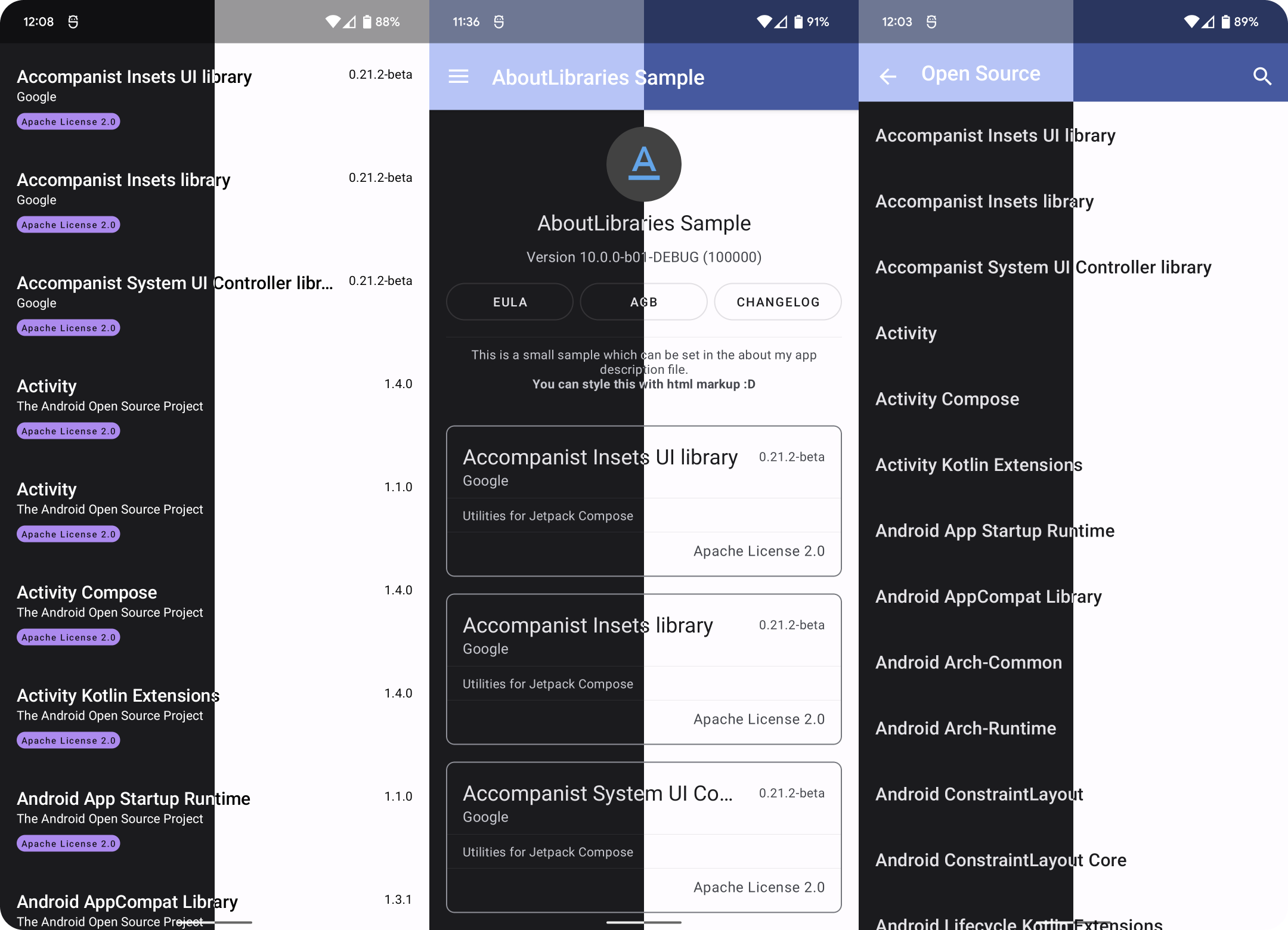
Screenshots
Setup
Latest releases 🛠
- Compose 1.10.x | AGP 9 | v14.0.0-b03
- Compose 1.10.x | v13.2.1
- Compose 1.9.x | Split Gradle Plugin | v13.1.0
- Compose 1.8.x | Refined Compose UI Design | v12.2.4
Gradle Plugin
This is the recommended way of using the plugin. It provides tasks to generate the meta data used by the ui plugin. Note: It will not automatically generate the meta-data. For Android see the android specific plugin.
The Gradle plugin is hosted via the Gradle Plugin Portal. Using the
pluginsDSL is the recommended approach.
<details open><summary><b>Using the plugins DSL (Recommended)</b></summary> <p>[!IMPORTANT]
In v13.x.y, the Gradle Plugin was split into two separate plugins:
- Main Plugin (
com.mikepenz.aboutlibraries.plugin): Provides manual tasks for generating library definitions- Android Plugin (
com.mikepenz.aboutlibraries.plugin.android): Automatically hooks into the Android build processFor most projects, the main plugin is recommended. Only use the Android plugin if you specifically need the library definitions to be generated as part of the Android build process.
See the migration guide for more details.
Default Gradle Plugin - Multiplatform
// Root build.gradle.kts
id("com.mikepenz.aboutlibraries.plugin") version "${latestAboutLibsRelease}" apply false

// App build.gradle.kts
id("com.mikepenz.aboutlibraries.plugin")
Gradle Plugin - Android
To improve configuration cache compatibility and reduce unintended behavior, the auto registering as part of the Android build was moved into its own plugin in v13.x.y.
// Root build.gradle.kts
id("com.mikepenz.aboutlibraries.plugin.android") version "${latestAboutLibsRelease}" apply false

// App build.gradle.kts
id("com.mikepenz.aboutlibraries.plugin.android")
When using the .android plugin variant:
- The library definitions are automatically generated as part of the Android build process
- The
registerAndroidTasksconfiguration no longer exists, as it now happens by default - The generated file is automatically included in your Android resources
- No manual execution of tasks is required
// Root build.gradle
id("com.mikepenz.aboutlibraries.plugin") version "${latestAboutLibsRelease}"
// Root build.gradle
classpath("com.mikepenz.aboutlibraries.plugin:aboutlibraries-plugin:${latestAboutLibsRelease}")

// App build.gradle
apply plugin: 'com.mikepenz.aboutlibraries.plugin'
Gradle Plugin Configuration
The plugin allows customization via the aboutLibraries extension in your build script.
aboutLibraries {
    // Allow to enable "offline mode", will disable any network check of the plugin (including [fetchRemoteLicense] or pulling spdx license texts)
    offlineMode = false

    collect {
        // Define the path configuration files are located in. E.g. additional libraries, licenses to add to the target .json
        // Warning: Please do not use the parent folder of a module as path, as this can result in issues. More details: https://github.com/mikepenz/AboutLibraries/issues/936
        // The path provided is relative to the modules path (not project root)
        configPath = file("../config")

        // (optional) GitHub token to raise API request limit to allow fetching more licenses
        gitHubApiToken = if (hasProperty("github.pat")) property("github.pat")?.toString() else null

        // Enable fetching of "remote" licenses.  Uses the API of supported source hosts
        // See https://github.com/mikepenz/AboutLibraries#special-repository-support
        // A `gitHubApiToken` is required for this to work as it fetches information from GitHub's API.
        fetchRemoteLicense = false

        // Enables fetching of "remote" funding information. Uses the API of supported source hosts
        // See https://github.com/mikepenz/AboutLibraries#special-repository-support
        // A `gitHubApiToken` is required for this to work as it fetches information from GitHub's API.
        fetchRemoteFunding = false

        // Allows to only collect dependencies of specific variants during the `collectDependencies` step.
        // filterVariants.addAll("debug", "release")

        // Enable inclusion of `platform` dependencies in the library report
        includePlatform = true
    }

    export {
        // Define the output path (including fileName). Modifying this will disable the automatic meta data discovery for supported platforms.
        outputFile = file("src/commonMain/composeResources/files/aboutlibraries.json")

        // The default export variant to use for this module.
        // variant = "release"

        // Allows to exclude some fields from the generated meta data field.
        // If the class name is specified, the field is only excluded for that class; without a class name, the exclusion is global.
        excludeFields.addAll("License.name", "developers", "funding")

        // Enable pretty printing for the generated JSON file
        prettyPrint = true
    }

    exports {
        // Define export configuration per variant.
        create("jvm") {
            outputFile = file("files/jvm/aboutlibraries.json")
        }
        create("wasmJs") {
            outputFile = file("files/wasmJs/aboutlibraries.json")
        }
    }

    license {
        // Define the strict mode, will fail if the project uses licenses not allowed
        // - This will only automatically fail for Android projects using the Android-specific plugin (com.mikepenz.aboutlibraries.plugin.android)
        // For other projects, execute `exportLibraryDefinitions` manually
        strictMode = com.mikepenz.aboutlibraries.plugin.StrictMode.FAIL

        // Allowed set of licenses, this project will be able to use without build failure
        allowedLicenses.addAll("Apache-2.0", "asdkl")

        // Allowed set of licenses for specific dependencies, this project will be able to use without build failure
        allowedLicensesMap = mapOf(
            "asdkl" to listOf("androidx.jetpack.library"),
            "NOASSERTION" to listOf("org.jetbrains.kotlinx"),
        )

        // Full license text for license IDs mentioned here will be included, even if no detected dependency uses them.
        // additionalLicenses.addAll("mit", "mpl_2_0")
    }

    library {
        // Enable the duplication mode, allows to merge, or link dependencies which relate
        duplicationMode = com.mikepenz.aboutlibraries.plugin.DuplicateMode.MERGE
        // Configure the duplication rule, to match "duplicates" with
        duplicationRule = com.mikepenz.aboutlibraries.plugin.DuplicateRule.SIMPLE
    }
}
Full documentation of all available gradle plugin configurations can be found in the AboutLibrariesExtension.kt source file.
</p> </details> <details><summary><b>Modify Libraries / Licenses</b></summary> <p>Modify libraries / licenses
The plugin offers the ability to add or override library and license details by placing JSON files
in the libraries and licenses directories within the configured configPath.
See the config directory for examples.
Provide funding information
The plugin offers the ability to add or override funding details by placing a funding.json JSON file in the funding directory within the configured configPath.
Alternatively the exportFunding task can be used to generate this data automatically (ensure to provide a GitHub API Key).
The task will automatically write the file in the
Related Skills
node-connect
333.7kDiagnose OpenClaw node connection and pairing failures for Android, iOS, and macOS companion apps
frontend-design
82.0kCreate distinctive, production-grade frontend interfaces with high design quality. Use this skill when the user asks to build web components, pages, or applications. Generates creative, polished code that avoids generic AI aesthetics.
openai-whisper-api
333.7kTranscribe audio via OpenAI Audio Transcriptions API (Whisper).
commit-push-pr
82.0kCommit, push, and open a PR
