AndroidAppShortcuts
App Shortcuts for Android on Pre Nougat 7.1!
Install / Use
/learn @michelelacorte/AndroidAppShortcutsREADME
WHAT IS ANDROID SHORTCUTS?
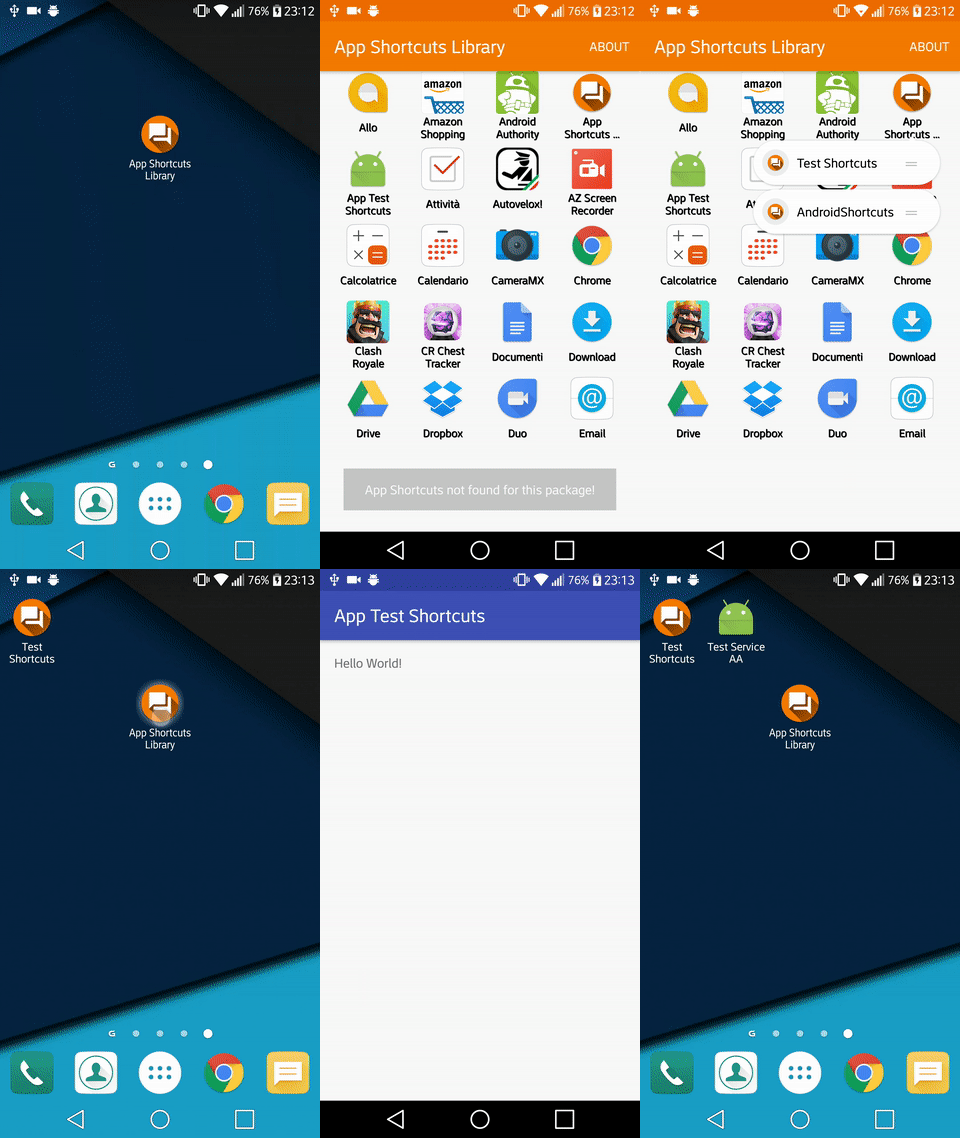
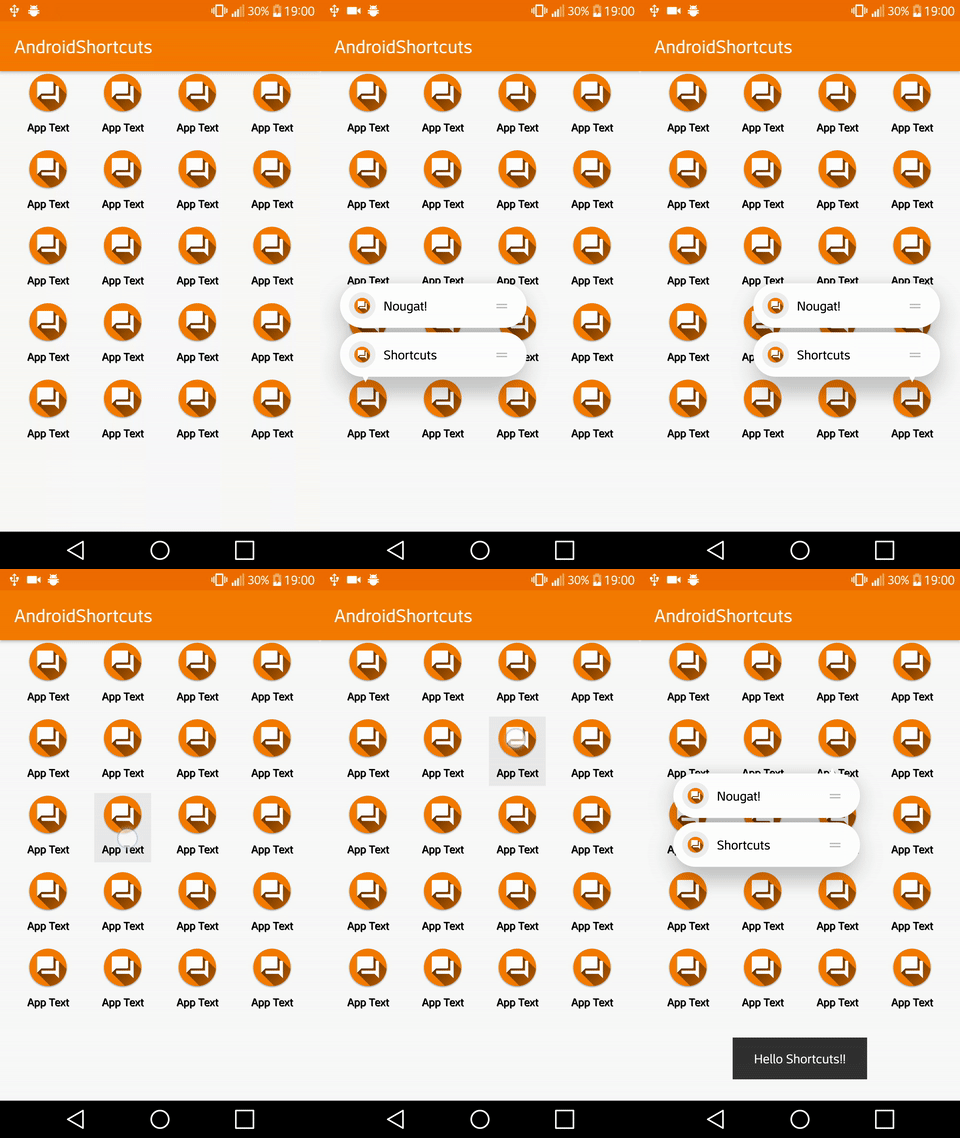
The Android App Shortcuts Library have features of Android 7.1 Nougat, you can implement in your launcher shortcuts starting from API 14! With new communication all developers will only implement shortcuts layout (this library), then it's up to developer to implement their own shortcuts, like Google!!! In version 1.4.0 library can get shortcuts from app which have API 25 and Static or Dynamic shortcuts implementation I have also implemented Force Touch and YOU CAN USE ON CUSTOM LAUNCHER WITH SHORTCUTS!!
DONATIONS
This project needs you! If you would like to support this project's further development, the creator of this project or the continuous maintenance of this project, feel free to donate. Your donation is highly appreciated (and I love food, coffee and beer). Thank you!
PayPal
-
[Donate $5]: Thank's for creating this project, here's a coffee (or some beer) for you!
-
[Donate $10]: Wow, I am stunned. Let me take you to the movies!ù
-
[Donate $15]: I really appreciate your work, let's grab some lunch!
-
[Donate $25]: That's some awesome stuff you did right there, dinner is on me!
-
[Donate $50]: I really really want to support this project, great job!
-
[Donate $100]: You are the man! This project saved me hours (if not days) of struggle and hard work, simply awesome!
-
[Donate $2799]: Go buddy, buy Macbook Pro for yourself!
Of course, you can also choose what you want to donate, all donations are awesome!! Follow this link Donate!!
If you want to contribute you may download Donation App from Google Play
<img align="left" src="https://s23.postimg.org/m2d28wraj/ic_launcher.png"> # v2.0.0 Preview <h1 align="center"><img src="http://i.giphy.com/l44QyTuiV1bj2nXjO.gif"/></h1>v1.4.0 Preview
<h1 align="center"><img src="https://s28.postimg.org/dgi12bky5/preview14_Copia_framed_1.png"/></h1>v1.3.0 Preview Click Here
Click Here
v1.2.0 Preview Click Here
v1.1.0 Preview Click Here
v1.0.0 Preview Click Here
v0.2.0 Preview Click Here
APP EXAMPLE
Android Shortcuts is on Google Play!!!
<a href="https://play.google.com/store/apps/details?id=it.michelelacorte.exampleandroidshortcuts"> <img alt="Get it on Google Play" src="https://s32.postimg.org/50h5qj4lx/google_play_badge.png" /> </a>If you want to help me please download Donation App!!
<a href="https://play.google.com/store/apps/details?id=it.michelelacorte.githubdonation"> <img alt="Get it on Google Play" src="https://s32.postimg.org/50h5qj4lx/google_play_badge.png" /> </a>Or scan QR Code

USAGE
Add this to build.gradle
allprojects {
    repositories {
        jcenter()
        maven { url "https://jitpack.io" }
    }
}
Than add this dependencies
compile 'com.github.michelelacorte:AndroidAppShortcuts:2.0.0'
DOCUMENTATION
Coming soon with Force Touch implementation
SYSTEM REQUIREMENT
Android API 14+
STATUS

CHANGELOG
v2.0.0
- New App version 2.0 with library and dependencies update and bug fix.
- Fully support to Launcher3 (dock and folder shortcuts!) with circluar icon, now support device screen resolution:
- 1440x2560 (Portrait).
- 1080x1920 (Portrait).
- 720x1280 (Portrait).
- Improved layout of 720x1280 resolution.
- Added class
ShortcutsBuilderfor create shortcuts with builder constructor. - Update class
Utils- Added
static Bitmap getRoundedBitmapForLauncher3to get circular icon (shortcuts on launcher) - Added
static int getScreenXDimensionto get screen X.
- Added
- Update class
StyleOption- Added
NONEoption for delete menù at right of shortcuts.
- Added
- Added
OnLongClickListeneron shortcuts to create shortcuts icon on launcher. - General bug fix and improvement.
v1.4.0
- Fully support to API 25 App Shortcuts, now app can use Google implementation method!!!
- New App version 1.4 with some fix, background changed to bring out the Shortcuts.
- Fixed
onShortcutsOptionClickListener, now remove view parent on click. - Update class
RemoteShortcuts- Added static method
ArrayList<Shortcuts> getRemoteShortcutsOnAPI25(Activity activity, String targetPackageName, int uid) throws Exceptionthis method get shortcuts defined in API 25, with Google SDK. - Update static void
saveRemoteShortcuts(Activity activity, ArrayList<Shortcuts> listOfShortcuts)removed unecessary packageName string from method.
- Added static method
- Update class
Shortcuts- Added constructor for API 25
Shortcuts(Bitmap shortcutsImage, Bitmap shortcutsImageBadge, String shortcutsText, String targetClass, String targetPackage, int rank). - Added getter (API 25)
Bitmap getShortcutsImageBadgeBitmap(). - Added getter (API 25)
int getRank(). - Increase
MAX_CHAR_SHORTCUTSfrom 16 to 20.
- Added constructor for API 25
- Update class
Utils- Added method (API 25)
static Bitmap getRoundedBitmapForAPI25(Bitmap bitmap, Drawable packageImage)for get launcher icon with badge and shadow.
- Added method (API 25)
- Fixed some method issue.
- Update
buildToolsVersionanddependencies
v1.3.0
- New App version 1.3
- Added dynamic colored of shortcuts icon!
- Update icon in launcher when create shortcuts, Nougat style! See

- Fixed numbers of shortcuts at 5
- Fixed layout issue with numbers of shortcuts >= 2 :
- 1440x2560 (Portrait).
- 1080x1920 (Portrait).
- 720x1280 (Portrait).
- Update
ShortcutsCreationclass, introduced:static void setPackageImage(Drawable packageImage)to set package image and create bitmap on launcher shortcuts icon like image above.
v1.2.0
- Update class
ShortcutsCreationlayout bug fixed, now support device screen resolution:- 1440x2560 (Portrait).
- 1080x1920 (Portrait).
- 720x1280 (Portrait).
- New App version 1.2
- Fixed layout with no toolbar padding.
- Fixed shortcuts constructor with
Bitmap(remote shortcuts). - Fixed
mShortcutsOptionsclick listener, now auto-convert resource into bitmap and create launcher shortcuts with icon. - Added class
StyleOption, contains static int for menù option layout. - Added 1 style right menù of shortcuts (see int optionLayoutStyle or StyleOption class).
- Code style improvement by codacy.
- Fixed crash on Example App when click outside of GridView.
- Fixed crash when
OnShortcutsOptionClickListenerisn't defined (local shortcuts mode).
v1.1.0
- Deprecate AIDL communication, not suited to the needs, replaced with simple file data.
- Improved Example App, new version 1.1.
- Improved Shortcuts view, fixed bug.
- Added class
RemoteShortcuts- Method `static void saveRemoteShortcu