
Promptly
Manage and generate AI prompts effortlessly. Create, organize, and optimize for LLMs with dynamic templates, version control, and analytics. Perfect for developers, boost efficiency via data-driven prompt engineering. Unlock AI potential with seamless tools.
Install / Use
/learn @melon95/PromptlyREADME
Promptly


A professional AI prompt management tool for macOS, designed to boost your AI workflow productivity.
Promptly helps you efficiently manage, organize, and use AI prompts. Stop wasting time digging through notes and start building your personal, high-value prompt library.
Website: https://promptly.melon95.cn/
✨ Screenshots
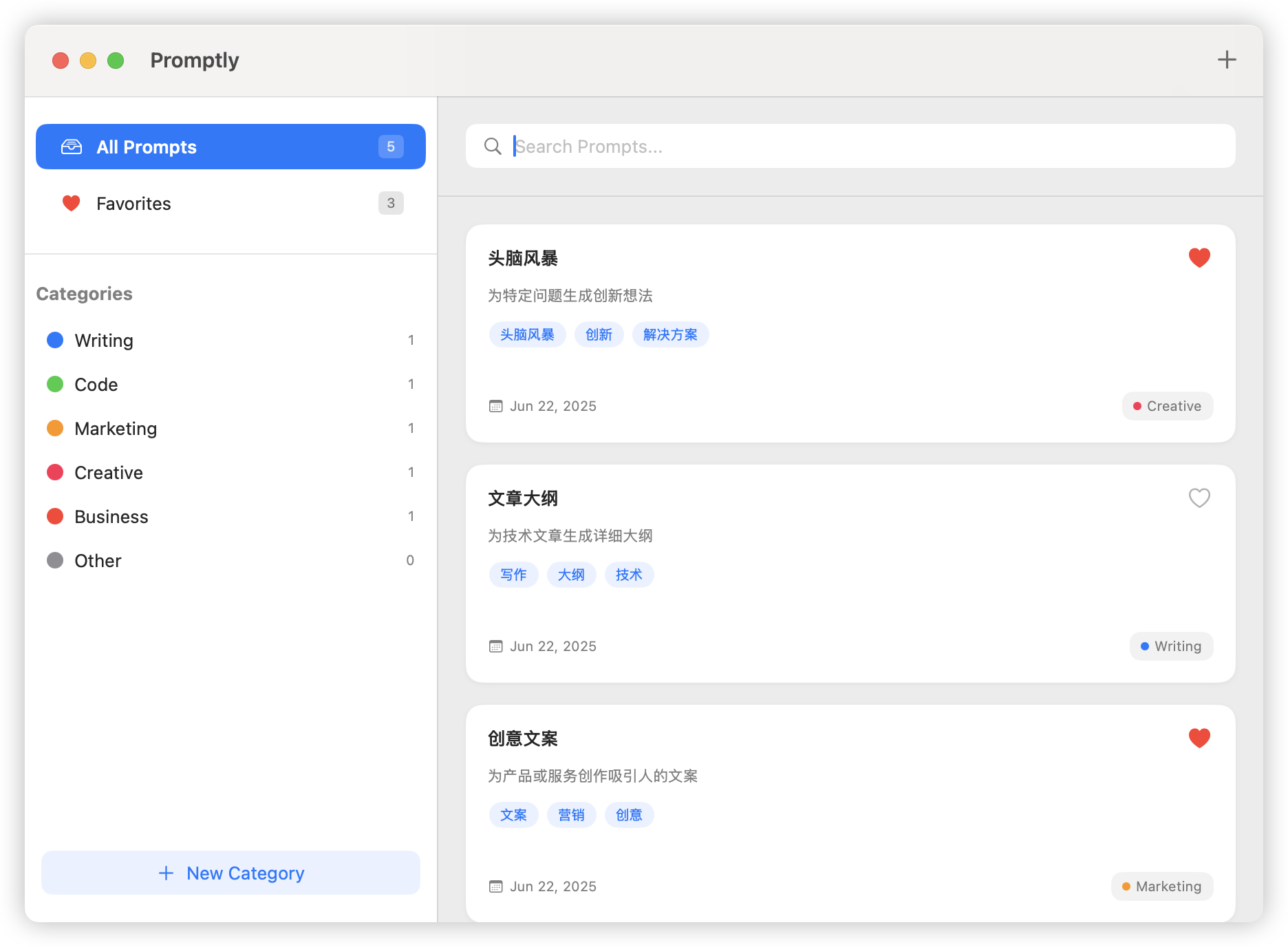
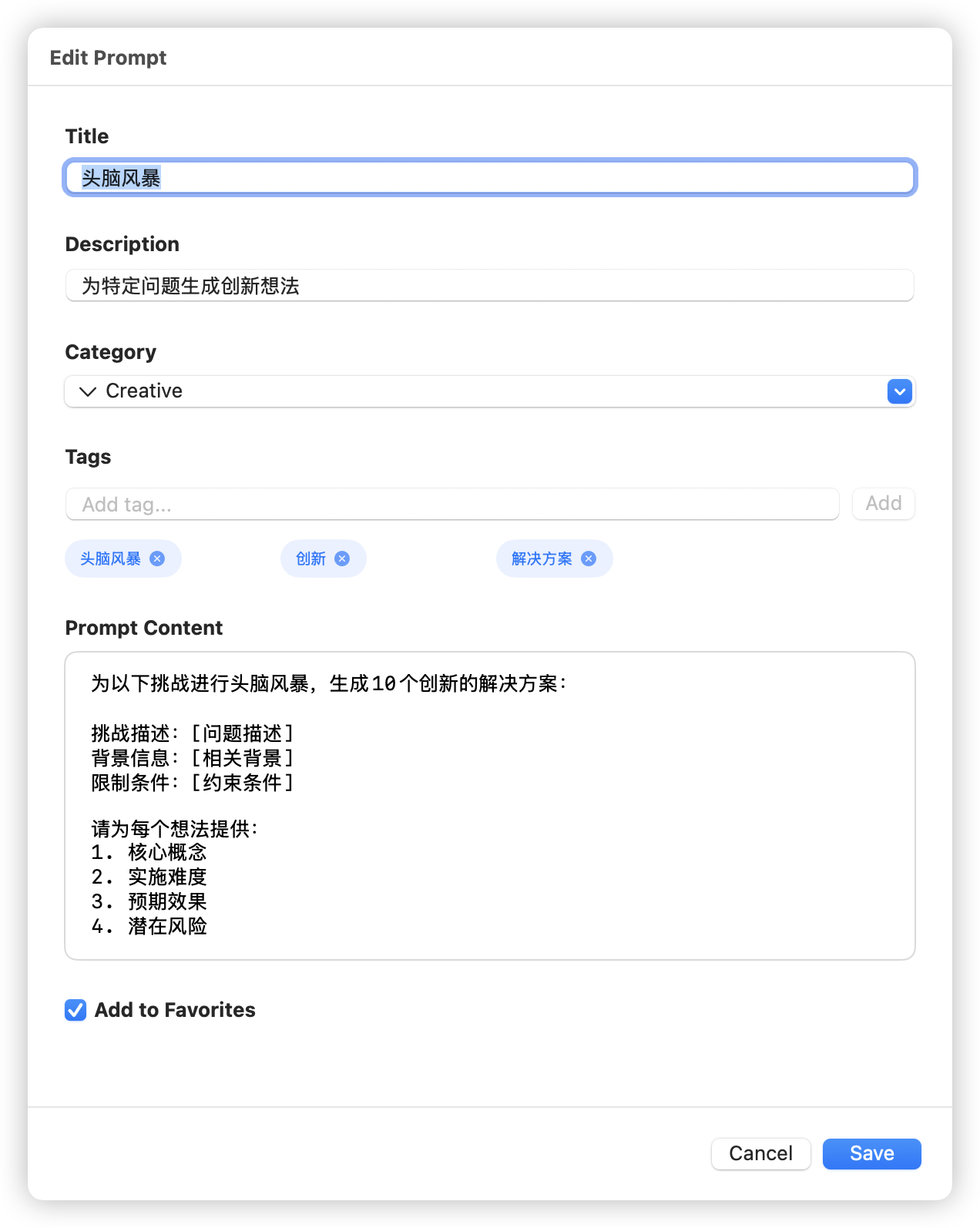
| Main Interface | Prompt Details |
| -------------------------------------------------- | -------------------------------------------------- |
|  |
|  |
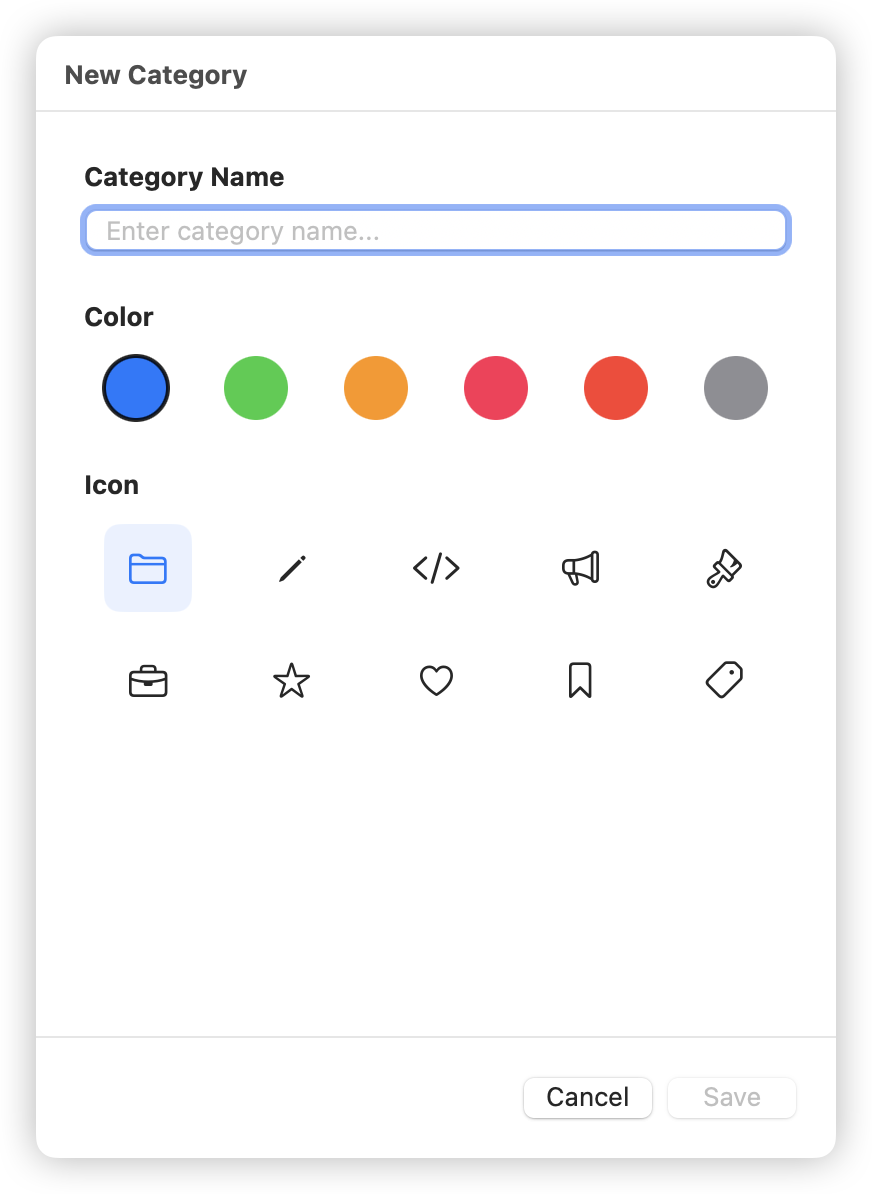
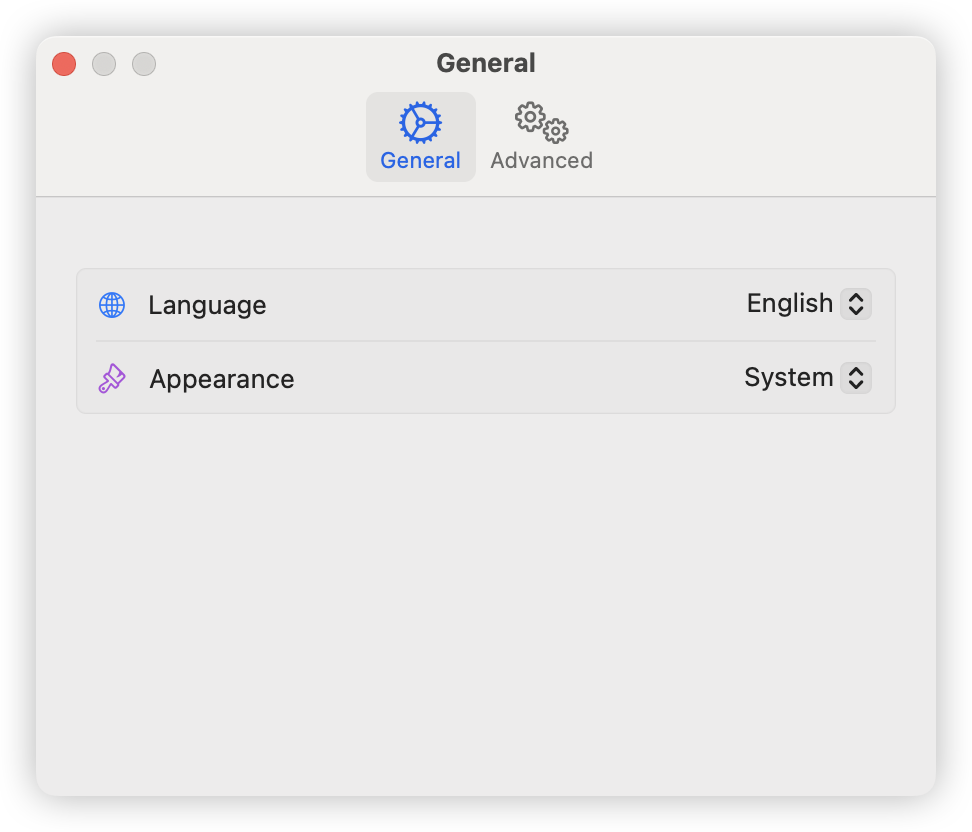
| Category Management | App Settings |
|
|
| Category Management | App Settings |
|  |
|  |
|
🚀 Features
- ✨ Clean Management Interface: A modern interface built with SwiftUI, perfectly adapted to the macOS design language, supporting both light and dark modes.
- 🔍 Smart Search: Real-time search through prompt content, titles, and tags to quickly find what you need and boost productivity.
- 🏷️ Flexible Category Management: Supports custom categories and a tag system to organize prompts according to your workflow habits.
- ⚡ Global Hotkeys: Customizable global hotkeys to quickly access the app without interrupting your current workflow.
- 📋 One-Click Copy: Click to copy prompts to the clipboard, with intelligent replacement for parameterized prompts.
- ☁️ iCloud Sync: Seamlessly sync your prompt library across multiple Mac devices via iCloud and access it anywhere.
- 🌐 Multi-language Support: Complete support for Chinese and English interfaces.
- 🔒 Privacy & Security: All data is stored locally by default, completely protecting your privacy. Your prompts belong only to you.
📦 Download
You can download the latest version of Promptly from the GitHub Releases page or from our official website.
🛠️ Development Environment
- Xcode: 16.4 or higher
- macOS: 15.5 or higher
- Swift: 5.0 or higher
📦 Building the Project
Quick Start
# Clone the project
git clone https://github.com/melon95/Promptly.git
cd Promptly

# Open project with Xcode
open Promptly.xcodeproj

# Or build with command line
xcodebuild -scheme Promptly -destination 'platform=macOS' build
🔄 CI/CD Workflow
The project is configured with automated GitHub Actions workflows:
Basic Build Workflow
- Trigger: Push to main branch or Pull Request
- Function: Automatic build and test
- Artifacts: Debug version DMG file
Signed Build Workflow
- Trigger: Push version tags (e.g.,
v1.0.0) - Function: Code signing, notarization, create release
- Artifacts: Signed DMG file and GitHub Release
Version Release
# Create new version
git tag v1.0.0
git push origin v1.0.0

# Automatically trigger signed build and release
📁 Project Structure
Promptly/
├── Promptly/                    # Main application code
│   ├── Models/                   # Data models
│   ├── Views/                    # SwiftUI views
│   ├── Utilities/                # Utility classes
│   └── Resources/                # Resource files
├── scripts/                      # Build scripts
│   ├── local-build-test.sh      # Local build testing
│   └── test-workflows.sh        # GitHub Actions testing
├── .github/workflows/            # CI/CD configuration
│   ├── build-macos.yml          # Basic build
│   └── build-signed.yml         # Signed build
└── docs/                         # Documentation
    ├── local-testing.md          # Local testing guide
    └── ci-cd-setup.md            # CI/CD setup guide
🧪 Testing
Unit Tests
# Run all tests
xcodebuild -scheme Promptly -destination 'platform=macOS' test

# Or use script
./scripts/local-build-test.sh test
UI Tests
# Run UI tests
xcodebuild -scheme Promptly -destination 'platform=macOS' test -only-testing:PromptlyUITests
🐛 Troubleshooting
Common Issues
-
Xcode Version Issues
sudo xcode-select -s /Applications/Xcode.app/Contents/Developer -
Clean Build Cache
./scripts/local-build-test.sh clean -
Dependency Issues
xcodebuild -resolvePackageDependencies -scheme Promptly
Getting Help
- Check Local Testing Documentation
- Check CI/CD Setup Guide
- Submit Issues to report problems
📝 License
🤝 Contributing
Pull Requests and Issues are welcome!
Git Commit Message Format
This project follows Conventional Commits specification. All commit messages must follow the format:
<type>(<scope>): <subject>
Allowed Types
feat: New featuresfix: Bug fixesperf: Performance improvementsrefactor: Code restructuring without changing functionality
Examples
feat(auth): add user authentication
fix(ui): resolve button alignment issue
perf(search): optimize search algorithm
refactor(models): restructure data models
Rules
- Subject must start with lowercase letter
- Subject length: 1-50 characters
- No period at end of subject
- Total first line max: 72 characters
- Scope is optional but must be lowercase with hyphens if used
Installing Git Hooks
To ensure your commits follow the required format, install the git hooks:
# Install git hooks for commit validation
./scripts/install_git_hook.sh
This will install:
- commit-msg hook: Validates commit message format
- pre-commit hook: Checks for code quality issues
Contributing Steps
- Fork this project
- Create your feature branch (
git checkout -b feature/amazing-feature) - Install git hooks (
./scripts/install_git_hook.sh) - Make your changes and commit following the format above
- Run local tests (
./scripts/local-build-test.sh full) - Push to the branch (
git push origin feature/amazing-feature) - Open a Pull Request
Enjoy using it! 🎉
