
Dotfiles
My dotfiles - including aerospace/sketchybar setup
Install / Use
/learn @mehd-io/DotfilesREADME
dotfiles
This dotfiles repository provides a modern, productive, and visually appealing development environment for macOS. It brings together:
- Aerospace — i3-like tiling window manager for macOS
- Sketchybar — highly customizable status bar for macOS
- Zsh — main shell with Starship prompt using the Pastel Powerline preset
- Atuin — magical shell history with sync across machines
- Tmux — terminal multiplexing and session management
- Neovim with LazyVim — pre-configured, extensible code editing
- Ghostty — fast, native terminal emulator
- Hiddenbar and Stats — menu bar and system monitoring
 Example: Starship prompt (Pastel Powerline), Ghostty terminal, and Sketchybar on macOS.
Table of Contents
Getting Started
Prerequisites
The install script backs up existing configuration files, but read below before running it!
Requirements:
# Install Homebrew if not already installed
/bin/bash -c "$(curl -fsSL https://raw.githubusercontent.com/Homebrew/install/HEAD/install.sh)"
Install
git clone https://github.com/mehd-io/dotfiles ~/.dotfiles
cd ~/.dotfiles
./install.sh              # Core tools, symlinks, Ghostty, Starship, Hiddenbar, Stats, LazyVim, Atuin
./install_sketchybar.sh   # Sketchybar and dependencies
./install_aerospace.sh    # Aerospace window manager
Post-Install
After installation, you may want to:
- Restart your terminal to apply all shell changes
- Log out and back in for Aerospace to take effect
- Configure Atuin by running
atuin loginto sync shell history across machines
What Each Install Script Does
install.sh
- Installs packages via Homebrew: neovim, tmux, tree, wget, zsh, curl, starship, atuin
- Symlinks configuration files:
~/.zshrc,~/.zprofile(Zsh)~/.tmux.conf,~/.tmux.conf.local(Tmux)~/.config/ghostty/config(Ghostty)~/.config/starship.toml(Starship)~/.config/atuin/config.toml(Atuin)~/.config/borders/bordersrc(Borders)
- Installs macOS apps via Homebrew Cask: Ghostty, Hiddenbar, Stats
- Installs LazyVim (Neovim starter config)
- Sets Zsh as default shell
install_sketchybar.sh
- Installs Sketchybar and dependencies (sf-symbols, jq, gh)
- Downloads and installs the Sketchybar app font
- Backs up existing config and symlinks new config
- Restarts Sketchybar service
install_aerospace.sh
- Installs Aerospace window manager
- Backs up existing config and symlinks new config
My Mac Setup
A comprehensive list of apps and tools I use for development and productivity.
Terminal & Shell
| Tool | Description | |------|-------------| | Ghostty | Fast, native terminal emulator | | Starship | Cross-shell prompt with Pastel Powerline theme | | Atuin | Magical shell history with sync | | Tmux | Terminal multiplexer | | Yazi | Blazing fast terminal file manager |
Code Editors & IDEs
| Tool | Description | |------|-------------| | Cursor | AI-powered code editor | | Neovim + LazyVim | Extensible text editor |
AI Tools
| Tool | Description | |------|-------------| | Claude Desktop | Claude AI desktop app | | Claude Code | AI coding assistant CLI | | OpenCode | Open-source AI coding assistant |
Window Management & Menu Bar
| Tool | Description | |------|-------------| | Aerospace | i3-like tiling window manager | | Sketchybar | Customizable status bar | | Hiddenbar | Hide menu bar icons | | Stats | System monitoring in menu bar |
Productivity
| Tool | Description | |------|-------------| | Raycast | Spotlight replacement with extensions | | Obsidian | Markdown-based knowledge base | | Notion | All-in-one workspace | | 1Password | Password manager | | Annotate | Screenshot annotation tool |
Development & DevOps
| Tool | Description | |------|-------------| | Homebrew | Package manager for macOS | | OrbStack | Fast Docker & Linux on macOS | | AWS CLI | Amazon Web Services CLI | | gcloud CLI | Google Cloud CLI | | dua | Disk usage analyzer |
Browsers
| Tool | Description | |------|-------------| | Brave | Privacy-focused browser | | Chrome | Google Chrome | | Firefox | Mozilla Firefox |
Media & Creative
| Tool | Description | |------|-------------| | Spotify | Music streaming | | OBS | Streaming and recording | | Adobe Photoshop | Image editing | | Adobe Premiere Pro | Video editing | | Ableton Live | Music production |
Utilities
| Tool | Description | |------|-------------| | Keka | File archiver | | Zoom | Video conferencing |
About Aerospace
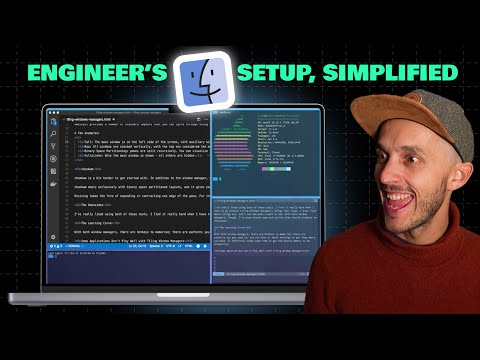
I made a deep dive video on this tiling window manager:
Starship Prompt : Pastel Powerline
This setup uses Starship with the Pastel Powerline preset for a modern, colorful, and informative shell prompt.
Tmux
- Command key remapped from
Ctrl+btoCtrl+a - Using theme from gpakosz/.tmux
