
NgPost
Command Line (or minimalist GUI) usenet poster for binaries developped in C++/QT designed to be as fast as possible and offer all the main features to post data easily and safely. Releases for Linux, Windows and MacOS are available.
Install / Use
/learn @mbruel/NgPostREADME
ngPost v4.16
Pour la version Française cliquez ici ;)<br/> <br/> Here is an invite for the brand new discord server, feel free to join if you've questions or if interested in beta testing the new features before they're released ;)<br/> <br/>
Command Line and sexy GUI Usenet poster for binaries developped in C++11/Qt5</br> it is designed to be as fast as possible and offer ALL the main features to post data easily and safely.</br> it can compress (using your external rar binary) and generate the par2 before posting!<br/> it has a posting queue to allow you to prepare several posts (especially using the GUI using Tabs).<br/> it packs the next Post while uploading the current one (compression + par2 generation) <br/> it can automate posts by scanning folder(s) and posting each file/folder individually after having them compressed (with a potential random archive name and password) and generated the par2!<br/> it can monitor folder(s) to post each new file/folder individually after having them compressed.<br/> it can auto delete files/folders once posted (only for monitoring with the HMI and with both --auto and --monitor in cmd)<br/> it can execute a COMMAND or script after each Post (cf NZB_POST_CMD in the configuration file)<br/> it can switch off the computer when all the posts are finished<br/> it is translated in Chinese, Dutch, English, French, German, Portuguese and Spanish.
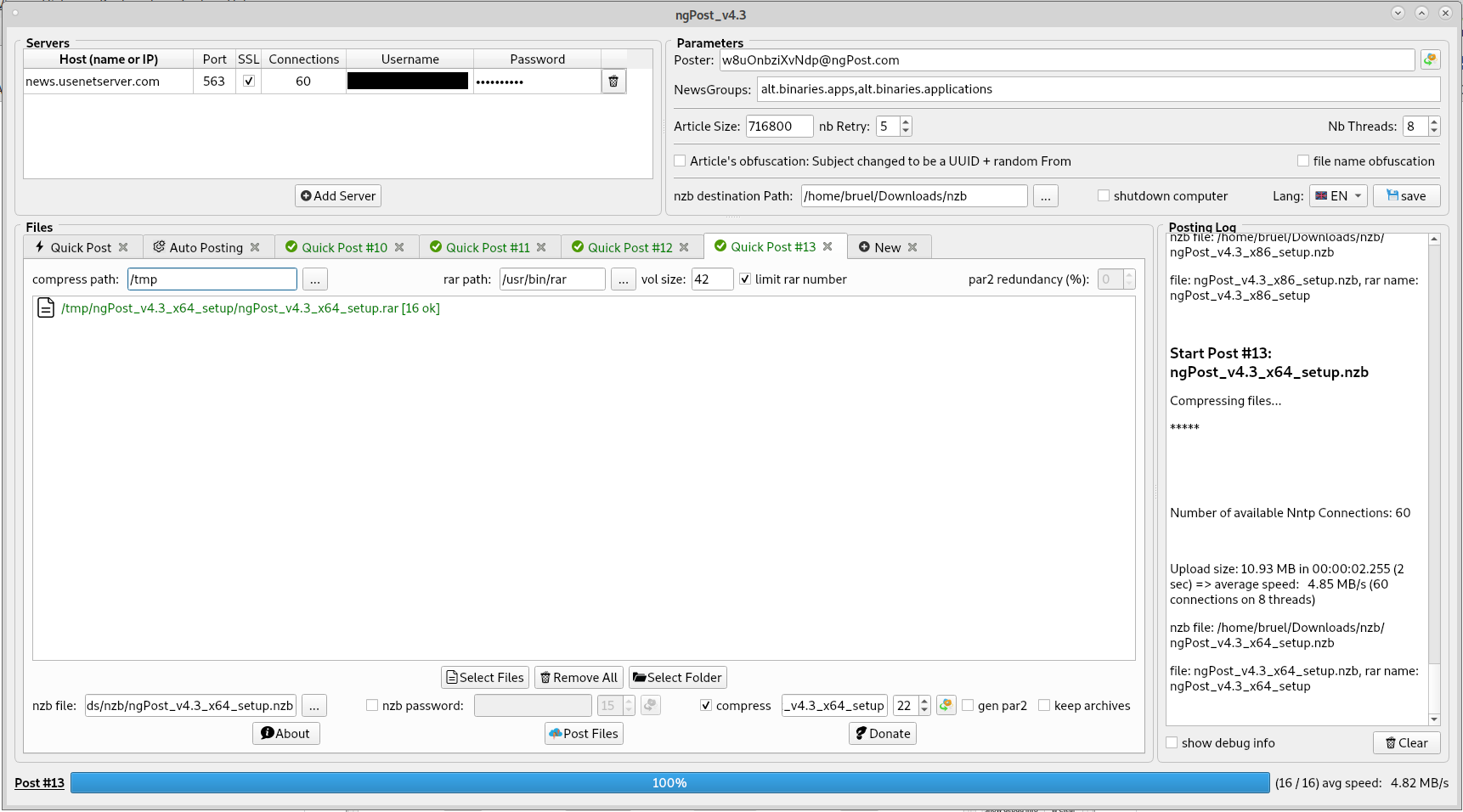
Releases are availables for: Linux 64bit, Windows (both 32bit and 64bit), MacOS and Raspbian (RPI 4). Soon for Android then iOS...
Here are the main features and advantages of ngPost:
- full obfuscation of the Article Header : the Subject will be a UUID (as the msg-id) and a random Poster will be used. Be Careful, using this, you won't be able to find your post on Usenet (or any Indexers) if you lose the NZB file. But using this method is completely safe, no need to obfuscate your files or even tp use a password.
- Posting Queue: you can prepare several posts while you're posting something. Of course you can cancel pending posts ;)
- Post automation: scan a folder and post each file/folder after compression. (cf --auto option in CMD and the "Auto Posting" tab on the GUI)
- compress using RAR or 7zip (external command) with random name obfuscation and password and generate par2 before posting
- write history of posts in a csv file: so you can get the date, file name, size, upload speed but most important the archive name and password in simple excel spreadsheet ;)
- par2cmdline is included in the package but you can use another tool (like Multipar) if you wish using the PAR2_CMD and PAR2_ARGS keywords in the config file
- support multiple files and multiple folders
- support several servers (using config file or the HMI) with each several connections (supporting ssl)
- spread those connection on several threads. By default the number of cores of the station but you can set the number if you fancy.
- prepare the Articles on the main Thread (yEnc encoding) so the upload threads are always ready to write when they can. (each connections has 2 Articles ready in advance)
- use asynchronous sockets in the upload threads
- limit the disk access to the minimum by opening the files to post only once in the main Thread and processing them sequentially one by one (no need to open several files at the same time, the Articles will be spread to all the connections)
- generate a random poster (from) but can use a fixed one if desired
- generate the nzb file
- handle interruption : if a post is stopped, the nzb is generated with the files that have been posted and it will list the files that havn't been posted so you can repost only those ones and then manually concatenate the nzb files. (in CMD, the application would close properly)
- add meta in the header of the nzb (typically for a password)
- Retry to post Articles with a different UUID in case of error
- Try to reconnect if there is an error on a socket (same Retry parameter than for the articles)
- ...
How to build
Dependencies:
- build-essential (C++ compiler, libstdc++, make,...)
- qt5-default (Qt5 libraries and headers)
- qt5-qmake (to generate the moc files and create the Makefile)
- libssl (v1.0.2 or v1.1) but it should be already installed on your system
Build:
- go to the src folder
- qmake
- make
Easy! it should have generate the executable ngPost</br> you can copy it somewhere in your PATH so it will be accessible from anywhere
As it is made in C++/QT, you can build it and run it on any OS (Linux / Windows / MacOS / Android) <br/> releases have only been made for Linux x64 and Windows x64 (for 7 and above) and MacOS (<br/> in order to build on other OS, the easiest way would be to install QT and load the project in QtCreator<br/>
