
Sdcat
Sliced Detection and Clustering Analysis Toolkit - a tool to quickly find and cluster salient objects in your images for accelerated labeling
Install / Use
/learn @mbari-org/SdcatREADME






sdcat* Sliced Detection and Clustering Analysis Toolkit*
Author: Danelle, dcline@mbari.org . Reach out if you have questions, comments, or suggestions.
Features
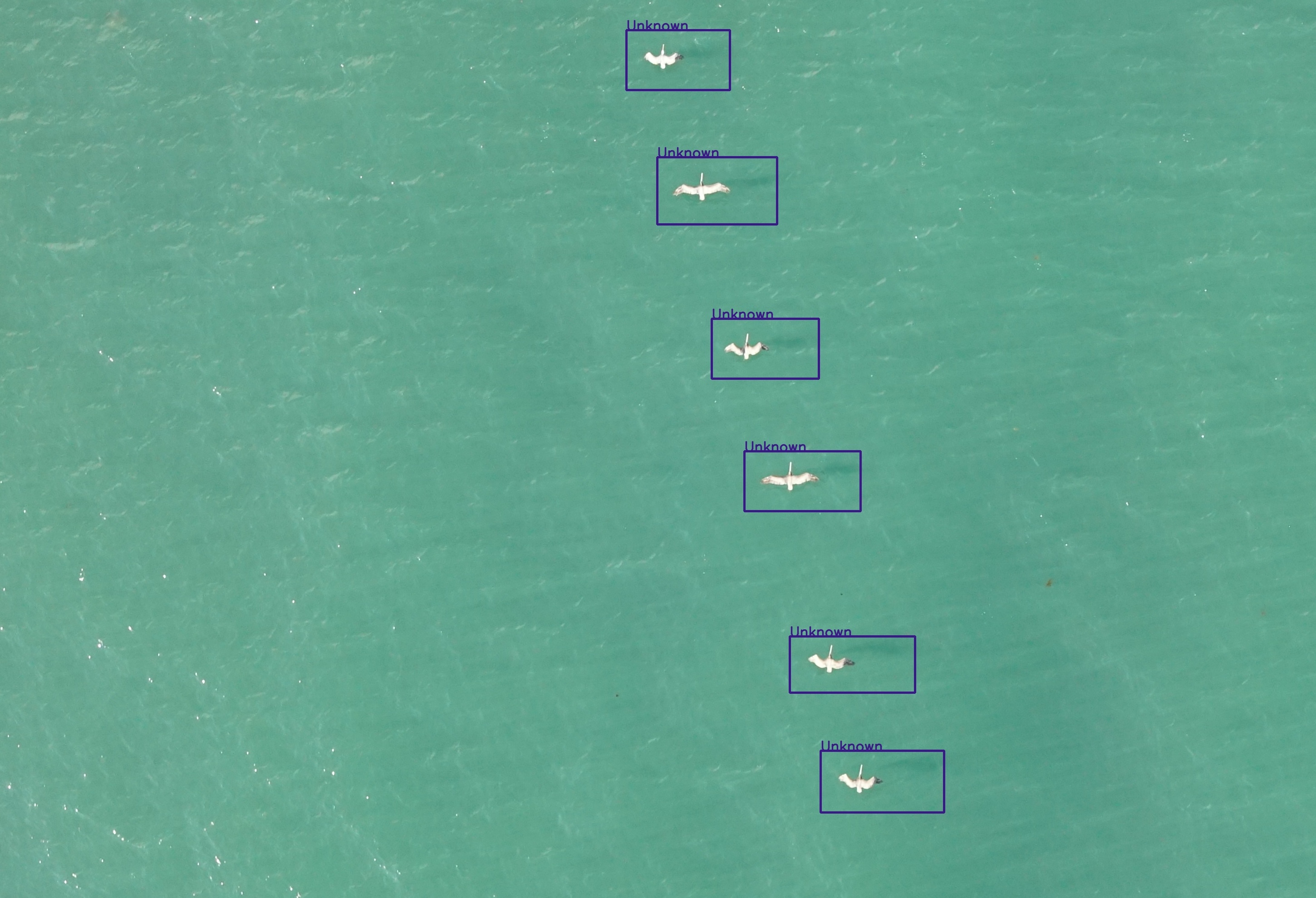
- Detection: Detects objects in images using a fine-grained saliency-based detection model, and/or an object detection models with the SAHI algorithm. These two algorithms can be combined through NMS (Non-Maximum Suppression) to produce the final detections.
- The detection models include YOLOv8s, YOLOS, and various MBARI-specific models for midwater and UAV images.
- The SAHI algorithm slices images into smaller windows and runs a detection model on the windows to improve detection accuracy.
- Clustering: Clusters the detections using a Vision Transformer (ViT) model and the HDBSCAN algorithm with a cosine similarity metric.
- Analysis: Analyzes the clustering results.
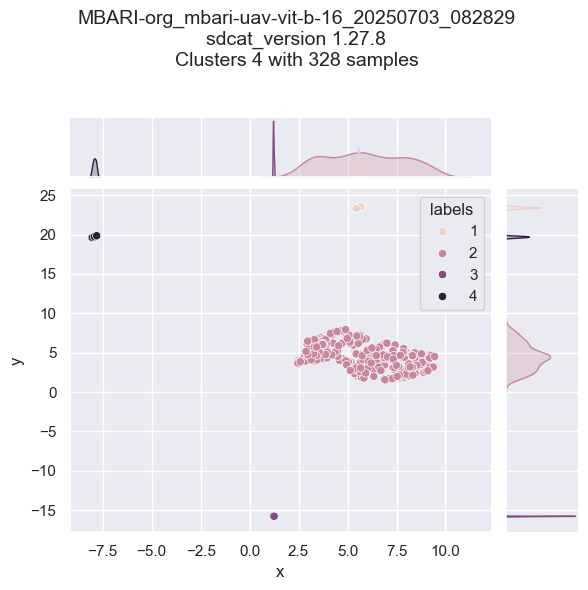
- A summary of the is generated, including the number of clusters, cluster coverage, etc. in a JSON file. Example summary:
{
    "dataset": {
        "output": "/data/output",
        "clustering_algorithm": "HDBSCAN",
        "clustering_parameters": {
            "min_cluster_size": 2,
            "min_samples": 1,
            "cluster_selection_method": "leaf",
            "metric": "precomputed",
            "algorithm": "best",
            "alpha": 1.3,
            "cluster_selection_epsilon": 0.0,
            "use_pca": false
        },
        "feature_embedding_model": "MBARI-org/mbari-uav-vit-b-16",
        "roi": true,
        "input": [
            "/data/input"
        ],
        "image_resolution": "224x224 pixels",
        "detection_count": 328
    },
    "statistics": {
        "total_clusters": 5,
        "cluster_coverage": "0.99 (99.99%)",
        "top_predictions": [
            {
                "class": "Batray",
                "percentage": "89.33%"
            },
            {
                "class": "Buoy",
                "percentage": "2.44%"
            },
            {
                "class": "Otter",
                "percentage": "4.57%"
            },
            {
                "class": "Secci_Disc",
                "percentage": "0.30%"
            },
            {
                "class": "Shark",
                "percentage": "3.35%"
            }
        ]
    },
    "sdcat_version": "1.27.8",
    "command": "sdcat cluster roi --roi-dir /data/input --save-dir /data/output --device cpu --use-vits --vits-batch-size 10 --hdbscan-batch-size 100"
}
- Visualization: Visualizes the detections and clusters.
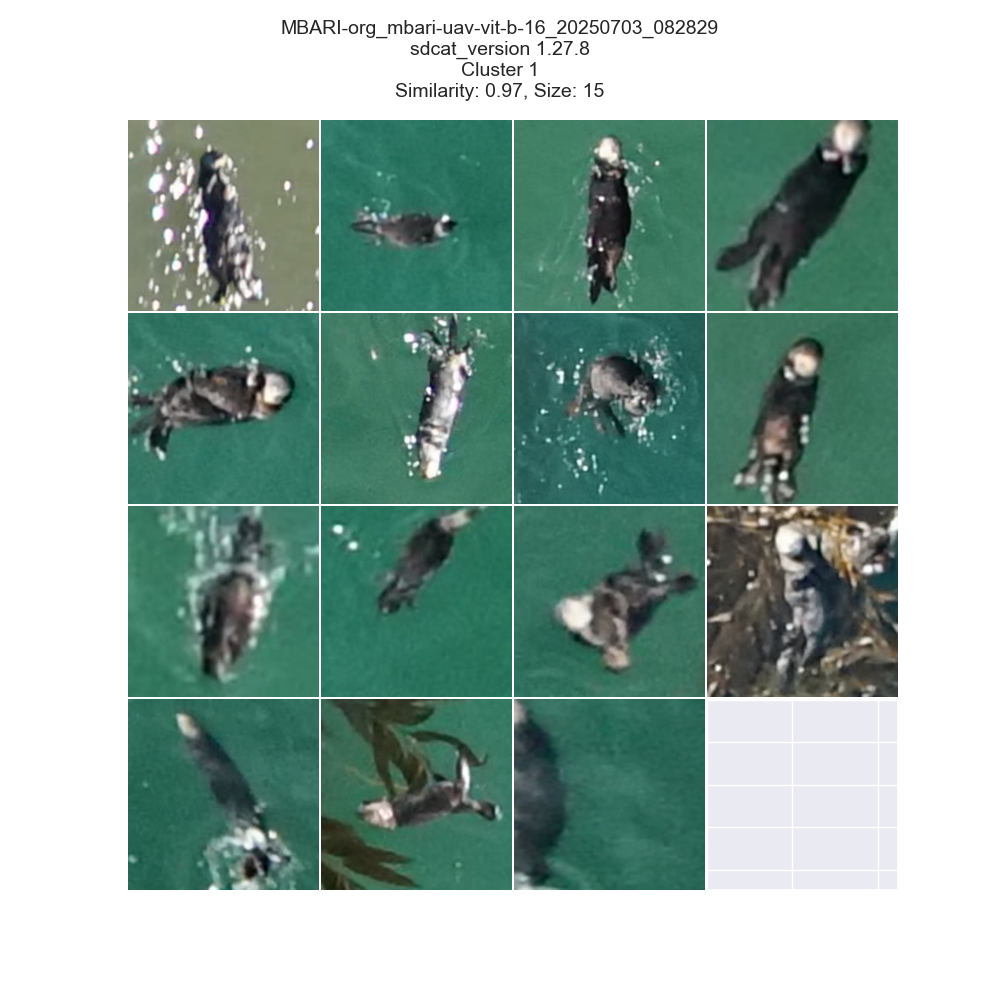
Grid output
Cluster summary
Saliency detected bounding boxes
Who is this for?
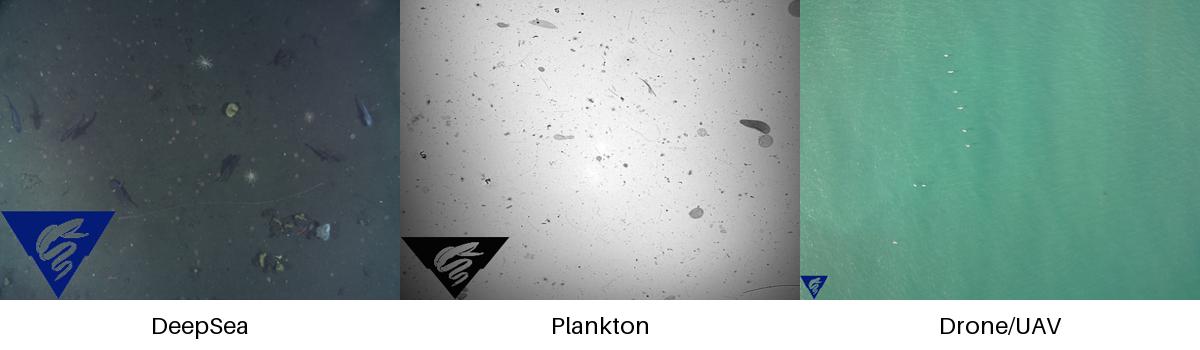
If your images look something like the image below, and you want to detect objects in the images, and optionally cluster the detections, then this repository may be useful to you, particularly for discovery and/or to quickly gather training data to train a custom model.
The repository is designed to be run from the command line, and can be run in a Docker container, without or with a GPU (recommended). To use with a multiple gpus, use the --device cuda option To use with a single gpu, use the --device cuda:0,1 option
Detection
Detection can be done with a fine-grained saliency-based detection model, and/or one the following models run with the SAHI algorithm. Both detections algorithms (saliency and object detection) are run by default and combined to produce the final detections. SAHI is short for Slicing Aided Hyper Inference, and is a method to slice images into smaller windows and run a detection model on the windows.
| Object Detection Model | Description | Installation |
|----------------------------------|--------------------------------------------------------------------|--------------------------------------|
| yolov8s | YOLOv8s model from Ultralytics | pip install -U ultralytics |
| yolov11s | YOLOv11s model from Ultralytics | pip install -U ultralytics |
| hustvl/yolos-small | YOLOS model a Vision Transformer (ViT) | included |
| hustvl/yolos-tiny | YOLOS model a Vision Transformer (ViT) | included |
| MBARI-org/megamidwater (default) | MBARI midwater YOLOv5x for general detection in midwater images | pip install -U yolov5==7.0.14 |
| MBARI-org/uav-yolov5 | MBARI UAV YOLOv5x for general detection in UAV images | pip install -U yolov5==7.0.14 |
| MBARI-org/yolov5x6-uavs-oneclass | MBARI UAV YOLOv5x for general detection in UAV images single class | pip install -U yolov5==7.0.14 |
| FathomNet/MBARI-315k-yolov5 | MBARI YOLOv5x for general detection in benthic images | pip install -U yolov5==7.0.14 |
| rfdetr-base | RF-DETR base model | pip install -U inference rfdetr |
| rfdetr-large | RF-DETR large model | pip install -U inference rfdetr |
To skip saliency detection, use the --skip-saliency option.
sdcat detect --skip-saliency --image-dir <image-dir> --save-dir <save-dir> --model <model> --slice-size-width 900 --slice-size-height 900
To skip using the SAHI algorithm, use --skip-sahi.
sdcat detect --skip-sahi --image-dir <image-dir> --save-dir <save-dir> --model <model> --slice-size-width 900 --slice-size-height 900
ViTS + HDBSCAN Clustering
Once the detections are generated, the detections can be clustered. Alternatively, detections can be clustered from a collection of images, sometimes referred to as region of interests (ROIs) by providing the detections in a folder with the roi option.
sdcat cluster roi --roi <roi> --save-dir <save-dir> --model <model>
The clustering is done with a Vision Transformer (ViT) model, and a cosine similarity metric with the HDBSCAN algorithm. Clustering is generally done on a fine-grained scale, then clusters are combined using exemplars are extracted from each cluster - this is helpful to reassign noisy detections to the nearest cluster. This has been optimized to process data in batches of 50K (default) to support large collections of detections/rois.
What is an embedding? An embedding is a vector representation of an object in an image.
The defaults are set to produce fine-grained clusters, but the parameters can be adjusted to produce coarser clusters. The algorithm workflow looks like this:
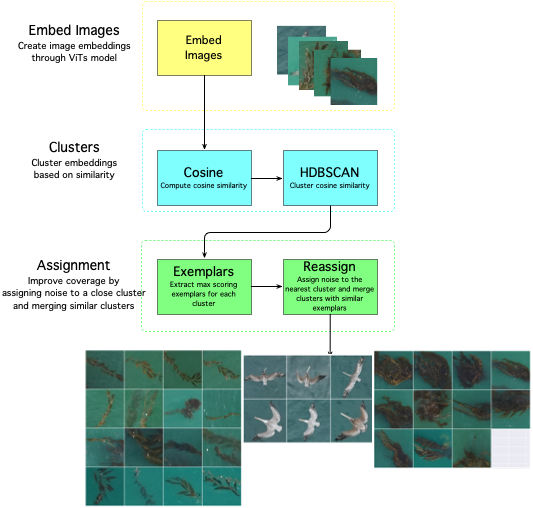
| Vision Transformer (ViT) Models | Description | |--------------------------------------|--------------------------------------------------------------------------------| | google/vit-base-patch16-224(default) | 16 block size trained on ImageNet21k with 21k classes | | facebook/dino-vits8 | trained on ImageNet which contains 1.3 M images with labels from 1000 classes | | facebook/dino-vits16 | trained on ImageNet which contains 1.3 M images with labels from 1000 classes | | MBARI-org/mbari-uav-vit-b-16 | MBARI UAV vits16 model trained on 10425 UAV images with labels from 21 classes |
Smaller block_size means more patches and more accurate fine-grained clustering on smaller objects, so ViTS models with 8 block size are recommended for fine-grained clustering on small objects, and 16 is recommended for coarser clustering on larger objects. We recommend running with multiple models to see which model works best for your data, and to experiment with the --min-samples and --min-cluster-size options to get good clustering results.
Installation
Pip install the sdcat package with:
pip install sdcat
Alternatively, Docker can be used to run the code. A pre-built docker image is available at Docker Hub with the latest version of the code.
First Detection
docker run -it -v $(pwd):/data mbari/sdcat detect --image-dir /data/images --save-dir /data/detections --model MBARI-org/uav-yolov5
Followed by clustering
docker run -it -v $(pwd):/data mbari/sdcat cl
Related Skills
node-connect
351.4kDiagnose OpenClaw node connection and pairing failures for Android, iOS, and macOS companion apps
frontend-design
110.7kCreate distinctive, production-grade frontend interfaces with high design quality. Use this skill when the user asks to build web components, pages, or applications. Generates creative, polished code that avoids generic AI aesthetics.
openai-whisper-api
351.4kTranscribe audio via OpenAI Audio Transcriptions API (Whisper).
qqbot-media
351.4kQQBot 富媒体收发能力。使用 <qqmedia> 标签,系统根据文件扩展名自动识别类型(图片/语音/视频/文件)。
