
WaoStats
A desktop application to analyse and archive your Wahoo bike computer tracks.
Install / Use
/learn @masc4ii/WaoStatsREADME
WaoStats
<img width="128" alt="icon" src="https://user-images.githubusercontent.com/30245296/205703174-b3d32a43-6e8e-415d-a7e5-00cdec2a0b6c.png">










A desktop application to analyse and archive your Wahoo ELEMNT bike computer tracks. It runs on macOS, Windows and Linux.
<img width="1000" alt="WaoStats" src="https://github.com/user-attachments/assets/05eeeb43-df07-4e07-86a9-df9bf80e336c" />Main features are:
- load all your Wahoo FIT files into the application
- view the statistics (entire track and lap/section) from your FIT files
- view your Wahoo computer firmware versions, used sensors and their battery status (when track ended)
- plot the recorded values (altitude, speed, cadence, temperature, grade, heartrate, power, battery, calories, L/R balance, L/R smoothness, gears, gear ratio, gps accuracy) from your FIT files, over time or over distance
- power curve diagram
- link your tracks to your used devices (bikes) and see total kilometers per device
- dropbox sync your FIT files
- ADB (USB) sync your FIT files directly from your Wahoo bike computer
- display your track on 16 different maps (google, openstreetmap, bing and more)
- load GPX tracks (supports: position, timestamp, altitude, speed, cadence, grade, heartrate, power, calories)
- log service activities (with costs in time and money) and get service reminders
- get service activity costs statistics
Used Libraries
- dropboxQt, under MIT
- QCustomPlot, under GPL 3.0
- QMapControl, under LGPL 3.0
- FitSDKRelease_21.105.00, download code from Garmin official SDK webpage
- App icon by 71M
- In app icons by icons8
Download
- Download here
- Currently supported OS: macOS 10.13.6 and later, Windows 10 and later, Ubuntu 24.04 and later
Compile
- Download FitSDKRelease_21.158.00 and copy archive content into FitSDKRelease_21.158.00 folder (when using fit C++ parser only - by default this step not needed)
- Compile dropboxQt, as described in subfolder dropboxQt. You should get "WaoStats/dropboxQt/prj/libdropboxQt.a"
- Open WaoStats.pro into QtCreator, compile with Qt5.15.2 and Clang(macOS) or minGW(Windows)
- On Windows, install OpenSSL and copy library files to application folder
Compiling on Ubuntu: howto (thanks to Intyre)
Application - First Start
- Open application.
- Create / select a path of your choice, which shall contain your track files (fit/gpx).
- In this path, create subfolders for your bikes (or choose from WaoStats menu: Archive - Add New Bike).
- Put your track files (fit/gpx) into these subfolders.
- Choose from WaoStats menu: Archive - Scan Tour Folder. <img width="450" alt="archive" src="https://user-images.githubusercontent.com/30245296/206466669-40a9026a-cb13-4f36-8610-01840d039c42.png">
Dropbox Sync
Tutorial video
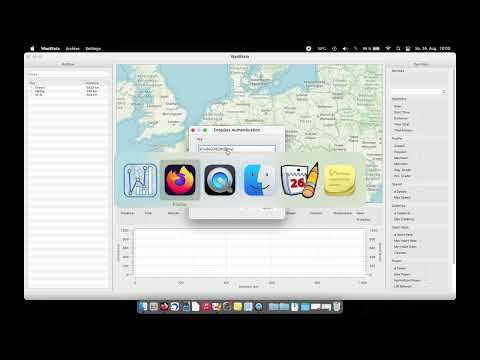
Setup (do this before first sync)
- Get an API app key by registering with Dropbox: https://dropbox.com/developers/apps
- Click "Create app", give it reading permission to your "Apps/WahooFitness" folder. (Probably just option "Full Dropbox" can do this.)
- On next page ("Permissions"), check "files.content.read" and "profile". Click "Submit".
- Find your app key and app secret on page "Settings".
Sync
- Enter app key and app secret to WaoStats dropbox menu.
- Click "Get Token", follow the dropbox pages.
- Copy the token from dropbox page into WaoStats menu.
- WaoStats now is allowed to read your fit files (once). Another reading process needs a new token with same keys.
- Find downloaded fit tracks in archive folder / WaoStats left list "New"
ADB Sync
- Connect Wahoo device to your computer.
- Open in WaoStats Archive -> ADB Sync, click Scan. The Wahoo device should be shown "unauthorized".
- Disconnect Wahoo device to your computer.
- Start debug mode for Wahoo device. (Press Up+Down+Power at the same time. Do this in Wahoos Pan & Zoom mode, because here menu options stay untouched.)
- Connect Wahoo device to your computer.
- Open in WaoStats Archive -> ADB Sync, click Scan. The Wahoo device should be shown with its name.
- Choose your device and click select.
- Find downloaded fit tracks in archive folder / WaoStats left list "New"
Plot
- Wheel on plot: zoom 2D
- Wheel on axis: zoom 1D
- Left drag on plot: move 2D
- Left drag on axis: move 1D
- Right click: select between curves
