
Sddm
Custom SDDM login themes inspired by Nothing OS, Pixel UI, and Noctalia, designed for a clean and modern Linux desktop experience
Install / Use
/learn @mahaveergurjar/SddmREADME
My SDDM Themes
A collection of custom themes for SDDM (Simple Desktop Display Manager), featuring designs inspired by Nothing OS and Google Pixel UI.
Available Themes
1, Noctalia SDDM Theme
Noctalia SDDM is a cozy, elegant login theme for SDDM , designed to complement the Noctalia Shell experience. It mimics the warm, dark aesthetic of the Rose Pine color palette, featuring rounded corners, smooth scaling, and a clean, modern interface tailored for Hyprland and KDE users.
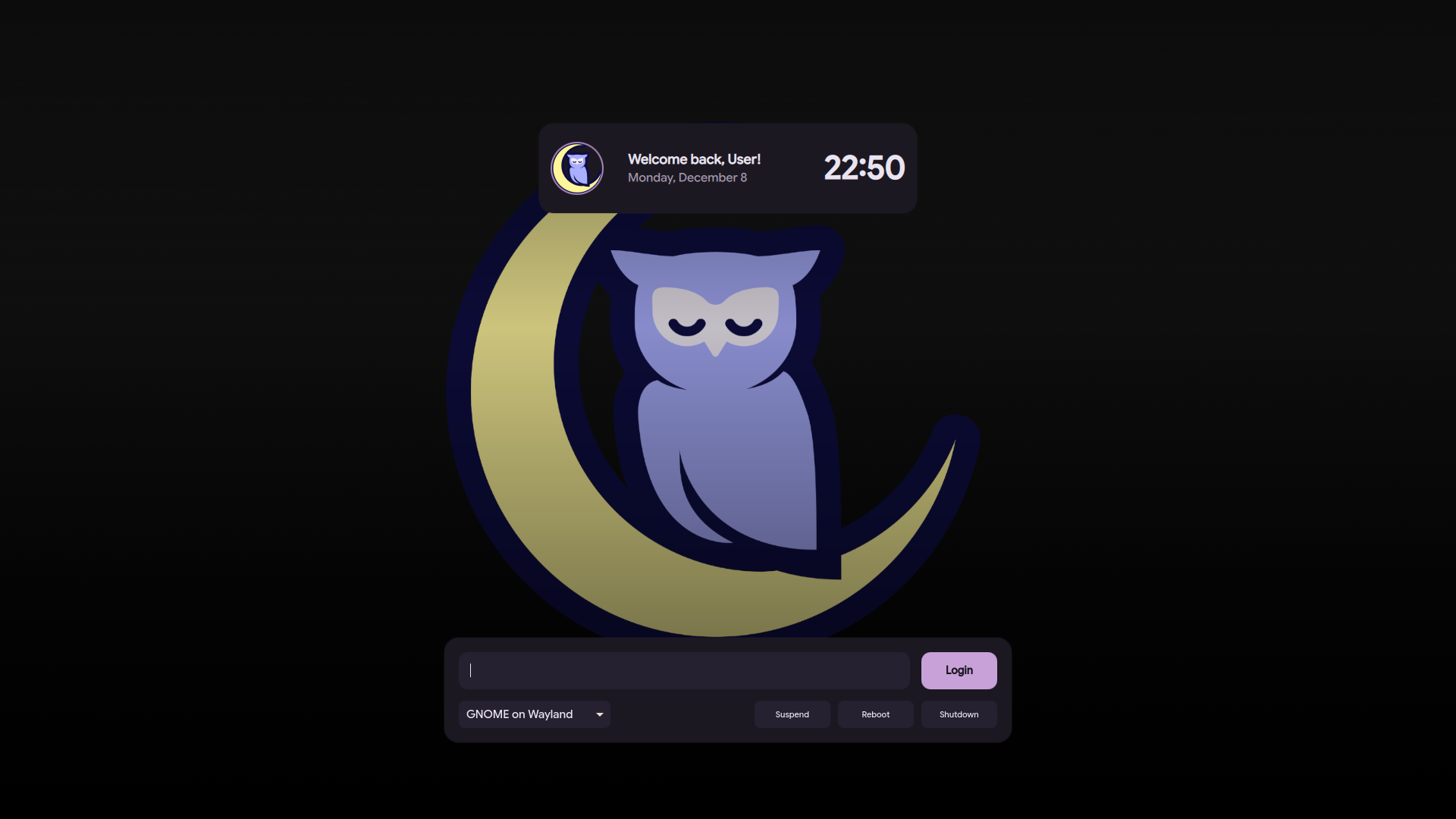
➡️ View "Noctalia" Theme Branch
2. Nothing OS Theme
A minimalist, monochrome login theme inspired by the unique aesthetic of Nothing OS. It features dot-matrix typography and a clean, futuristic look.
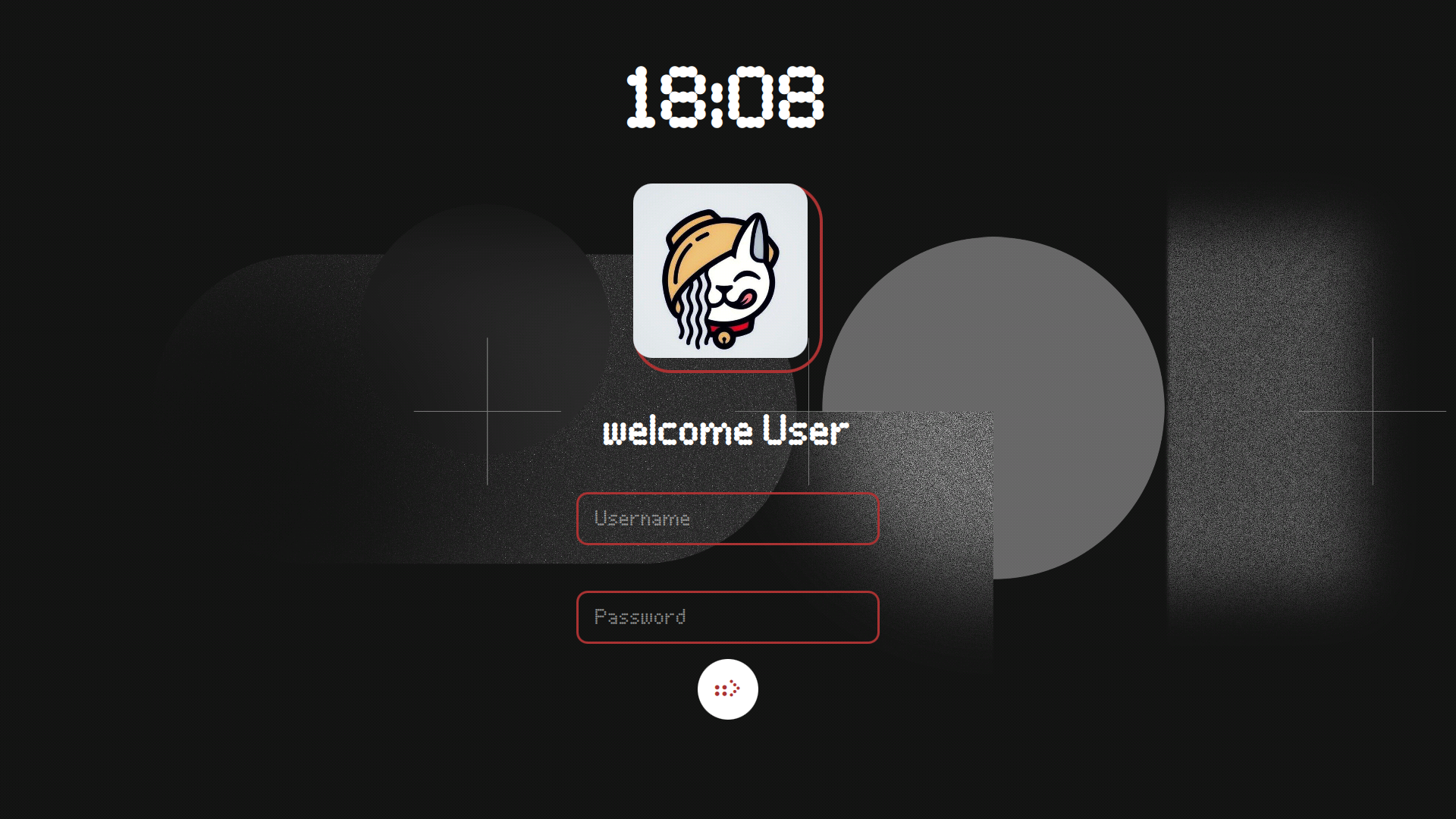
➡️ View "Nothing" Theme Branch
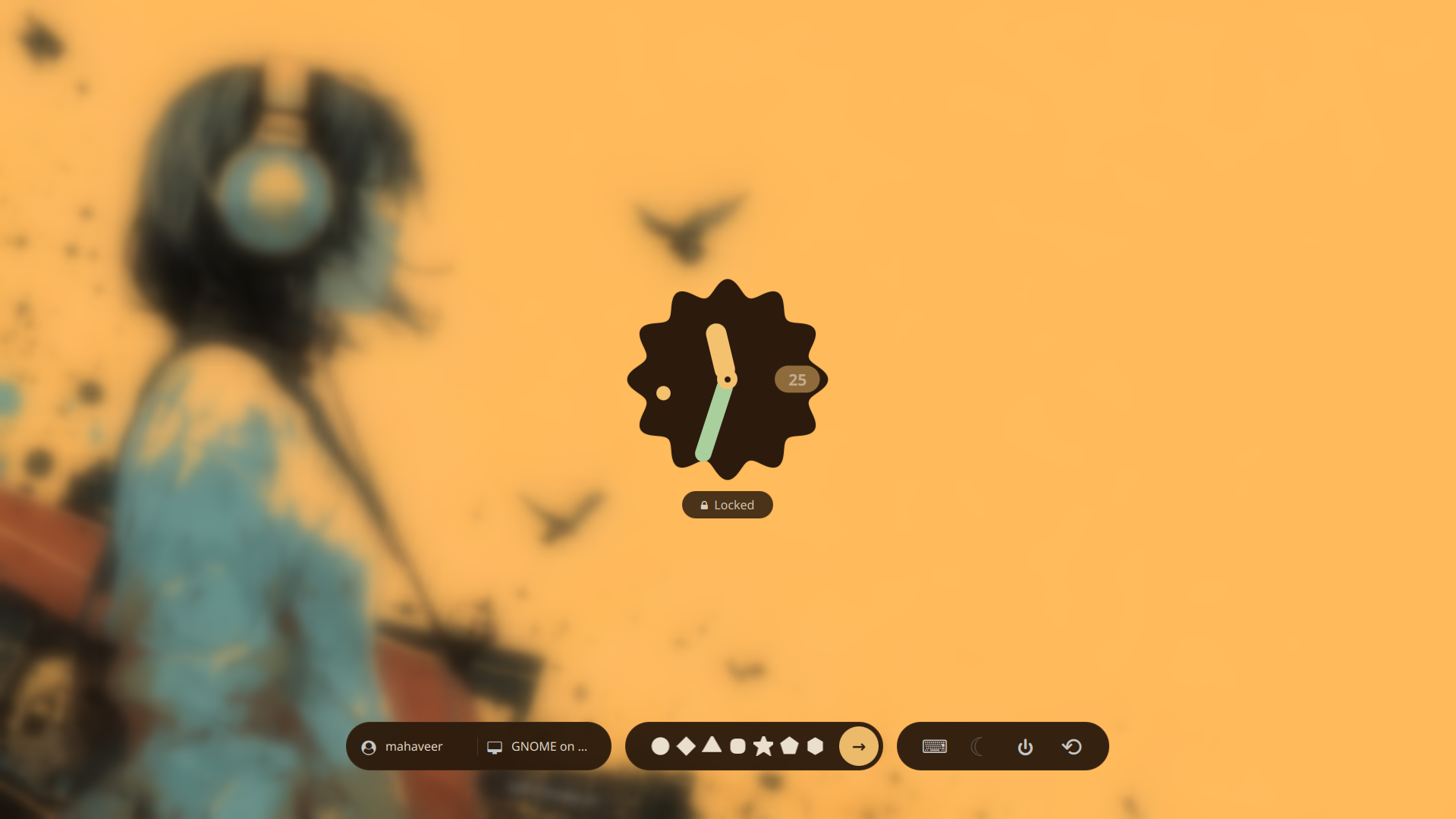
3. Pixel UI Theme
A modern and vibrant theme based on the Android 16 Pixel UI design language. It brings the familiar, polished look of Pixel devices to your login screen.
Installation
To install a specific theme:
- Click the View Branch link for the theme you want.
- Clone that specific branch or download the files.
- Place the theme folder into your SDDM themes directory (usually
/usr/share/sddm/themes/). - Update your
/etc/sddm.confto apply the new theme.
Related Skills
openpencil
2.2kThe world's first open-source AI-native vector design tool and the first to feature concurrent Agent Teams. Design-as-Code. Turn prompts into UI directly on the live canvas. A modern alternative to Pencil.
ui-ux-pro-max-skill
62.6kAn AI SKILL that provide design intelligence for building professional UI/UX multiple platforms
ui-ux-pro-max-skill
62.6kAn AI SKILL that provide design intelligence for building professional UI/UX multiple platforms
onlook
25.1kThe Cursor for Designers • An Open-Source AI-First Design tool • Visually build, style, and edit your React App with AI

Security Score
Audited on Apr 11, 2026