
Tvision
A modern port of Turbo Vision 2.0, the classical framework for text-based user interfaces. Now cross-platform and with Unicode support.
Install / Use
/learn @magiblot/TvisionREADME
Turbo Vision
A modern port of Turbo Vision 2.0, the classical framework for text-based user interfaces. Now cross-platform and with Unicode support.
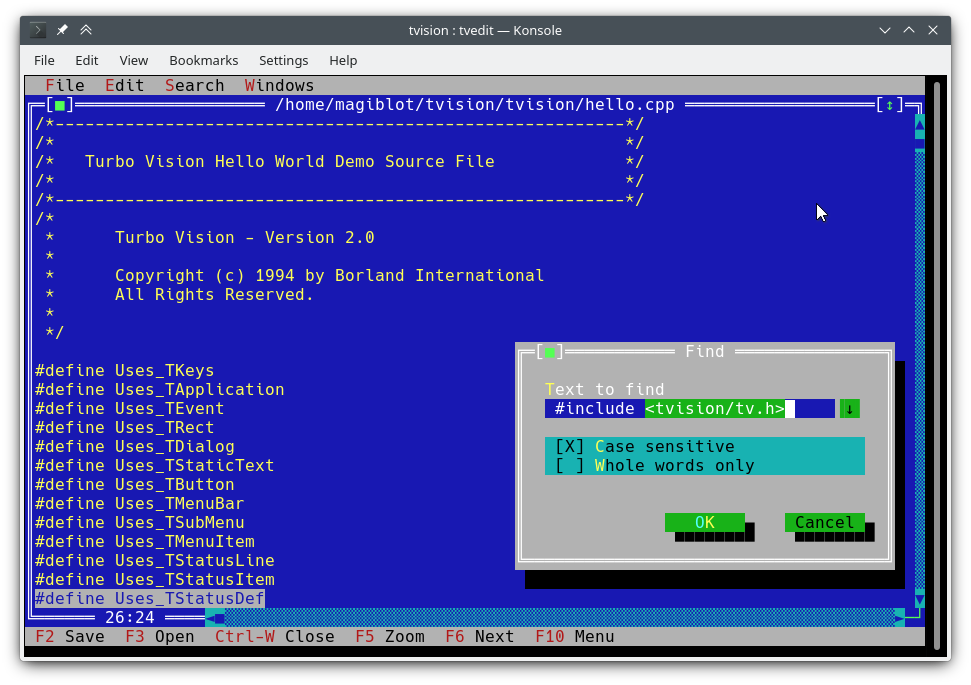
I started this as a personal project at the very end of 2018. By May 2020 I considered it was very close to feature parity with the original, and decided to make it open.
The original goals of this project were:
- Making Turbo Vision work on Linux by altering the legacy codebase as little as possible.
- Keeping it functional on DOS/Windows.
- Being as compatible as possible at the source code level with old Turbo Vision applications. This led me to implement some of the Borland C++ RTL functions, as explained below.
At one point I considered I had done enough, and that any attempts at revamping the library and overcoming its original limitations would require either extending the API or breaking backward compatibility, and that a major rewrite would be most likely necessary.
However, between July and August 2020 I found the way to integrate full-fledged Unicode support into the existing architecture, wrote the Turbo text editor and also made the new features available on Windows. So I am confident that Turbo Vision can now meet many of the expectations of modern users and programmers.
The original location of this project is https://github.com/magiblot/tvision.
Table of contents
- What is Turbo Vision good for?
- How do I use Turbo Vision?
- Releases and downloads
- Build environment
- Features
- API changes
- Applications using Turbo Vision
- Unicode support
- Clipboard interaction
- Extended color support
What is Turbo Vision good for?
A lot has changed since Borland created Turbo Vision in the early 90's. Many GUI tools today separate appearance specification from behaviour specification, use safer or dynamic languages which do not segfault on error, and support either parallel or asynchronous programming, or both.
Turbo Vision does not excel at any of those, but it certainly overcomes many of the issues programmers still face today when writing terminal applications:
-
Forget about terminal capabilities and direct terminal I/O. When writing a Turbo Vision application, all you have to care about is what you want your application to behave and look like—there is no need to add workarounds in your code. Turbo Vision tries its best to produce the same results on all environments. For example: in order to get a bright background color on the Linux console, the blink attribute has to be set. Turbo Vision does this for you.
-
Reuse what has already been done. Turbo Vision provides many widget classes (also known as views), including resizable, overlapping windows, pull-down menus, dialog boxes, buttons, scroll bars, input boxes, check boxes and radio buttons. You may use and extend these; but even if you prefer creating your own, Turbo Vision already handles event dispatching, display of fullwidth Unicode characters, etc.: you do not need to waste time rewriting any of that.
-
Can you imagine writing a text-based interface that works both on Linux and Windows (and thus is cross-platform) out-of-the-box, with no
#ifdefs? Turbo Vision makes this possible. First: Turbo Vision keeps on usingchararrays instead of relying on the implementation-defined and platform-dependentwchar_torTCHAR. Second: thanks to UTF-8 support insetlocalein recent versions of Microsoft's RTL, code like the following will work as intended:std::ifstream f("コンピュータ.txt"); // On Windows, the RTL converts this to the system encoding on-the-fly.
How do I use Turbo Vision?
You can get started with the Turbo Vision For C++ User's Guide, and look at the sample applications hello, tvdemo and tvedit. Once you grasp the basics,
I suggest you take a look at the Turbo Vision 2.0 Programming Guide, which is, in my opinion, more intuitive and easier to understand, despite using Pascal. By then you will probably be interested in the palette example, which contains a detailed description of how palettes are used.
Don't forget to check out the <a href="#features">features</a> and <a href="#apichanges">API changes</a> sections as well.
<div id="downloads"></div>Releases and downloads
This project has no stable releases for the time being. If you are a developer, try to stick to the latest commit and report any issues you find while upgrading.
If you just want to test the demo applications:
- Unix systems: you'll have to build Turbo Vision yourself. You may follow the build instructions below.
- Windows: you can find up-to-date binaries in the Actions section. Click on the first successful workflow (with a green tick) in the list. At the bottom of the workflow page, as long as you have logged in to GitHub, you'll find an Artifacts section with the following files:
examples-dos32.zip: 32-bit executables built with Borland C++. No Unicode support.examples-x86.zip: 32-bit executables built with MSVC. Windows Vista or later required.examples-x64.zip: 64-bit executables built with MSVC. x64 Windows Vista or later required.
Build environment
<div id="build-linux"></div>Linux
Turbo Vision can be built as an static library with CMake and GCC/Clang.
cmake . -B ./build -DCMAKE_BUILD_TYPE=Release && # Could also be 'Debug', 'MinSizeRel' or 'RelWithDebInfo'.
cmake --build ./build # or `cd ./build; make`
CMake versions older than 3.13 may not support the -B option. You can try the following instead:
mkdir -p build; cd build
cmake .. -DCMAKE_BUILD_TYPE=Release &&
cmake --build .
The above produces the following files:
libtvision.a, which is the Turbo Vision library.- The demo applications
hello,tvdemo,tvedit,tvdir, which were bundled with the original Turbo Vision (although some of them have a few improvements). - The demo applications
mmenuandpalettefrom Borland's Technical Support. tvhc, the Turbo Vision Help Compiler.
The library and executables can be found in ./build.
The build requirements are:
- A compiler supporting C++14.
libncursesw(note the 'w').libgpmfor mouse support on the Linux console (optional).
If your distribution provides separate devel packages (e.g. libncurses-dev, libgpm-dev in Debian-based distros), install these too.
The runtime requirements are:
xselorxclipfor clipboard support in X11 environments.wl-clipboardfor clipboard support in Wayland environments.
The minimal command line required to build a Turbo Vision application (e.g. hello.cpp with GCC) from this project's root is:
g++ -std=c++14 -o hello hello.cpp ./build/libtvision.a -Iinclude -lncursesw -lgpm
You may also need:
-
-Iinclude/tvisionif your application uses Turbo Vision 1.x includes (#include <tv.h>instead of#include <tvision/tv.h>). -
-Iinclude/tvision/compat/borlandif your application includes Borland headers (dir.h,iostream.h, etc.). -
On Gentoo (and possibly others):
-ltinfowif bothlibtinfo.soandlibtinfow.soare available in your system. Otherwise, you may get a segmentation fault when running Turbo Vision applications (#11). Note thattinfois bundled withncurses.
-lgpm is only necessary if Turbo Vision was built with libgpm support.
The backward-compatibility headers in include/tvision/compat/borland emulate the Borland C++ RTL. Turbo Vision's source code still depends on them, and they could be useful if porting old applications. This also means that including tvision/tv.h will bring several std names to the global namespace.
Windows (MSVC)
The build process with MSVC is slightly more complex, as there are more options to choose from. Note that you will need different build directories for different target architectures. For instance, to generate optimized binaries:
cmake . -B ./build && # Add '-A x64' (64-bit) or '-A Win32' (32-bit) to override the default platform.
cmake --build ./build --config Release # Could also be 'Debug', 'MinSizeRel' or 'RelWithDebInfo'.
In the example above, tvision.lib and the example applications will be placed at ./build/Release.
If you wish to link Turbo Vision statically against Microsoft's run-time library (/MT instead of /MD), enable the TV_USE_STATIC_RTL option (-DTV_USE_STATIC_RTL=ON when calling cmake).
If you wish to link an application against Turbo Vision, note that MSVC won't allow you to mix /MT with /MD or debug with non-debug binaries. All components have to be linked against the RTL in the same way.
If you develop your own Turbo Vision application make sure to enable the following compiler flags,
