
DSDMenu
A dead-simpe, UIKit-based dropdown menu, written in Swift
Install / Use
/learn @m3g0byt3/DSDMenuREADME
DSDMenu



— Dead Simpe Dropdown Menu
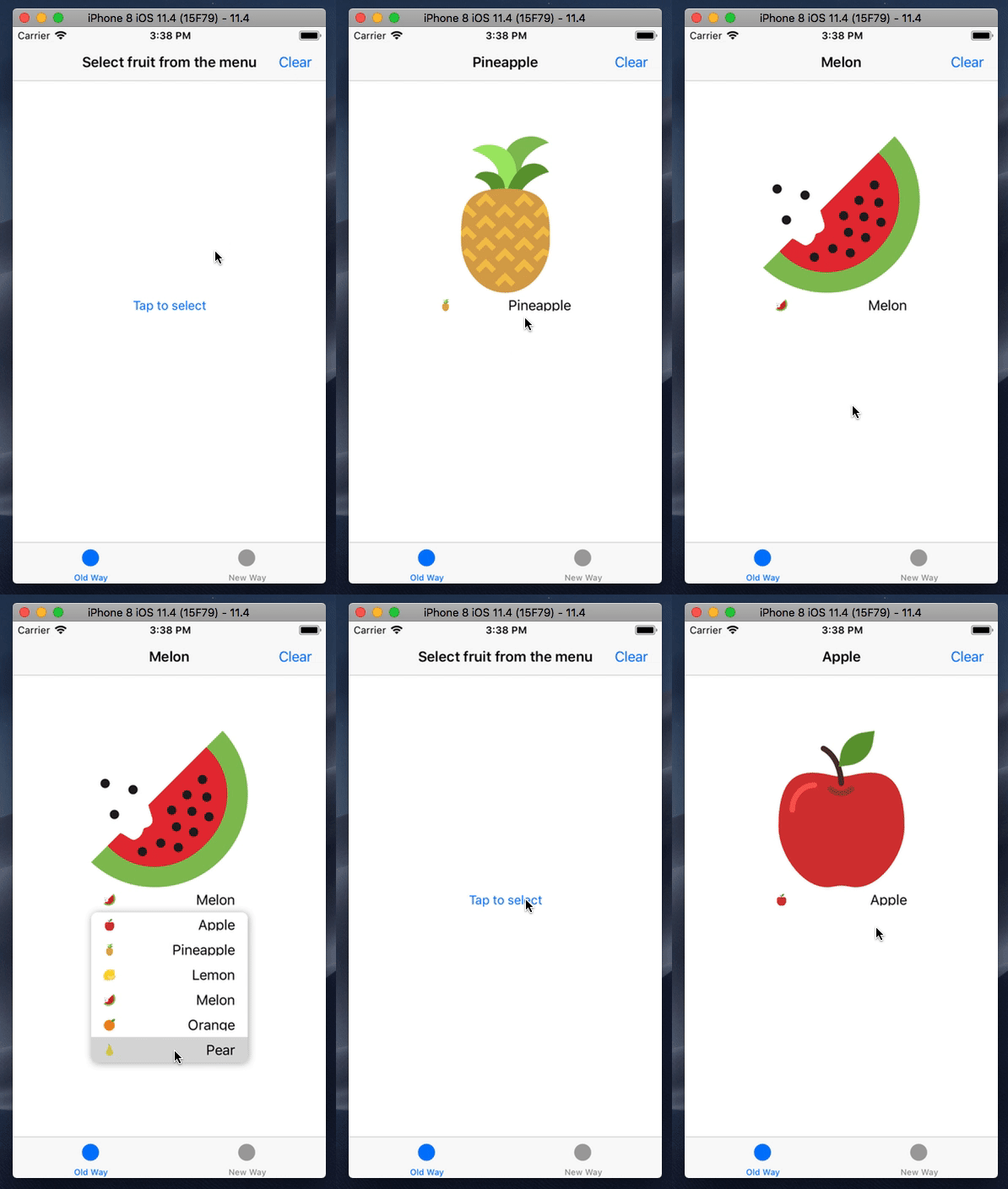
A simple drop-down menu written in Swift.
Features
- Automatically update menu button content based on selected cell
- Use delegate or configuration closure to setup menu
- Use default or custom menu cells (with and without NIBs)
- Create menu programmatically or in the Interface Builder
Requirements
- iOS 9.0+
- Xcode 9.0+
- Swift 4.0+
Example
To run the example project, clone the repo, and run pod install from the Example directory first.
Installation
DSDMenu is available via CocoaPods.
CocoaPods is a dependency manager for Swift and Objective-C Cocoa projects. You can install it with the following command:
$ sudo gem install cocoapods
To integrate DSDMenu, simply add the following line to your Podfile:
pod 'DSDMenu'
Then, run the following command:
pod install
Usage
Initialization:
-
Programmatically:
Use convenience initializer:
init(title: String, frame: CGRect = CGRect.zero) -
Using Interface Builder
Place a
UIButtonobject on the storyboard and change custom class as pictured below: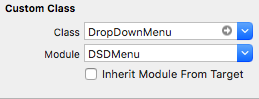
Customize menu behaviour:
DSDMenu can be customized and controlled using two ways (mutually exclusive!):
-
Using delegete (old-way):
Confrom to
DropDownDelegateprotocol and assign delegate:-
Programmatically:
menu.delegate = self -
Using Interface Builder:

-
-
Using configuration closure (new-way):
Instantiate menu instance, then pass closure with a
DropDownMenuConfiguratorinstance inside, configured within this closure, to theconfigure(using: (DropDownMenuConfigurator) -> Void)method:menu.configure { configurator in configurator.cellClass(DropDownCell.self) .numberOfItems(10) .updateThumbnailOnSelection(true) .didSelectItem { index in print(index) } .willDisplayCell { (cell, index) in print(cell, index) } }
API reference:
| Delegate method | Configuration method equivalent | Description |
|-----------------------------------------|----------------------------------|---------------------------------------------------------------------------------------------|
| numberOfItems(in:) | numberOfItems(_:) | Asks the delegate for the number of items in menu |
| cellClass(for:) | cellClass(_:) | Asks the delegate for the cell class used in menu |
| dropDownMenu(_:didSelectItemAt:) | didSelectItem(_:) | Tells the delegate that the item in the menu was tapped |
| dropDownMenu(_:willDisplay:forRowAt:) | willDisplayCell(_:) | Tells the delegate that the cell in the menu is about to be displayed |
| updateThumbnailOnSelection(in:) | updateThumbnailOnSelection(_:) | Asks the delegate whether the menu should update thumbnail image automatically on selection |
TODO Section
- [x] Configure using closure instead of delegate
- [x] Auto-update view based on selected cell's content
- [x] Setup constraints in
updateConstraints()(see also) - [x] Setup Pod
- [x] Complete README
- [ ] Correct handling of orientation changes when
updateThumbnailOnSelection = true - [ ] Use POP for cells instead subclassing (if possible?)
- [ ] Allow to customize menu's appearance (shadows, colors, etc)
- [ ] Unit and UI tests
- [ ] Rx extension
Contributing
Contributing is always welcomed, just follow these steps:
- Fork
- Create your feature branch (
git checkout -b my-new-feature) - Commit your changes (
git commit -am 'Add some feature') - Push to the branch (
git push origin my-new-feature) - Create new Pull Request
That's it!
Author
License
DSDMenu is released under an MIT license. See LICENSE for more information.
Related Skills
node-connect
344.4kDiagnose OpenClaw node connection and pairing failures for Android, iOS, and macOS companion apps
frontend-design
99.2kCreate distinctive, production-grade frontend interfaces with high design quality. Use this skill when the user asks to build web components, pages, or applications. Generates creative, polished code that avoids generic AI aesthetics.
openai-whisper-api
344.4kTranscribe audio via OpenAI Audio Transcriptions API (Whisper).
qqbot-media
344.4kQQBot 富媒体收发能力。使用 <qqmedia> 标签,系统根据文件扩展名自动识别类型(图片/语音/视频/文件)。
