
AutoMask
Automatic Rotoscoping/Masking tool powered with Machine Learning for Blender (WIP)
Install / Use
/learn @lukas-blecher/AutoMaskREADME
AutoMask - a Blender Add-on for automatic rotoscoping
This repository contains a Blender 2.8x Add-on that can mask an object in the Movie Clip Editor with the help of Machine Learning.
AutoMask is the communication between Blender and SiamMask.
Here is an example for the usage of AutoMask.
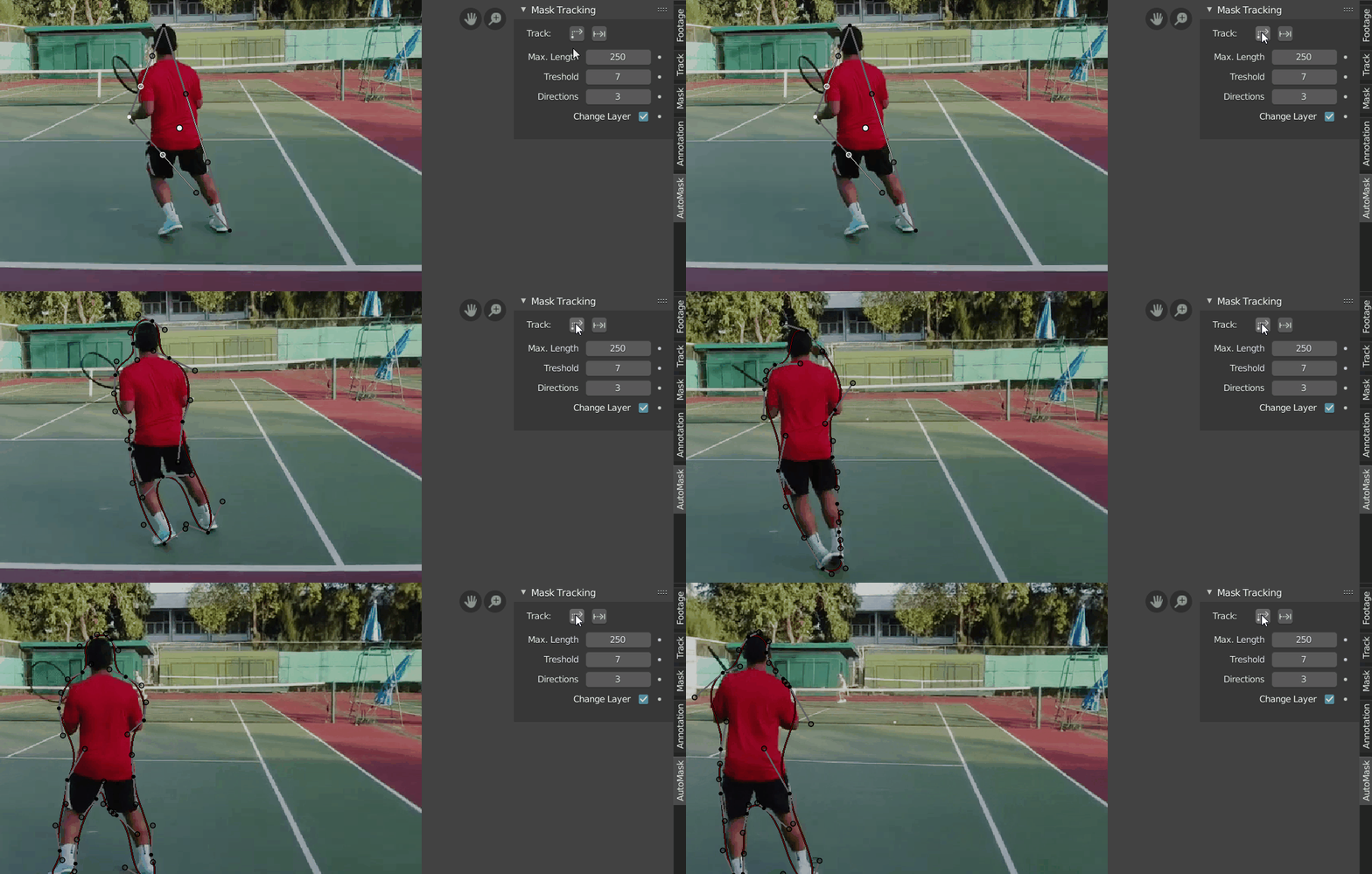
Usage
First select a bounding box of the object. Then hit one of the track buttons. The masks for every frame will be saved in a separate and new Mask Layer. If you are using the single step masking as a starting point for your mask you can also
Parameters
- Max. Length is the roughly the maximum amount of pixels a mask segment can trace. The lower this value is the closer the final mask will be to the network output. Bear in mind that the network output is by no means a perfect mask. But it can be a great starting point.
- Directions is the amount of directions (of 8 possible) one mask segment can cover. 2 will produce more controll points but a closer match in the mask, but the S-Curves can also handle 3 different directions.
- Threshold is the amount of pixels that can go in another direction than the rest of a given segment.
Installation
- Download the repository:
Download the repository as
.zipfile and extract it or clone it to your computer. - Python:
To use this Add-on, several 3rd party libraries are required (see
requirements.txt). You can either install the dependencies to the Blender python or if python is already installed on the system and the python version is compatible with the Blender python version you can also install the dependencies on your system. - Adding the Project to the Python path:
Open
automask.pyin your favorite text editor and replacePYTHON_PATHwith the path to you python site-packages if needed andPROJECT_DIRwith the path to the directory you downloaded this repository to. - Install Dependencies:
- PyTorch The neural network that does the heavy lifting is written for PyTorch. A Nvidia GPU is recommended but not necessarily required. However, it does speed up the process significantly. If you have a supported GPU install pytorch with GPU support.
- Other Requirements
Most of the required libraries are standard and easy to install.
pip install -r requirements.txt
- Model:
The model weights for SiamMask can be downloaded from http://www.robots.ox.ac.uk/~qwang/SiamMask_VOT.pth. Save the file to the subfolder
trackers/SiamMaskunder the namemodel.pth. - Add to Blender:

Acknowledgements
Related Skills
YC-Killer
2.7kA library of enterprise-grade AI agents designed to democratize artificial intelligence and provide free, open-source alternatives to overvalued Y Combinator startups. If you are excited about democratizing AI access & AI agents, please star ⭐️ this repository and use the link in the readme to join our open source AI research team.
best-practices-researcher
The most comprehensive Claude Code skills registry | Web Search: https://skills-registry-web.vercel.app
groundhog
398Groundhog's primary purpose is to teach people how Cursor and all these other coding agents work under the hood. If you understand how these coding assistants work from first principles, then you can drive these tools harder (or perhaps make your own!).
isf-agent
a repo for an agent that helps researchers apply for isf funding
