
MatplotlibChinesefix
No description available
Install / Use
/learn @linzino7/MatplotlibChinesefixREADME
matplotlibChinesefix
解決python matplotlib 顯示中文問題
原文詳細中文問題解決
解決Python 3 Matplotlib與Seaborn視覺化套件中文顯示問題 Windows 與Ubuntu User
字體副檔名問題
- 不知如何在windows中會無法.ttc的字體,所以建議還是使用ttf檔。
- 目前測試在ubuntu 16.04上是可以使用.ttc的
所有字體設定完一定要移除快取檔:
- Ubuntu: ~/.cache/matplotlib
- Windows: C:\Users\您的使用者名稱\
找到 matplotlib default 字體路徑
from matplotlib.font_manager import findfont, FontProperties
findfont(FontProperties(family=FontProperties().get_family()))
找到 matplotlibrc 設定檔路徑
import matplotlib
matplotlib.matplotlib_fname()
顯示目前可以使用字體
import matplotlib.pyplot as plt
plt.rcParams['font.sans-serif']
plt use by setting
import matplotlib.pyplot as plt
plt.rcParams['font.family'] = 'sans-serif'
plt.rcParams['font.sans-serif'] = ['Noto Sans CJK JP']
plt.rcParams['axes.unicode_minus'] = False
plt.plot((1,2,3),(4,3,1))
plt.title("聲量圖")
plt.ylabel("文章數量")
plt.xlabel("時間")
plt.show()
plt
from matplotlib.font_manager import FontProperties
import matplotlib.pyplot as plt
myfont = FontProperties(fname=r'/usr/share/fonts/opentype/noto/NotoSansCJK-Black.ttc')
plt.plot((1,2,3),(4,3,1))
plt.title("聲量圖",fontproperties=myfont)
plt.ylabel("文章數量",fontproperties=myfont)
plt.xlabel("時間",fontproperties=myfont)
plt.show()
no way can drictly set font path witout fontproperties
seaborn
from matplotlib.font_manager import FontProperties
import seaborn as sns
myfont=FontProperties(fname=r'/usr/share/fonts/opentype/noto/NotoSansCJK-Black.ttc',size=14)
sns.set(font=myfont.get_family())
sns.set_style("darkgrid",{"font.sans-serif":['Noto Sans CJK JP']})
cities_counter = [('上海', 285), ('杭州', 225), ('北京', 163), ('广州', 136), ('南京', 130), ('武汉', 124), ('深圳', 88), ('温州', 67), ('苏州', 66), ('宁波', 45)]
sns.set_color_codes("pastel")
sns.barplot(x=[k for k, _ in cities_counter[:10]], y=[v for _, v in cities_counter[:10]])

表情符號!
# plt   use by setting
import matplotlib.pyplot as plt
plt.rcParams['font.family'] = 'sans-serif'
plt.rcParams['font.sans-serif'] = ['Noto Sans CJK JP']
plt.rcParams['axes.unicode_minus'] = False
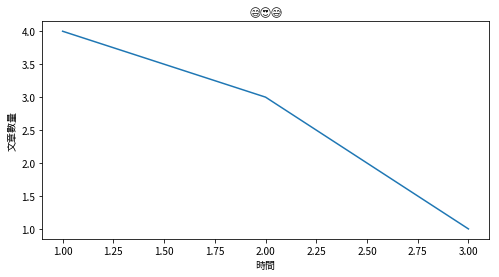
plt.plot((1,2,3),(4,3,1))
plt.title('😅😍😅',fontname='symbola')
plt.ylabel("文章數量")
plt.xlabel("時間")
plt.show()
Related Skills
node-connect
351.4kDiagnose OpenClaw node connection and pairing failures for Android, iOS, and macOS companion apps
frontend-design
110.7kCreate distinctive, production-grade frontend interfaces with high design quality. Use this skill when the user asks to build web components, pages, or applications. Generates creative, polished code that avoids generic AI aesthetics.
openai-whisper-api
351.4kTranscribe audio via OpenAI Audio Transcriptions API (Whisper).
qqbot-media
351.4kQQBot 富媒体收发能力。使用 <qqmedia> 标签,系统根据文件扩展名自动识别类型(图片/语音/视频/文件)。
