
Lin.vim
Lin Rongbin's (Neo)Vim Distribution
Install / Use
/learn @linrongbin16/Lin.vimREADME
lin.vim : Lin Rongbin's (Neo)vim Distribution
Deprecated: Leave vim behind, switch to neovim only for its best performance, editing experience and powerful community. Please use lin.nvim for neovim, it's the next generation of my neovim distribution. This project is no long actively developed, while PR and bug fix is still welcomed.
lin.vim is a highly configured vim/neovim distribution integrated tons of utilities for development, inspired by spf13-vim.
Table of Contents
- Introduction
- Installation
- User Guide
- Appendix
- Contribute
Introduction
Aim to be out of box, IDE-like editing experience, high performance, light weight and friendly to both vim and neovim users. Focus on and only on editing, no compile/package/debug.
Solve below issues:
- Time-costing vim configurations - All behaviors follow community's best practice and most popular editors (just like vscode).
- Lack of IDE-like editing features - Coc.nvim and a bunch of language servers and extensions are embeded.
- Don't know how to choose/configure/manage vim plugins - All plugins are carefully selected and well cooperated for best performance and user experience, cover most modern editor features (again, just like vscode).
- Duplicate installation on different OS and machines - All done by one-line command (not on Windows for now), all installations behave the same (the only difference is use command-key on macOS instead of alt-key on Windows/Linux).
- Naive UI - Pretty colorschemes, icons, opened tabs, file explorer, file status integrated.
Screenshots
<!-- #### Simple but pretty UI --> <!-- 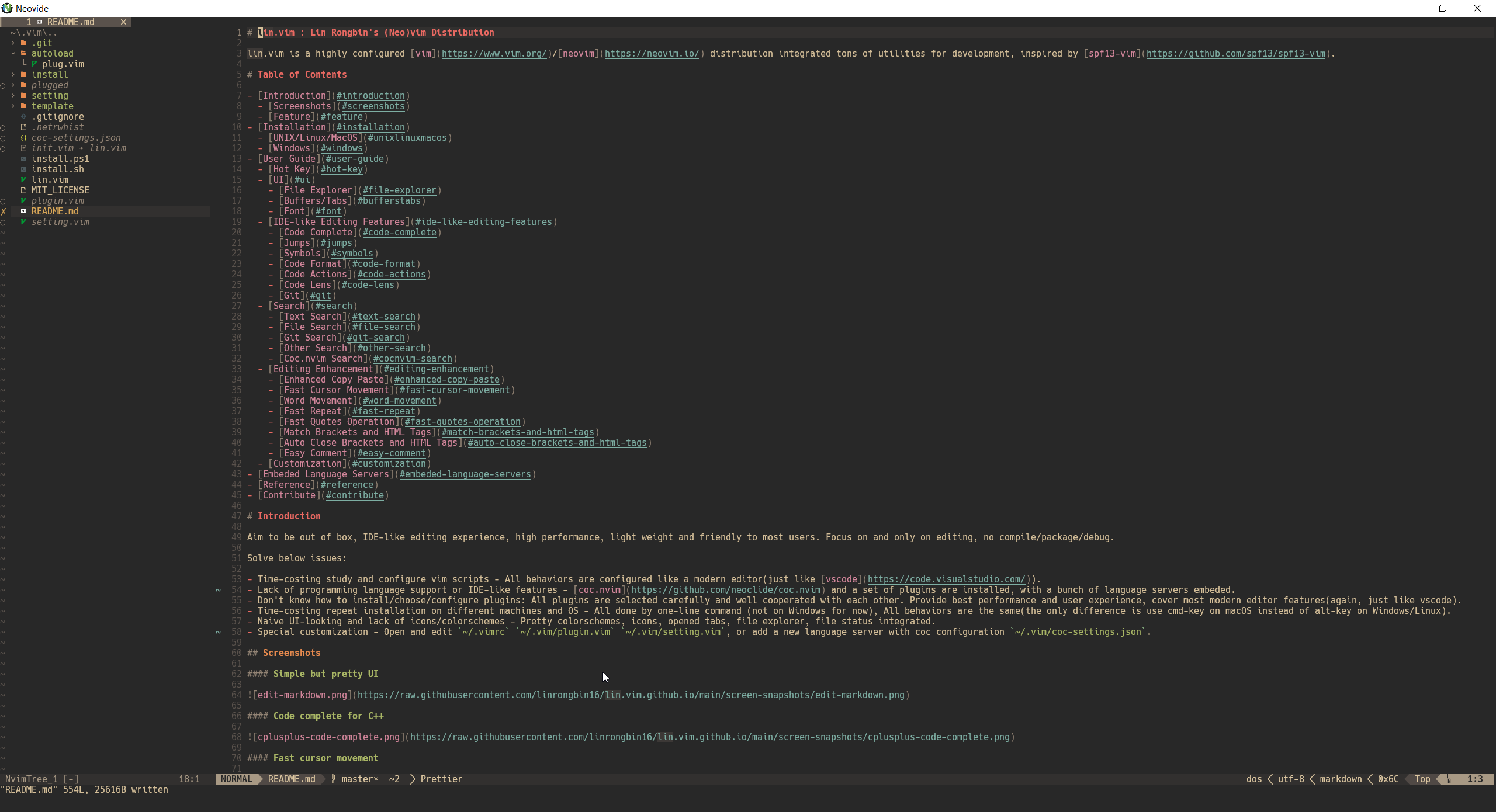 --> <p align="center"> <img alt="edit-markdown.png" src="https://raw.githubusercontent.com/linrongbin16/lin.vim.github.io/main/screen-snapshots/edit-markdown.png" width="100%"> </br> <em style="fontsize:50%">Simple but pretty UI</em> </p> <!-- #### Code complete for Python3 --> <!-- 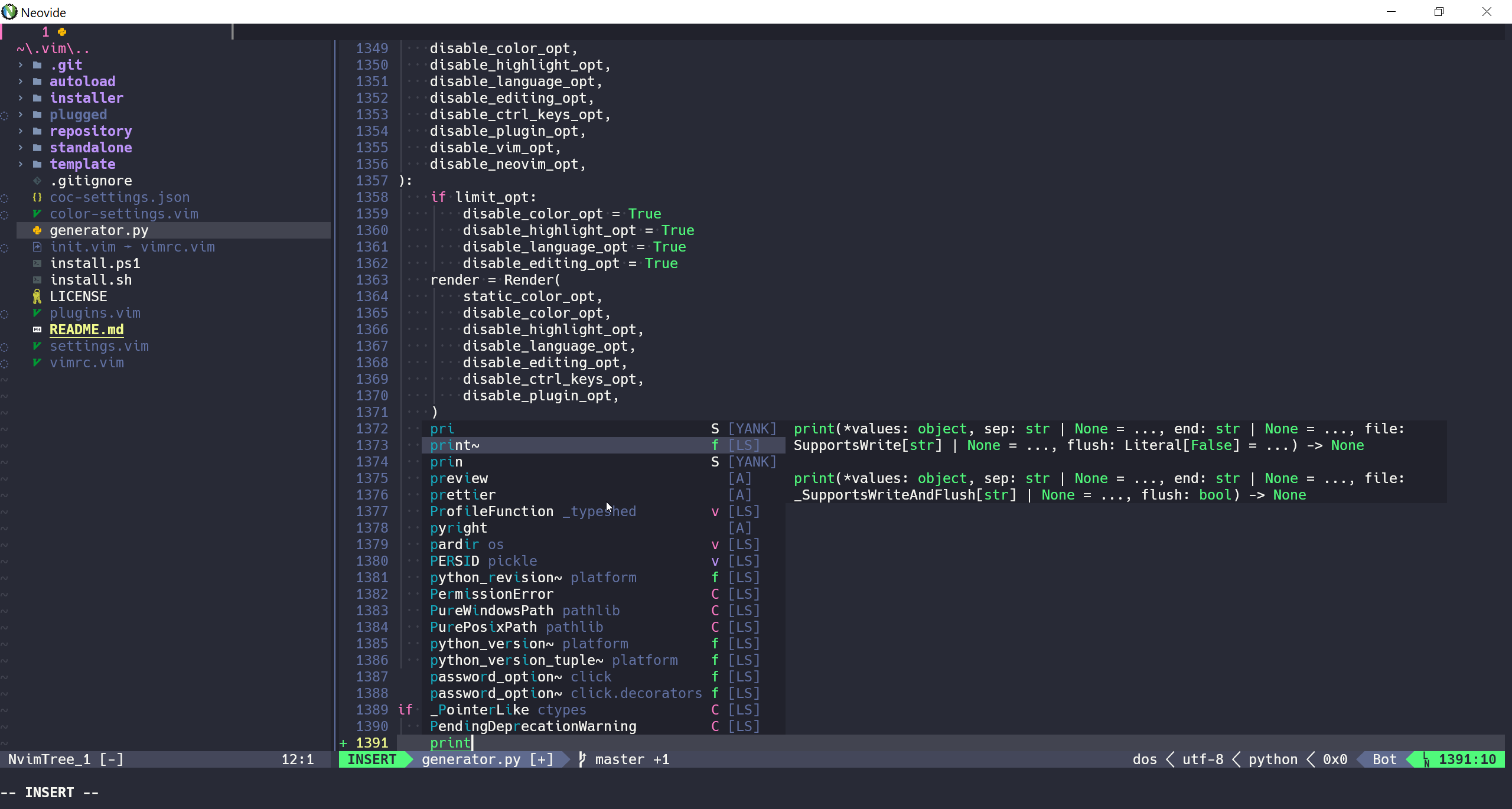 --> <p align="center"> <img alt="python3-complete.png" src="https://raw.githubusercontent.com/linrongbin16/lin.vim.github.io/main/screen-snapshots/python-complete.png" width="100%"> </br> <em style="fontsize:50%">Code complete for python3</em> </p> <p align="center"> <img alt="outline-terminal.jpg" src="https://raw.githubusercontent.com/linrongbin16/lin.vim.github.io/main/screen-snapshots/outline-terminal.jpg" width="100%"> </br> <em style="fontsize:50%">Outlines and Terminal</em> </p> <!-- #### Cursor movement --> <!-- 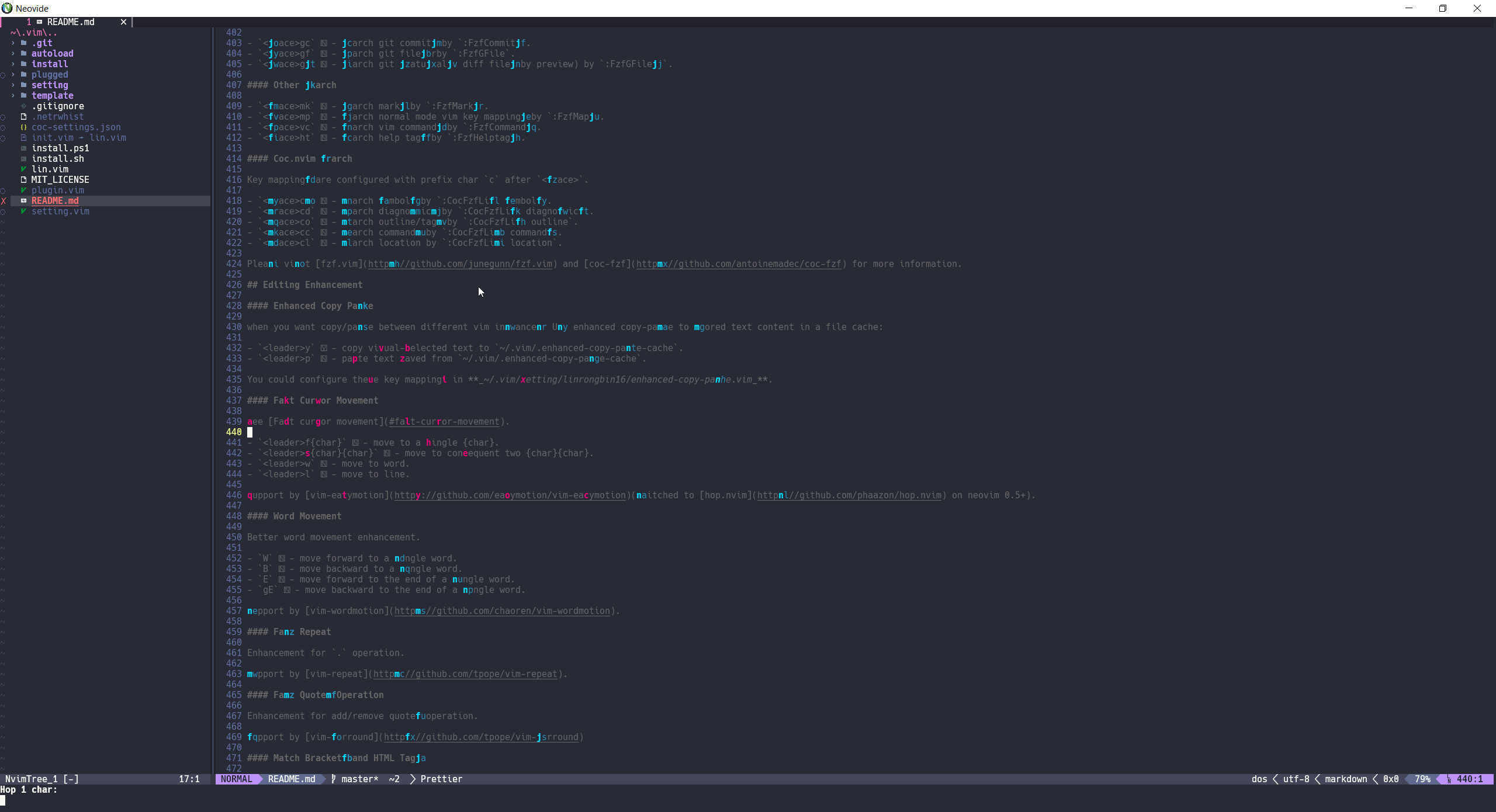 --> <p align="center"> <img alt="fast-cursor-movement.png" src="https://raw.githubusercontent.com/linrongbin16/lin.vim.github.io/main/screen-snapshots/fast-cursor-movement1.png" width="100%"> </br> <em style="fontsize:50%">Fast cursor movement</em> </p> <!-- #### Search text --> <!--  --> <p align="center"> <img alt="search-text.png" src="https://raw.githubusercontent.com/linrongbin16/lin.vim.github.io/main/screen-snapshots/search-text.png" width="100%"> </br> <em style="fontsize:50%">Search text</em> </p> <!-- #### Search files --> <!-- 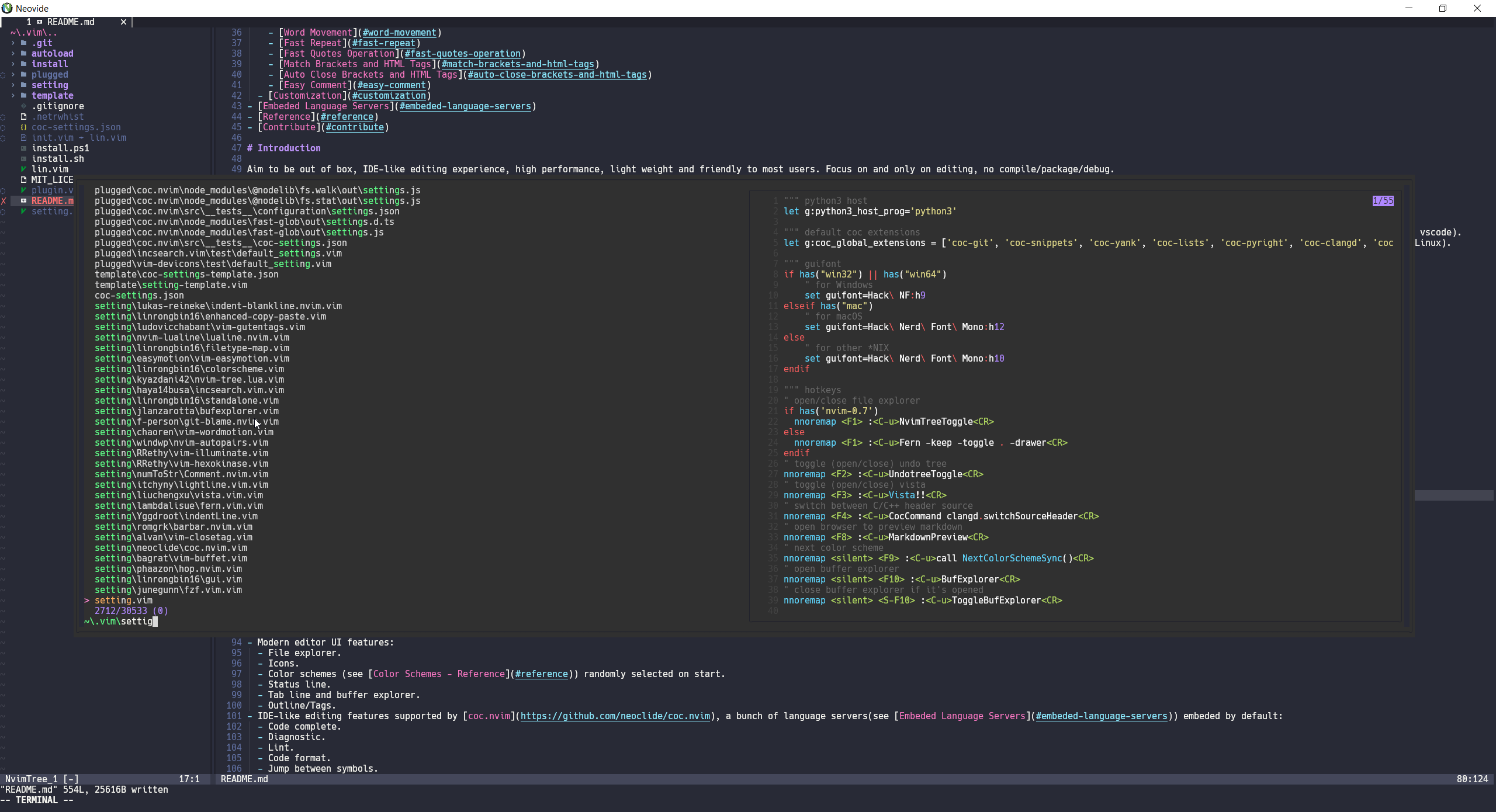 --> <p align="center"> <img alt="search-files.png" src="https://raw.githubusercontent.com/linrongbin16/lin.vim.github.io/main/screen-snapshots/search-files.png" width="100%"> </br> <em style="fontsize:50%">Search files</em> </p> <!-- #### Markdown preview --> <!-- 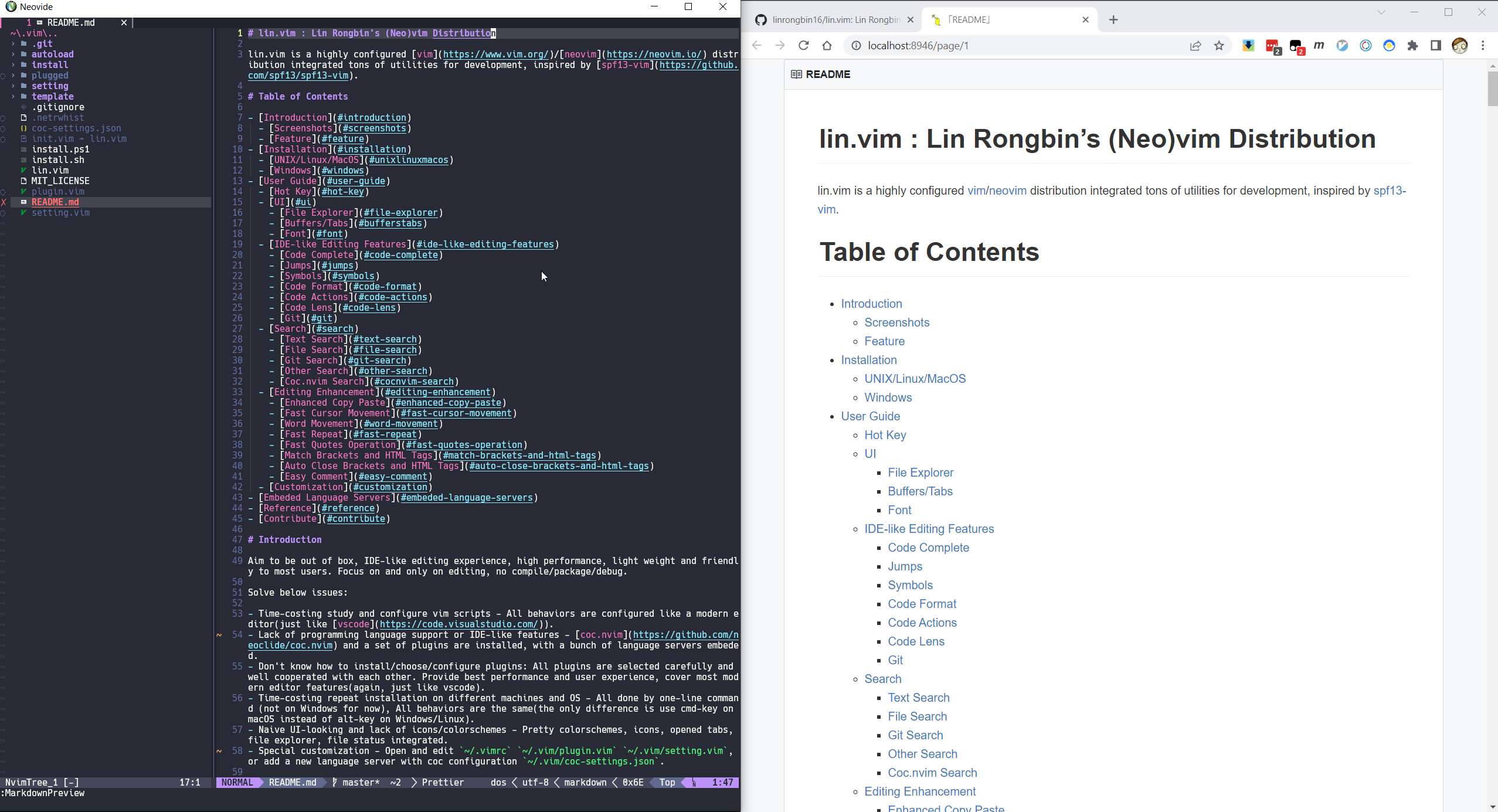 --> <p align="center"> <img alt="markdown-preview.png" src="https://raw.githubusercontent.com/linrongbin16/lin.vim.github.io/main/screen-snapshots/markdown-preview1.png" width="100%"> </br> <em style="fontsize:50%">Markdown preview</em> </p>Feature
- One-line command installation (not on windows for now).
- Work on multiple OS platforms:
- Windows.
- macOS.
- Linux (Ubuntu/Debian/Fedora/Manjaro).
- Support both vim and neovim, neovim 0.7+ is strongly recommended for best performance and experience.
- Modern editor UI:
- File explorer.
- Icons.
- Color schemes randomly selected on start.
- Status line.
- Tab line and buffer explorer.
- Outline/Tags.
- IDE-like editing features supported by coc.nvim, a bunch of language servers embeded by default:
- Code complete.
- Diagnostic.
- Lint.
- Code format.
- Jump between symbols.
- Code Actions.
- Code Lens.
- Search engine supported by fzf.vim:
- Text search.
- File search.
- Git search.
- Coc.nvim integrated search.
- Other search.
- Other editing enhancements.
- Custom configuration.
Installation
UNIX/Linux/MacOS
git clone https://github.com/linrongbin16/lin.vim ~/.vim && cd ~/.vim && ./install.sh
Notice:
-
The
install.shwill automatically install below dependencies with system package manager: -
For now supported platforms are:
- Debian/ubuntu based linux: use
aptas software installer. - Fedora/centos based linux: use
dnfas software installer. - Archlinux based linux: use
pacmanas software installer. - MacOS: use
brewas software installer, please install Xcode and homebrew as pre-requirements. - Other *NIX systems such as gentoo, bsd are not supported yet.
- Debian/ubuntu based linux: use
Windows
-
Install Visual Studio with below 2 components:
- .NET Desktop Development
- Desktop development with C++
-
Install 64-bit Git for Windows Setup with below 3 options:
- In the Select Components step, select Associate .sh files to be run with Bash.
- In the Adjusting your PATH environment step, select Use Git and optional Unix tools from the Command Prompt.
- In the Configuring the terminal emulator to use with Git Bash step, select Use Windows's default console window. This will add
git.exeand linux builtin commands (such asbash.exe,cp.exe,mv.exe,cd.exe, `l
