
Lhotse
Tools for handling multimodal data in machine learning projects.
Install / Use
/learn @lhotse-speech/LhotseREADME







Lhotse
Lhotse is a Python library aiming to make multimodal (speech, audio, video, image, text) data preparation flexible and accessible to a wider community. Alongside k2, it is a part of the next generation Kaldi speech processing library.
Tutorial presentations and materials
- (Interspeech 2023) Tutorial notebook
- (Interspeech 2023) Tutorial slides
- (Interspeech 2021) Recorded lecture (3h)
About
Main goals (updated for 2025)
- Scale to multimodal data pipelines including audio, text, image, and video modalities.
- Provide state-of-the-art dataloading algorithms such as dataset blending and efficient on-the-fly bucketing.
- Handle data randomization (or de-duplication) for distributed multi-node training.
- Attract a wider community to multimodal processing tasks with a Python-centric design.
- Provide standard data preparation recipes for commonly used corpora.
- Flexible data preparation for model training with the notion of audio/video cuts.
- Support for efficient sequential I/O data formats such as Lhotse Shar (similar to webdataset).
Tutorials
We offer the following tutorials available in examples directory:
- Basic complete Lhotse workflow
- Transforming data with Cuts
- WebDataset integration
- How to combine multiple datasets
- Lhotse Shar: storage format optimized for sequential I/O and modularity
- Image and Video Support in Lhotse
Examples of use
Check out the following links to see how Lhotse is being put to use:
- Icefall recipes: where k2 and Lhotse meet.
- Minimal ESPnet+Lhotse example:
Main ideas
Like Kaldi, Lhotse provides standard data preparation recipes, but extends that with a seamless PyTorch integration through task-specific Dataset classes. The data and meta-data are represented in human-readable text manifests and exposed to the user through convenient Python classes.
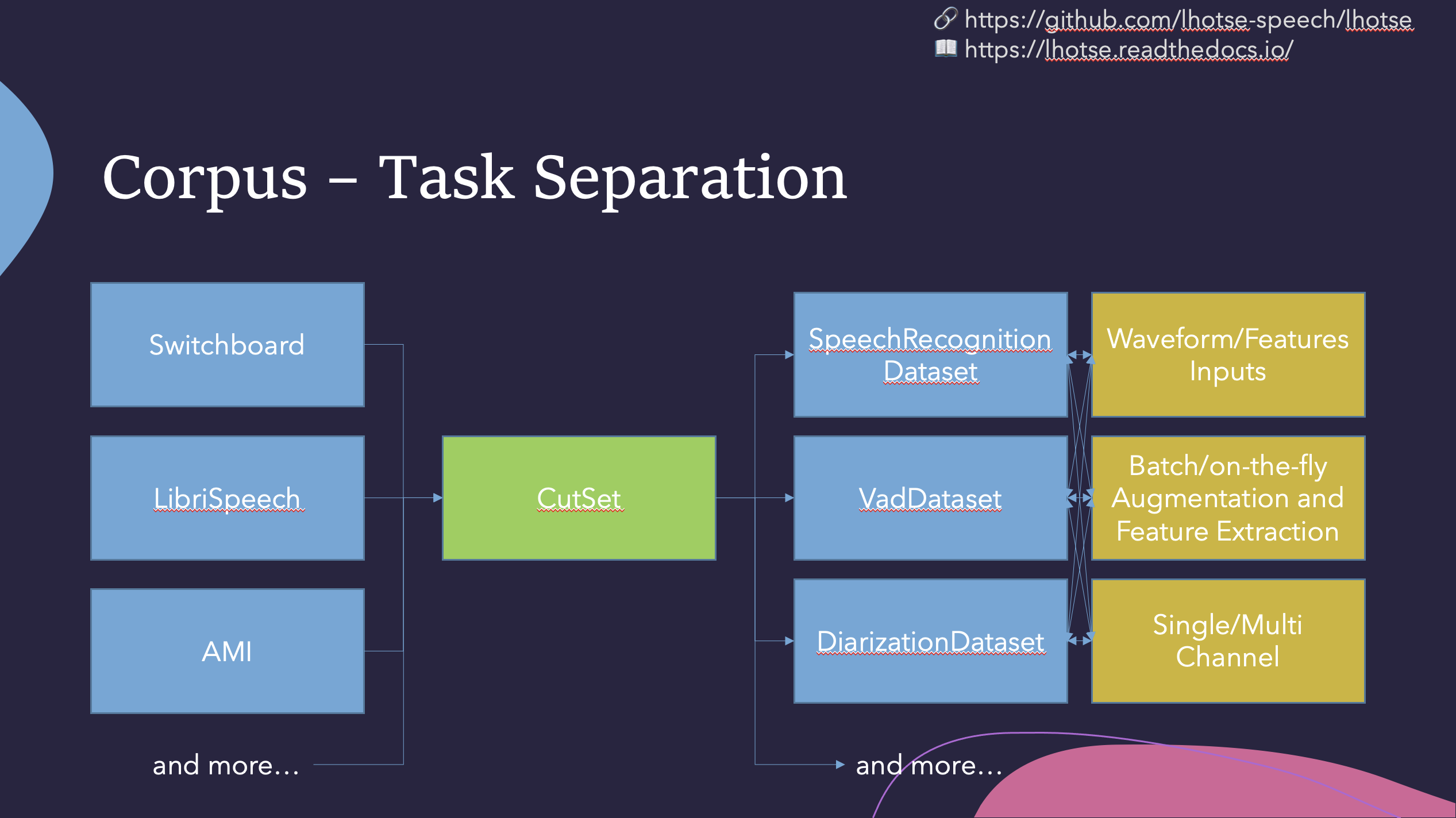
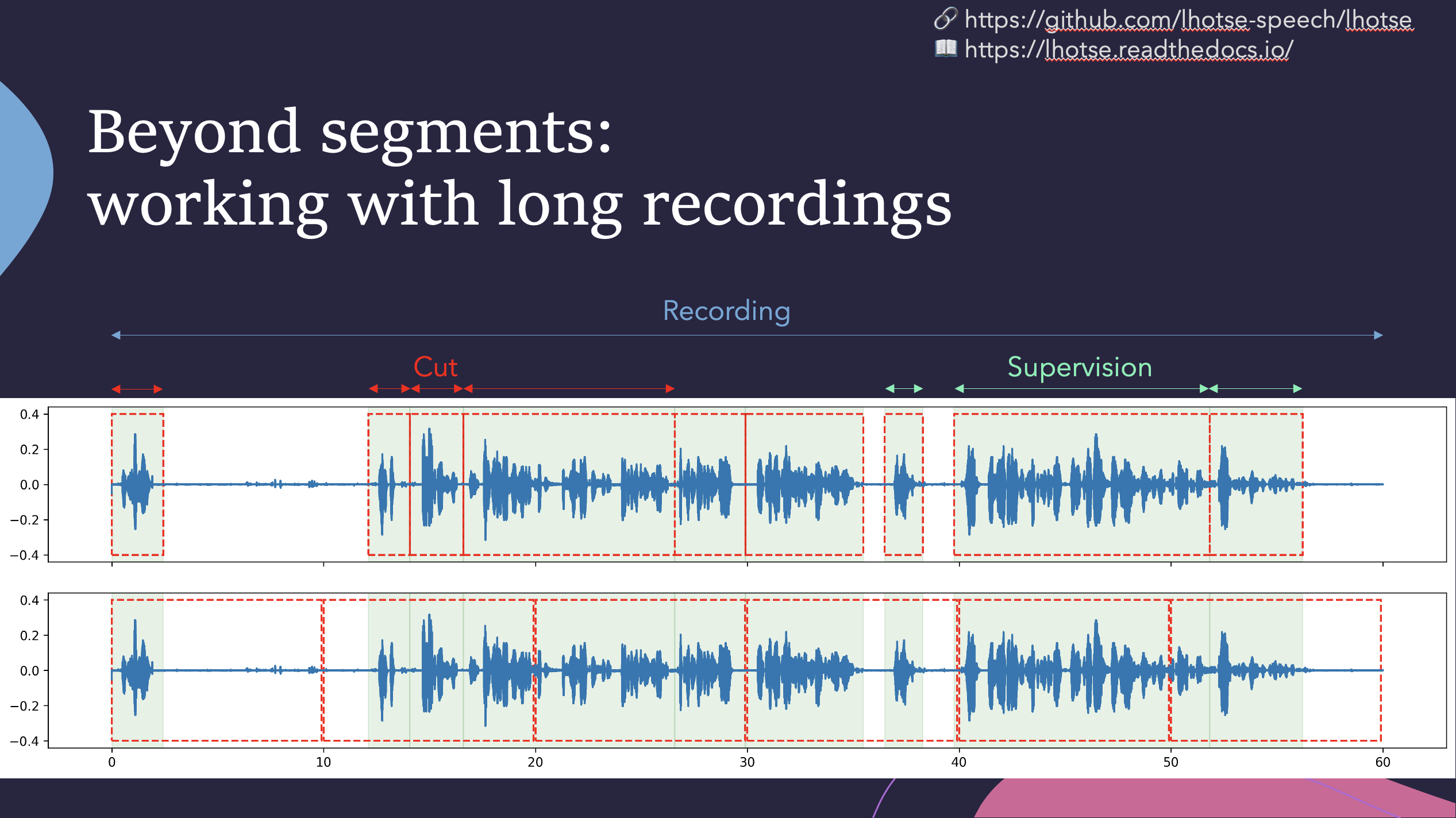
Lhotse introduces the notion of audio cuts, designed to ease the training data construction with operations such as mixing, truncation and padding that are performed on-the-fly to minimize the amount of storage required. Data augmentation and feature extraction are supported both in pre-computed mode, with feature matrices stored on disk (optionally using lilcom-compressed backends for better storage efficiency), and on-the-fly mode that computes the transformations upon request. Additionally, Lhotse introduces feature-space cut mixing to make the best of both worlds.
Installation
Lhotse supports Python version 3.7 and later.
Pip
Lhotse is available on PyPI:
pip install lhotse
To install the latest, unreleased version, do:
pip install git+https://github.com/lhotse-speech/lhotse
Development installation
For development installation, you can fork/clone the GitHub repo and install with pip:
git clone https://github.com/lhotse-speech/lhotse
cd lhotse
pip install -e '.[dev]'
pre-commit install  # installs pre-commit hooks with style checks

# Running unit tests
pytest test

# Running linter checks
pre-commit run
This is an editable installation (-e option), meaning that your changes to the source code are automatically
reflected when importing lhotse (no re-install needed). The [dev] part means you're installing extra dependencies
that are used to run tests, build documentation or launch jupyter notebooks.
Environment variables
Lhotse uses several environment variables to customize it's behavior. They are as follows:
LHOTSE_REQUIRE_TORCHAUDIO- when it's set and not any of1|True|true|yes, we'll not check for torchaudio being installed and remove it from the requirements. It will disable many functionalities of Lhotse but the basic capabilities will remain (including reading audio withsoundfile).LHOTSE_AUDIO_DURATION_MISMATCH_TOLERANCE- used when we load audio from a file and receive a different number of samples than declared inRecording.num_samples. This is sometimes necessary because different codecs (or even different versions of the same codec) may use different padding when decoding compressed audio. Typically values up to 0.1, or even 0.3 (second) are still reasonable, and anything beyond that indicates a serious issue.LHOTSE_AUDIO_BACKEND- may be set to any of the values returned from CLIlhotse list-audio-backendsto override the default behavior of trial-and-error and always use a specific audio backend.LHOTSE_IO_BACKEND- may be set to any of the values returned from CLIlhotse list-io-backendsto override how Lhotse opens paths, URLs, and URIs viaopen_best()(for example when reading manifests or URL-backedAudioSources). The same list is also available in Python vialhotse.available_io_backends().LHOTSE_RESAMPLING_BACKEND- may be set to any of the value returned from CLIlhotse list-resampling-backendsto override the default behaviour.LHOTSE_FEATURES_STORAGE_BACKEND- may be set to any valid feature storage backend name (e.g.numpy_files,lilcom_chunky) to override the default feature storage backend (which isnumpy_files). Uselhotse.available_storage_backends()to inspect the currently usable choices, orlhotse.storage_backend_statuses()/ CLIlhotse list-storage-backendsfor a full list that also marks unavailable backends with install hints. If you havelilcominstalled and want smaller feature archives,lilcom_chunkyis the preferred choice.LHOTSE_AUDIO_LOADING_EXCEPTION_VERBOSE- when set to1we'll emit full exception stack traces when every available audio backend fails to load a given file (they might be very large).LHOTSE_DILL_ENABLED- when it's set to1|True|true|yes, we will enabledill-based serialization ofCutSetandSampleracross processes (it's disabled by default even whendillis installed).LHOTSE_LEGACY_OPUS_LOADING- (=1) reverts to a legacy OPUS loading mechanism that triggered a new ffmpeg subprocess for each OPUS file.LHOTSE_PREPARING_RELEASE- used internally by developers when releasing a new version of Lhotse.TORCHAUDIO_USE_BACKEND_DISPATCHER- when set to1and torchaudio version is below 2.1, we'll enable the experimental ffmpeg backend of torchaudio.AIS_ENDPOINTis read by AIStore client to determine AIStore endpoint URL. Required for AIStore dataloading.AIS_CONNECT_TIMEOUT- used by AIStore SDK to set the connection timeout (in seconds) for AIStore client requests. Set to0to disable (no timeout). If not set, the SDK default is used (3s).AIS_READ_TIMEOUT- used by AIStore SDK to set the read timeout (in seconds) for AIStore client requests. Set to0to disable (no timeout). If not set, the SDK default is used (20s).
