
Mixmotion
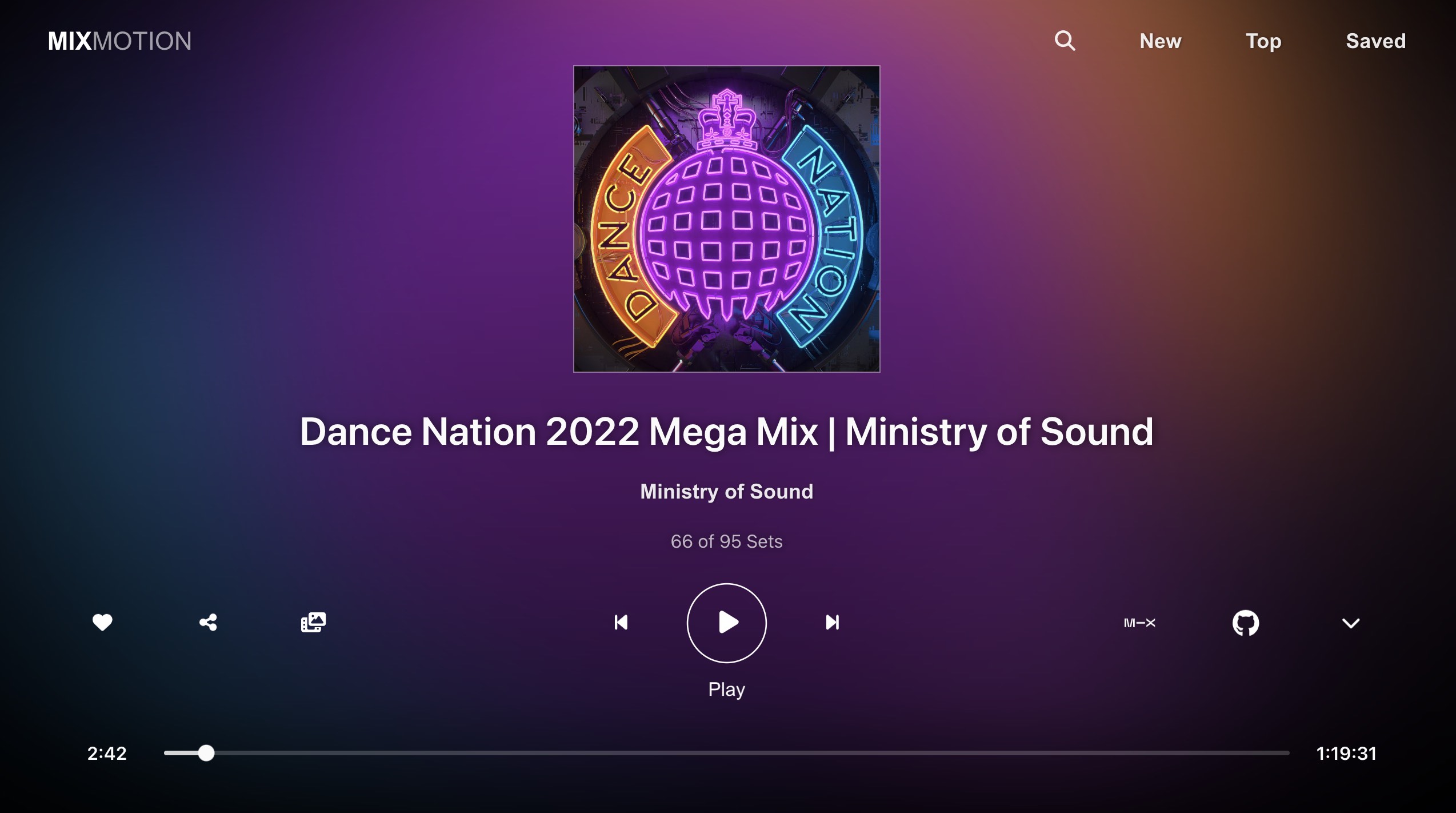
An immersive music player with fullscreen visual effects. This React component offers versatile access to Mixcloud audio, combined with dynamic background graphics. Designed for mobile, web and TV, it supports touch, cursor & arrow key navigation. Try the free app: https://lewhunt.github.io/mixmotion/
Install / Use
/learn @lewhunt/MixmotionREADME
How to use
For casual users who just want to discover some new music with fullscreen visuals, hit the image above or link below to launch the Mixmotion web app on your mobile, desktop or TV device.
:point_right: Try out the App :point_left:
https://lewhunt.github.io/mixmotion
On playback, you'll enter an immersive lean-back mode, with the ability to toggle on/off a vast selection of dynamic background visuals. Below is a quick video of the app transitioning between playback modes:
https://github.com/lewhunt/mixmotion/assets/9886284/95a2116f-5e4c-47fc-af65-6e65a53a0048
More screenshots and videos at the end of this doc.
<hr>Installation
Developers can also install Mixmotion Player as an open source component to use in React apps. Quickest install method is via the npm i command below. Alternatively, integrate it manually by grabbing the lib folder in this repo along with the associated dependencies.
npm install mixmotion-player
Basic Usage
Import the player and render MixmotionPlayer in your own app with a Mixcloud URL. It will use default settings for the other non declared props.
import { useEffect, useState } from "react";
import { MixmotionPlayer } from "mixmotion-player";

function Demo() {
  const [url, setUrl] = useState("");

  useEffect(() => {
    setUrl("https://www.mixcloud.com/discover/trance/?order=latest");
  }, []);

  return <MixmotionPlayer url={url} />;
}

export default Demo;
Advanced Usage
The <a href='https://github.com/lewhunt/mixmotion/blob/main/src/DemoAdvanced.tsx'>advanced demo</a> and official <a href='https://lewhunt.github.io/mixmotion/'>web app</a> illustrate how the component can be customised further. Props are specified for custom buttons, video backgrounds and local data (saved items). A complete list of props are detailed further down this page.
<MixmotionPlayer
  url={url}
  showsData={getSavedData}
  customButtons={customButtons}
  backdropVideoList={backdropVideoList}
  enableBackdropVideo={true}
></MixmotionPlayer>
Why Another Music Player?
There are plenty of web players and widgets already available from the likes of Soundcloud and Mixcloud that you can integrate into your app.
Mixmotion offers something different; an immersive, full-screen playback experience with unique visual effects, while still providing free access to Mixcloud's vast music catalogue.
What Sets It Apart?
- <b>Mixcloud Integration</b>: Simple yet versatile access to Mixcloud content that goes beyond their official widget. Access playlists, user sets, genres, tags and individual shows, with the ability to privately save favourites via local storage and share mixes.
- <b>Dynamic Visuals</b>: Artwork combined with canvas effects and video motion backgrounds generate a captivating blend of imagery within a rich, immersive music player.
- <b>Broad Device Support</b>: Designed for mobile, desktop and TV devices. Touch, cursor and arrow-key navigation help make the user experience smooth across platforms.
- <b>Future Considerations</b>: Integration with local file paths, audio streams and other music services like Soundcloud. Real-time audio visualizations and beat detection are also being considered.
How Does It Work?
Under the hood, the component is built on top of the official <a href="https://www.mixcloud.com/developers/" target="_blank">Mixcloud API</a> and <a href="https://www.mixcloud.com/developers/widget/" target="_blank">Mixcloud Widget</a>.
It also utilises another custom component of mine - Dynamic Backdrop - to create a blend of videos layered with css and canvas animation effects. Videos are given random 'blend modes' so they merge with the canvas background to give various colour effects.
<hr>Props
| Prop | Description | Default |
| --------------------- | ----------------------------------------------------------------------------------------------------------------------------------------------------------------------------------------------------------------------- | ------- |
| url | The Mixcloud URL of the content to play <br />◦ Most URLs are supported such as playlists, users, genres, tags and individual shows/sets <br />◦ This can be a full URL or a partial Mixcloud key | null |
| showsData | An array of locally stored shows data that can be used instead of a URL. <br />◦ The app utilises this for local-storage saved shows. | null |
| backdropVideoList | A string array of background video URLs which appear in a random sequence during playback mode when there is no user activity | null |
| enableBackdropVideo | Set to true to show the above background videos when there is no user activity. <br />◦ The video toggle button in the UI (and local storage flag) will override this | false |
| enableUserLink | Set to true to turn the user/artist sub-title into a react-router link. (used in the deployed app) | false |
| collapsed | Set to true to minimise the player metadata and controls, in order to make space for other content. <br />◦ Used in the app for home and search page content. | false |
| activityTimeout | Override the timeout period of user inactivity, which then triggers an 'innactive mode' during playback to show full dynamic visuals <br/>◦ Used in the app to provide longer timeout periods in home and search pages. | 4000 |
| showWidget | Display the official Mixcloud widget at bottom of page - with its own controls and progress bar - instead of the custom progress bar. <br />◦ The official widget does not support arrow-key navigation for TV devices. | false |
| width | Override the width of the player. <br/>◦ Note: full-screen is the intended user experience, with content layered over <br/>◦ You may need to modify the CSS if you override width | 100% |
| height | Override the height of the player. <br/>◦ Note: full-screen is the intended user experience, with content layered over <br/>◦ You may need to modify the CSS if you override height | 100% |
| customButtons | Specify a collection of custom buttons for the player UI <br /> ◦ A set of default buttons will be used if none are specified. | null |
| autoplay | Set to false to disable the attempt to auto-play content | true |
| withExclusives | Set to true to include exclusive content from the Mixcloud API. <br />◦ Note: exclusive content is unlikely to play without further development to support Mixcloud user sign-in authentication | false |
| listIndex | Set the initial media index number if you have multiple shows/sets in the requested URL or local showData array | 0 |
| style | add inline CSS styles to the player | null |
Callback Props
Callback props get fired on various player events, so you can take further actions when they occur:
| Prop | Description |
| ------------- | ---------------------------------------------------------------------- |
| onReady | Called when media is loaded and ready to play |
| onPlay | Called when media starts or resumes playing after pausing or buffering |
| onPause | Called when media is paused |
| onBuffering | Called when media starts buffering |
| onEnded | Called when media finishes playing<br />  |
| onError | Called when an error occurs whilst attempting to play media |
Custom Buttons
As illustrated in the advanced demo, the player can be
Related Skills
bluebubbles
347.0kUse when you need to send or manage iMessages via BlueBubbles (recommended iMessage integration). Calls go through the generic message tool with channel="bluebubbles".
slack
347.0kUse when you need to control Slack from OpenClaw via the slack tool, including reacting to messages or pinning/unpinning items in Slack channels or DMs.
frontend-design
107.8kCreate distinctive, production-grade frontend interfaces with high design quality. Use this skill when the user asks to build web components, pages, or applications. Generates creative, polished code that avoids generic AI aesthetics.
Writing Hookify Rules
107.8kThis skill should be used when the user asks to "create a hookify rule", "write a hook rule", "configure hookify", "add a hookify rule", or needs guidance on hookify rule syntax and patterns.
