
AgentSkillsManager
AgentSkills multi-IDE management extension: browse and install skill repositories for Antigravity, CodeBuddy, Cursor, Qoder, Trae, Windsurf (and VS Code), and search a cloud catalog (~58K skills) from https://claude-plugins.dev/.
Install / Use
/learn @lasoons/AgentSkillsManagerQuality Score
Category
Development & EngineeringSupported Platforms
README
Agent Skills Manager
AgentSkills multi-IDE management extension: browse and install skill repositories for Antigravity, CodeBuddy, Cursor, Qoder, Trae, Windsurf (and VS Code), and search a cloud catalog (~58K skills) from https://claude-plugins.dev/.
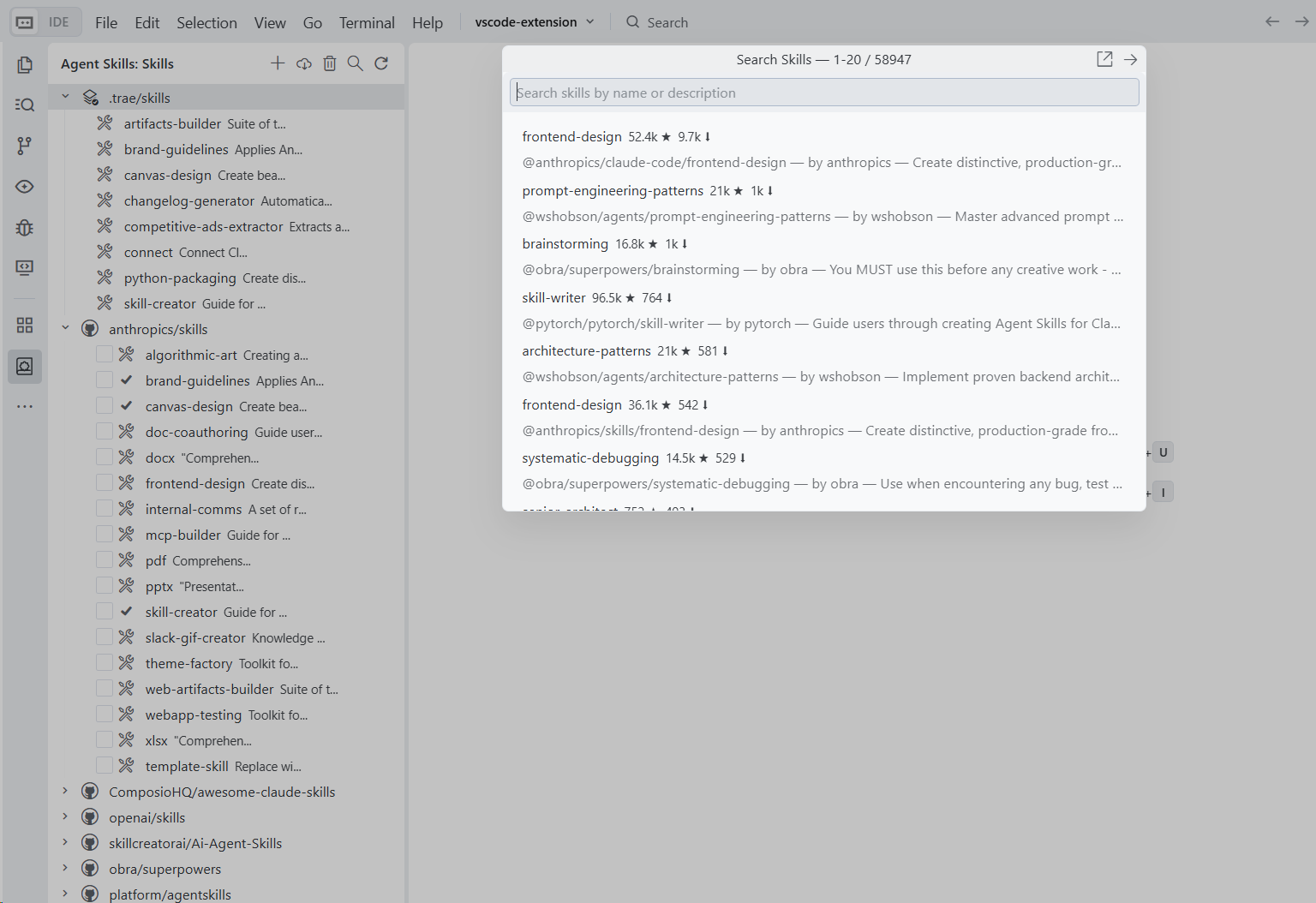
Features
- Repository Management: Add, remove, and switch branches of skill repositories
- Skill Installation: Install skills into the active IDE skills directory
- Cloud Skills Search (~58K): Search the cloud catalog from https://claude-plugins.dev/ and install with one click/Enter
- Multi-IDE Support: Works with VSCode, Cursor, Trae, Antigravity, Qoder, Windsurf, and CodeBuddy
- Active Skills Directory: The local skills group shows which directory is active
Usage
- Open the Agent Skills panel in the Activity Bar

- Click + to add a skill repository (e.g.,
https://github.com/anthropics/skills) - Expand the repository to browse available skills
- Check the skills you want, then click Install
- Click the search icon to search cloud skills, then press Enter (or click Install) to download and install
Skill Collections
Preset repositories bundled by default:
| Repository | Description | |------------|-------------| | anthropics/skills | Official Anthropic skills collection | | openai/skills | Official OpenAI skills catalog | | skillcreatorai/Ai-Agent-Skills | Community skills collection | | obra/superpowers | Superpowers skill collection | | ComposioHQ/awesome-claude-skills | Curated awesome-claude-skills collection |
For more repositories, see heilcheng/awesome-agent-skills.
Configuration
Skills are installed to the active skills directory in your workspace:
- VSCode:
.github/skills - Cursor:
.cursor/skills - Trae:
.trae/skills - Antigravity:
.agent/skills - Qoder:
.qoder/skills - Windsurf:
.windsurf/skills - CodeBuddy:
.codebuddy/skills
The extension also scans skills in hidden directories inside repositories (for example .curated, .experimental).
License
MIT
