
RNParallax
A react native scroll view component with Parallax header :p
Install / Use
/learn @kyaroru/RNParallaxREADME
RNParallax (react-native-parallax-header)



- A react native scroll view component with Parallax header :p
- Inspired by GitHub - jaysoo/react-native-parallax-scroll-view
- Code is based on React Native ScrollView animated header – App & Flow – Medium and added little customisation :p
Installation
$ npm i react-native-parallax-header --save
Demo
iPhone X or XS (Using alwaysShowTitle={false} & alwaysShowNavBar={false})
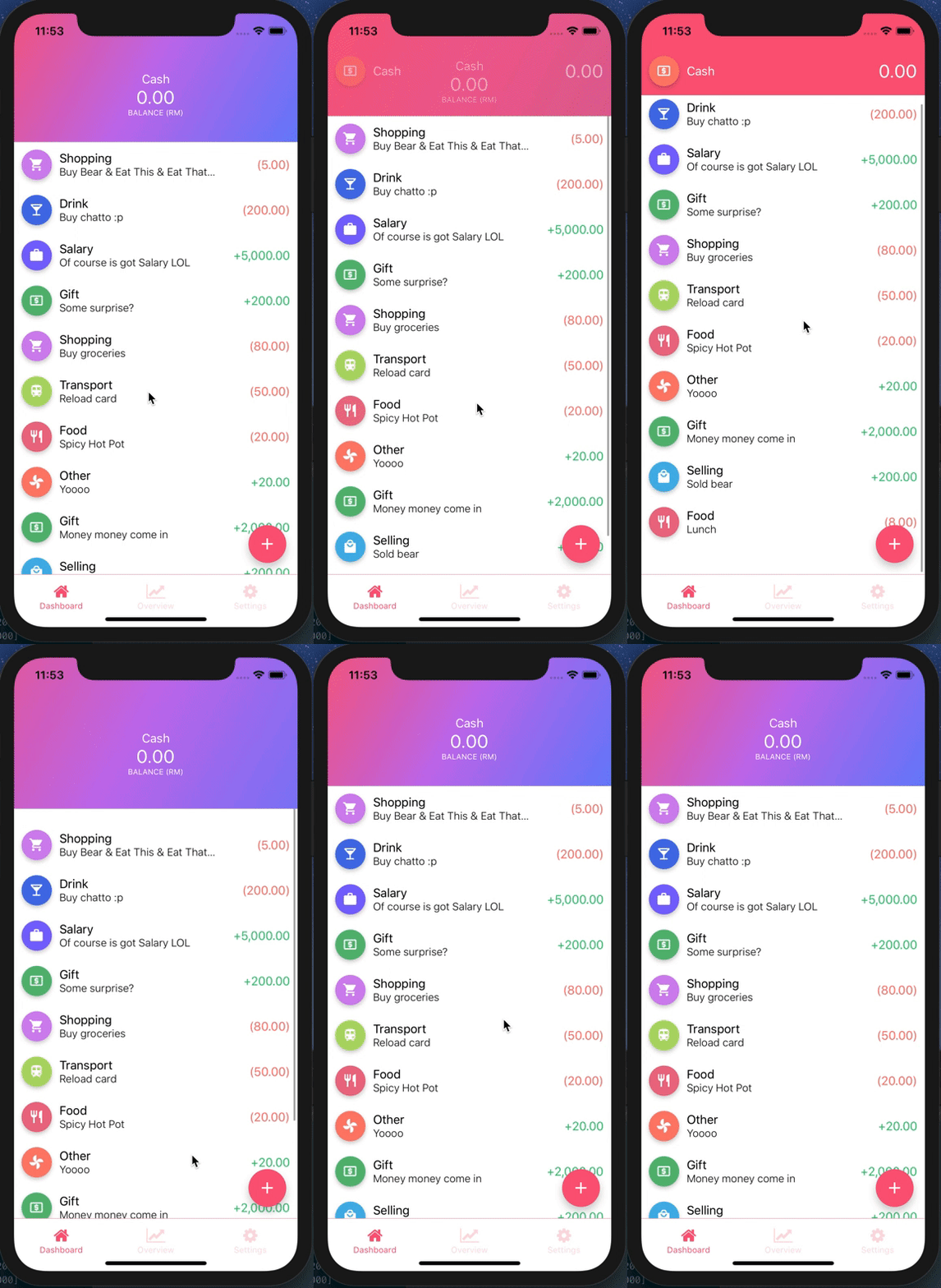
iPhone X or XS
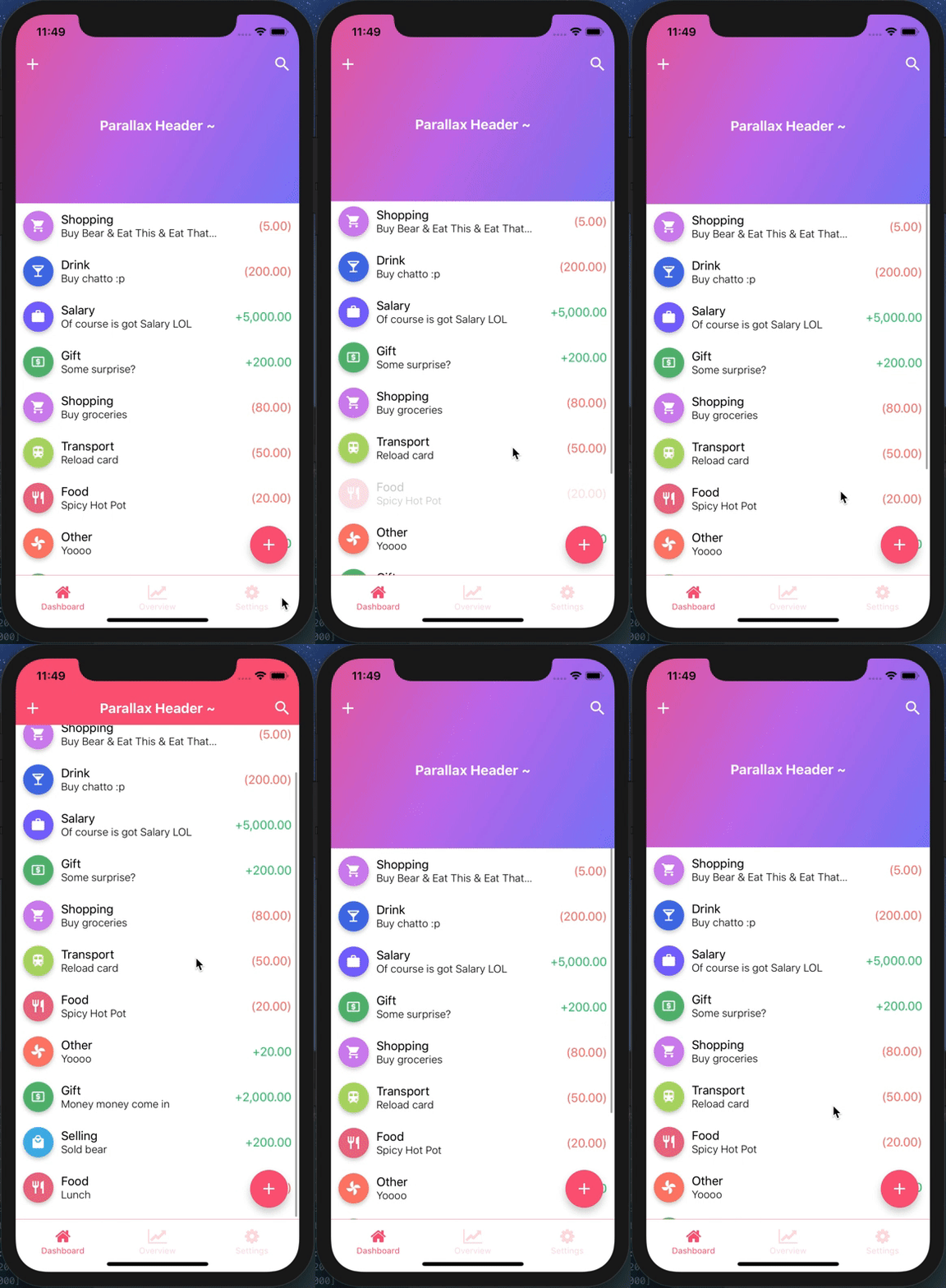
iPhone 8
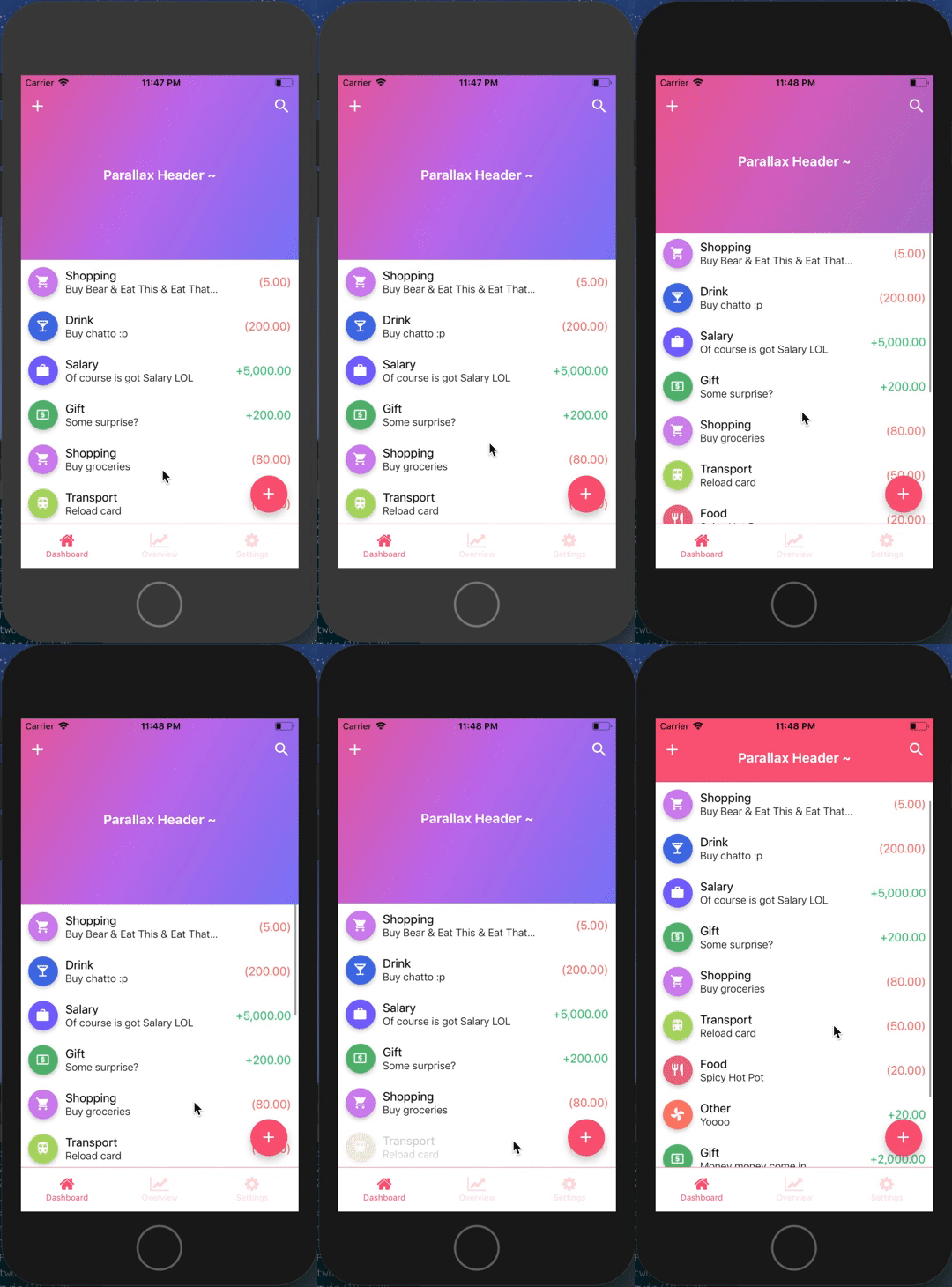
Example
Refer to TestParallax for working example
import React from 'react';
import {
  StyleSheet,
  View,
  Text,
  StatusBar,
  Dimensions,
  TouchableOpacity,
} from 'react-native';
import ReactNativeParallaxHeader from 'react-native-parallax-header';

const {height: SCREEN_HEIGHT} = Dimensions.get('window');

const IS_IPHONE_X = SCREEN_HEIGHT === 812 || SCREEN_HEIGHT === 896;
const STATUS_BAR_HEIGHT = Platform.OS === 'ios' ? (IS_IPHONE_X ? 44 : 20) : 0;
const HEADER_HEIGHT = Platform.OS === 'ios' ? (IS_IPHONE_X ? 88 : 64) : 64;
const NAV_BAR_HEIGHT = HEADER_HEIGHT - STATUS_BAR_HEIGHT;

const renderNavBar = () => (
  <View style={styles.navContainer}>
    <View style={styles.statusBar} />
    <View style={styles.navBar}>
      <TouchableOpacity style={styles.iconLeft} onPress={() => {}}>
        <Text style={{color: 'white'}}>About</Text>
      </TouchableOpacity>
      <TouchableOpacity style={styles.iconRight} onPress={() => {}}>
        <Text style={{color: 'white'}}>Me</Text>
      </TouchableOpacity>
    </View>
  </View>
);

const renderContent = () => {
  return (
    <View style={styles.body}>
      {Array.from(Array(30).keys()).map((i) => (
        <View
          key={i}
          style={{padding: 15, alignItems: 'center', justifyContent: 'center'}}>
          <Text>Item {i + 1}</Text>
        </View>
      ))}
    </View>
  );
};

const title = () => {
  return (
    <View style={styles.body}>
      <Text style={{color: 'white', fontSize: 25}}>Parallax Header</Text>
    </View>
  );
};

const App = () => {
  return (
    <>
      <StatusBar barStyle="dark-content" />
      <ReactNativeParallaxHeader
        headerMinHeight={HEADER_HEIGHT}
        headerMaxHeight={250}
        extraScrollHeight={20}
        navbarColor="#3498db"
        titleStyle={styles.titleStyle}
        title={title()}
        backgroundImage={require('./bg.png')}
        backgroundImageScale={1.2}
        renderNavBar={renderNavBar}
        renderContent={renderContent}
        containerStyle={styles.container}
        contentContainerStyle={styles.contentContainer}
        innerContainerStyle={styles.container}
        scrollViewProps={{
          onScrollBeginDrag: () => console.log('onScrollBeginDrag'),
          onScrollEndDrag: () => console.log('onScrollEndDrag'),
        }}
      />
    </>
  );
};

const styles = StyleSheet.create({
  container: {
    flex: 1,
  },
  contentContainer: {
    flexGrow: 1,
  },
  navContainer: {
    height: HEADER_HEIGHT,
    marginHorizontal: 10,
  },
  statusBar: {
    height: STATUS_BAR_HEIGHT,
    backgroundColor: 'transparent',
  },
  navBar: {
    height: NAV_BAR_HEIGHT,
    justifyContent: 'space-between',
    alignItems: 'center',
    flexDirection: 'row',
    backgroundColor: 'transparent',
  },
  titleStyle: {
    color: 'white',
    fontWeight: 'bold',
    fontSize: 18,
  },
});

export default App;
API Usage
| Property | Type | Required | Description | Default |
| -------- | ---- | -------- | ----------- | ------- |
| renderNavBar | func | No | This renders the nav bar component | Empty <View /> |
| renderContent | func | YES | This renders the scroll view content | - |
| headerMaxHeight | number | No | This is the header maximum height | Default to 170 |
| headerMinHeight | number | No | This is the header minimum height | Default to common ios & android navbar height (have support for iPhone X too :p) |
| backgroundImage | image source | No | This renders the background image of the header (if specified, background color will not take effect) | Default to null |
| backgroundImageScale | number | No | This is the image scale - either enlarge or shrink (after scrolling to bottom & exceed the headerMaxHeight) | Default is 1.5 |
| backgroundColor | string | No | This is the color of the parallax background (before scrolling up), will not be used if backgroundImage is specified | Default color is #303F9F |
| extraScrollHeight | number | No | This is the extra scroll height (after scrolling to bottom & exceed the headerMaxHeight) | Default is 30 |
| navbarColor | string | No | This is the background color of the navbar (after scroll up) | Default color is #3498db |
| statusBarColor | string | No | This is the status bar color (for android) navBarColor will be used if no statusBarColor is passed in | Default to null |
| title | any | No | This is the title to be display in the header, can be string or component | Default to null |
| titleStyle | style | No | This is the title style to override default font size/color | Default to color: ‘white’ text and fontSize: 16 |
| headerTitleStyle | style | No | This is the header title animated view style to override default <Animated.View> style | Default to null |
| scrollEventThrottle | number | No | This is the scroll event throttle | Default is 16 |
| contentContainerStyle | style | No | This is the contentContainerStyle style to override default <ScrollView> contentContainerStyle style | Default to null |
| containerStyle | style | No | This is the style to override default outermost <View> style | Default to null |
| scrollViewStyle | style | No | This is the scrollview style to override default <ScrollView> style | Default to null |
| innerContainerStyle | style | No | This is the inner content style to override default <View> style inside <ScrollView> component | Default to null |
| alwaysShowTitle | bool | No | This is to determine whether show or hide the title after scroll | Default to true |
| alwaysShowNavBar | bool | No | This is to determine whether show or hide the navBar before scroll | Default to true |
| scrollViewProps | object | No | This is to override default scroll view properties | Default to {} |
Related Skills
node-connect
346.4kDiagnose OpenClaw node connection and pairing failures for Android, iOS, and macOS companion apps
frontend-design
107.2kCreate distinctive, production-grade frontend interfaces with high design quality. Use this skill when the user asks to build web components, pages, or applications. Generates creative, polished code that avoids generic AI aesthetics.
openai-whisper-api
346.4kTranscribe audio via OpenAI Audio Transcriptions API (Whisper).
qqbot-media
346.4kQQBot 富媒体收发能力。使用 <qqmedia> 标签,系统根据文件扩展名自动识别类型(图片/语音/视频/文件)。
