
Awsu
Enhanced account switching for AWS, supports Yubikey as MFA source
Install / Use
/learn @kreuzwerker/AwsuREADME
Amazon Web Services Switch User (awsu)



awsu provides a convenient integration of AWS virtual MFA devices into commandline based workflows. It does use Yubikeys to provide the underlying TOTP one-time passwords but does not rely on additional external infrastructure such as e.g. federation.
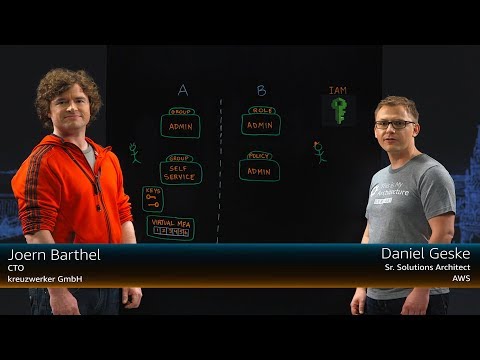
There is also a high-level video overview from This Is My Architecture Munich:
[ Installation | Usage | Configuration | Caching | Commands | General multifactor considerations ]
Installation
Production-ready Mac releases can be installed e.g.through brew via kreuzwerker/homebrew-taps:
brew tap kreuzwerker/taps && brew install kreuzwerker/taps/awsu
Linux is only available for download from the release tab. No Windows builds are provided at the moment.
Prequisites
awsu relies on shared credentials files (the same configuration files that other tools such as e.g. the AWS commandline utilities are also using) being configured. The profiles are used to determine
- which IAM long-term credentials (access key pairs) are going to be used
- if a / which virtual MFA device is going to be used
- if a / which IAM role is going be used
In contrast to the official AWS CLI awsu also supports putting an mfa_serial key into a profile which contains long-term credentials (instead of a role). In this case a virtual MFA device is always used when using the long-term credential profile in question.
Usage
An abstract overview of the usage workflow of awsu looks like this:
- You ensure you fulfill the prerequisites above
- You start using
awsuby using theregistercommand: this will create a virtual MFA device on AWS, store the secret of that device on your Yubikey and enable the virtual MFA device by getting two valid one-time passwords from the Yubikey - Now you just run
awsuand - after a double-dash—- you specify the program you want to run in a given profile (e.g.admin); depending on the profileawsuwill- determine the access-key pair to use
- optionally use TOTP tokens from your Yubikey device (to get a session token from AWS in order to add the MFA context to the request) and
- optionally assume an IAM role
- use the credentials resulting from these operation(s), cache them and export them to the environment of the program specified after the double-dash
Given the following shared credentials config:
[default]
aws_access_key_id     = AKIAIOSFODNN7EXAMPLE
aws_secret_access_key = wJalrXUtnFEMI/K7MDENG/bPxRfiCYEXAMPLEKEY

[foo]
aws_access_key_id     = AKIAIFODNNOS7EXAMPLE
aws_secret_access_key = bPxRfiCYEXAMPLEKEY/K7MDENG/wJalrXUtnFEMI
mfa_serial            = arn:aws:iam::123456789012:mfa/user@example.com

[bar]
mfa_serial            = arn:aws:iam::123456789012:mfa/user@example.com
role_arn              = arn:aws:iam::123456789012:role/foo-cross-account
source_profile        = default

[wee]
external_id           = 1a03197b-3cb5-491b-bc06-84795afc95ef
mfa_serial            = arn:aws:iam::123456789012:mfa/user@example.com
role_arn              = arn:aws:iam::121234567890:role/bar-cross-account
source_profile        = default

[gee]
role_arn              = arn:aws:iam::121234567890:role/wee-cross-account
source_profile        = foo
awsu will produce the following results:
| Profile | Credentials | Cached? | MFA? |
| --------- | ---------------------------------------------------- | ------- | ------------------------ |
| default | Long-term* | No* | No* |
| foo | Short-term session-token | Yes | Yes, from "foo" itself** |
| bar | Short-term session-token, then role | Yes | Yes, from "bar" itself |
| wee | Short-term session-token, then role with external ID | Yes | Yes, from "wee" itself |
| gee | Short-term session-token, then role | Yes | Yes, from "foo" |
*) unless a MFA is specified as parameter to awsu - then a short-term session-token (equivalent to foo) is produced
**) the form of using mfa_serial directly long-term credential profiles is not supported by the official AWS CLI (it will just ignore it) - please note that this form will always produce short-term credentials which may not be useful in some circumstances e.g. when re-registering a previously unregistered virtual MFA device
Configuration
In the following the global configuration parameters are described. Note that all parameters are implemented as flags with environment variable equivalents - when these start with AWS_ (like the setting of profiles) they have equivalent semantics to e.g. other SDK using applications such as the AWS CLI.
Profile and shared credential files
These options describe the currently selected profile and the locations of the shared credential files.
| | Long | Short | Environment | Default |
| --------------------------- | ------------------------- | ----- | ----------------------------- | --------- |
| Currently used profile | profile | p | AWS_PROFILE | default |
| Shared config file location | config-file | c | AWS_CONFIG_FILE | Platform |
| Shared credentials file | shared-credentials-file | s | AWS_SHARED_CREDENTIALS_FILE | Platform |
Short-term credentials
These options describe caching options, session token and role durations and other aspects of short-term credentials.
| Description | Long | Short | Environment | Default |
| ------------------------------------------------------------ | ----------- | ----- | ---------------- | ------------------------------------------------------------ |
| Disable caching | no-cache | n | AWSU_NO_CACHE | false |
| Duration of session tokens & roles | duration | d | AWSU_DURATION | 1 hour, maximum depends on config of the role in question (up to 12 hours) |
| Grace period until caches expire - in other words: the time a session will be guaranteed to be valid | grace | r | AWSU_GRACE | 45 minutes |
| Source of OTP tokens | generator | g | AWSU_GENERATOR | yubikey - can be set to manual if you want to manually enter OTP passwords |
| MFA serial override | mfa | m | AWSU_SERIAL | None - can be used to set or override MFA serials |
Other
| Description | Long | Short | Environment | Default |
| --------------- | --------- | ----- | -------------- | ------- |
| Verbose logging | verbose | v | AWSU_VERBOSE | false |
Caching
Caching is only used for cacheable (short-term) credentials. It can be disabled completely (even on a case-by-case basis) and is controlled by two primary factors: duration and grace.
The duration is always equivalent to the duration of the session token used which - in turn - is equivalent to the duration of the optionally assumed role (1 hour by default).
The grace period is the minimum safe distance to the duration before it's considered invalid (45 minutes by default). This is useful for dealing with long-running deployments that might be interrupted when e.g. a role becomes invalid mid-deployment.
Example: in the default setting with a duration of 1 hour and a grace period of 45 minutes awsu will consider cached credentials invalid after 15 minutes.
Commands
Default
The default command (invoking just awsu) has two modes: export and exec. It supports just the global parameters described above.
Export mode
When awsu is invoked without additional arguments, the resulting credentials are exposed as shell exports. In this mode, awsu can be used with eval to actually set these variables like this:
eval $(awsu)
After using export mode, credentials can used until they expire.
Exec mode
When awsu is invoked with a doubledash (--) as the last argument it will execute the application specified after the doubledash (including all arguments) with the resulting credentials being set into the environment of this application.
In exec mode it makes sense to use shell aliases to drive awsu like e.g. in zsh:
alias aws
