
Bump.lua
A collision detection library for Lua
Install / Use
/learn @kikito/Bump.luaREADME
bump.lua


Lua collision-detection library for axis-aligned rectangles. Its main features are:
- bump.lua only does axis-aligned bounding-box (AABB) collisions. If you need anything more complicated than that (circles, polygons, etc.) give HardonCollider a look.
- Handles tunnelling - all items are treated as "bullets". The fact that we only use AABBs allows doing this fast.
- Strives to be fast while being economic in memory.
- It's centered on detection, but it also offers some (minimal & basic) collision response.
- Can also return the items that touch a point, a segment or a rectangular zone.
- bump.lua is gameistic instead of realistic.
The demos are LÖVE based, but this library can be used in any Lua-compatible environment.
bump is ideal for:
- Tile-based games, and games where most entities can be represented as axis-aligned rectangles.
- Games which require some physics, but not a full realistic simulation - like a platformer.
- Examples of genres: top-down games (Zelda), shoot 'em ups, fighting games (Street Fighter), platformers (Super Mario).
bump is not a good match for:
- Games that require polygons for the collision detection.
- Games that require highly realistic simulations of physics - things "stacking up", "rolling over slides", etc.
- Games that require very fast objects colliding realistically against each other (in bump, being gameistic, objects are moved and collided one at a time).
- Simulations where the order in which the collisions are resolved isn't known.
Example
local bump = require 'bump'

-- The grid cell size can be specified via the initialize method
-- By default, the cell size is 64
local world = bump.newWorld(50)

-- create two rectangles
local A = {name="A"}
local B = {name="B"}

-- insert both rectangles into bump
world:add(A,   0, 0,    64, 256) -- x,y, width, height
world:add(B,   0, -100, 32, 32)

-- Try to move B to 0,64. If it collides with A, "slide over it"
local actualX, actualY, cols, len = world:move(B, 0,64)

-- prints "Attempted to move to 0,64, but ended up in 0,-32 due to 1 collisions"
if len > 0 then
  print(("Attempted to move to 0,64, but ended up in %d,%d due to %d collisions"):format(actualX, actualY, len))
else
  print("Moved B to 100,100 without collisions")
end

-- prints the new coordinates of B: 0, -32, 32, 32
print(world:getRect(B))

-- prints "Collision with A"
for i=1,len do -- If more than one simultaneous collision, they are sorted out by proximity
  local col = cols[i]
  print(("Collision with %s."):format(col.other.name))
end

-- remove A and B from the world
world:remove(A)
world:remove(B)
Demos
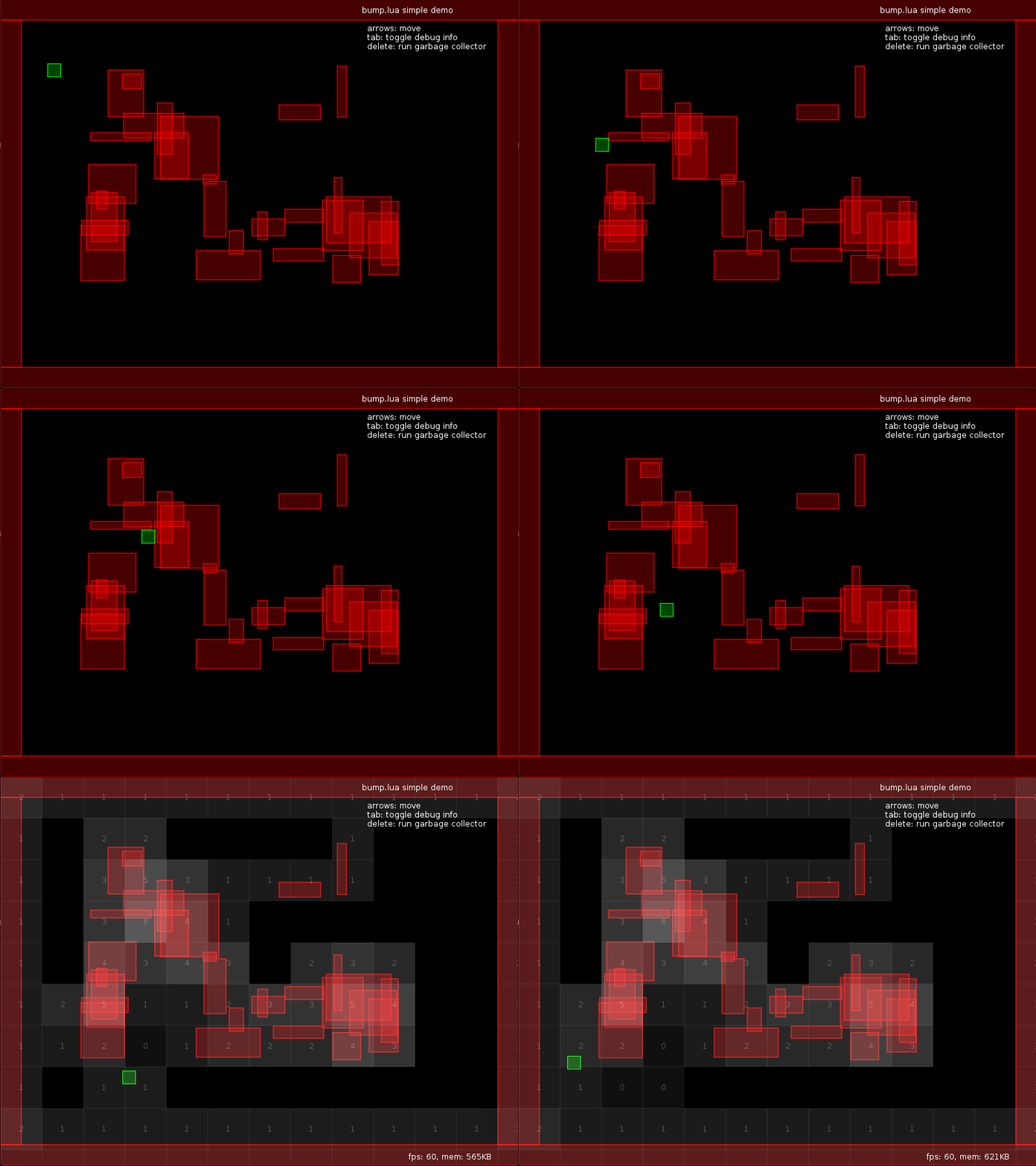
There is a demo showing movement, collision detection and basic slide-based resolution in this branch:
http://github.com/kikito/bump.lua/tree/simpledemo
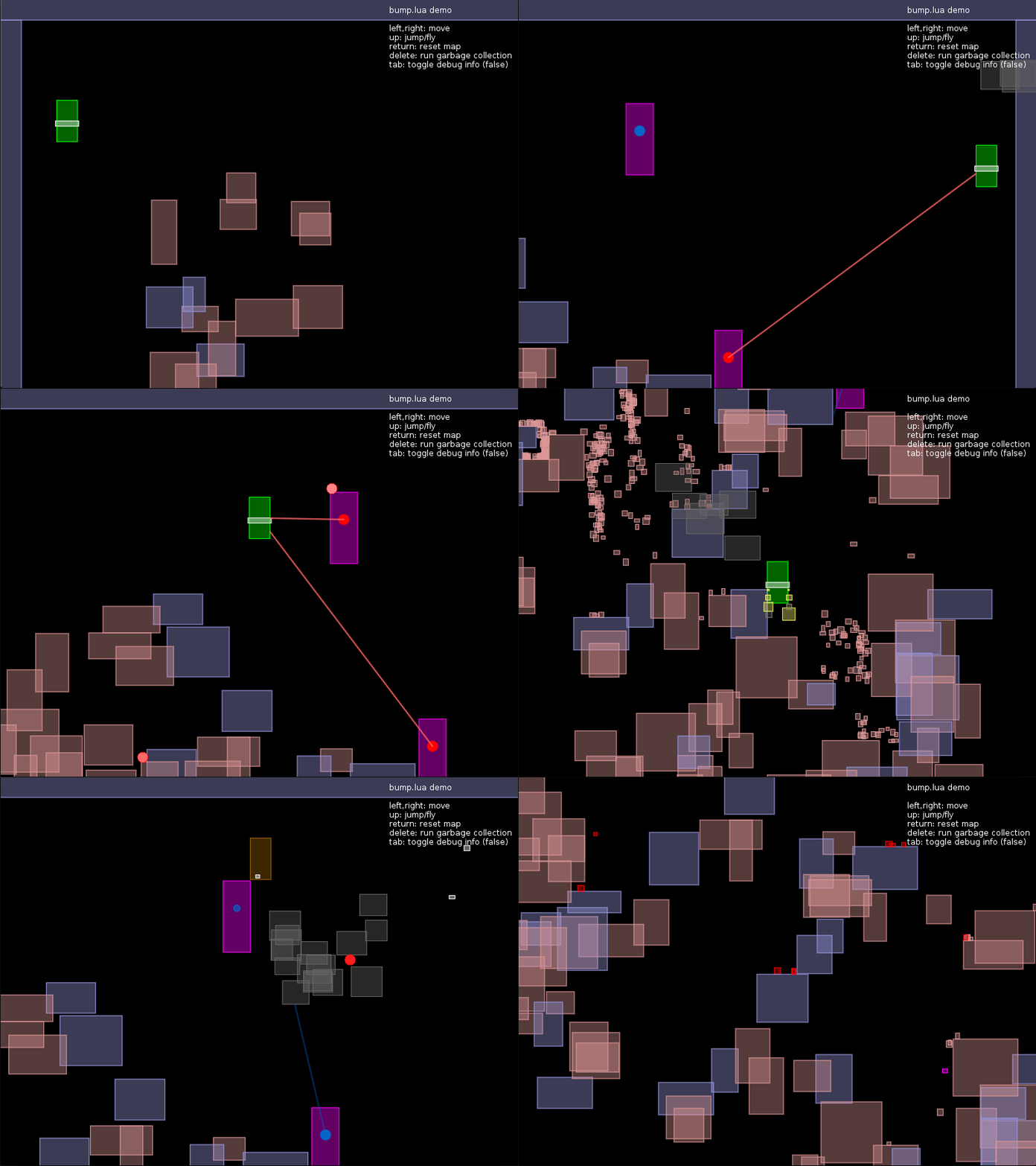
There's a more complex demo showing more advanced movement mechanics (i.e. acceleration, bouncing) in this other repo:
http://github.com/kikito/bump.lua/tree/demo
You will need LÖVE in order to try any of them.
Basic API - Adding, removing and moving items
Requiring the library
local bump = require 'bump'
The following methods (bump.newWorld, world:add, world:remove, world:update, world:move & world:check) are basic for
working with bump, as well as the 4 collision responses. If you want to use bump.lua effectively, you will need to understand at least
these.
Creating a world
local world = bump.newWorld(cellSize)
The first thing to do with bump is creating a world. That is done with bump.newWorld.
cellSize. Is an optional number. It defaults to 64. It represents the size of the sides of the (squared) cells that will be used internally to provide the data. In tile-based games, it's usually a multiple of the tile side size. So in a game where tiles are 32x32,cellSizewill be 32, 64 or 128. In more sparse games, it can be higher.
Don't worry too much about cellSize at the beginning, you can tweak it later on to see if bigger/smaller numbers
give you better results (you can't change the value of cellSize in runtime, but you can create as many worlds as you want,
each one with a different cellSize if the need arises.)
The rest of the methods we have are for the worlds that we create.
Adding items to the world
world:add(item, x,y,w,h)
world:add is what you need to insert a new item in a world. "Items" are "anything that matters to your collision". It can be the player character,
a tile, a missile etc. In fact, you can insert items that don't participate in the collision at all - like puffs of smoke or background tiles. This
can be handy if you want to use the bump world as a spatial database in addition to a collision detector (see the "queries section" below for more details).
Each item will have an associated "rectangle" in the world.
itemis the new item being inserted (usually a table representing a game object, likeplayerorground_tile).x,y,w,h: the rectangle associated toitemin the world. They are all mandatory.w&hare the "width" and "height" of the box.xandydepend on the host system's coordinate system. For example, in LÖVE & Corona SDK they represent "left" & "top", while in Cocos2d-x they represent "left" & "bottom".
world:add returns no values. It generates no collisions - you can call world:check(item) if you want to get the collisions it creates right after it's added.
If you try to add an item to a world that already contains it, you will get an error.
Removing items from the world
world:remove(item)
bump.lua stores hard references to any items that you add (with world:add). If you decide that a item is no longer necessary, in addition to removing it
from your "entity list", you must also remove it from the world using world:remove. Otherwise it will still be there, and other objects might still collide
with it.
itemmust be something previously inserted in the world withworld:add(item, l,t,w,h). If this is not the case,world:removewill raise an error.
Once removed from the world, the item will stop existing in that world. It won't trigger any collisions with other objects any more. Attempting to move it
with world:move or checking collisions with world:check will raise an error.
It is OK to remove an object from the world and later add it again. In fact, some bump methods do this internally.
This method returns nothing.
Changing the position and dimensions of items in the world
world:update(item, x,y,<w>,<h>)
Even if your "player" has attributes like player.x and player.y, changing those will not automatically change them inside world. update is one of
the ways to do so: it changes the rect representing item inside world.
itemmust be something previously inserted in the world withworld:add(item, l,t,w,h). Otherwise,world:updatewill raise an error.x,y,w,hthe new dimensions ofitem.xandyare mandatory.wandhwill default to the values the world already had foritem.
This method always changes the rect associated to item, ignoring all collisions (use world:move for that). It returns nothing.
You may use world:update if you want to "teleport" your items around. A lot of time, however, you want to move them taking collisions into account.
In order to do that, you have world:move.
Moving an item in the world, with collision resolution
local actualX, actualY, cols, len = world:move(item, goalX, goalY, <filter>)
This is probably the most useful method of bump. It moves the item inside the world towards a desired position, but taking collisions into account.
-
itemmust be something previously inserted in the world withworld:add(item, l,t,w,h). Otherwise,world:movewill raise an error. -
goalX, goalYare the desiredxandycoordinates. The item will end up in those coordinates if it doesn't collide with anything. If, however, it collides with 1 or more other items, it can end up in a different set of coordinates. -
filteris an optional function. If provided, it must have this signature:local type = filter(item, other). By default,filteralways returns"slide".itemis the item being moved (the same one passed toworld:moveon the first param).otheris an item (different fromitem) which can collide withitem.typeis a value which defines howitemcollides withother.- If
typeisfalseornil,itemwill ignoreothercompletely (there will be no collision). - If
typeis"touch","cross","slide"or"bounce",itemwill respond to the collisions in different ways (explained below). - Any other value (unless handled in an advanced way) will provoke an error.
- If
-
actualX, actualYare the coordinates where the object ended up after colliding with other objects in the world while trying to get togoalX, goalY. They can be equal togoalX, goalYif, for example, no collisions happened. -
lenis the amount of collisions produced. It is equivalent to#cols. -
colsis an array of all the collisions that were detected. Each collision is a table. The most important item in that table iscols[i].other, which points to the item that collided withitem. A full description of what's inside of each collision can
Related Skills
node-connect
341.8kDiagnose OpenClaw node connection and pairing failures for Android, iOS, and macOS companion apps
frontend-design
84.6kCreate distinctive, production-grade frontend interfaces with high design quality. Use this skill when the user asks to build web components, pages, or applications. Generates creative, polished code that avoids generic AI aesthetics.
openai-whisper-api
341.8kTranscribe audio via OpenAI Audio Transcriptions API (Whisper).
commit-push-pr
84.6kCommit, push, and open a PR
