MKVideoPlayer
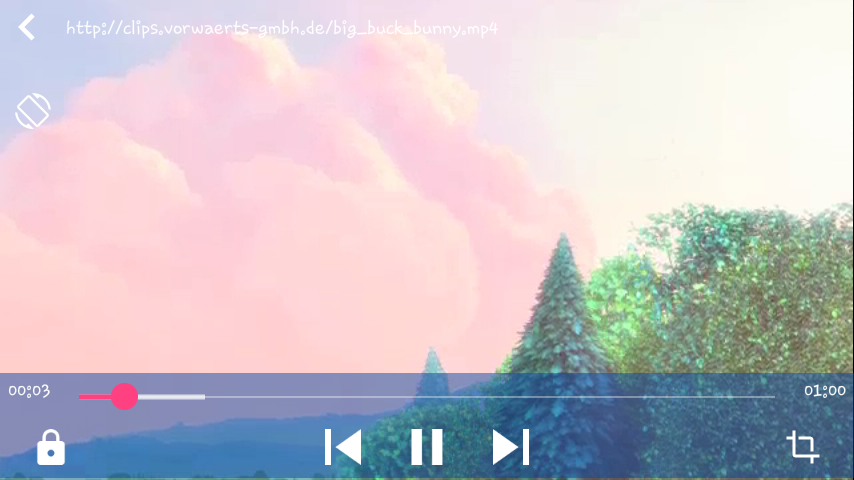
MKVideoPlayer library is a video player have some basic features that need to develop an video player application in android studio
Install / Use
/learn @khizar1556/MKVideoPlayerREADME
Donate


3AcFNxGKLW357XKg9RJuBPSU3wjezi1HPh
MK VideoPlayer
MKVideoPlayer library is a video player have some basic features that need to develop an video player application in android studio
<!---MK video player---> <!---MK video player---> <!---MK video player---> <!---MK video player--->features
- base on ijkplayer.
- gestures for volume control
- gestures for brightness control
- gestures for forward or backward
- fullscreen by manual or sensor
- lock screen feature
- AspectRatio feature.
How to add Library into Your project
<!---MK video player--->The easiest way to get started using MKVideoPlayer(MK video player) is to add it as a gradle
dependency. You need to make sure you have the maven { url 'https://jitpack.io' } repositories
included in the build.gradle file in the root of your project:
allprojects {
		repositories {
			...
			maven { url 'https://jitpack.io' }
		}
	}
Next add a gradle compile dependency to the build.gradle file of your app
module. The following will add a dependency to the full library:
dependencies {
	         compile 'com.github.khizar1556.MKVideoPlayer:mkvideoplayer:0.1.5'
	}
How to use
case 1: only want to play a video fullscreen
just callMKPlayerActivity.configPlayer(activity).play(url).
case 2: Add a MKplayer in layout
step 1: include video layout in your layout xml file
<include
        layout="@layout/mk_player"
        android:layout_width="match_parent"
        android:layout_height="match_parent" />
step 2: How to play a Video using MKPlayer
 MKPlayer mkplayer = new  MKPlayer(Activity);
mkplayer.play(url);
step 3: How to handle setPlayerCallBacks
<!---MK video player---> player.setPlayerCallbacks(new MKPlayer.playerCallbacks() {
@Override
public void onNextClick() {
//It is the method for next song.It is called when you pressed the next icon
//Do according to your requirement
}
@Override
public void onPreviousClick() {
//It is the method for previous song.It is called when you pressed the previous icon
//Do according to your requirement
}
});
API:
play(url)//play videostop()//stop videopause()//pause videostart()//start videoforward()// forward or back video,example: forward(0.1f) forward(-0.1f)getCurrentPosition()setScaleType(MKPlayer.SCALETYPE_FITPARENT)//set video scale typetoggleAspectRatio()// toggle video scale typeseekTo(...)//seek to specify positiongetDuration()//get video durationonInfo(...)//callback when have some informationonError(...)//callback when an error occurredonComplete(...)//callback when the play is overonControlPanelVisibilityChange(...)//callback when control panel visibility changesetPlayerCallbacks()//Callback to control next and previous methods
Screenshots:
<!---MK video player--->