
Ivim
I love Vim, and I also love modifying it to be more convenient and efficient. So I name it "ivim"! Welcome to contribute to ivim.
Install / Use
/learn @kepbod/IvimREADME
ivim - An easy & highly customizable vim configuration
    _       _
   (_)   __(_)___ ___
  / / | / / / __ `__ \
 / /| |/ / / / / / / /
/_/ |___/_/_/ /_/ /_/
Version: 3.0
After about 7 years' development, ivim contains 2 versions to satisfy different requirements.
- ivim: highly customizable vim configuration, and it has more colorschemes and settings. (Not maintained)
- ivim_mini: vim configuration with fast startup time and convenient usage, compatible with Vim 8.0+ and NeoVim. (Recommended)
If you love ivim, welcome to buy me a cup of coffee :coffee:. Thx!!!
Features
Beautiful
Use lots of famous colorschemes to make your eyes feel comfortable in both Vim and NeoVim.
- ivim
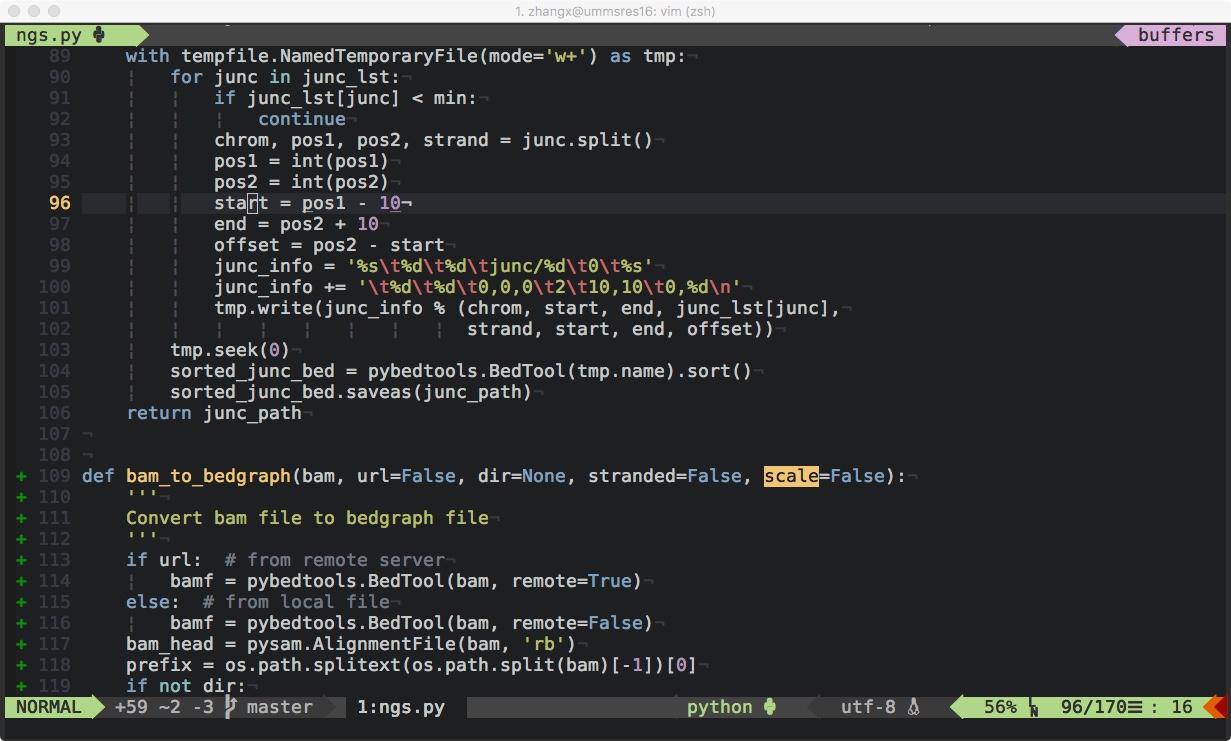
Colorscheme: Hybrid
- ivim_mini
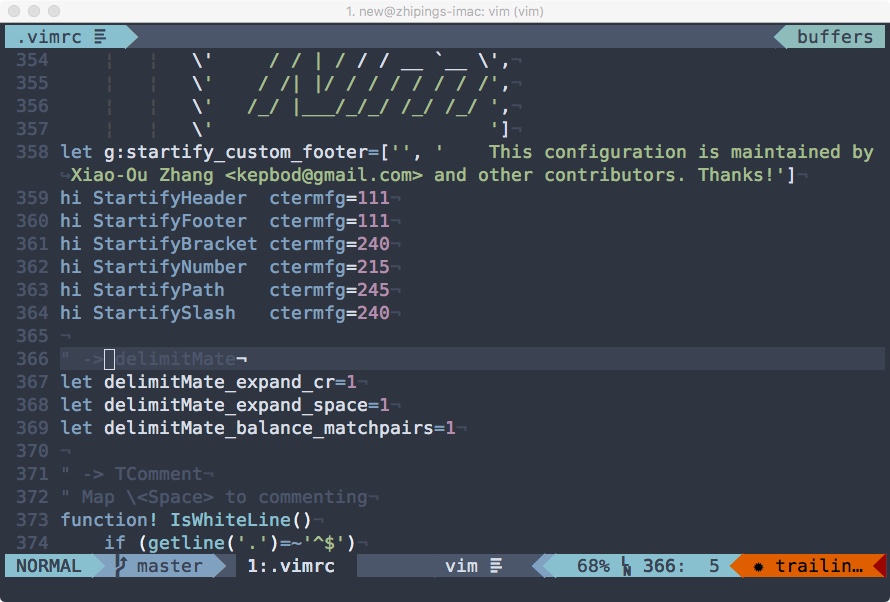
Colorscheme: Nord
You could install the patched font from nerd-fonts (Example to install patched font in Mac could be found here).
Efficient
- Make using Vim more convenient and faster, and lots of useful plugins confirm a better performance of Vim.
Plugin List
-
UI Setting
- kristijanhusak/vim-hybrid-material - Colorscheme hybrid material
- morhetz/gruvbox - Colorscheme gruvbox
- jacoborus/tender.vim - Colorscheme tender
- vim-airline/vim-airline - Status line
- vim-airline/vim-airline-themes - Status line themes
- Yggdroot/indentLine - Indentation level
- ryanoasis/vim-devicons - Devicons
- bling/vim-bufferline - Buffer line
- mhinz/vim-startify - Start page
- junegunn/goyo.vim - Distraction-free
- junegunn/limelight.vim - Hyperfocus-writing
-
Enhancement
- Raimondi/delimitMate - Closing of quotes
- tomtom/tcomment_vim - Commenter
- tpope/vim-abolish - Abolish
- tpope/vim-speeddating - Speed dating
- tpope/vim-repeat - Repeat
- terryma/vim-multiple-cursors - Multiple cursors
- junegunn/vim-slash - In-buffer search
- mbbill/undotree - Undo tree
- tpope/vim-surround - Surround
- junegunn/vim-easy-align - Easy align
- ludovicchabant/vim-gutentags - Manage tag files
- AndrewRadev/splitjoin.vim - Splitjoin
- sickill/vim-pasta - Vim pasta
- Keithbsmiley/investigate.vim - Helper
- wikitopian/hardmode - Hard mode
- wellle/targets.vim - Text objects
- roman/golden-ratio - Resize windows
- chrisbra/vim-diff-enhanced - Create better diffs
-
Moving
- tpope/vim-unimpaired - Pairs of mappings
- Lokaltog/vim-easymotion - Easy motion
- kepbod/quick-scope - Quick scope
- yuttie/comfortable-motion.vim - Comfortable motion
- bkad/CamelCaseMotion - Camel case motion
- majutsushi/tagbar - Tag bar
- junegunn/fzf - Fuzzy finder
- junegunn/fzf.vim - Fuzzy finder plugin
-
Navigation
- scrooloose/nerdtree - NERD tree
- Xuyuanp/nerdtree-git-plugin - NERD tree git plugin
- mhinz/vim-tmuxify - Tmux panes
-
Completion
- Under NEO
- Shougo/neocomplete.vim - Auto completion framework with Lua
- Shougo/neocomplcache.vim - Auto completion framework without Lua
- Shougo/neosnippet.vim - Snippet engine
- Shougo/neosnippet-snippets - Snippets
- Shougo/vimproc.vim - Interactive command execution
- wellle/tmux-complete.vim - Completion for tmux panes
- Under YouCompleteMe
- Valloric/YouCompleteMe -Auto completion framework
- honza/vim-snippets - Snippets
- sirver/ultisnips - Snippet engine
- Under NEO
-
Compiling
- scrooloose/syntastic - Syntax checking
- xuhdev/SingleCompile - Single compile
-
Git
- tpope/vim-fugitive - Git wrapper
- junegunn/gv.vim - A git commit browser
- airblade/vim-gitgutter - Git diff sign
-
Language Specificity
- davidhalter/jedi-vim - Python jedi plugin
- fatih/vim-go - Golang
- tpope/vim-rails - Rails
- mattn/emmet-vim - Emmet
- LaTeX-Box-Team/LaTeX-Box - LaTex
- sheerun/vim-polyglot - Language Support
Requirements
Vim
- This distribution is adapted to both Vim and NeoVim. For Vim, version should be 7.3+, and 8.0+ is recommended. For NeoVim, 0.1.5+ is recommended.
Git
- All the installations are based on Git which is a famous distributed revision control system. If you use Windows, you may need install msysgit.
Ctags
- Ctags generates an index (or tag) file of language objects found in source files that allows these items to be quickly and easily located by a text editor or other utility. I recommend you to use Exuberant Ctags.
To use this distribution with less bugs, please get more suggestions from here.
Installation
bash <(curl -L https://raw.githubusercontent.com/kepbod/ivim/master/setup.sh) -i
# or
bash <(wget --no-check-certificate https://raw.githubusercontent.com/kepbod/ivim/master/setup.sh -O -) -i
- ivim_mini for vim
bash <(curl -L https://raw.githubusercontent.com/kepbod/ivim/master/setup.sh) -m
# or
bash <(wget --no-check-certificate https://raw.githubusercontent.com/kepbod/ivim/master/setup.sh -O -) -m
- ivim_mini for neovim
bash <(curl -L https://raw.githubusercontent.com/kepbod/ivim/master/setup.sh) -u
# or
bash <(wget --no-check-certificate https://raw.githubusercontent.com/kepbod/ivim/master/setup.sh -O -) -u
Updating
bash $HOME/.ivim/setup.sh -n
Configuration
- This distribution is completely customisable using
~/.vimrc.ivim.local,~/.vimrc.local,~/.gvimrc.localand~/.vimrc.bundles.local! (only forvimrc) - To make full use of auto-completion and syntax checking, please refer wiki.
Contributation
Welcome to contribute to ivim, see issue #31 for details. Thank you very much for your supporting!
Vim Tips
Learning Vim
-
A good learning method of Vim is vimtutor, a 30 minute tutorial that teaches the most basic Vim functionality hands-on.
To try it, just type
vimtutoron terminal. -
To practice vim skills, you can enable hard mode, and it will disable the arrow keys, the 'hjkl' keys, the page up/down keys, and a handful of other keys which allow one to rely on character-wise navigation.
To enable it, just type
:call HardMode()in normal mode. -
Another way to get familiar with Vim commands and settings is just rely on the strong help system of Vim.
It's easy and convenient to type
:hor:helpin Vim for help of whatever you want to know. -
A beautiful Vim c
