
Plane
A text processing tool including tag(HTML, URL, Email) extraction and removing, punctuation normalization, simple segmentation, and so on.
Install / Use
/learn @kemingy/PlaneREADME
Plane




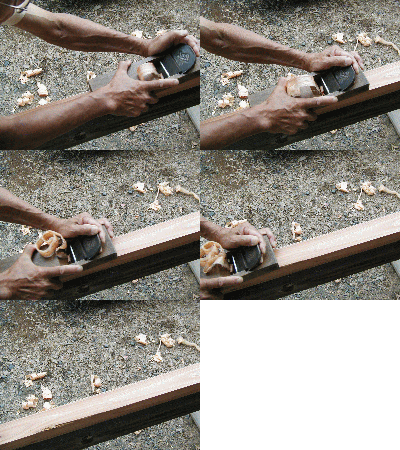
Plane is a tool for shaping wood using muscle power to force the cutting blade over the wood surface.
from Wikipedia
This package is used for extracting or replacing specific parts from text, like URL, Email, HTML tags, telephone numbers and so on. Also supports punctuation normalization and removement.
See the full Documents.
Install
Python 3.x only.
pip
pip install plane
Install from source
python setup.py install
Features
- no other dependencies
- build-in regex patterns:
plane.pattern.Regex - custom regex patterns
- pattern combination
- extract, replace patterns
- segment sentence
- chain function calls:
plane.plane.Plane - pipeline:
plane.Pipeline
Usage
Quick start
Use regex to extract or replace:
from plane import EMAIL, extract, replace
text = 'fake@no.com & fakefake@nothing.com'

emails = extract(text, EMAIL) # this return a generator object
for e in emails:
    print(e)

>>> Token(name='Email', value='fake@no.com', start=0, end=11)
>>> Token(name='Email', value='fakefake@nothing.com', start=14, end=34)

print(EMAIL)

>>> Regex(name='Email', pattern='([a-zA-Z0-9_.+-]+@[a-zA-Z0-9-]+\\.[a-zA-Z0-9-]+)', repl='<Email>')

replace(text, EMAIL) # replace(text, Regex, repl), if repl is not provided, Regex.repl will be used

>>> '<Email> & <Email>'

replace(text, EMAIL, '')

>>> ' & '
pattern
Regex is a namedtuple with 3 items:
namepattern: Regular Expressionrepl: replacement tag, this will replace matched regex when usingreplacefunction
# create new pattern
from plane import build_new_regex
custom_regex = build_new_regex('my_regex', regex=r'(\d{4})', repl='<my-replacement-tag>')
Also, you can build new pattern from default patterns.
Attention: this should only be used for language range.
from plane import extract, build_new_regex, CHINESE_WORDS
ASCII = build_new_regex('ascii', regex=r'[a-zA-Z0-9]+', repl=' ')
WORDS = ASCII + CHINESE_WORDS
print(WORDS)

>>> Regex(name='ascii_Chinese_words', pattern='[a-zA-Z0-9]+|[\\U00004E00-\\U00009FFF\\U00003400-\\U00004DBF\\U00020000-\\U0002A6DF\\U0002A700-\\U0002B73F\\U0002B740-\\U0002B81F\\U0002B820-\\U0002CEAF\\U0002CEB0-\\U0002EBEF]+', repl=' ')

text = "自然语言处理太难了!who can help me? (╯▔🔺▔)╯"
print(' '.join([t.value for t in list(extract(text, WORDS))]))

>>> "自然语言处理太难了 who can help me"

from plane import CHINESE, ENGLISH, NUMBER
CN_EN_NUM = sum([CHINESE, ENGLISH, NUMBER])
text = "佛是虚名,道亦妄立。एवं मया श्रुतम्। 1999 is not the end of the world. "
print(' '.join([t.value for t in extract(text, CN_EN_NUM)]))

>>> "佛是虚名,道亦妄立。 1999 is not the end of the world."
Default Regex: Details
URL: only ASCIIEMAIL: local-part@domainTELEPHONE: like xxx-xxxx-xxxxSPACE:\t,\n,\r,\f,\vHTML: HTML tags, Script part and CSS partASCII_WORD: English word, numbers,<tag>and so on.CHINESE: all Chinese characters (only Han and punctuations)CJK: all Chinese, Japanese, Korean(CJK) characters and punctuationsTHAI: all Thai and punctuationsVIETNAMESE: all Vietnames and punctuationsENGLISH: all English chars and punctuationsNUMBER: 0-9
Regex name | replace
-----------|---------
URL | '<URL>'
EMAIL | '<Email>'
TELEPHONE | '<Telephone>'
SPACE | ' '
HTML | ' '
ASCII_WORD | ' '
CHINESE | ' '
CJK | ' '
segment
segment can be used to segment sentence, English and Numbers like 'PS4' will be keeped and others like Chinese '中文' will be split to single word format ['中', '文'].
from plane import segment
segment('你看起来guaiguai的。<EOS>')
>>> ['你', '看', '起', '来', 'guaiguai', '的', '。', '<EOS>']
punctuation
punc.remove will replace all unicode punctuations to ' ' or something you send to this function as paramter repl. punc.normalize will normalize some Unicode punctuations to English punctuations.
Attention: '+', '^', '$', '~' and some chars are not punctuation.
from plane import punc

text = 'Hello world!'
punc.remove(text)

>>> 'Hello world '

# replace punctuation with special string
punc.remove(text, '<P>')

>>> 'Hello world<P>'

# normalize punctuations
punc.normalize('你读过那本《边城》吗?什么编程?!人生苦短,我用 Python。')

>>> '你读过那本(边城)吗?什么编程?!人生苦短,我用 Python.'
Chain function
Plane contains extract, replace, segment and punc.remove, punc.normalize, and these methods can be called in chain. Since segment returns list, it can only be called in the end of the chain.
Plane.text saves the result of processed text and Plane.values saves the result of extracted strings.
from plane import Plane
from plane.pattern import EMAIL

p = Plane()
p.update('My email is my@email.com.').replace(EMAIL, '').text # update() will init Plane.text and Plane.values

>>> 'My email is .'

p.update('My email is my@email.com.').replace(EMAIL).segment()

>>> ['My', 'email', 'is', '<Email>', '.']

p.update('My email is my@email.com.').extract(EMAIL).values

>>> [Token(name='Email', value='my@email.com', start=12, end=24)]
Pipeline
You can use Pipeline if you like.
segment and extract can only present in the end.
from plane import Pipeline, replace, segment
from plane.pattern import URL

pipe = Pipeline()
pipe.add(replace, URL, '')
pipe.add(segment)
pipe('http://www.guokr.com is online.')

>>> ['is', 'online', '.']
Related Skills
node-connect
347.2kDiagnose OpenClaw node connection and pairing failures for Android, iOS, and macOS companion apps
frontend-design
108.0kCreate distinctive, production-grade frontend interfaces with high design quality. Use this skill when the user asks to build web components, pages, or applications. Generates creative, polished code that avoids generic AI aesthetics.
openai-whisper-api
347.2kTranscribe audio via OpenAI Audio Transcriptions API (Whisper).
qqbot-media
347.2kQQBot 富媒体收发能力。使用 <qqmedia> 标签,系统根据文件扩展名自动识别类型(图片/语音/视频/文件)。
