
Dotbare
Manage dotfiles and any git directories interactively with fzf
Install / Use
/learn @kazhala/DotbareREADME
dotbare




Introduction
dotbare is a command line utility to help manage dotfiles and or as a generic fuzzy git client. As a dotfile management tool,
it wraps around git bare repository, query git information from it and display them through fzf for an
interactive experience. It is originally inspired by forgit, a git wrapper using fzf.
dotbare uses a different implementation approach and focuses on managing and interacting with system dotfiles. Because
of the flexible implementation of dotbare, it can easily integrate with symlink/GNU stow setup or even as a generic
fuzzy git client to use in any git repository.
As a generic fuzzy git client (using --git flag), dotbare dynamically determine the top level .git folder and process git information
and perform git operation in the current working tree.
You could find out how git bare repository could be used for managing dotfiles here.
Or a video explanation that helped me to get started. If you are currently
using a symlink/GNU stow setup, checkout how to integrate dotbare with them here.
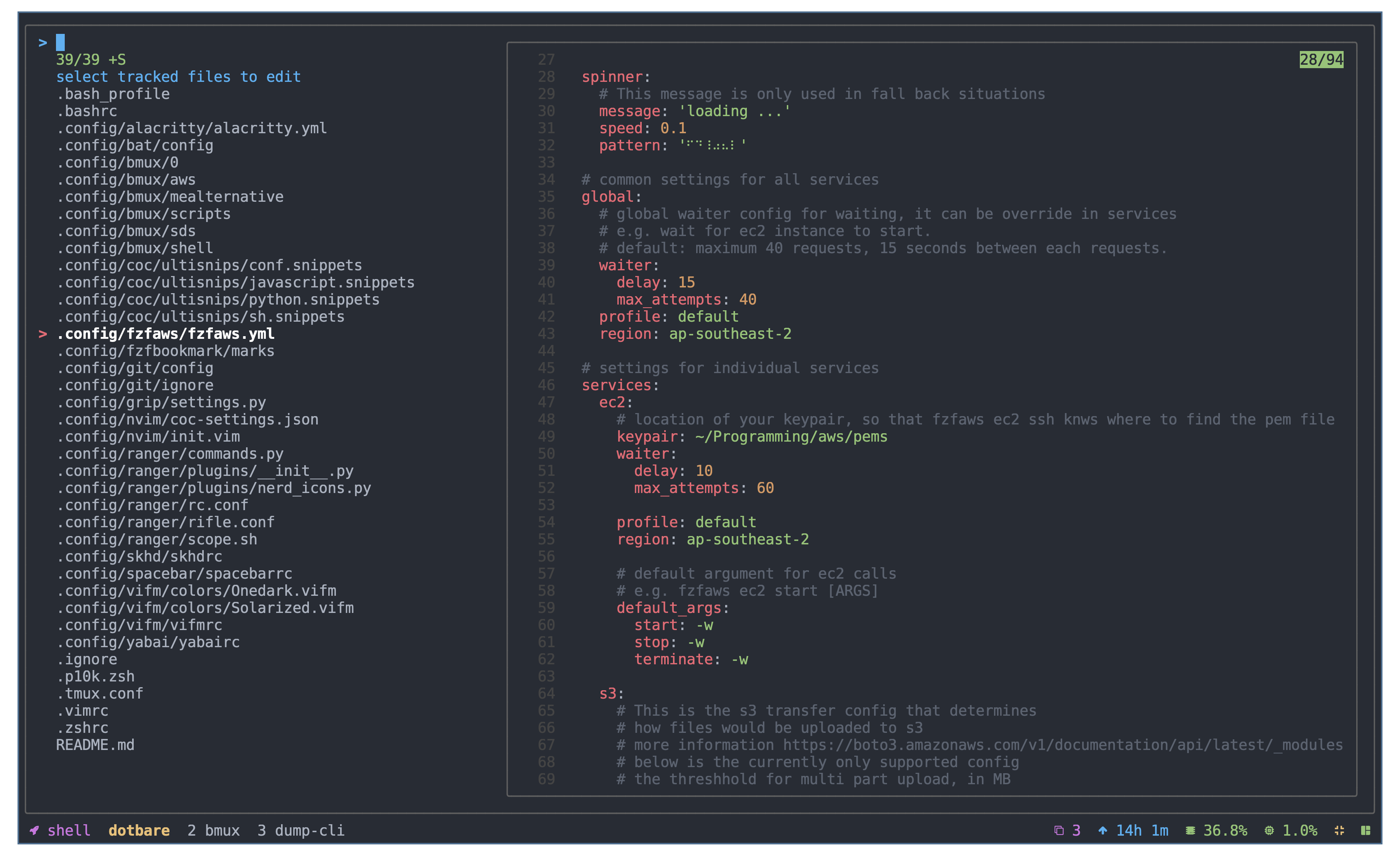
Select and edit dotfiles.
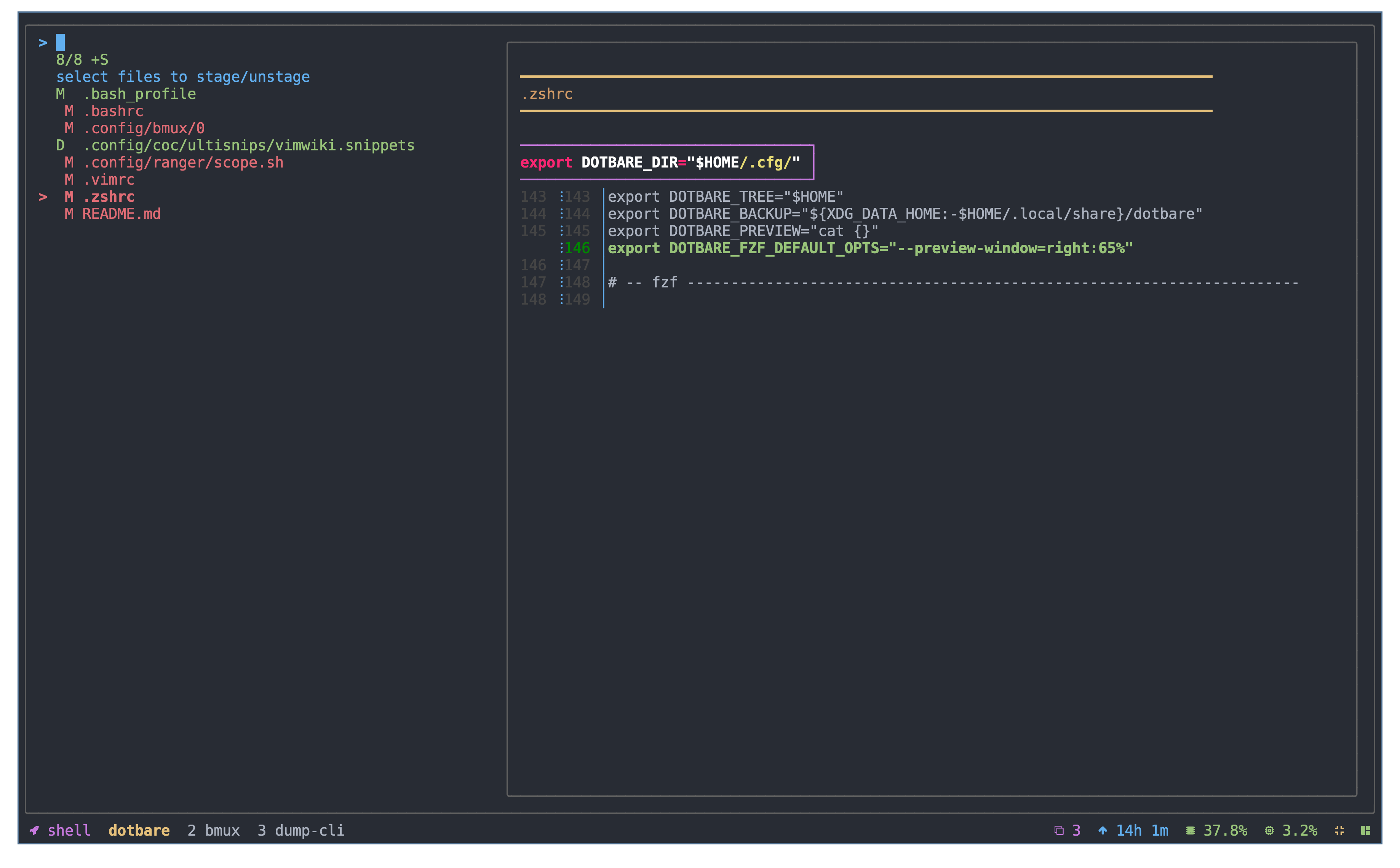
 Stage and unstage dotfiles.
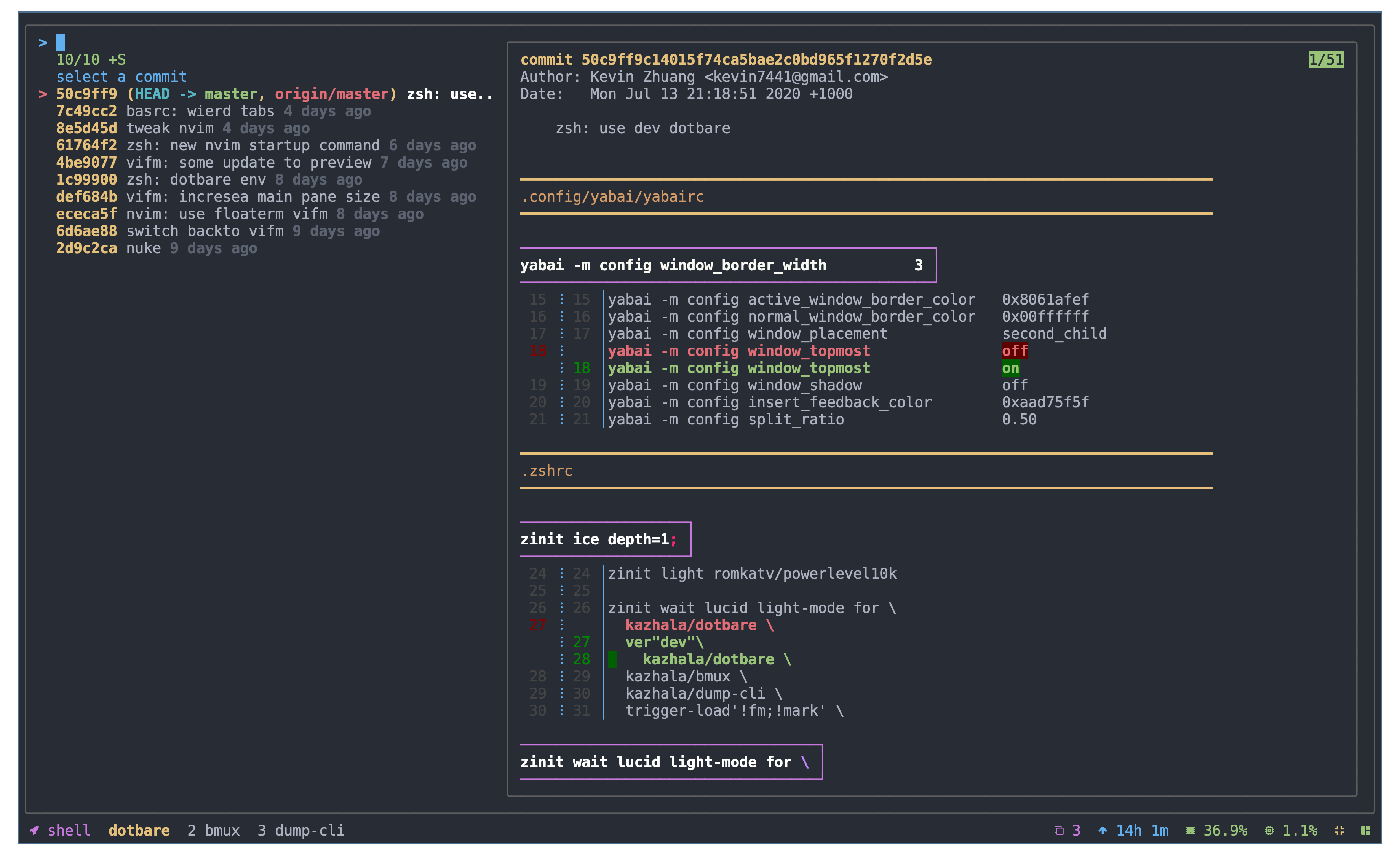
 Interactive log viewer.
 For more capabilities and commands, checkout wiki.
Why
It has always been a struggle for me to get started with managing dotfiles using version control, as tools like "GNU stow" really scares me off with all the symlinks, until I found out about using git bare repository for managing dotfiles, zero symlinks, minimal setup required while keeping dotfiles at the location they should be.
However, it has always lack some interactive experience as it does not provide any auto completion on git commands nor file paths by default. It is also a pain when migrating the setup over to another system as you will have to manually resolve all the git checkout issues.
dotbare solves the above problems by providing a series of scripts starts with a prefix f
(e.g. dotbare fadd, dotbare flog etc) that will enable a interactive experience by processing
all the git information and display it through fzf. In addition, dotbare also comes with command line completion
that you could choose to either to complete git commands or dotbare commands.
dotbare also comes with the ability to integrate with GNU stow or any symlink set up as long as you are using git.
It is easy to migrate to any system with minimal set up required. In addition, with a simple flag --git, you can
now also use dotbare as a generic fuzzy git client to manage any git repository.
Install
zsh
dotbare should work with any zsh plugin manager, below is only demonstration. Checkout wiki
about how to enable completion for zsh.
zinit
zinit light kazhala/dotbare
Fig
Fig adds apps, shortcuts, and autocomplete to your existing terminal.
Install dotbare in just one click.
<a href="https://fig.io/plugins/other/dotbare_kazhala" target="_blank"><img src="https://fig.io/badges/install-with-fig.svg" /></a>
oh-my-zsh
-
Clone the repository in to oh-my-zsh plugins directory.
git clone https://github.com/kazhala/dotbare.git $HOME/.oh-my-zsh/custom/plugins/dotbare -
Activate the plugin in
~/.zshrc.plugins=( [plugins...] dotbare [plugins...] )
Antigen
antigen bundle kazhala/dotbare
Manual
-
Clone the repository (change ~/.dotbare to the location of your preference).
git clone https://github.com/kazhala/dotbare.git ~/.dotbare -
Put below into
.zshrc.source ~/.dotbare/dotbare.plugin.zsh
bash
dotbare comes with a dotbare.plugin.bash which contains the command line completion
function for both git and dotbare, checkout wiki
about how to enable it.
-
Clone the repository (change ~/.dotbare to the location of your preference).
git clone https://github.com/kazhala/dotbare.git ~/.dotbare -
Put below into
.bashrcor.bash_profile.source ~/.dotbare/dotbare.plugin.bash
others
-
Clone the repository (change ~/.dotbare to the location of your preference).
git clone https://github.com/kazhala/dotbare.git ~/.dotbare -
Add
dotbareto your PATH.# This is only an example command for posix shell # If you are on fish, use the fish way to add dotbare to your path export PATH=$PATH:$HOME/.dotbareOr you could create a alias which point to dotbare executable.
alias dotbare="$HOME/.dotbare/dotbare"
Getting started
Dependencies
You will need git on the system for obvious reasons..and because dotbare is written in bash,
it will require you to have bash in the system (You don't need to run bash, just need to be in the system).
Required dependency
Optional dependency
-
tree (Provide a directory tree view when finding directory)
# if you are on macos brew install tree -
bat or highlight or coderay or rougify (Syntax highlighting when previewing files, otherwise cat will be used)
-
delta or diff-so-fancy or any diff tools of your choice (Fancy git diff preview like in the screen shot)
Setup
-
init git bare repository.
Note: by default,
dotbare finitwill set up a bare repository in $HOME/.cfg, to customize location and various other settings, checkout customizationdotbare finit -
add dotfiles you want to track.
Treat
dotbareas normalgitcommands.dotbare fadd -f # or dotbare add [FILENAME] # add entire repository like .config directory dotbare fadd -d # or dotbare add [DIRECTORY] -
commit changes and push to remote.
dotbare commit -m "First commit"
dotbare remote add origin [URL]
dotbare push -u origin master
Migration
Migrating from normal git bare repository
-
follow the steps in install to install
dotbare. -
check your current alias of git bare reference.
# Below is an example alias, check yours for reference alias config=/usr/bin/git --git-dir=$HOME/.cfg --work-tree=$HOME -
set env variable for
dotbare.export DOTBARE_DIR="$HOME/.cfg" export DOTBARE_TREE="$HOME" -
remove the original alias and use
dotbare. -
optionally you could alias
configtodotbareso you keep your muscle memory.alias config=dotbare
Migrating from a generic symlink setup or GNU stow
Keep your current setup but integrate dotbare
-
follow the steps in install to install
dotbare. -
set environment variable so that
dotbareknows where to look for git information.# e.g. I have all my dotfiles stored in folder $HOME/.myworld and symlinks all of them to appropriate location. # export DOTBARE_DIR="$HOME/.myworld/.git" # export DOTBARE_TREE="$HOME/.myworld" export DOTBARE_DIR=<Path to your .git location> export DOTBARE_TREE=<Path to directory which contains all your dotfiles> -
Run
dotbareanywhere in your system.
Note: with this method, you do not run dotbare finit -u [URL] when migrating to new system,
you will do your normal migration steps and then do the above steps.
Complete migration
While bare method is great and easy, I recommend keeping your current symlink/GNU stow setup and integrate it with dotbare instead of a migration.
If you are really happy with dotbare, as long as your remote repository resembles the structure of your home holder
(reference what I mean in my repo), simply run the command below.
Disclaimer: I have not done nearly enough test on this as I don't personally use symlink/GNU stow setup, migrate this way with caution. I recommend you test this migration in docker, see Test-it-in-docker.
# dotbare will replace all symlinks with the original file and a bare repository will be created at $DOTBARE_DIR
dotbare finit -u [URL]
Migrating dotbare to a new system
-
follow the steps in install to install
dotbare. -
Optionally set env variable to customize
dotbarelocation (checkout customization).export DOTBARE_DIR="$HOME/.cfg" export DOTBARE_TREE="$HOME" -
give `dot
