CeJS
The project aims to develop a JavaScript module framework that is simple to use with some interesting features. 本計畫目標是建立一個簡單上手的 JavaScript 模組架構。
Install / Use
/learn @kanasimi/CeJSREADME




Colorless echo JavaScript kit
The project aims to develop a JavaScript module framework that is simple to use with some interesting features. 本計畫目標是建立一個簡單上手的 JavaScript 程式庫架構。<!-- toolkit -->
Web page usage / browser 運行方式
<!-- https://github.com/highlightjs/highlight.js/blob/master/SUPPORTED_LANGUAGES.md --><script type="text/JavaScript" src="path/to/ce.js">
// { "run" : "module name or callback" }
</script>
// Insert from browser console
var cejs_node = document.createElement("script");
cejs_node.setAttribute('src', 'https://kanasimi.github.io/CeJS/ce.js');
cejs_node.setAttribute('type', 'text/javascript');
document.head.appendChild(cejs_node);
if (!window.CeL) window.CeL = { initializer : function() { CeL.run('interact.DOM', initialization); } };
function initialization() {}
// CeL.run( 'module.name', function callback() { /* ... */ } );
CeL.run([ 'data.math', 'application.debug.log' ], function() {
	CeL.assert([ CeL.GCD(4, 6), 2 ]);
});
Node.js usage / node.js 運行方式
Node.js lazy installation. Node.js 環境最新版本懶人配置法
<code>npm</code> 安裝的可能不是最新版本,這裡示範的是最新版本的安裝方法。
不囉嗦,已經做過的步驟可以跳過:
-
下載 GitHub repository 安裝檔 GitHub.updater.node.js
-
在命令行界面下,進到 GitHub repository 安裝檔(
GitHub.updater.node.js)所在的目錄,執行命令以下載 CeJS 程式庫:node GitHub.updater.node.js -
CeJS 程式庫應該已經解壓縮,並且放在安裝檔所在目錄的 CeJS-master 目錄下,可以開始試用:
node// or: require('./CeJS-master/_for include/node.loader.js'); require('./_CeL.loader.nodejs.js'); var cejs = require("cejs"); CeL.run([ 'data.math', 'application.debug.log' ]); CeL.assert([ CeL.GCD(4, 6), 2 ]); -
每次要更新到最新 CeJS 程式庫時,只要重新執行一次 GitHub repository 安裝檔即可。
Installation via npm 安裝
<!-- NodeICO badges -->
- First, go to nodejs.org, download the runtime environment and install the node.js package. 請先安裝 node.js。
- Then, install the CeJS library: 接著安裝 CeJS library:
$ npm install cejs
- 請注意:採用
npm安裝的可能不是最新版,尚未加入最新功能。建議下載最新版本壓縮檔,解開後配置;而不是直接執行npm install安裝舊版的程式庫。
Installation via GitHub latest version 一般正常安裝方法
鑒於更新頻繁,有些功能可能最新版本才具備;若是執行的程式採用了新功能,將會發生嚴重錯誤。此時您可直接到 GitHub 下載最新版本壓縮檔,解開後配置。
Since the frequent updates of the code, some features may work at the latest version only; it's recommended download the latest version at GitHub, and then configure the library.
Using a setup script:
For using the alpha version of CeJS, you can set { "dependencies": {"cejs": "github:kanasimi/cejs"}} in the package.json, or use a setup script:
-
Install node.js, wget/curl and 7-Zip. e.g.,
yum -y install nodejs wget p7zip -
fetch CeJS updater script. e.g.,
cd /tmp mkdir CeJS && cd CeJS wget "https://raw.githubusercontent.com/kanasimi/gh-updater/master/GitHub.updater.node.js" || curl -O https://raw.githubusercontent.com/kanasimi/gh-updater/master/GitHub.updater.node.js # This script will download + extract CeJS library at ./CeJS-master. node GitHub.updater.node.js -
See GitHub.updater.node.js for automatic updating configuration.
To setup the loader as a split file:
-
Copy the loader file, <code>_CeL.loader.nodejs.js</code> to the target directory (e.g., the same as the script file).
-
Create the repository_path_list_file, <code>_repository_path_list.txt</code> in the same directory.
-
Set the path list to search the library base: Write to the repository_path_list_file (
_repository_path_list.txt), one path per line. -
to use in a script file:
//global.use_cejs_mudule = true;
require('./_CeL.loader.nodejs.js');
To setup the loader inside a single script file:
- Copy all codes of _CeL.loader.nodejs.js to the front of the script.
- Set the CeL_path_list to the paths to search the library base, split by '|'. See also node.demo.js.
Execution
Let's try it:
$ node
// Load CeJS library.
require('cejs');

// Load modules.
// CeL.run( 'module.name', function callback() { /* ... */ } );
CeL.run([ 'data.math', 'application.debug.log' ]);

// Running codes.
CeL.assert(CeL.GCD(48, 64) === 16);
CeL.assert([ "2³⋅13⋅80611⋅82217",
		CeL.factorize(689269837048).toString() ], 'factorize');
Features and examples 特點
For further introduction, please see the wiki. 進一步介紹請參閱本計畫之 wiki。
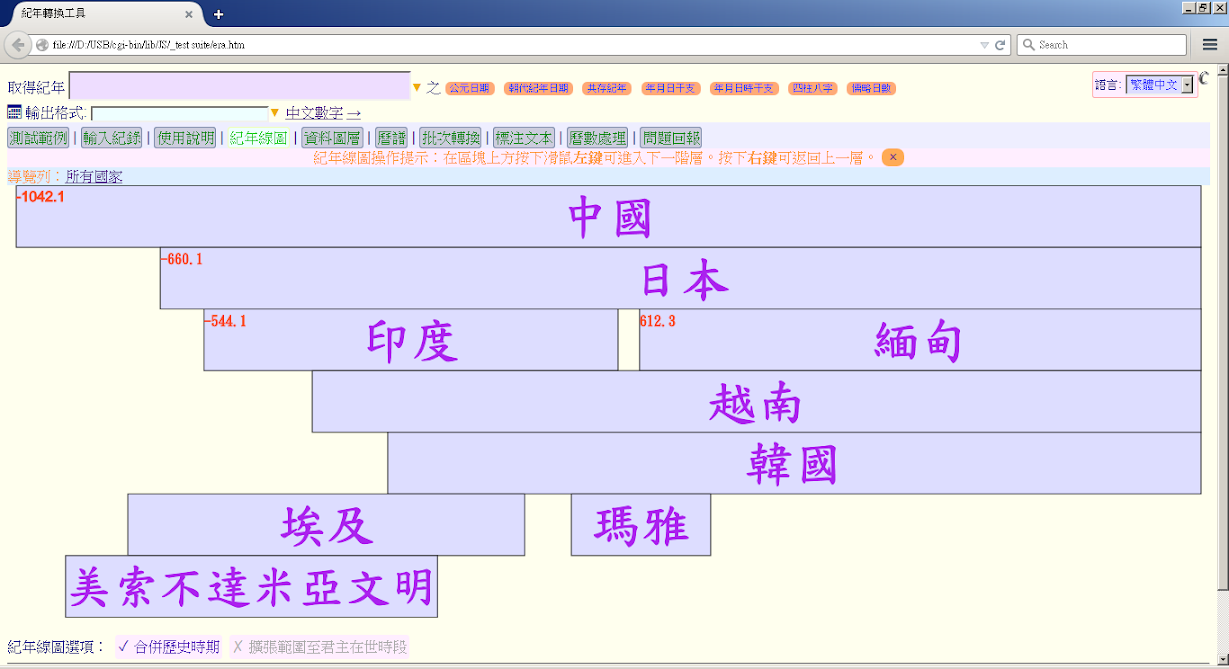
<!-- TODO: screenshot data:image/png;base64, -->中西曆轉換
Live demo: 紀年轉換工具.
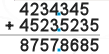
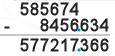
直式四則運算
直式四則運算 (elementary arithmetic),即直式加減乘除、長除法。