
Tomodachi
💻 Microservice lib designed to ease service building using Python and asyncio, with ready to use support for HTTP + WS, AWS SNS+SQS, RabbitMQ / AMQP, middlewares, envelopes, logging, lifecycles. Extend to GraphQL, protobuf, etc.
Install / Use
/learn @kalaspuff/TomodachiREADME
tomodachi ⌁ a lightweight µservice lib ⌁ for Python 3
<p align="left">
<sup><i>tomodachi</i> [<b>友達</b>] <i>means friends — 🦊🐶🐻🐯🐮🐸🐍 — a suitable name for microservices working together.</i> ✨✨</sup>
<br/>
<sup><tt>events</tt> <tt>messaging</tt> <tt>api</tt> <tt>pubsub</tt> <tt>sns+sqs</tt> <tt>amqp</tt> <tt>http</tt> <tt>queues</tt> <tt>handlers</tt> <tt>scheduling</tt> <tt>tasks</tt> <tt>microservice</tt> <tt>tomodachi</tt></sup>
</p>




tomodachi is a library designed to make it easy for devs to build
microservices using asyncio on Python.
Includes ready implementations to support handlers built for HTTP requests, websockets, AWS SNS+SQS and RabbitMQ / AMQP for 🚀 event based messaging, 🔗 intra-service communication and 🐶 watchdog handlers.
- HTTP request handlers (API endpoints) are sent requests via the
aiohttpserver library. 🪢 - Events and message handlers are hooked into a message bus, such as a queue, from for example AWS (Amazon Web Services) SNS+SQS (
aiobotocore), RabbitMQ / AMQP (aioamqp), etc. 📡
Using the provided handler managers, the need for devs to interface with low-level libs directly should be lower, making it more of a breeze to focus on building the business logic. 🪄
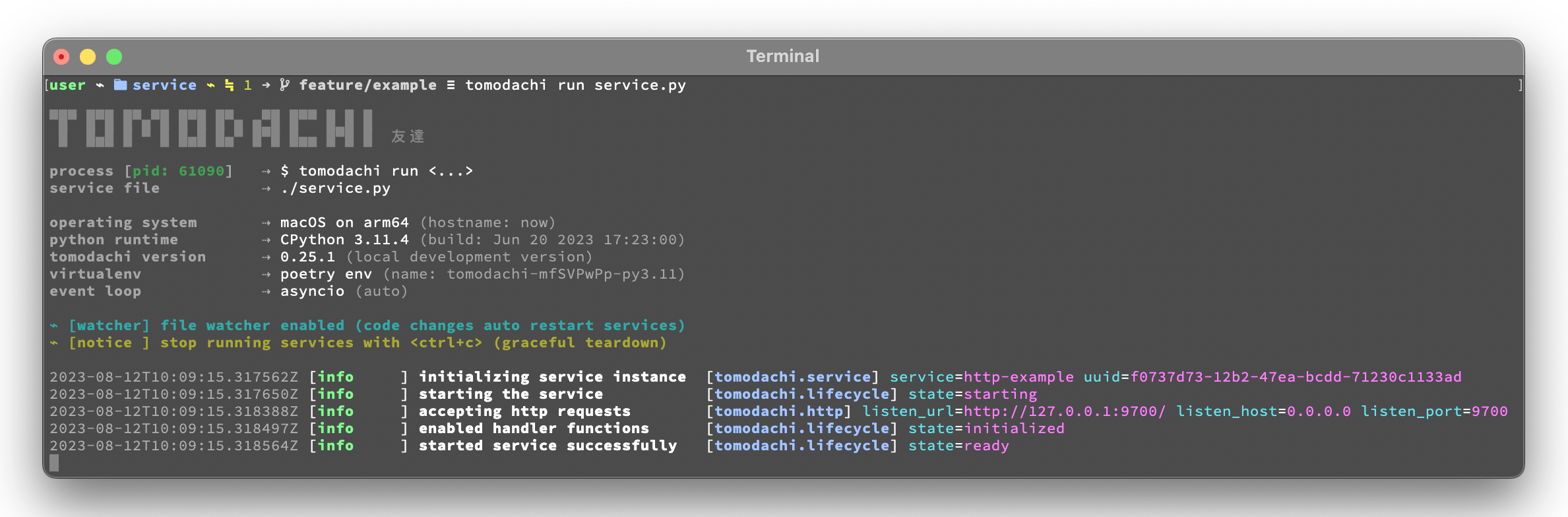
tomodachi has a featureset to meet most basic needs, for example...
🦸⋯ Graceful termination of consumers, listeners and tasks to ensure smooth deployments.⏰⋯ Scheduled function execution (cron notation / time interval) for building watchdog handlers.🍔⋯ Execution middleware interface for incoming HTTP requests and received messages.💌⋯ Simple envelope building and parsing for both receiving and publishing messages.📚⋯ Logging support viastructlogwith template loggers for both "dev console" and JSON output.⛑️⋯ Loggers and handler managers built to support exception tracing, from for example Sentry.📡⋯ SQS queues with filter policies for SNS topic subscriptions filtering messages on message attributes.📦⋯ Supports SQS dead-letter queues via redrive policy -- infra orchestration from service optional.🌱⋯ Designed to be extendable -- most kinds of transport layers or event sources can be added.
Quicklinks to the documentation 📖
This documentation README includes information on how to get started with services, what built-in functionality exists in this library, lists of available configuration parameters and a few examples of service code.
Visit https://tomodachi.dev/ for additional documentation. 📔
Handler types / endpoint built-ins. 🛍️
- HTTP and WebSocket endpoints
- AWS SNS+SQS event messaging
- RabbitMQ / AMQP messaging
- Scheduled functions and cron
Service options to tweak handler managers. 🛠️
Use the features you need. 🌮
- Middleware functionality
- Function signature keywords
- Logging and log formatters
- OpenTelemetry instrumentation
Recommendations and examples. 🧘
Please note -- this library is a work in progress. 🐣
Consider tomodachi as beta software. This library follows an unregular
release schedule. There may be breaking changes between 0.x versions.
Usage
tomodachi is used to execute service code via command line interface
or within container images. It will be installed automatically when the
package is installed in the environment.
The CLI endpoint tomodachi is then used to run services defined as
tomodachi service classes.
Start a service with its class definition defined in ./service/app.py
by running tomodachi run service/app.py. Finally stop the service with
the keyboard interrupt <ctrl+c>.
The run command has some options available that can be specified with arguments to the CLI.
Most options can also be set as an environment variable value.
For example setting environment TOMODACHI_LOGGER=json will yield the
same change to the logger as if running the service using the argument
--logger json.
The value for --loop can either be set to asyncio, uvloop or
auto. The uvloop value can only be used if uvloop is installed in
the execution environment. Note that the default auto value will
currently end up using the event loop implementation that is preferred
by the Python interpreter, which in most cases will be asyncio.
Use --production to disable the file watcher that restarts the service
on file changes and to hide the startup info banner.
⇢ recommendation ✨👀
⇢ Highly recommended to enable this option for built docker images and
for builds of services that are to be released to any environment. The
only time you should run without the --production option is during
development and in local development environment.
Set the minimum log level for which the loggers will emit logs to their
handlers with the --log-level option. By default the minimum log level
is set to info (which includes info, warning, error and
critical, resulting in only the debug log records to be filtered
out).
Apply the --logger option to change the log formatter that is used by
the library. The default value console is mostly suited for local
development environments as it provides a structured and colorized view
of log records. The console colors can be disabled by setting the env
value NO_COLOR=1.
⇢ recommendation ✨👀
⇢ For released services / images it's recommended to use the json
option so that you can set up structured log collection via for
example Logstash, Fluentd, Fluent Bit, Vector, etc.
If you prefer to disable log output from the library you can use
disabled (and presumably add a log handler with another
implementation).
The python option isn't recommended, but available if required to use
the loggers from Python's built-in logging module. Note that the
built-in logging module will be used any way. as the library's
loggers are both added as handlers to logging.root and has propagation
of records through to logging as well.
If the template loggers from the option above doesnt' cut it or if you
already have your own logger (preferably a structlog logger) and
processor chain set up, you can specify a --custom-logger which will
also make tomodachi use your logger set up. This is suitable also if
your app is using a custom logging setup that would differ in output
from what the tomodachi loggers outputs.
If your lo
