
WindowsTimeline
Windows 10 (v1803+) ActivitiesCache.db parsers (SQLite, PowerShell, .EXE)
Install / Use
/learn @kacos2000/WindowsTimelineREADME
Note: Starting in July 2021, if you have your activity history synced across your devices through your Microsoft account (MSA), you'll no longer have the option to upload new activity in Timeline. You'll still be able to use Timeline and see your activity history (information about recent apps, websites and files) on your local device. AAD-connected accounts won't be impacted. source<br>
Windows 10 Timeline
-
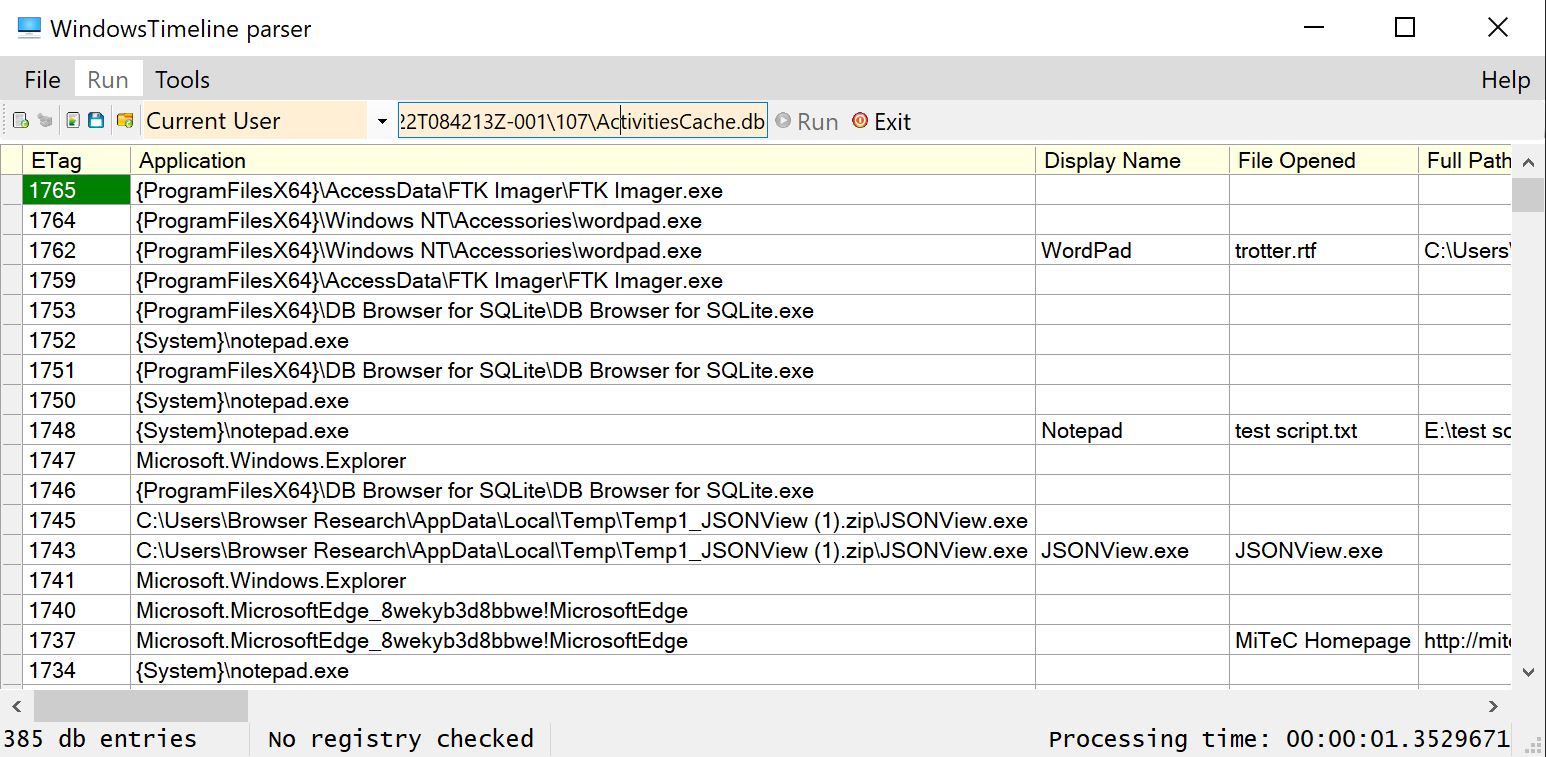
WindowsTimeline parser (WindowsTimeline.exe)
 <br>
<br>
 <br>
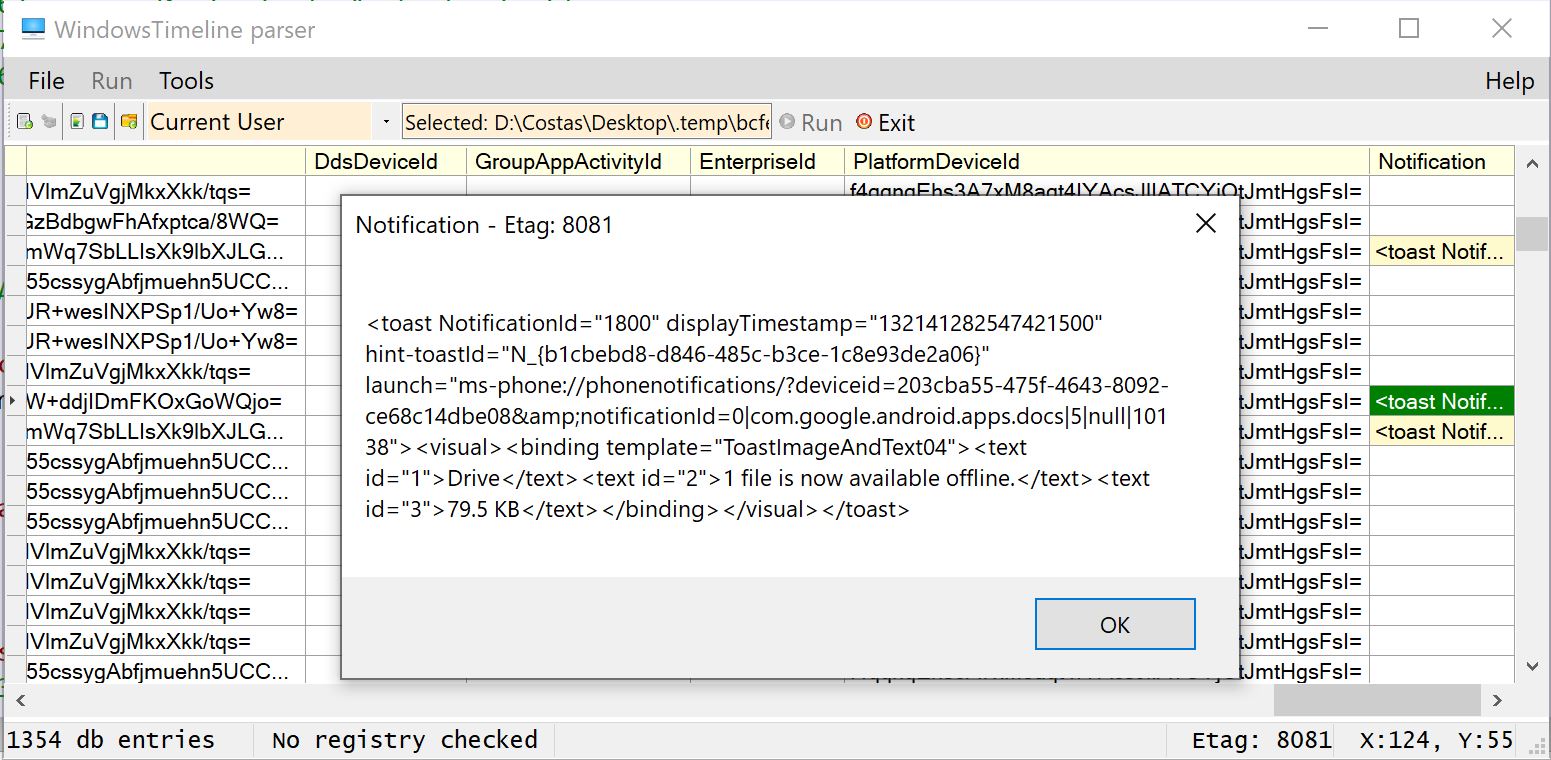
<br>Works with any ActivitiesCache.db (Windows 1703/1709/1803/1809/1903/1909/2004 ..)<br> - Decodes Clipboard Text<br> - Matches dB device information with data from the registry (HKCU or NTuser.dat)<br> - Shows all the important information from JSON blobs ..<br> - Optionally exports output to "|" delimited .csv in a timestamped folder in the form of "WindowsTimeline_dd-MMM-yyyyTHH-mm-ss".<br>
Parses:<br> - Standalone ActivitiesCache.db<br> - CurrentUser's selected ActivitiesCache.db with matching registry (HKCU) device entries<br> - Standalone ActivitiesCache.db with offline NTUser.dat device entries<br>
Note1: Requires "System.Data.SQLite.dll". <br>If it's not available, it show prompt to download and install automatically.<br> Installation path:
C:\Program Files\System.Data.SQLite\2010\bin\<br> Note2: Runs on Windows 10 x64 <br>-
ActivityTypes observed:
- 2 (Notification)
- 3 (Mobile Device Backup ?/azure authentication)
- 5 (Open Application/File/Webpage)
- 6 (Application in Use/Focus)
- 10 (Clipboard Text - for a duration of 43200 seconds or 12 hours exactly)
- 11,12,15 Windows System operations such as:
- Microsoft.Credentials.Vault
- Microsoft.Credentials.WiFi
- Microsoft.Default
- Microsoft.Credentials
- Microsoft.Personalization
- Microsoft.Language
- Microsoft.Accessibility*
- 0,1,4,7,8,9,13 unknown yet
- 16 (Copy/Paste Operation - Copy or Paste is shown in the Group field of the db)
-
Device Types: <br> (According to the Connected Devices Platform specification & observation)* <br>
- 0.Windows 10X (dual screen) device (Observed & Verified)
- 1.Xbox One (Verified)
- 6.Apple iPhone
- 7.Apple iPad
- 8.Android device (Verified)
- 9.Windows 10 Desktop (Verified)
- 11.Windows 10 Phone
- 12.Linux device
- 13.Windows IoT
- 14.Surface Hub
- 15.Windows 10 Laptop PC *(Observed & Verified)*1
- 16.Windows 10 Tablet PC (Observed & Verified) <br><br>
Windows.EDB has the same info but in text form eg:
| Field Name | Field Value| |------------| -----------| |4124-System_ActivityHistory_DeviceMake| HP| |4125-System_ActivityHistory_DeviceModel| HP 250 G6 Notebook PC| |4126-System_ActivityHistory_DeviceName| DESKTOP-HL2LCVA| |4127-System_ActivityHistory_DeviceType| Laptop|
-
-
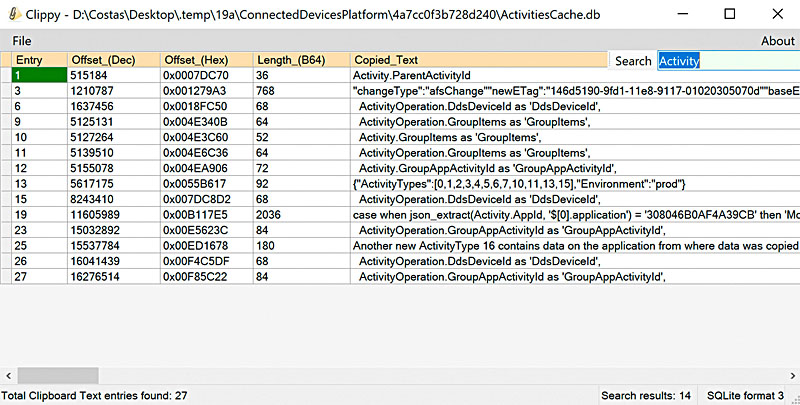
Clippy (previously 'WindowsTimeline Clipboard Text Carver')
 <br>
<br>- Retrieves current & deleted Clipboard text entries from an ActivitiesCache db or db-wal file.
- Displays offset of entry in the file & decoded text
- Allows Copy of a selection or all of the results
- Allows export to "|" separated CSV
Example:<br> - WindowsTimeline.exe: 15 clipboard text entries (SQLite query)<br> - Clippy.exe: 224 from the db & 19 from the db-wal<br>
- Devices that support Universal Windows Platform (UWP)<br> * PCs and laptops (Screen sizes 13” and greater)<br> * Tablets and 2-in-1s (Screen sizes: 7” to 13.3” for tablet, 13.3" and greater for 2-in-1)<br> * Xbox and TV (Screen sizes: 24" and up)<br> * Phones and phablets (Screen sizes: 4'' to 5'' for phone, 5.5'' to 7'' for phablet)<br> * Surface Hub devices (Screen sizes: 55” and 84'')<br> * Windows IoT devices (Screen sizes: 3.5'' or smaller, Some devices have no screen)<br>
-
Documentation
- WindowsTimeline.pdf - Documentation for the database and its entries. Updated with information for the ~upcoming~ Win10 v1809 & v1903+ upgrades. Updated with Clipboard History info
- A Forensic Exploration of the Microsoft Windows 10 Timeline - (Journal of Forensic Sciences DOI:10.1111/1556-4029.13875) - (Win10 1803)<br>
- Exploring the Windows Activity Timeline, Part 1: The High Points<br>
- Exploring the Windows Activity Timeline, Part 2: Synching Across Devices<br>
- Exploring the Windows Activity Timeline, Part 3: Clipboard Craziness<br>
-
Related
- Win10 YourPhone app<br>
- Win10 Notifications.<br>
SQLite queries to parse Windows 10 (1803+) Timeline's ActivitiesCache.db Database
Either import the queries (.sql file) to your SQLite program, or Copy/Paste the code to a query tab. Your software needs to support the SQLIte JSON1 extension.
-
Windows timeline database query (WindowsTimeline.sql)
Updated to work with Win10 v1903 (Build 19023.1) <br>
Screenshots of WindowsTimeline.sql
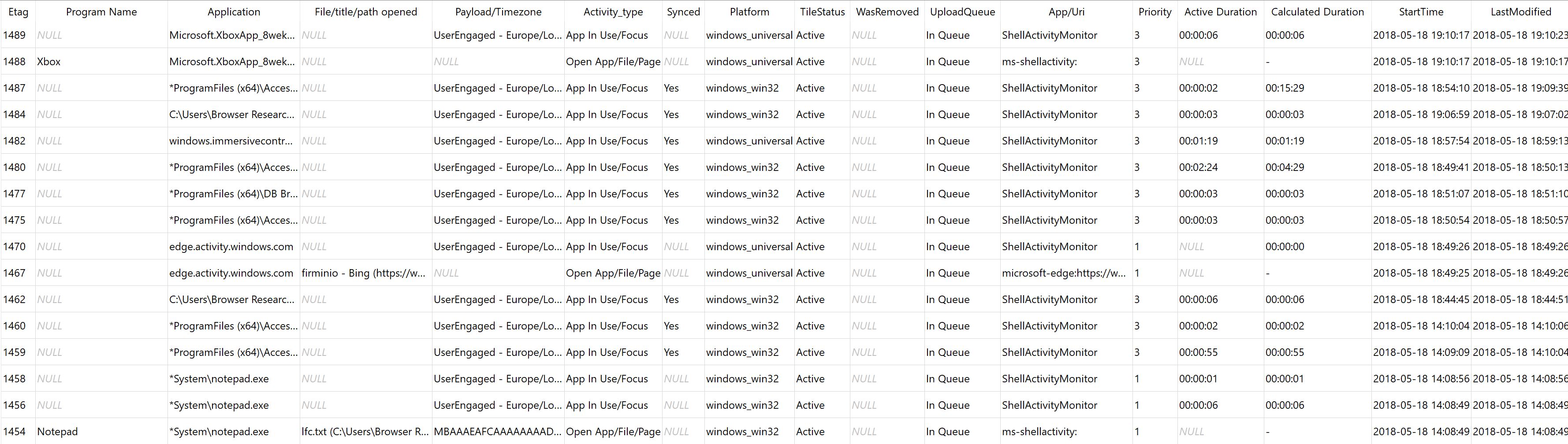
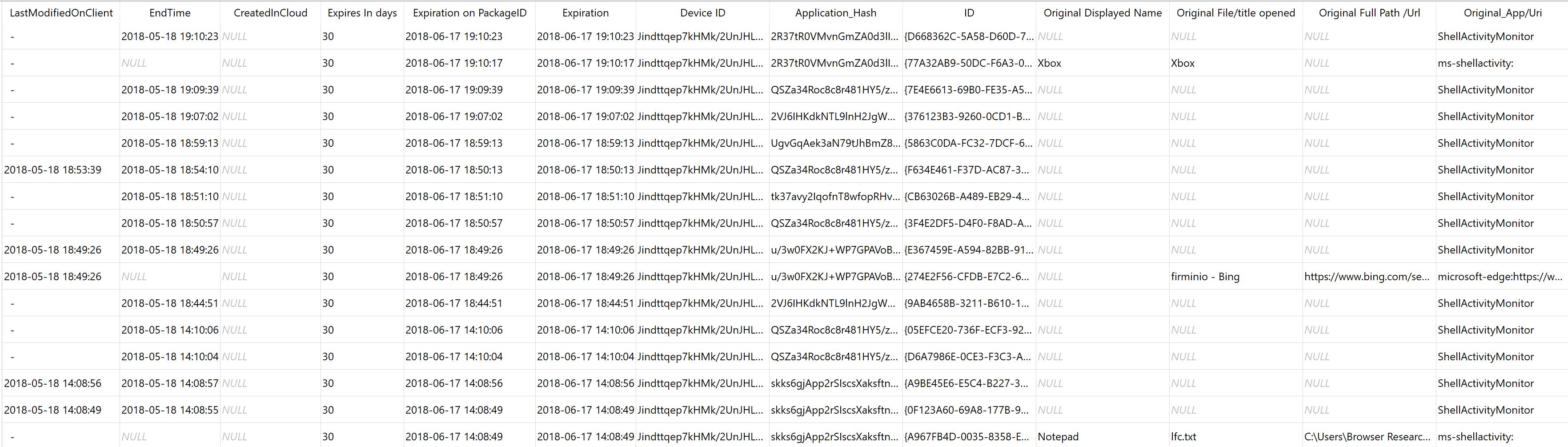
SQLite Tables processed:
- Activities,
- Activity_PackageID,
- ActivityOperation
Related content:

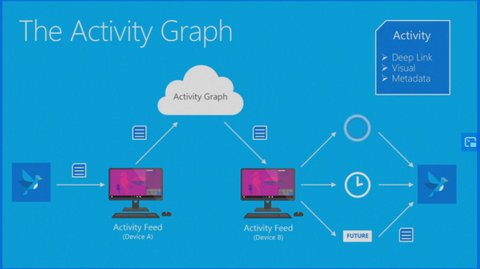
(5/2019)
>> Revised query << for Windows Timeline - works with all versions (1803,1809,1903+) and is based on the smartlookup view. (Tested on Win10 pro 1903 (Build 19023.1)) <br>
- *Windows versions (OSBuild) supporting Timeline:**<br>
- March 2019 Update (v1903 18875) .. <br>
- October 2018 Update (v1809 - 17763)<br>
- April 2018 Update (v1803 - 17134)<br>
Other queries (Win10 - 1803): (Build 19023.1)
- A re-formated Smartlookup view query - Smartlookup is a view included in ActivitiesCache.db. This query makes it a bit more readable but does not extract the data in the BLOBs (does not need the JSON1 extension).
- Activity_PackageID timeline query - Creates a timeline according to the Expiry Dates in the Activity_PackageID table.
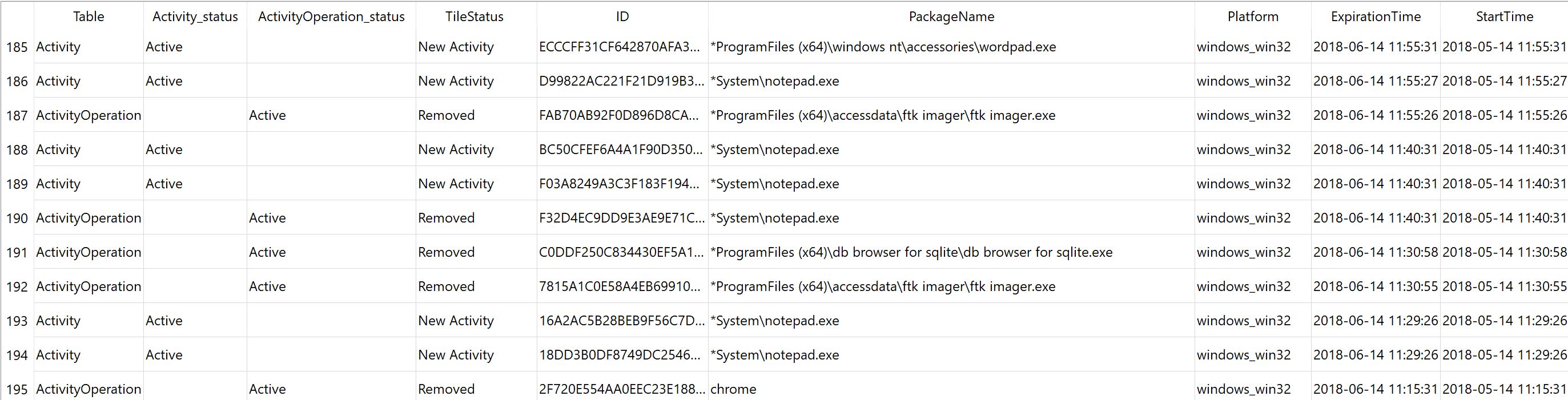
- PackageID check - Check that the 'PackageID' in the 'Activity.AppId' json field has the same value as the 'Activity_PackageId' table's 'PackageName' field *(
Related Skills
notion
344.4kNotion API for creating and managing pages, databases, and blocks.
feishu-drive
344.4k|
things-mac
344.4kManage Things 3 via the `things` CLI on macOS (add/update projects+todos via URL scheme; read/search/list from the local Things database)
clawhub
344.4kUse the ClawHub CLI to search, install, update, and publish agent skills from clawhub.com
