
Epagneul
Graph Visualization for windows event logs
Install / Use
/learn @jurelou/EpagneulREADME
<p align="center"><img width="100" src="https://github.com/jurelou/epagneul/blob/master/images/logo-rounded.png?raw=true" alt="Vue logo"></p>
<h2 align="center">epagneul</h2>
<div align="center">
<p>
<strong>
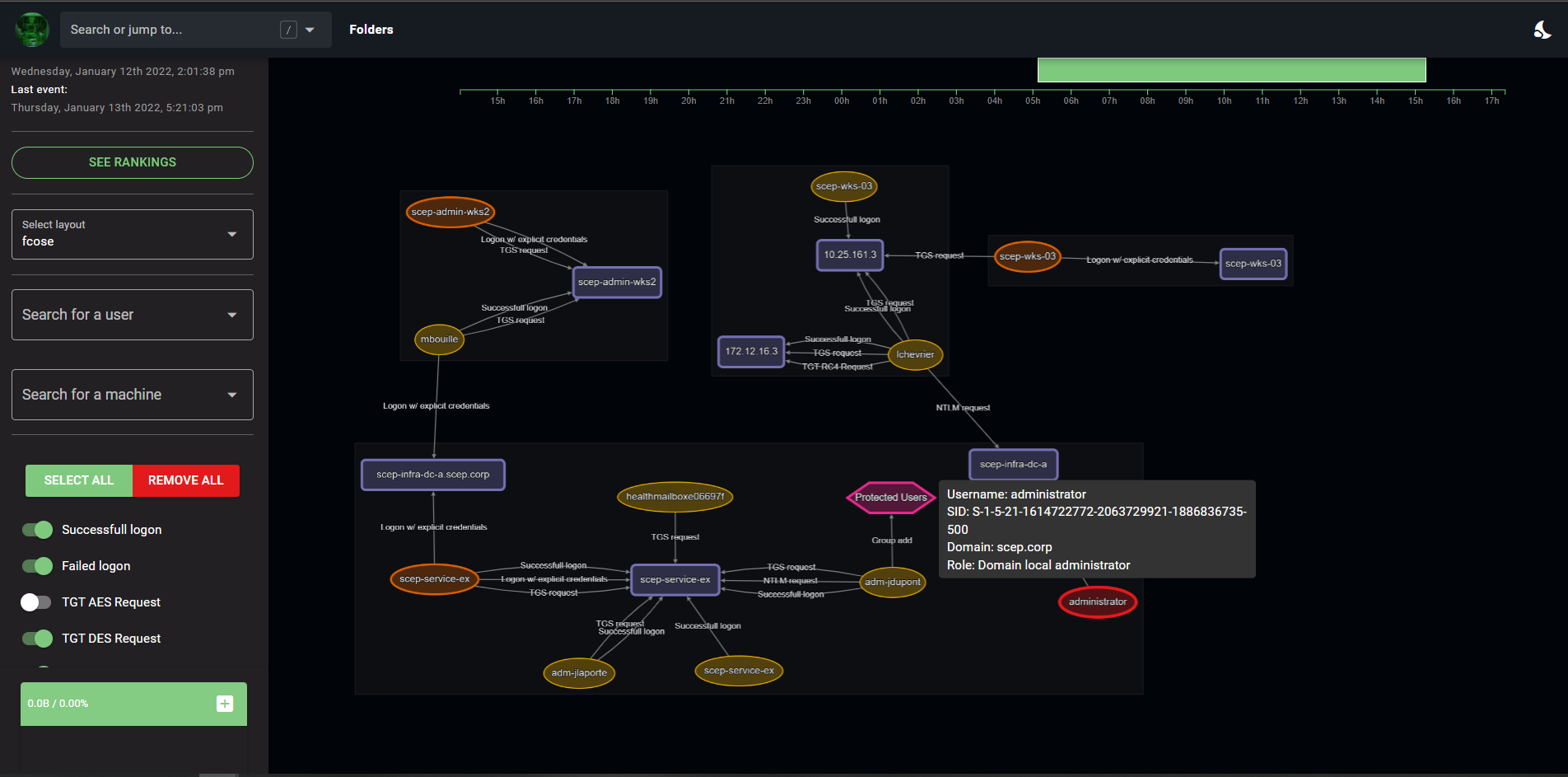
Epagneul is a tool to visualize and investigate windows event logs.
</strong>
</p>
<p>
<img width="100" src="https://img.shields.io/badge/%20imports-isort-%231674b1?style=flat&labelColor=ef8336">
<img width="100" src="https://img.shields.io/badge/code%20style-black-000000.svg">
<img width="100" src="http://www.mypy-lang.org/static/mypy_badge.svg">
<img width="100" src="https://img.shields.io/badge/security-bandit-yellow.svg">
<img width="100" src="https://img.shields.io/badge/python-3.8-blue">
</p>
</div>
Deployment
Requires docker and docker-compose to be installed.
Installing
make
Offline deployment
On a machine connected to internet, build an offline release:
make release
This will create a release folder containing ready to go docker images.
Copy the project to your air gapped machine then run:
make load
make
This will install:
- epagneul web UI (port 8080)
- epagneul backend (port 8000)
- neo4j (port 7474)
Utility Tool: Upload Files or Folders to Epagneul
The project includes a Python utility to upload EVTX or JSONL files to Epagneul for analysis.
Features
- Automatically creates folders in the Epagneul backend.
- Validates and uploads EVTX or JSONL files.
- Supports single file or folder uploads.
Usage
Run the following command to use the tool:
python upload.py --input-path <path_to_file_or_folder> --folder-name <folder_name> --console-url <console_url> [--console-port <port>]
Arguments
--input-path: Path to the file or folder containing EVTX or JSONL files.--folder-name: Name of the folder to create in Epagneul.--console-url: Base URL of the Epagneul backend (e.g.,http://127.0.0.1).--console-port: Port of the Epagneul backend (default:6327).
todos
- [x] Better SID corelations
- [x] add edge tips
- [x] Label propagation algorithm
- [x] PageRank
- [x] Add missing events IDs (sysmon)
- [x] Proper conversion of known SIDS / security principals, ...
- [ ] hidden markov chains
- [ ] Display a timeline of logons / at least a summary graph
- [ ] check out: https://github.com/ahmedkhlief/APT-Hunter
- [ ] Import data from ELK / splunk
- [ ] detect communities using louvain
- [ ] Document evtx filtering method using filter
3,4648,4624,4625,4672,4768,4769,4771,4776,4728,4732,4756
Known bugs
- The
countvalue on edges does not update based on the selected timeline
References:
- https://adsecurity.org/wp-content/uploads/2017/04/2017-BSidesCharm-DetectingtheElusive-ActiveDirectoryThreatHunting-Final.pdf
- https://github.com/JPCERTCC/LogonTracer
Built With
- Vue.js - The web framework used
- Cytoscape.js - Library used for graph visualisation and analysis
- d3 - Used to display the timeline
- neo4j - Backend database
- evtx - Parser for the windows XML EventLog format
Authors
- jurelou - Initial work - jurelou
