
WowClassicGrindBot
WOW Classic Grind Bot, World of Warcraft Grind Bot - No DLL injection or memory watching, just screen capture and mouse and keyboard clicking.
Install / Use
/learn @julianperrott/WowClassicGrindBotREADME
Source code not available.
I no longer have time to work on this bot and have deleted the source code to avoid any confusion. I have left this readme to indicate what is possible with a pixel bot.
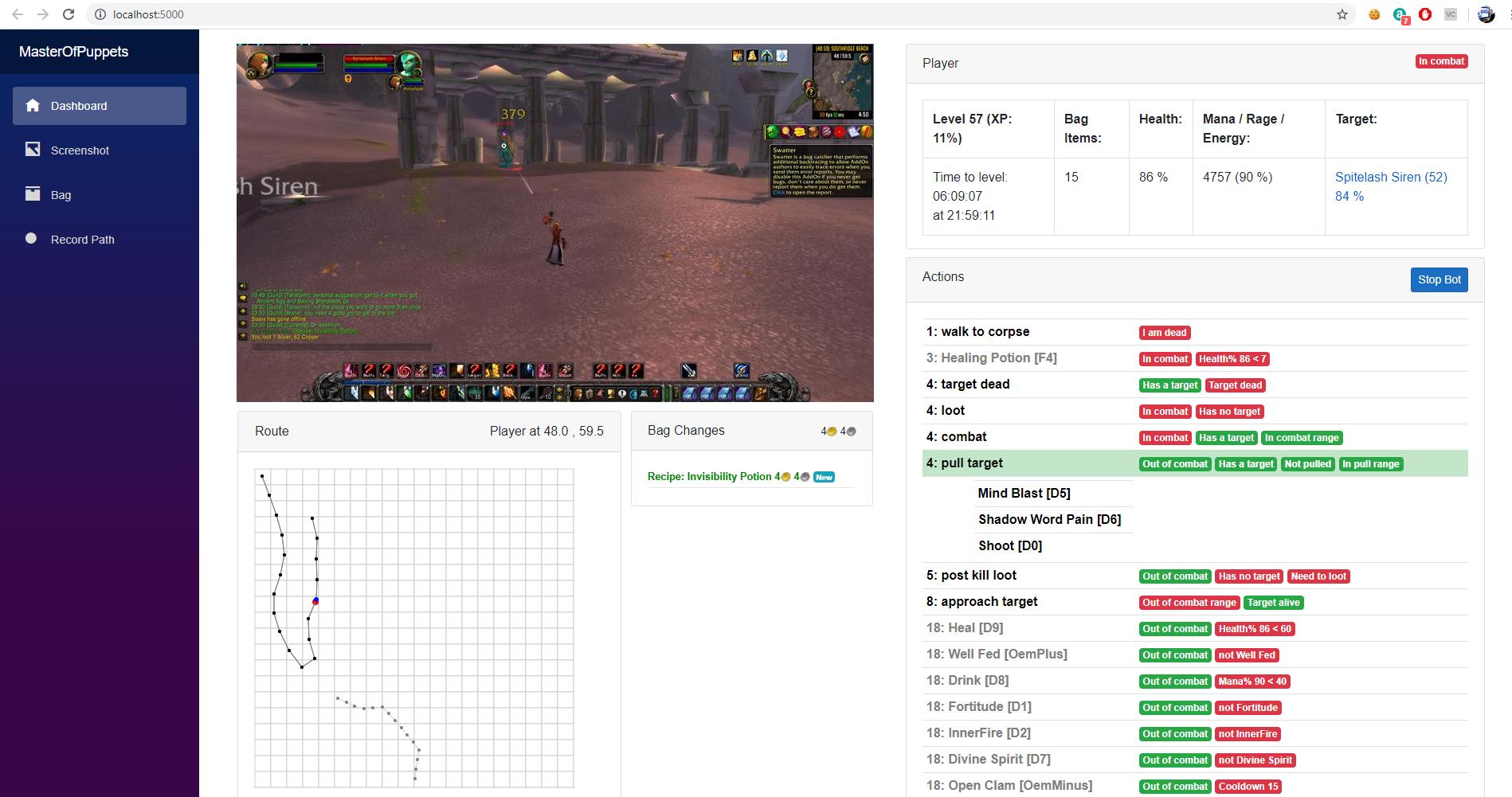
MasterOfPuppets - World of Warcraft Classic Grind Bot - Now Includes Pathing
-
Uses a modified version of the addon: https://github.com/FreeHongKongMMO/Happy-Pixels to read the game state. Sorry but the addon is coded for an english wow client and would need to be modified to work with any other languages.
-
Uses Blazor Server to show the bot state in a browser, and so can be monitored from your phone or a tablet while you do something else. https://docs.microsoft.com/en-us/aspnet/core/blazor
-
No DLL injection or memory watching, just screen capture, mouse and keyboard clicking.
-
The bot was written from scratch in C#. The Pathing calculation is mostly from an old library called PPather.
-
All classes are working except Hunter.
-
Pathing to grind route, vendor and repair.
-
Further detail about the bot can be found in my Blog post.
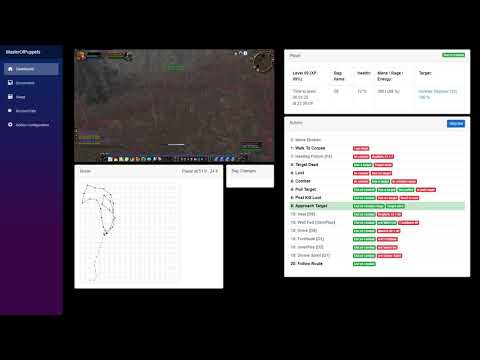
Video
https://www.youtube.com/watch?v=CIMgbh5LuCc
Contributing
You are welcome to create pull requests. Some ideas of things that could be improved:
- This readme
- The stuck detector
- The route recording and editing
- More routes
Issues and Ideas
Create an issue rather than emailing me so that others can comment.
Getting it working
1. Download this repository
Put the contents of the repo into a folder. e.g "C:\WowClassicGrindBot". I am going to refer to this folder from now on, so just substitute your own folder path.
2. Install the Addon
W In this repo is a folder called Addons e.g. C:\WowClassicGrindBot\Addons. Copy the contents into your wow classic Addons folder. e.g. c:\World of Warcraft_classic_\Interface\AddOns. You will need to restart Wow if it is running.
There are 2 addons:
- Bindpad - This makes it easier to bind keys to commands or macros. e.g. F1-F12
- DataToColor - This is the addon which reads and displays the game state.
3. Download the MPQ route files
You only need the common-2.MPQ (1.7Gb) file.
This file is required to find paths from where you are to the grind area, vendor and repair.
Copy it into the \PathingAPI\MPQ folder (e.g. C:\WowClassicGrindBot\PathingAPI\MPQ)
4. Build the bot
You will probably already have Visual Studio or Visual Studio Code installed. You need to build the bot using either one of them, or use powershell.
You will need .net core 3.1 x86 SDK installed. https://dotnet.microsoft.com/download/dotnet-core/3.1
Note: you need the x86 version, not the x64 one.
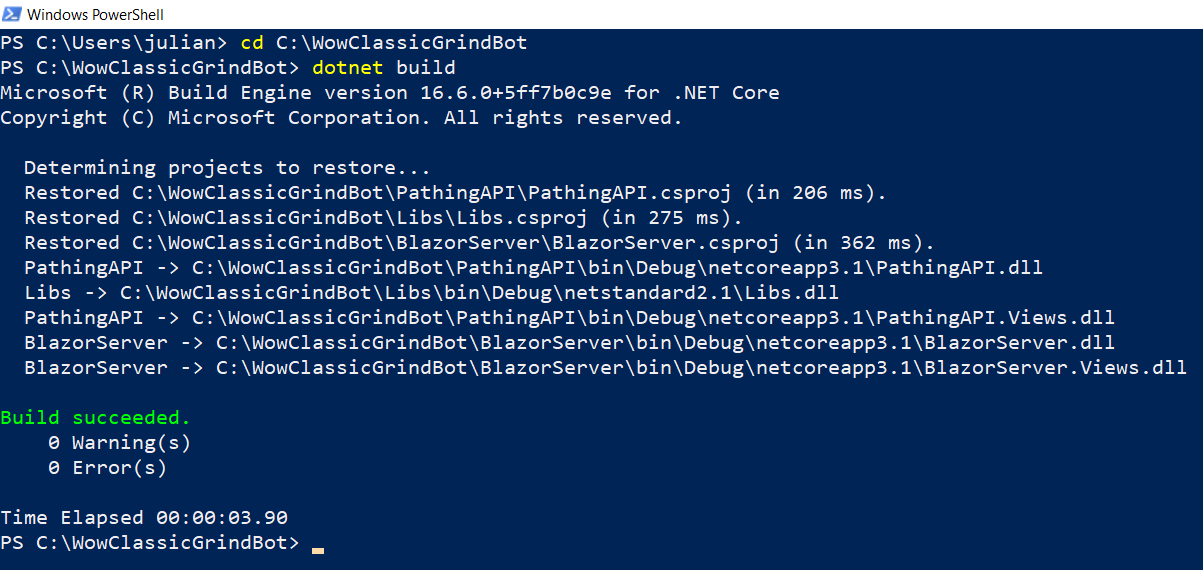
e.g. Build from powershell
cd C:\WowClassicGrindBot
dotnet build
5. Configure the Addon Reader
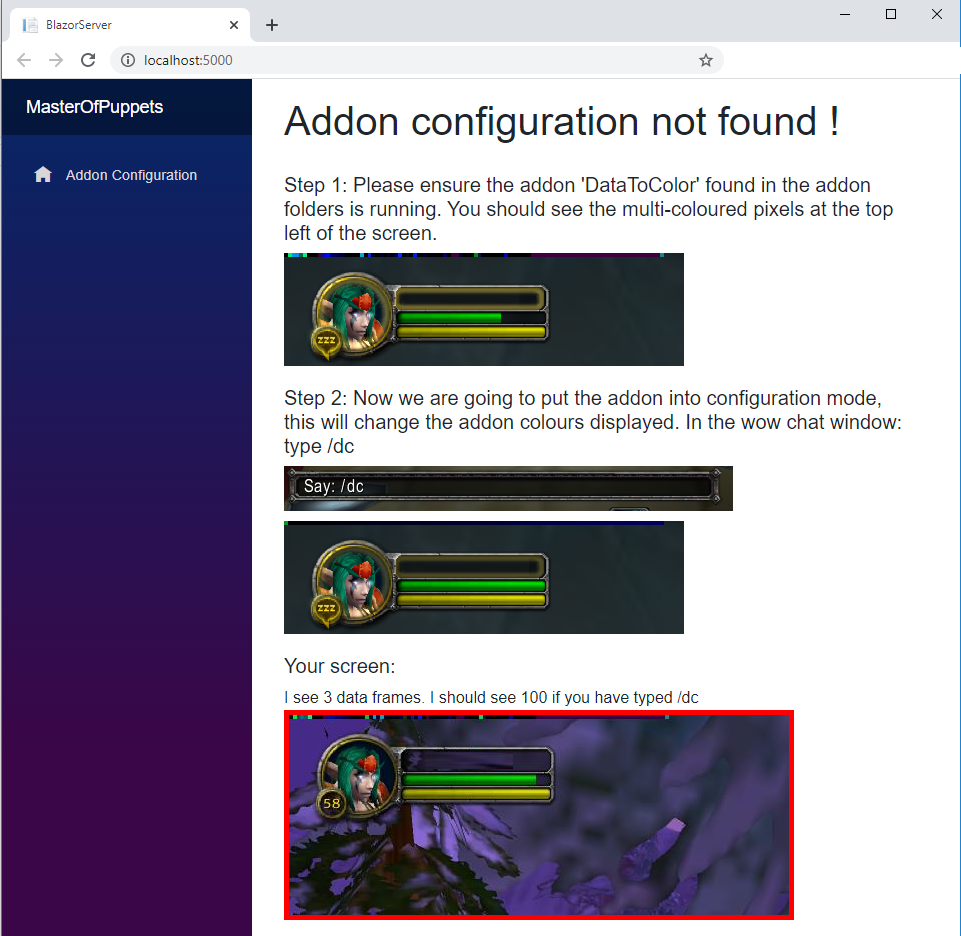
The bot reads the game state using small blocks of colour shown at the top of the screen by an Addon. This needs to be configured.
-
Delete the existing config.json file found in c:\WowClassicGrindBot\BlazorServer, we are going to recreate it. This is important as your screen may not be the same size as mine 1920 x 1080.
-
Edit the batch script in c:\WowClassicGrindBot\BlazorServer called run.bat, change it to point at where you have put the repo BlazorServer folder e.g.
start "C:\Program Files (x86)\Google\Chrome\Application\chrome.exe" "http://localhost:5000" c: cd C:\WowClassicGrindBot\BlazorServer dotnet run pause -
Execute the run.bat. This will start the bot and Chrome, Wow must be already running. If you get "Unable to find the Wow process is it running ?" in the console window then it can't find wow.exe.
-
You should see the 'Addon configuration' screen (See screenshot below).
-
Check these settings in the wow game client. Other values will stop the bot from being able to read the addon data.
- System>Advanced>Constrast: 50
- System>Advanced>Brightness: 50
- System>Advanced>Gamma from: 1.0
-
The bot needs to record the position of the blocks of colour and to do this we need to put the addon into configuration mode by typing /dc. Follow the instructions on the configuration page and Save the configuration.
-
Restart the bot and when it starts it should show the dashboard page.
6. Configure the Wow Client - Interface Options
We need to make sure that certain interface options are set. The most important are Click to move and screen flashing on low health. See the list below.
Interface Options
From the main menu (ESC) set the following:
- Interface Options - Controls - Auto Loot - Ticked.
- Interface Options - Controls - Interact on Left click - Not ticked.
- Interface Options - Combat - Do Not Flash Screen at Low Health - Ticked.
- Interface Options - Combat - Auto Self Cast - Ticked.
- Interface Options - Camera - Auto-Follow Speed - Fast
- Interface Options - Camera - Camera Following Style - Always
- Interface Options - Mouse - Click-to-Move - Ticked
- Interface Options - Mouse - Click-to-Move Camera Style - Always
7. Configure the Wow Client - Key Bindings:
The "Interact with Target" keybind is super important as it allows the bot to turn towards and approach the target. The "Target Last Target " keybind helps with looting.
From the main menu (ESC) set the following:
"Targeting" Key Bindings:
| Command | Key | | ---- | ---- | | Interact With Target | H | | Target Last Target | N |
8. Configure the Wow Client - Bindpad addon
Bindpad allows keys to be easily bound to commands and macros. Type /bindpad to show it.
For each of the following click + to add a new key binding. The most important ones are marked with a *.
| Key | Command | Description | | ---- | ---- | --- | | i | /use hearthstone | | | o | /use Chestnut Mare Bridle | Your mount here| | u | /tar targettarget | Warlock only | | y | /cast counterspell | Mage only | | t | /cast blink | Mage only | | F1 | See below | Buff weapon 16 (Melee classes) | | F2 | See below | Buff weapon 17 (Melee classes)| | * F3 | /cleartarget | | | * F4 | /use Superior Healing Potion | Heal | | F5 | See below | Delete various crap | | F6 | /equipslot 18 Wicked Throwing Dagger | Equip thown (Rogue) | | F7 | /cast Desperate Prayer | Heal - Priest only | | F8 | /cancelform | Druid | | * F9 | /stand | | | * F10 | /stopattack | | | F11 | /cast Power Infusion | Priest only | | F12 | /tar pet | Warlock only | | L | /cast Ice Barrier | Mage only |
Rogue weapon buff (use 17 for second weapon):
    /use Instant Poison V
    /use 16
    /click StaticPopup1Button1

Melee weapon buff:
    /use Dense Sharpening Stone
    /use 16
    /click StaticPopup1Button1

Delete various
    /run for b=0,4 do for s=1,GetContainerNumSlots(b) do local n=GetContainerItemLink(b,s) if n and (strfind(n,"Slimy") or strfind(n,"Red Wolf") or strfind(n,"Mystery") or strfind(n,"Spider L")) then PickupContainerItem(b,s) DeleteCursorItem() end end end
9. Setting up the class file (Final step)
Each class has a configuration file in /Json/class e.g. the config for a Rogue it is in file C:\WowClassicGrindBot\Json\class\Rogue.json.
The configuration file determines what spells you cast when pulling and in combat, where to vend and repair and what buffs you give yourself.
Take a look at the class files in /Json/class for examples of what you can do (BTW hunter is not supported.). Your class file probably exists and just needs to be edited to set the pathing file name, but note they may be set up for level 60.
Path
The path that the class follows is a json file in C:\WowClassicGrindBot\Json\path\ which contains a list of x & y coordinates the bot will traverse while looking for mobs.
    "PathFilename": "58_Winterspring.2.json", // the path to walk when alive
    "SpiritPathFilename": "58_Winterspring_SpiritHealer.2.json", // the path from the spirit healer back to the main path.
    "PathThereAndBack": true, // if true walks the path and the walks it backwards.
    "PathReduceSteps": true,  // uses every other coordinate.
Note: The SpiritPathFilename is not really needed anymore as the bot should be able to path from the spirit healer to the corpse.
Commands
The rest of the file contains a set of commands
e.g.
{
    "Name": "Slice And Dice",
    "Key": "3",
    "MinEnergy": 25,
    "MinComboPoints": 2,
    "Cooldown": 3,
    "Requirement": "Slice And Dice"
  },
Commands have the following parameters, only a subset will be used by each command.
| Property Name | Description | Default value | | --- | --- | --- | | Name | Name of the command | | | HasCastBar | Does the spell have a cast bar | false | | StopBeforeCast | Should the char stop moving before casting the spell | false | | Key | The key to click (ConsoleKey) | | | PressDuration | How many milliseconds to press the key for | 250 | | ShapeShiftForm | For druids the shapeshift form to be in to cast this spell | None | | CastIfAddsVisible | If the bot can "See" any adds | false | | Cooldown | The cooldown in seconds until the command can be done again | 0 | | MinMana | The minimum Mana required to cast the spell | 0 | | MinRage | The minimum Rage required to cast the spell | 0 | | MinEnergy | The minimum Energy required to cast the spell | 0 | | MinComboPoints | The minimum combo points required to cast the spell | 0 | | Requirement | A single "Requirement" (See below) which must be true | | | Requirements | A list of "Requirements"
Related Skills
node-connect
350.8kDiagnose OpenClaw node connection and pairing failures for Android, iOS, and macOS companion apps
frontend-design
110.4kCreate distinctive, production-grade frontend interfaces with high design quality. Use this skill when the user asks to build web components, pages, or applications. Generates creative, polished code that avoids generic AI aesthetics.
openai-whisper-api
350.8kTranscribe audio via OpenAI Audio Transcriptions API (Whisper).
qqbot-media
350.8kQQBot 富媒体收发能力。使用 <qqmedia> 标签,系统根据文件扩展名自动识别类型(图片/语音/视频/文件)。

Security Score
Audited on Apr 3, 2026