
Terminology
An intuitive way to color terminal text with python
Install / Use
/learn @juanrgon/TerminologyREADME
Terminology

A simple way to color terminal text! ❤️ 💛 💚 💙 💜
Color Text
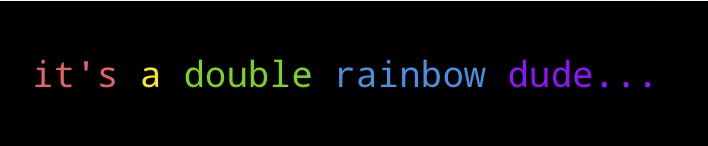
from terminology import in_red, in_yellow, in_green, in_blue, in_magenta

print(in_red("it's"), in_yellow("a"), in_green("double"), in_blue("rainbow"), in_magenta("dude..."))
Output
Color Text Background
from terminology import on_green, on_yellow, on_red

print(on_green("OK"), on_yellow("WARNING"), on_red("DANGER")
Output

Emphasize Text with Bold and Underlining
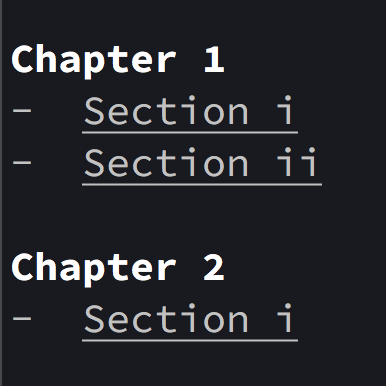
from terminology import in_bold, underlined

print(in_bold("Chapter 1"))
print("- ", underlined("Section i"))
print("- ", underlined("Section ii"), "\n")

print(in_bold("Chapter 2"))
print("- ", underlined("Section i"), '\n')
Output
Related Skills
node-connect
351.4kDiagnose OpenClaw node connection and pairing failures for Android, iOS, and macOS companion apps
claude-opus-4-5-migration
110.7kMigrate prompts and code from Claude Sonnet 4.0, Sonnet 4.5, or Opus 4.1 to Opus 4.5
frontend-design
110.7kCreate distinctive, production-grade frontend interfaces with high design quality. Use this skill when the user asks to build web components, pages, or applications. Generates creative, polished code that avoids generic AI aesthetics.
model-usage
351.4kUse CodexBar CLI local cost usage to summarize per-model usage for Codex or Claude, including the current (most recent) model or a full model breakdown. Trigger when asked for model-level usage/cost data from codexbar, or when you need a scriptable per-model summary from codexbar cost JSON.
